Hanwha SM481 PLUS Series Administrator’s Guide Eng.pdf.pdf - 第431页
14-79 Machine Calibration 11 . The measurement result can be confirmed in the R Axis dialog box. Memo The reference values for the calibration of the R-Axis Off s et is a s follows. Real Max(Min): The Max.(Min.) offse …
14-78
Fast Flexible Placer SM481(L) PLUS Administrator’s Guide
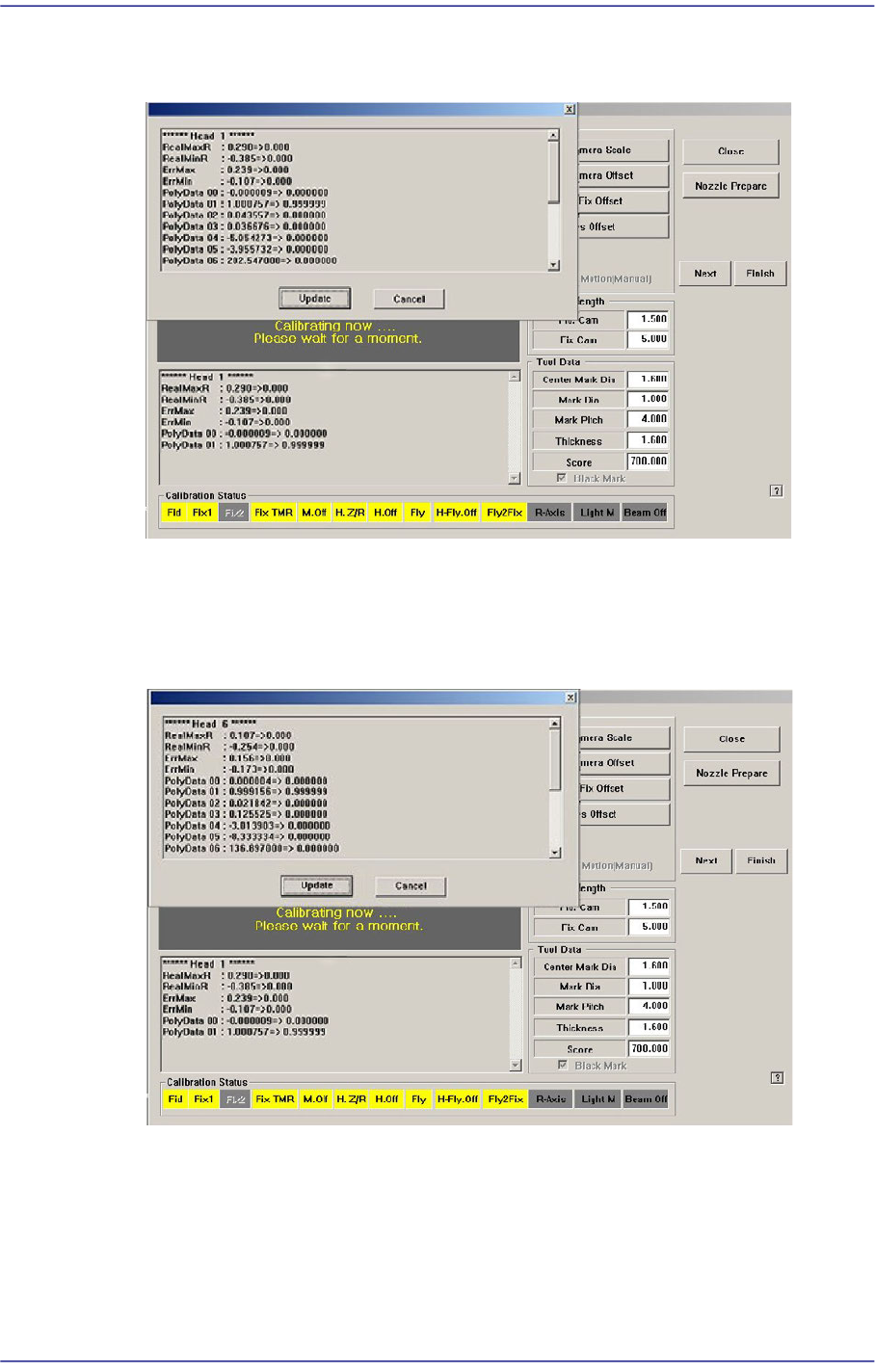
8. The calibration is performed automatically. If it is completed, the calibration result is
displayed as shown in the following figure.
9. .For Head #2 ~ Head #10, perform calibration in the same manner as it was performed
for Head #1.
10. .If the calibration procedure is completed for all heads normally, the result is displayed
as shown in the following figure.
14-79
Machine Calibration
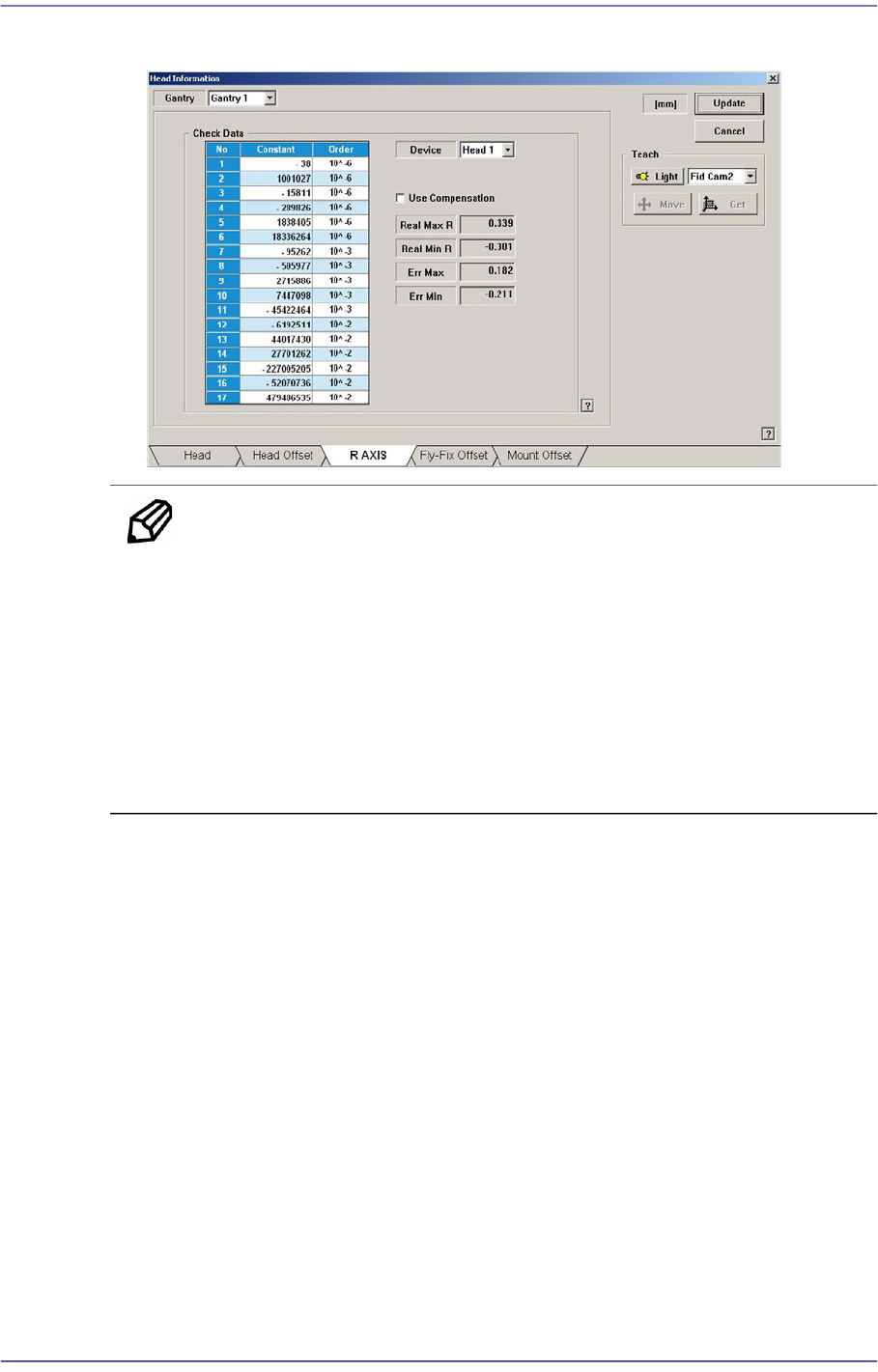
11. The measurement result can be confirmed in the R Axis dialog box.
Memo The reference values for the calibration of the R-Axis Offset is as
follows.
Real Max(Min): The Max.(Min.) offset between command value
and calibration value
Head1~Head10 : -1.000 ~ 1.000(deg)
Err Max(Min) The Max.(Min.) offset between compensation
value and calibration value
Head1~Head10 : -0.300 ~ 0.300(deg)
14-80
Fast Flexible Placer SM481(L) PLUS Administrator’s Guide
14.3.8. Board Positon Calibration
Teach the stopper position in the conveyor installation area and the X position of the
sensor.
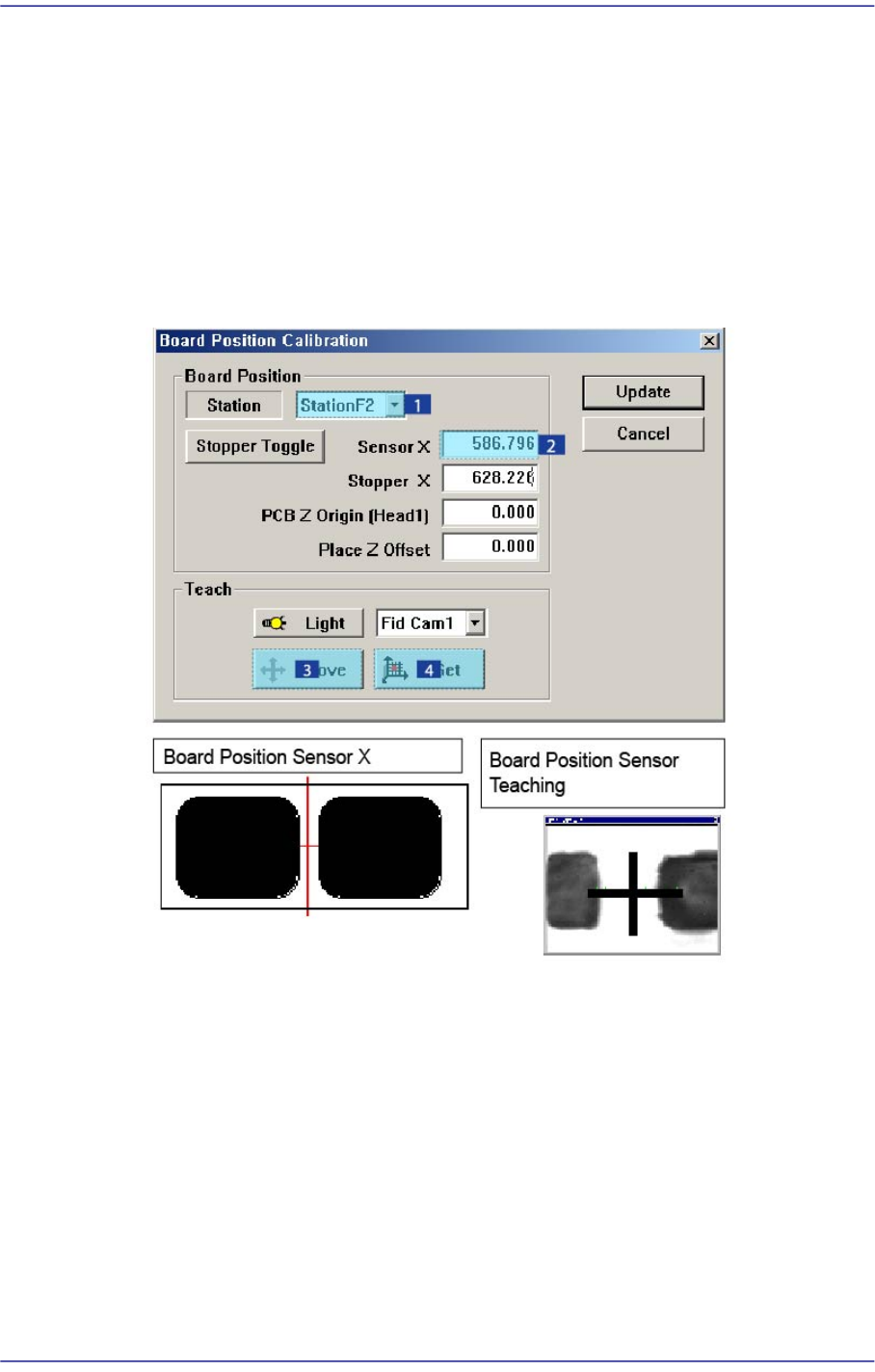
The following is the board position calibration procedure.
1. Select the < Sensor X> edit box using the mouse and move the Fiducial Camera to the
position of Sensor X by clicking the <Move> button.
2. Perform teaching of the exact position using the teaching box. Enter the precise
coordinates for ‘Sensor X’ by pressing the <Get> button of the teaching box.
3. Select the < Stopper X> edit box using the mouse and move the Fiducial Camera to the
position of Stopper X by clicking the <Move> button.
4. Click the <Stopper Toggle> button in the left of the <Stopper X> edit box first to move
the stopper up and then teach the stopper position correctly using the teaching box.
5. Click the <Get> button to enter the coordinates in the <Stopper X> edit box.