Hanwha SM481 PLUS Series Administrator’s Guide Eng.pdf.pdf - 第508页
17-4 Fast Flexible Placer SM481(L) PLUS Administ r ator’s Guide 17.2. Pd. Info[F3] It is used to perform the production a nalysis and prepare a report by utilizing the information related to PCB producti on. Figure17.4 “…
17-3
Utility
Stick Feeder: Select the information on Stick Feeder.
Tray Feeder: Select the information on Tray Feeder.
<Step Info.> check box
Select the information on operation sequence.
<System> check box
Select the information on the system parameter of the equipment.
<Preview> button
Displays the content to be printed on the screen first.
<Setup…> button
Sets the printer.
<Print> button
Prints the checked content and closes the “Print “dialog box.
<Print to File> button
Outputs the content in text file format.
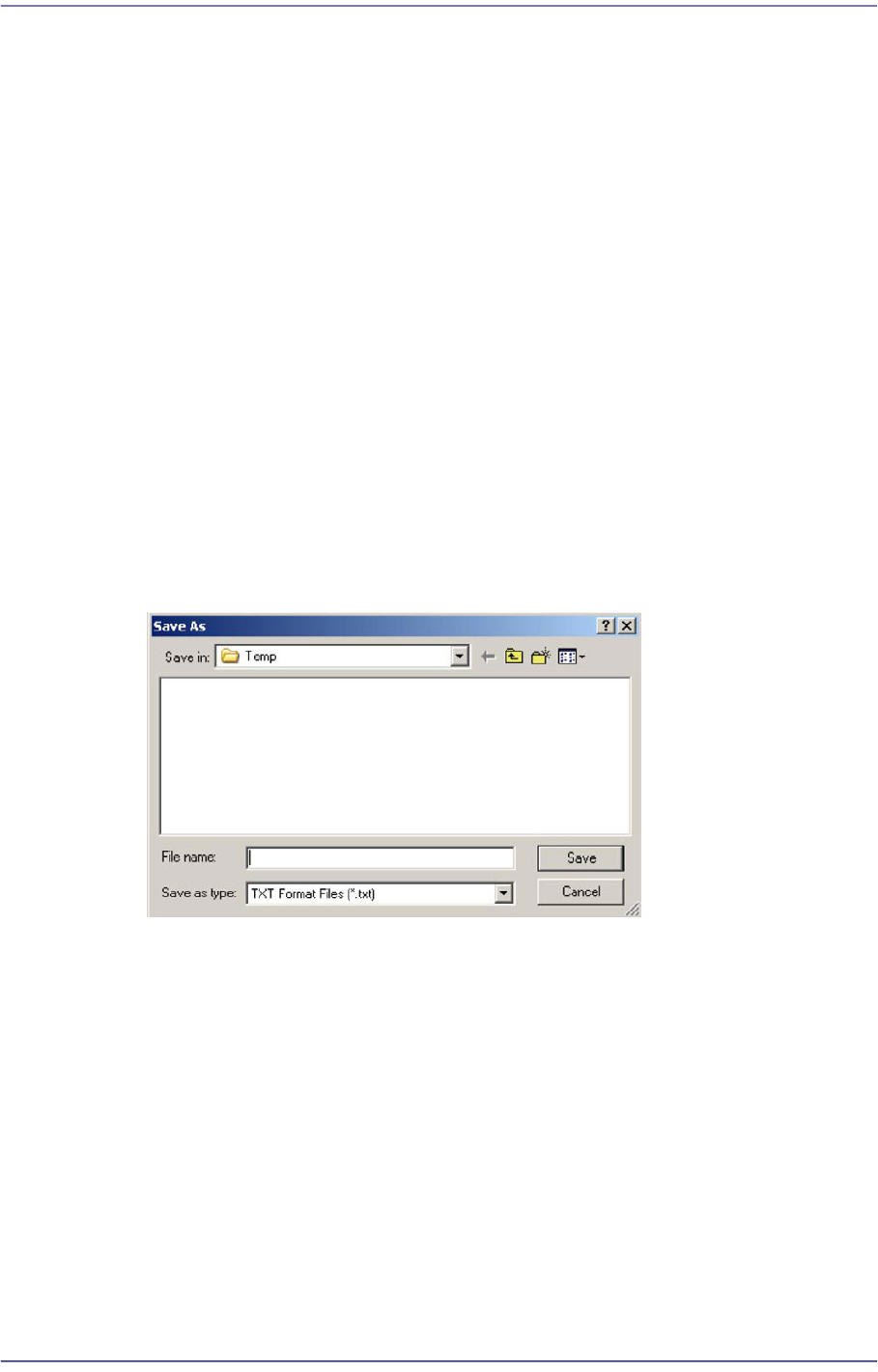
If the <Print to File> button is clicked, the following dialog box appears.
Enter the file name in the <File Name(N)> text box and press the <Save(S) button> to
save the file.
<Close> button
Cancels the execution of <Print> command and closes the “Print “dialog box.
17-4
Fast Flexible Placer SM481(L) PLUS Administrator’s Guide
17.2. Pd. Info[F3]
It is used to perform the production analysis and prepare a report by utilizing the
information related to PCB production.
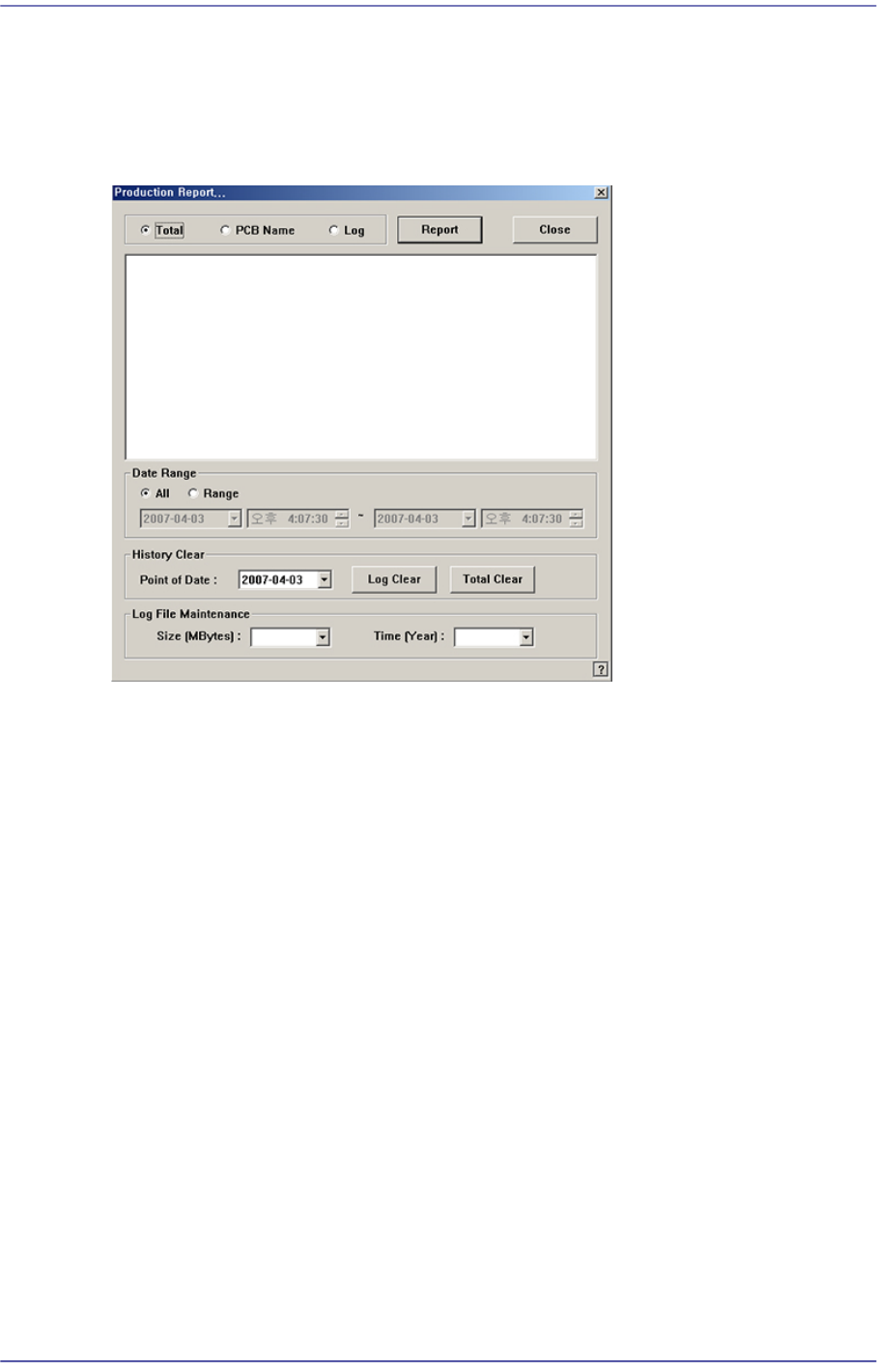
Figure17.4 “Production Report…” dialog box
Option button group
Select the data to be used to perform analysis and prepare report.
<Total> option button
It is selected to perform the production analysis and prepare a report by using the
data related to all PCBs produced by the machine within the period of time
designated by the <Data Range> option button.
<PCB Name> option button
It is selected to perform the production analysis and prepare a report by using the
data related to the PCBs selected within the period of time designated by the
<Data Range> option button.
<Log> option button
It is selected to perform the production analysis and prepare a report by using the
selected PCB log.
<Data Range> option button group
<All> option button
Use all PCB related data within the period of log file maintenance.
<Range> option button
Use all PCB related data within the selected period of time.

17-5
Utility
<History Clear> group
<Point of Date> combo box
Of the log files related to all PCBs produced by the machine, the files created
before the date selected here are deleted.
Here, if the <Log Clear> button at the right is clicked after selecting a date, the
files created before that date are deleted.
<Log Clear> button
Here, if the <Log Clear> button at the right is clicked after selecting a date, the
files created before that date are deleted.
<Total Clear> button
Deleted all PCB related log files.
<Log File Maintenance> group
<Size [Mbytes]> combo box
Select the size of all log files related to the PCB produced by the machine.
If the size of all log files is greater than the size selected here, the files are deleted
in the order of file creation date.
File size can be set at values from a minimum of 10MB to a maximum of 50MB in
10MB increments.
<Time [Year]> combo box
Select the period of time through which all log files related to the PCB produced
by the machine are managed.
If the created date of a log file is older than the period set here, it will be deleted.
The period of time can be set at values from a minimum of 1 year to a maximum
of 5 years in 1 year increments.
<Report> button
Used to analysis and make a report using the selected data. Please refer to“18.1
Production Information Management [Pd. Info] ”for more information.
<Close> button
Closes the dialog box for the production report.