Hanwha SM481 PLUS Series Administrator’s Guide Eng.pdf.pdf - 第505页
17-1 Utility Chapter17. Uti lit y The utility menu is composed of 6 subme nus: Print, Production Information, Copy Between PCB Files, File Manager , Bypass, and W armup. This menu provides convenience of operation and pr…
17-1
Utility
Chapter17. Utility
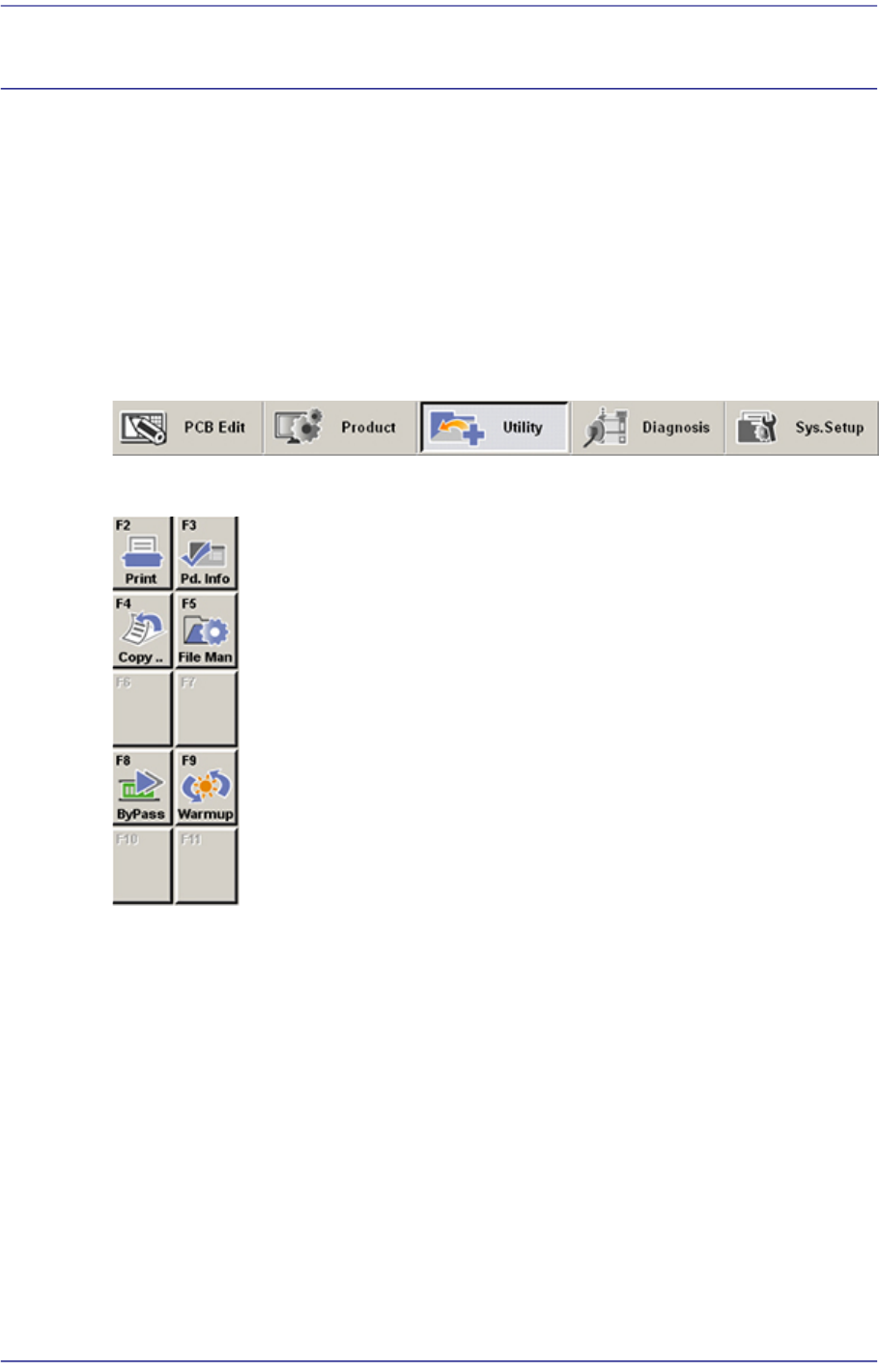
The utility menu is composed of 6 submenus: Print, Production Information, Copy
Between PCB Files, File Manager, Bypass, and Warmup.
This menu provides convenience of operation and provides product information when the
equipment is started.
When a submenu of the <Utility> menu is selected, the corresponding dialog box is
displayed on the screen. While the dialog box corresponding to the submenu is displayed,
selecting the menu again activates the corresponding dialog box.
Figure17.1 When the Utility menu is selected
Figure17.2 Submenus of the utility menu
17-2
Fast Flexible Placer SM481(L) PLUS Administrator’s Guide
17.1. Print... [F2]
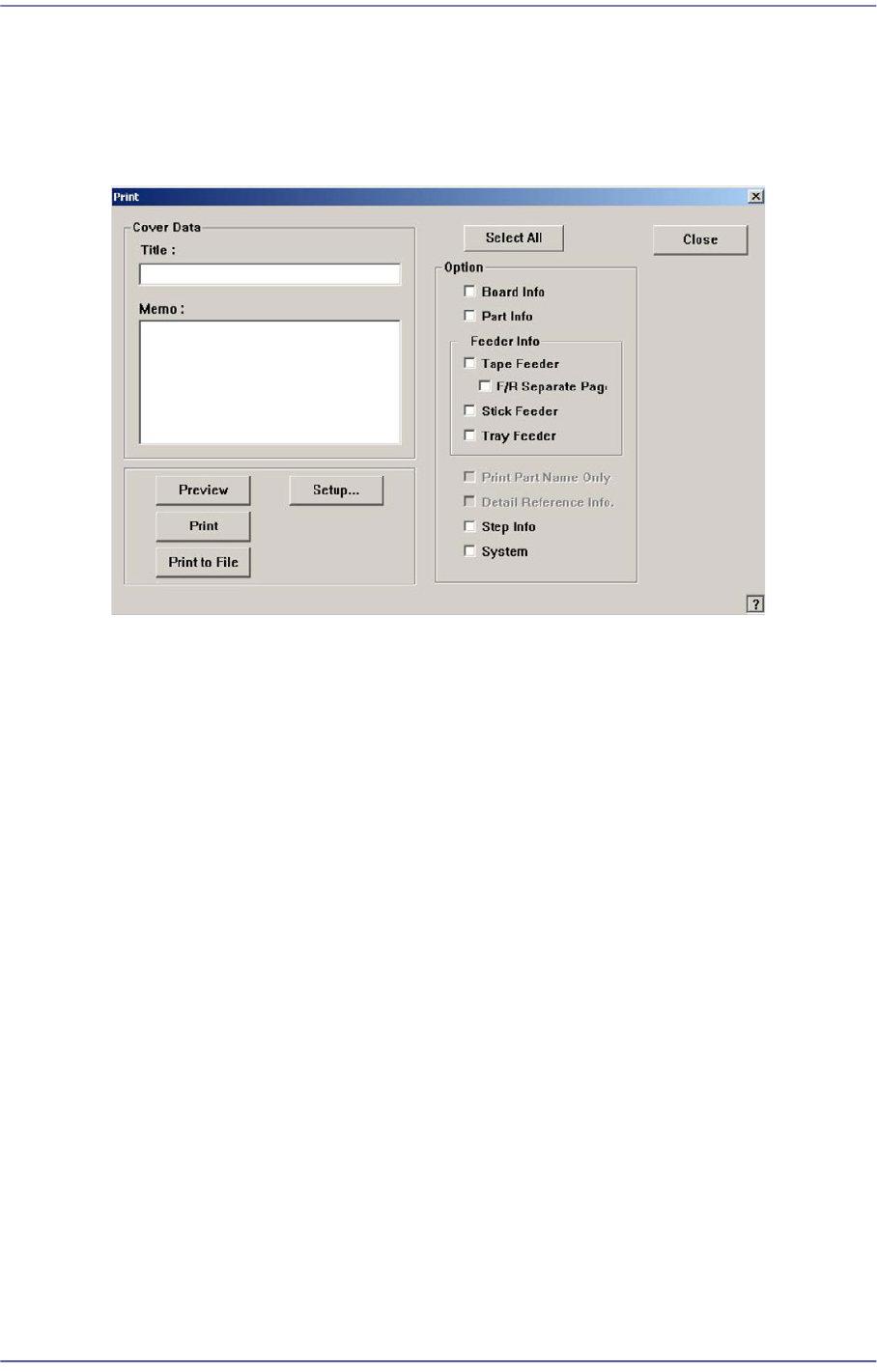
The <Print...> submenu is used to print PCB files. When this submenu is selected, the
following dialog box is displayed.
Figure17.3 “Print” dialog box
<Cover Data> group
Used to enter necessary information when a cover for the output is wanted.
<Title:> edit box
Enter the title of the output in the “Title” edit box.
<Memo:> edit box
Enter a short message to be displayed on the cover in the “Memo” edit box.
<Option> group
<Select All/Clear All.> button
Selects all the items to be output, or changes the selected items into unselected
status.
<Board Info.> check box
Select the information on PCB Boards.
<Part Info.> check box
Select the information on components.
<Feeder Info> check box group
Select the information on the feeder to print.
Tape Feeder: Select the information on Tape Feeder.
F/R Separate Page: Select the information on Tape Feeder.