Hanwha SM481 PLUS Series Administrator’s Guide Eng.pdf.pdf - 第300页
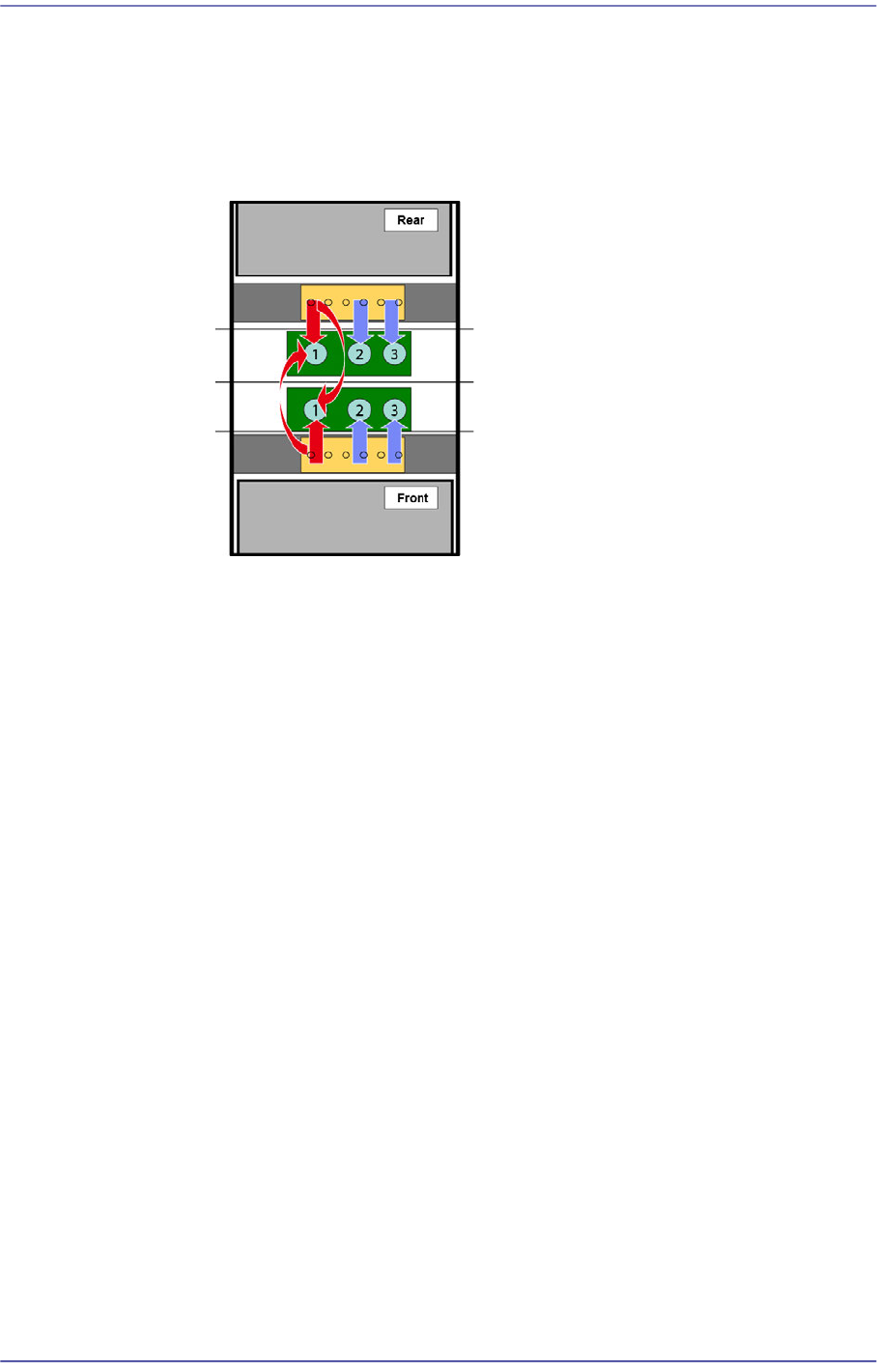
10-10 Fast Flexible Placer SM481(L) PLUS Administ r ator’s Guide As shown i n the fol lowing figure, in t he case of th e m o del f or which pa r ts ① , ② and ③ are placed, if the number of placement points allocated to …
10-9
Optimization
Rear
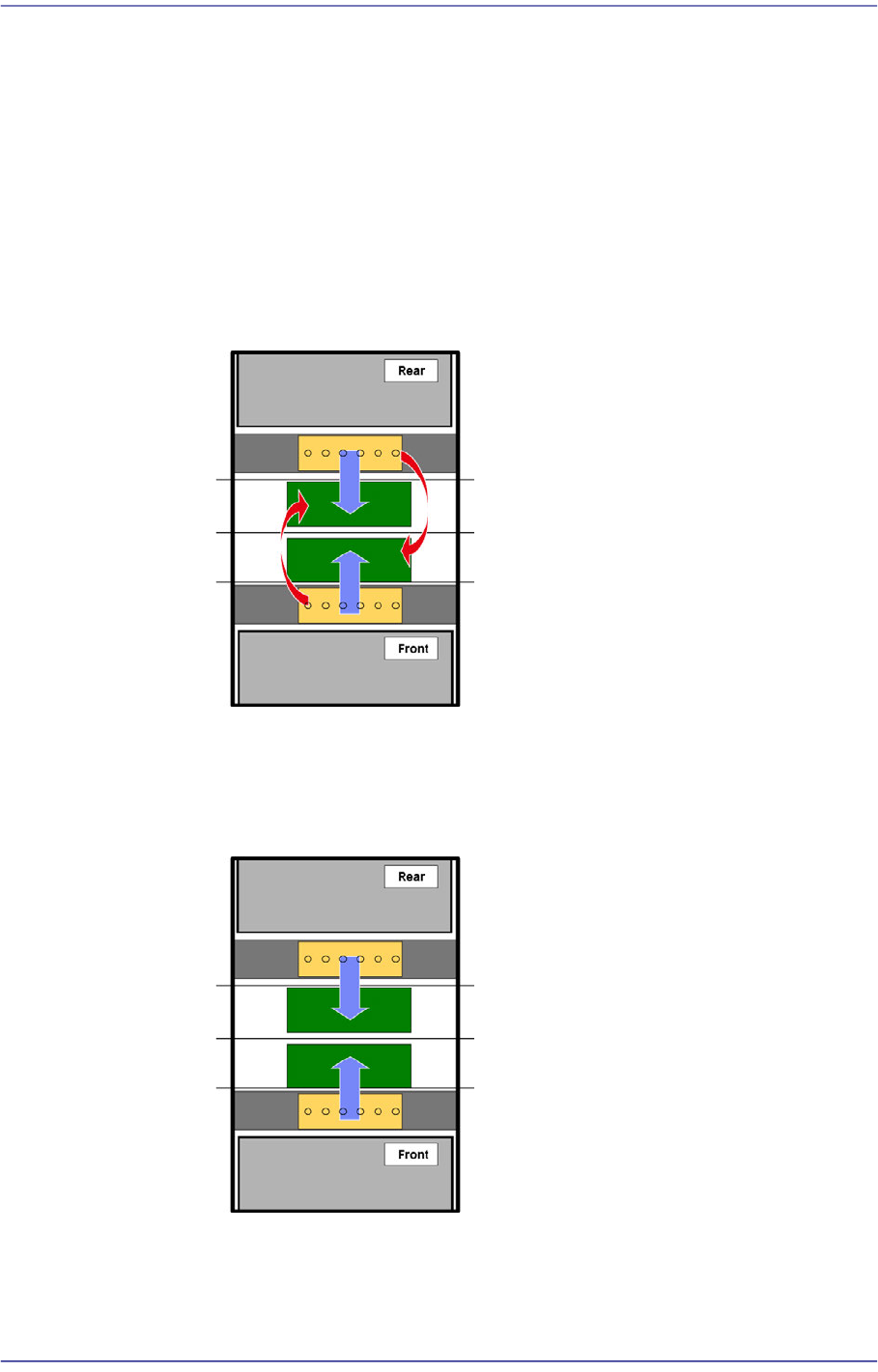
The optimizer arranges the feeder of the rear feeder base first.
<Twin/Join> combo box
Prioritize the gantry to place parts on a PCB loaded to the conveyor.
Join
Selected when producing the same models at the front and rear in small
quantity. Since it is possible to use the front and rear feeder together, this
mode can be used when performing production by installing a small quantity
of feeders.
Twin
Selected when producing the same models at the front and rear in large
quantity. Since feeders must be installed at the front and rear, many feeders
must be installed.
Join (Partial Twin)
Used when performing mixed production of the same model at the front and
rear in the join mode and twin mode.
10-10
Fast Flexible Placer SM481(L) PLUS Administrator’s Guide
As shown in the following figure, in the case of the model for which parts ① ,
② and ③ are placed, if the number of placement points allocated to the part
① is significantly large and the number of placement points allocated to the
parts (② and ③) are small, the front and rear gantry place the part ? in the join
mode, placing the remaining parts (② and ③) in the t
win mode.
1: The part to which the largest number of placement points are allocated
<Tape-Tray Mixed Cycle> check box
Allows part placement to be performed for the parts to be fed to the tape feeder
while replacing the part in the tray feeder.
<Pallet Sequence> check box
Optimizes the tray pallet pick-up sequence when executing the optimizer.
<First Placing Group: Height<= > check box
Used for installing the parts with lower height than the height input in the right
side edit box. Upon selection of this check box, the edit box is activated. Input the
height of the part here.
<Last Placing Group: Height>= > check box
Used for installing the parts with upper height than the height input in the right
side edit box. Upon selection of this check box, the edit box is activated. Input the
height of the part here.
<Improve Balance(Uncheck=5:5)> check box
Used to adjust the pickup and placement load of the front and rear gantries.
If this check box is selected, the gantry corresponding to the work station at which
a PCB is loaded picks and places more parts than other gantries.
If this check box is not selected, the front and rear gantries perform the same level
of pickup and placement of parts.

10-11
Optimization
<Time(sec)> edit box group
This group inputs the time for executing each movement in the equipment. It is used to
calculate the working time at the optimizer. In addition, the values of the tray Y and
tray Z may have influence on the determination of the work sequence.
Therefore, in order to increase the work efficiency and to get the exact estimate of the
working time, the value as close as possible to the actual value shall be inputted.
Conveyor: Time (second) taken until the PCB is fixed by the backup table since
being transferred to the workstation.
Tray Z: Time required for the multi-tray feeder to move in the Z direction (sec)
Tray Z: Time required for the multi-tray feeder to move in the Z direction (sec)
Shuttle : Time required for the pad of the shuttle tray to complete one cycle (sec)