Hanwha SM481 PLUS Series Administrator’s Guide Eng.pdf.pdf - 第250页
8-14 Fast Flexible Placer SM481(L) PLUS Administ r ator’s Guide <Display> butt on Displays the s h ape of the feeder that is installe d on the feeder base graphically . <Panorama V iew> b u t ton In the c…
8-13
Feeder Setup
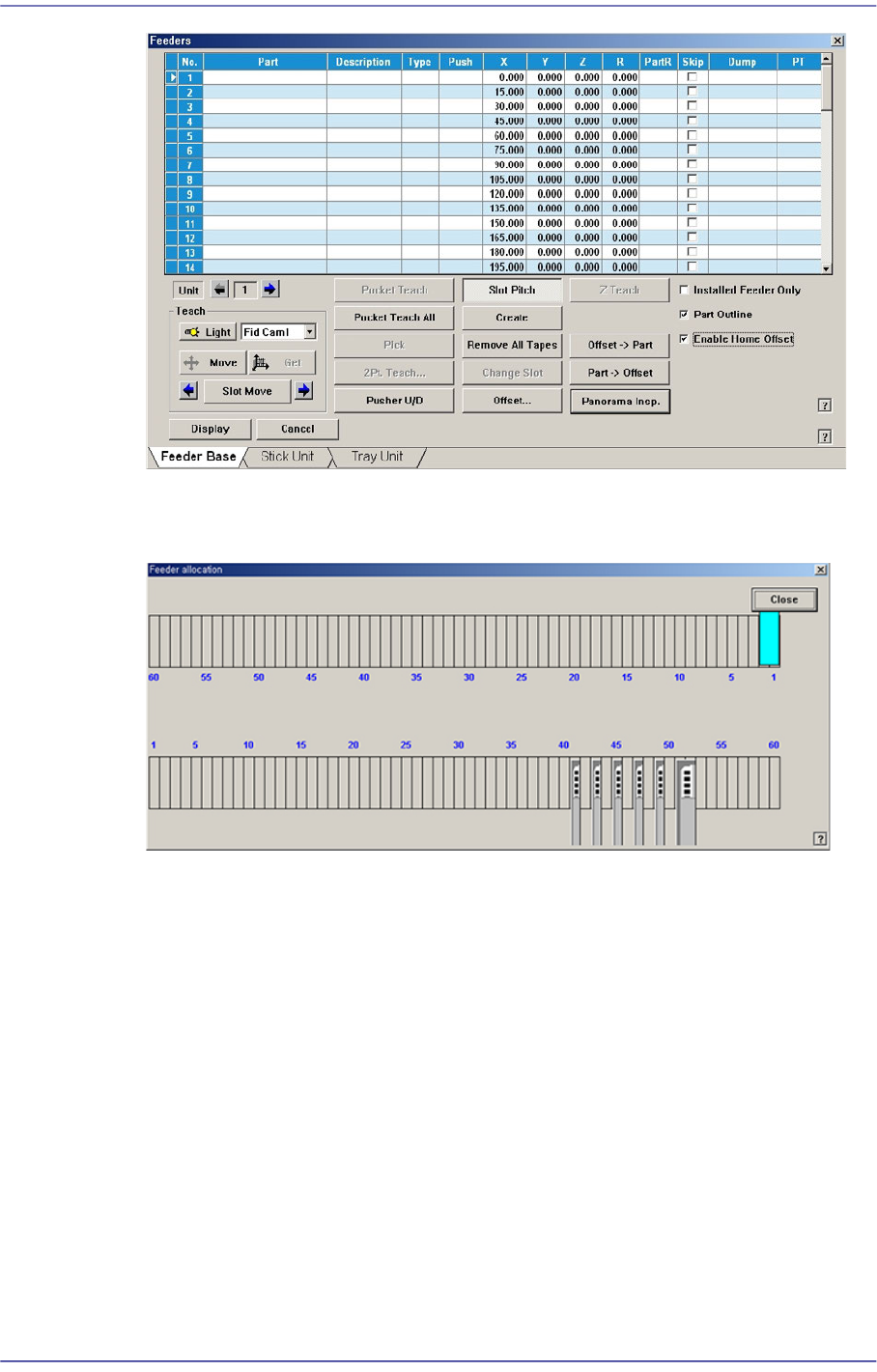
<Part Offset> button
Clicking this Button will automatically reflect the pickup offset of the corresponding
part on the pickup coordinate when there are parts with pickup offset among the parts
supplied by the currently installed tape feeders.
<Offset Part> button
Selected when applying the pickup offset to the same tape feeder collectively after
changing the pickup coordinate of the installed tape feeder.
<Enable Home Offset> check box
When this check box is selected, the MMI reads the Y offset value from the IT Feeder
System and corrects the Y coordination of the pickup point. Therefore, this function
can be used only when the IT Feeder System and Device Net board are installed in the
machine.
8-14
Fast Flexible Placer SM481(L) PLUS Administrator’s Guide
<Display> button
Displays the shape of the feeder that is installed on the feeder base graphically.
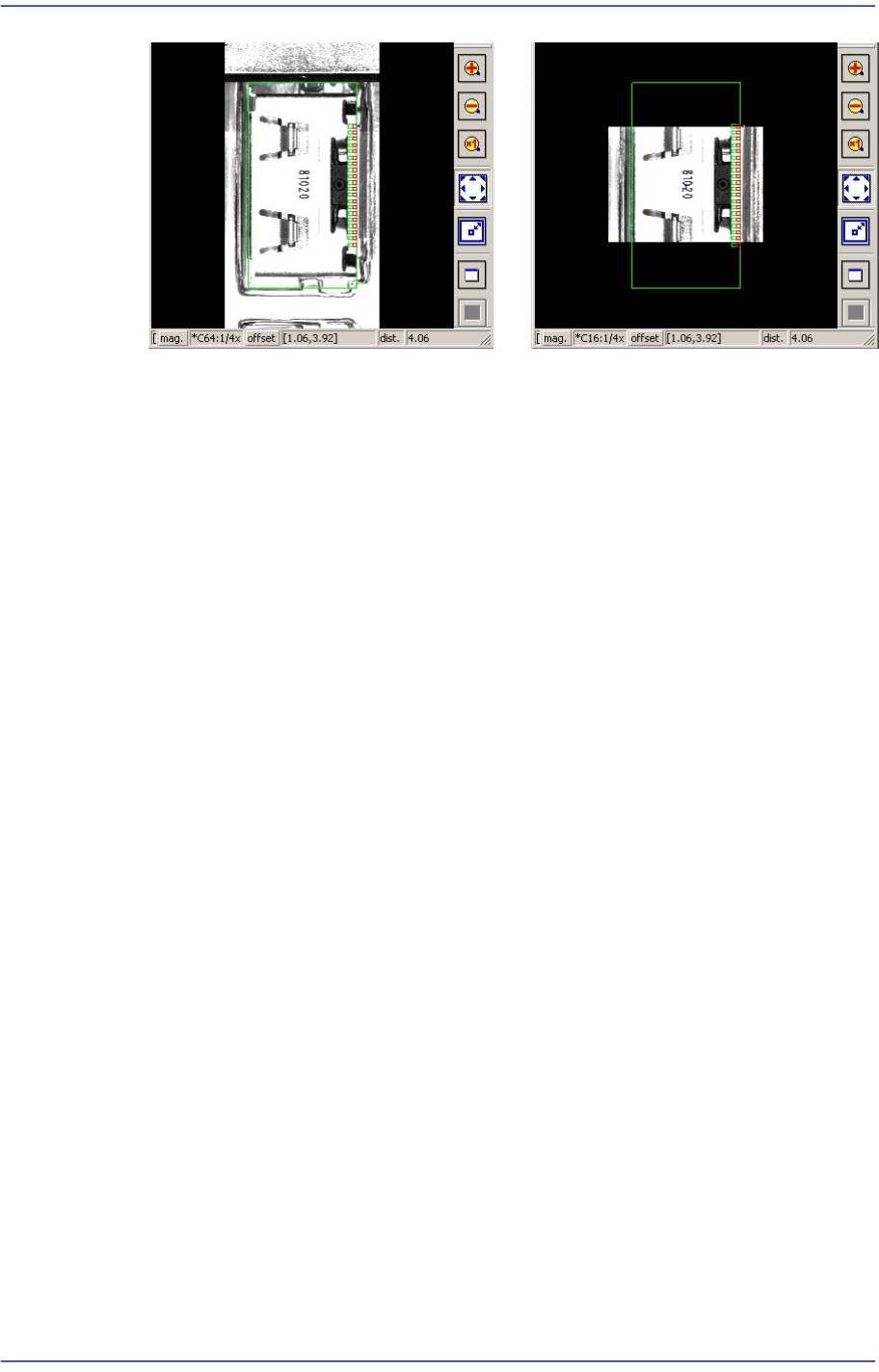
<Panorama View> button
In the case of a large part for which pocket teaching is impossible, its entire shape is
not displayed in the vision window. In this case, it is possible to display the part shape
in on one vision window by performing split recognition of the part shape and
composing the split images into one using this function.
8-15
Feeder Setup
<Cancel> button
Close the dialog box.
Panorama General