Hanwha SM481 PLUS Series Administrator’s Guide Eng.pdf.pdf - 第204页
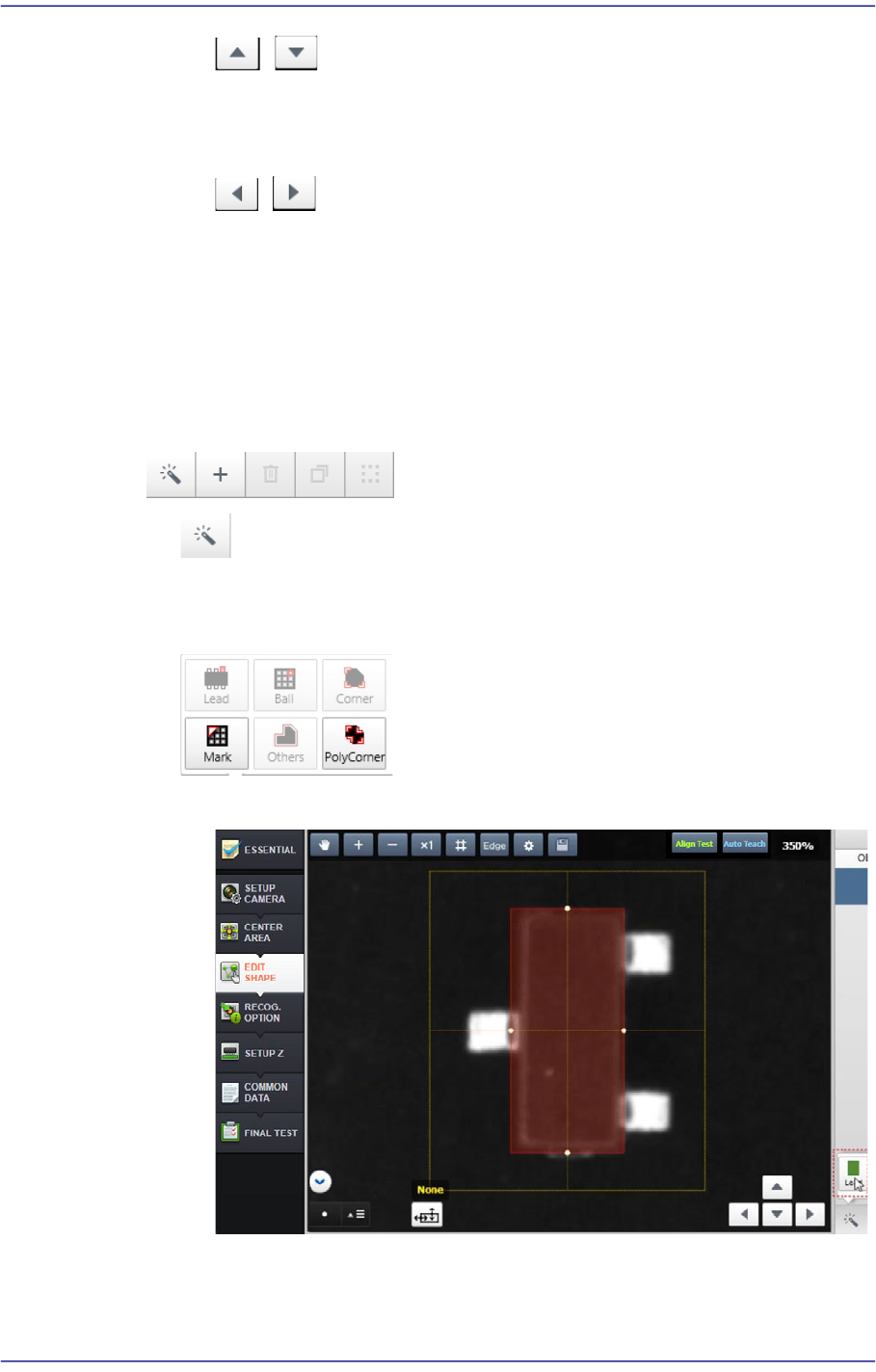
7-46 Fast Flexible Placer SM481(L) PLUS Administ r ator’s Guide 3) Create a shape object to be recognized partially and perfo rm a recognition test button Adds a lead, ball, corner , mark and other shape objects manual…
7-45
Part Registration
/
Increases/ decreases the value when the leads are on or beneath the body.
Increases/ decrease the corner length.
/
Increases/ decreases the value when the leads are at the left or right of the
body
Increases/ decrease the corner width.
‘Button’ Menu
Performs partial automatic recognition, adds an object, copies and deletes an object,
and performs object grouping.
button
Automatically recognizes the part shape partially in the area selected by the user
from the vision window.
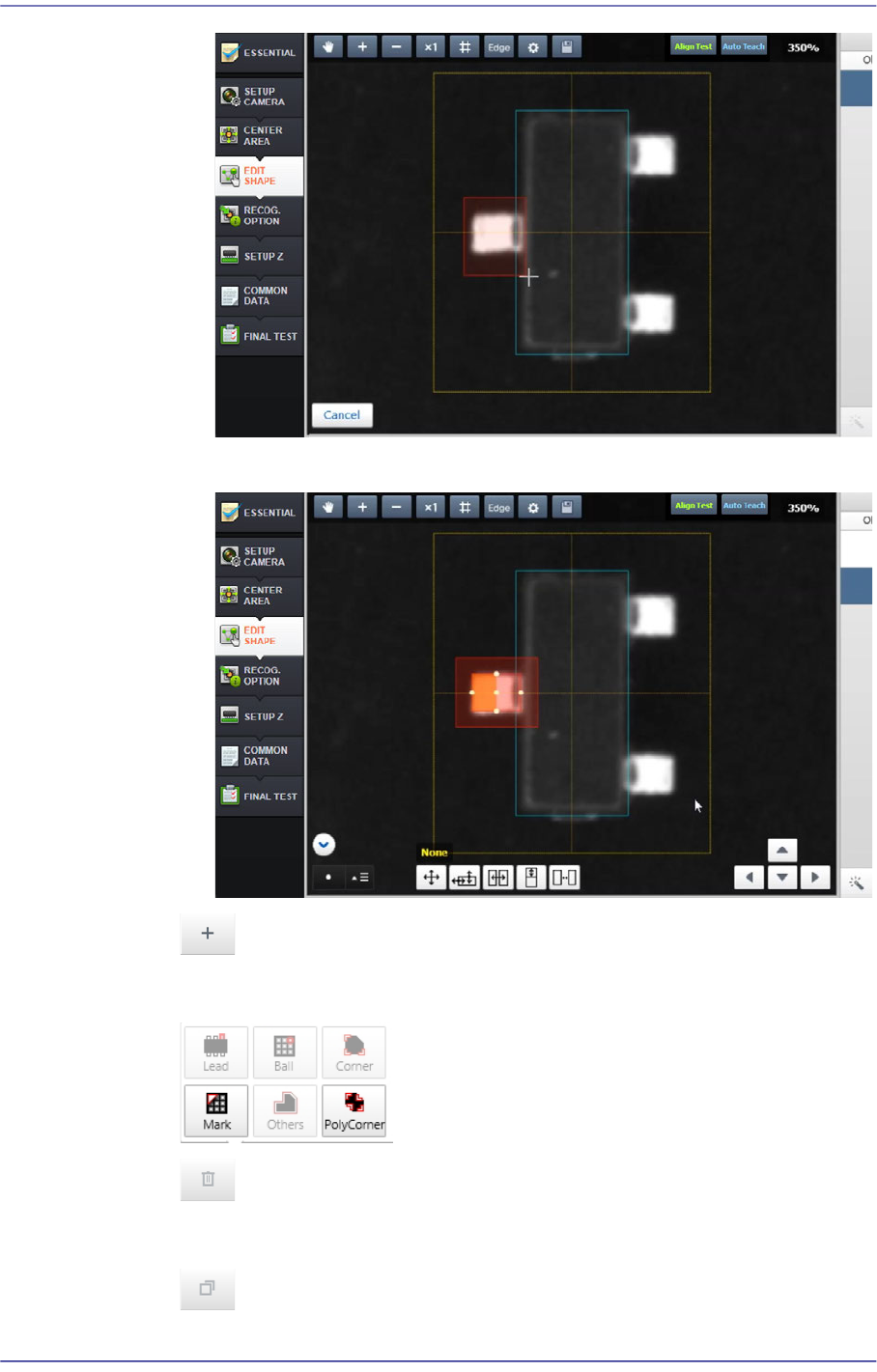
1) Select a shape object to be added (Lead)
2) Drag and select the area to be recognized partially using the mouse
7-46
Fast Flexible Placer SM481(L) PLUS Administrator’s Guide
3) Create a shape object to be recognized partially and perform a recognition test
button
Adds a lead, ball, corner, mark and other shape objects manually.
button
Deletes the object selected from the <Object List> group.
button
7-47
Part Registration
Copies the object selected from the <Object List> group.
Past One
Adds an object identical to the selected object.
Paste Mirror
Adds an object so that it will be symmetrical to the selected object.
paste Quarter
Adds objects so that they will be symmetrical to each other in four directions.
button
Groups the objects selected from the <Object List> group.
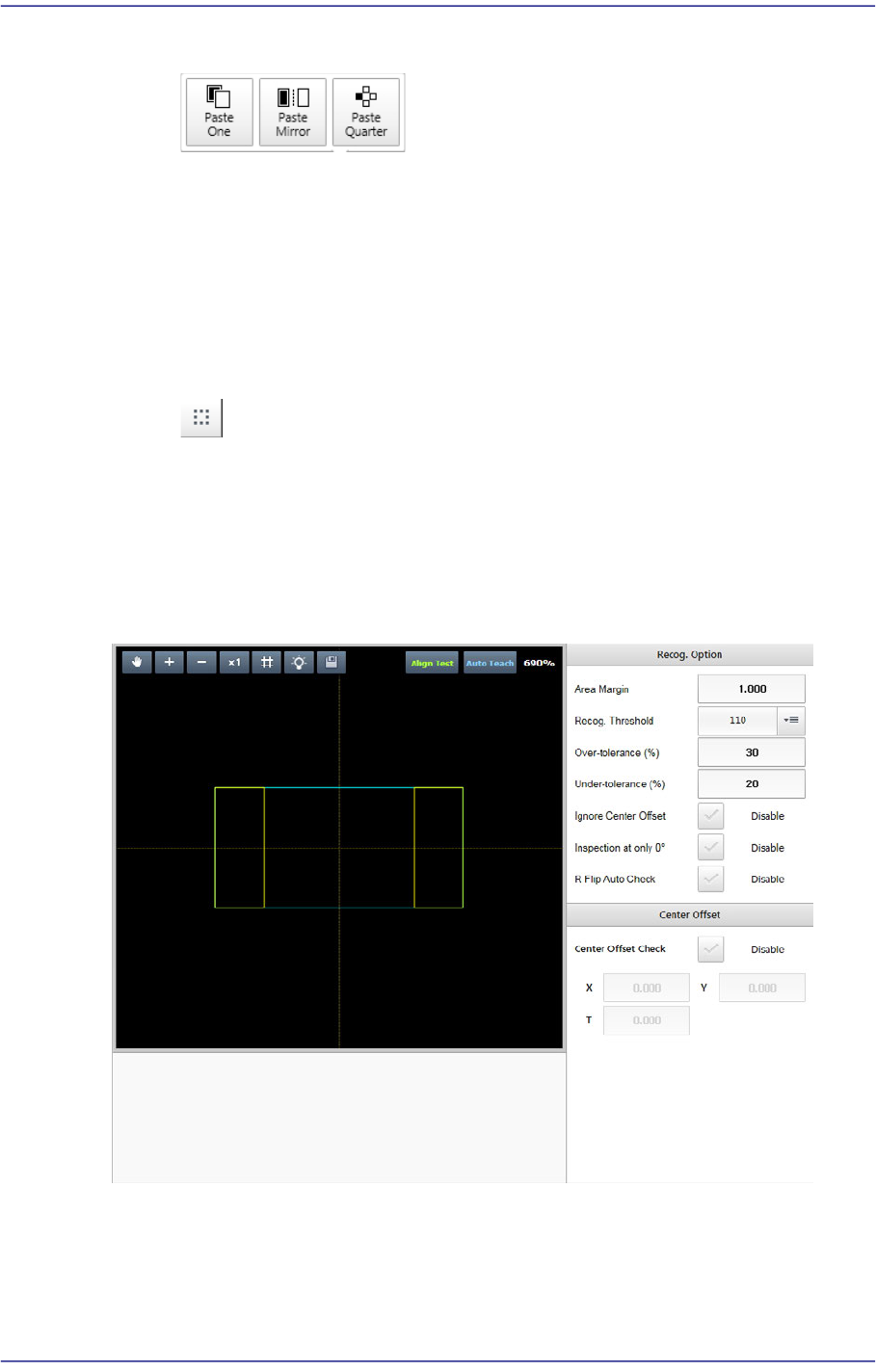
7.2.2.5. RECOG. OPTION
Sets the option related parameters allowing a part to be recognized under various
conditions by part.
<Recog. Option> group
It is possible to set the recognition option applied to all parts.
<Recognition Area Margin> edit box