Hanwha SM481 PLUS Series Administrator’s Guide Eng.pdf.pdf - 第155页
6-45 Board Definition 6.7. PCB Block Block Refers to a unit i n t he separate f orm which com pos es one com pl ete PCB. It i s composed in the form of One Board or a rra y PCB. I t is i n the same form ph ysically as t …
6-44
Fast Flexible Placer SM481(L) PLUS Administrator’s Guide
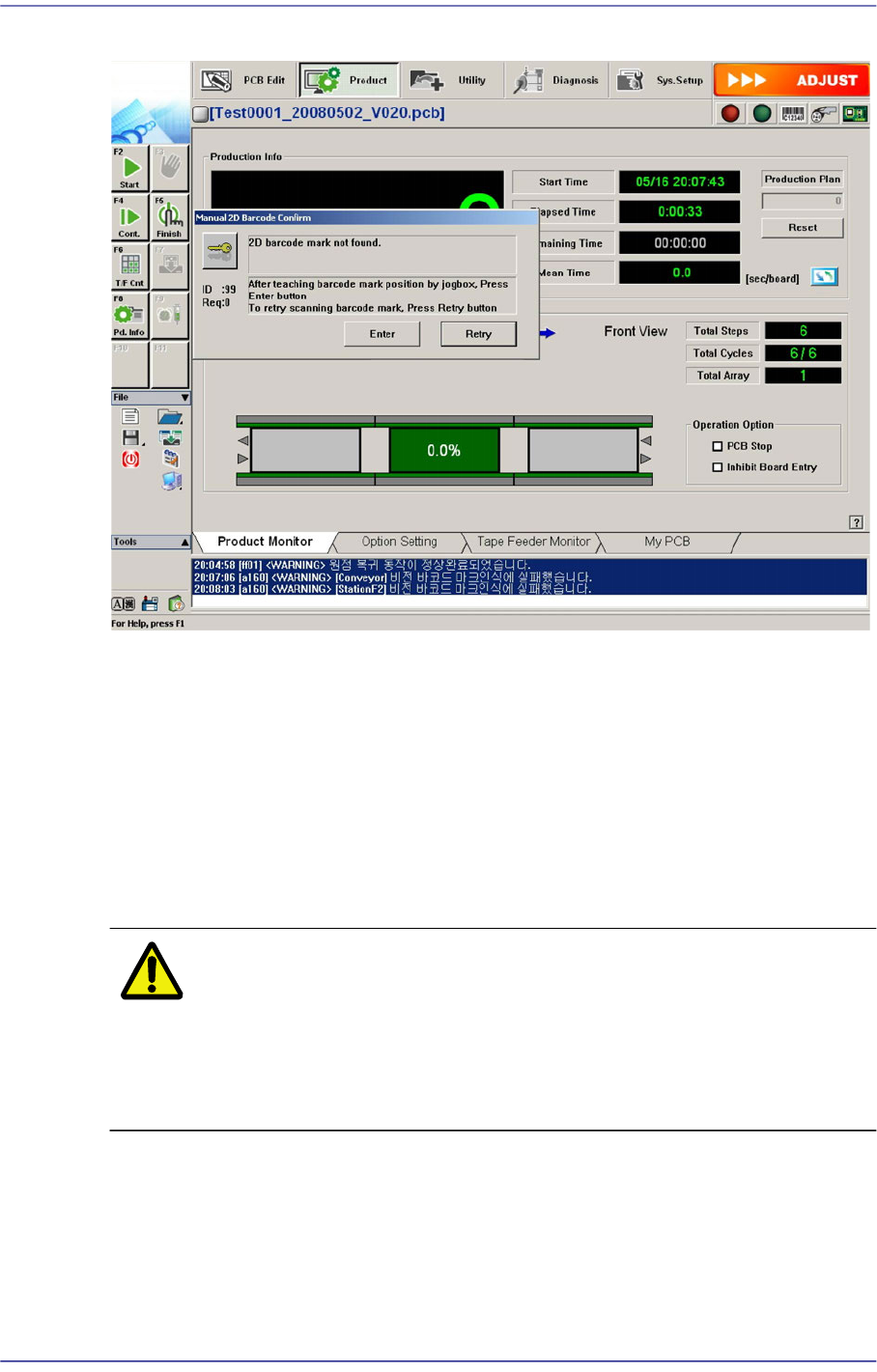
Figure6.11 Manual 2D Barcode Confirm Dialog Box
<Enter> button
Move the teaching camera on the barcode using the jog box and click this Button to
select the new barcode position.
<Retry> button
Execute the ‘Barcode Position’ dialog box to re-teach the barcode position and
perform the recognition test. For more details, refer to “6.6.2 Barcode Position”.
If the 2D barcode recognition fails after manual processing, remove the corresponding
PCB manually.
Warning If you remove the board manually or take measures against
the error while the machine is in ready state, you may get
injured. Release the ready state and manually remove the
board or take measures against the error while the machine
is in idle state.
6-45
Board Definition
6.7. PCB Block
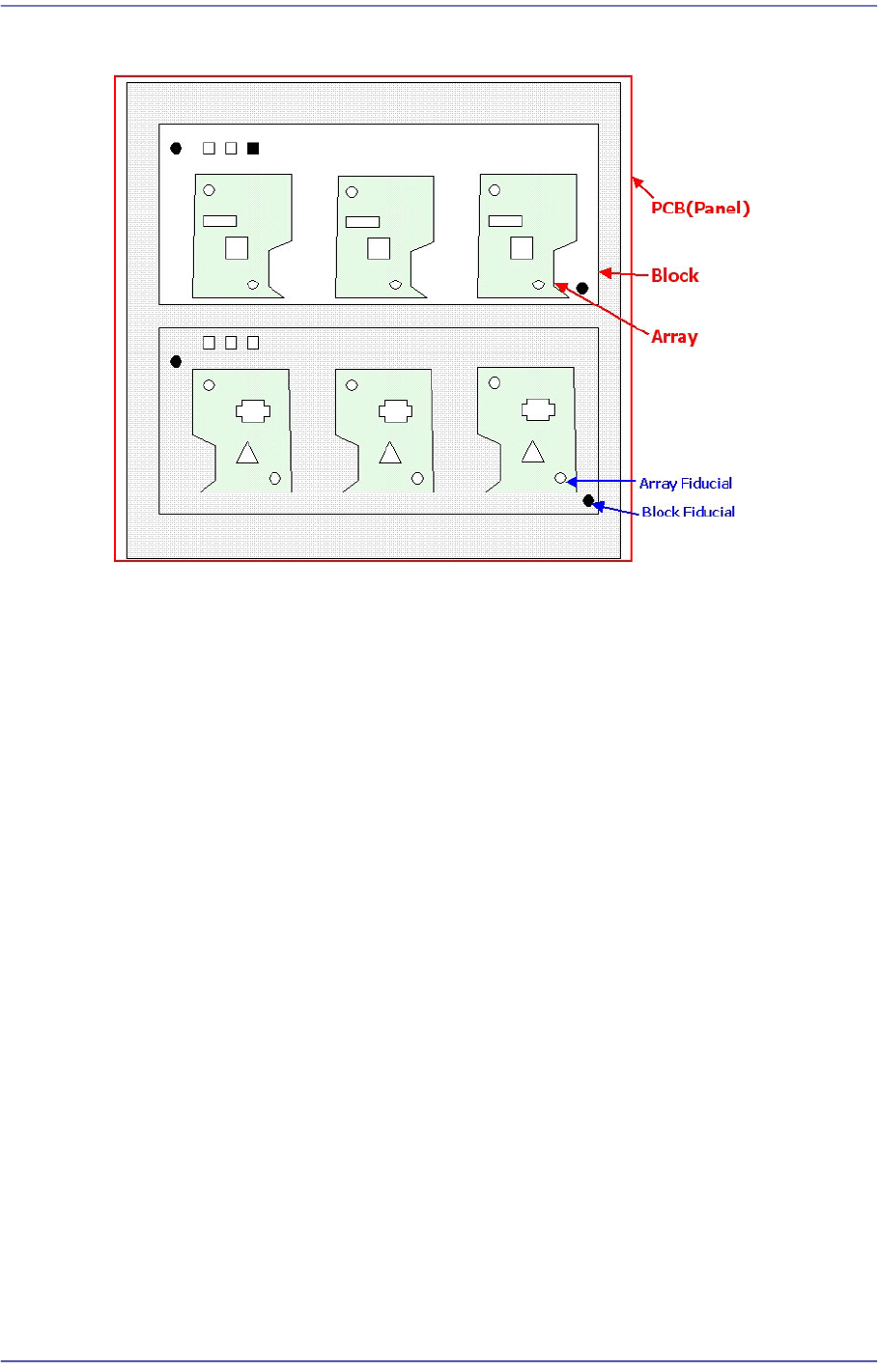
Block
Refers to a unit in the separate form which composes one complete PCB. It is composed in
the form of One Board or array PCB. It is in the same form physically as the existing PCB.
Block Fiducial
Refers to the fiducial representing one block defined to compensate the coordinates for
placement points, etc., in the block.
The concept is the same as that of the existing panel fiducial. However, if only one panel
fiducial exists in the block, the number of block fiducial is equal to the number of blocks.
Block PCB
Refers to the one complete PCB. It is composed in the form of One Board or array PCB.
PCB
One PCB may be composed of one or several blocks.
6-46
Fast Flexible Placer SM481(L) PLUS Administrator’s Guide
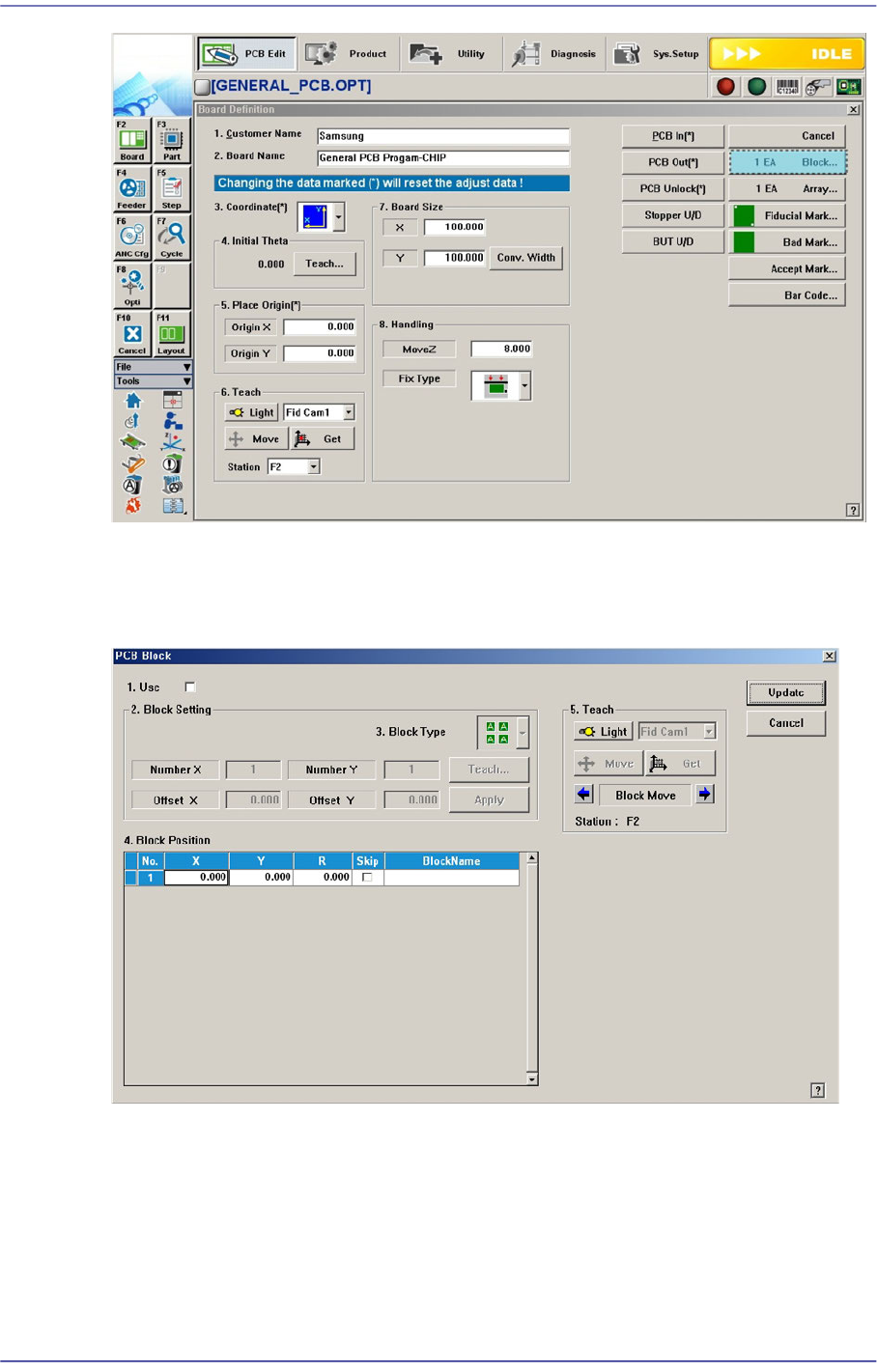
Clicking the <
Block> button will display the following dialog box with which the PCB
model type is set.
Figure6.12 “Block PCB” dialog box
<1.Use> check box
Selected when performing configuration of the model type and block.
<2. Block Setting> group
<3. Block Type> combo box
Select the type of model configuration. Three types can be selected as follows;