Hanwha SM481 PLUS Series Administrator’s Guide Eng.pdf.pdf - 第56页
在线预览 Hanwha SM481 PLUS Series Administrator’s Guide Eng.pdf.pdf PDF 文档。
1-11
Operation Mode and Password Change
Re-enter the password in the <Confirm Password> edit box in order to confirm the set
password.
Then click the <OK> button to apply the change.
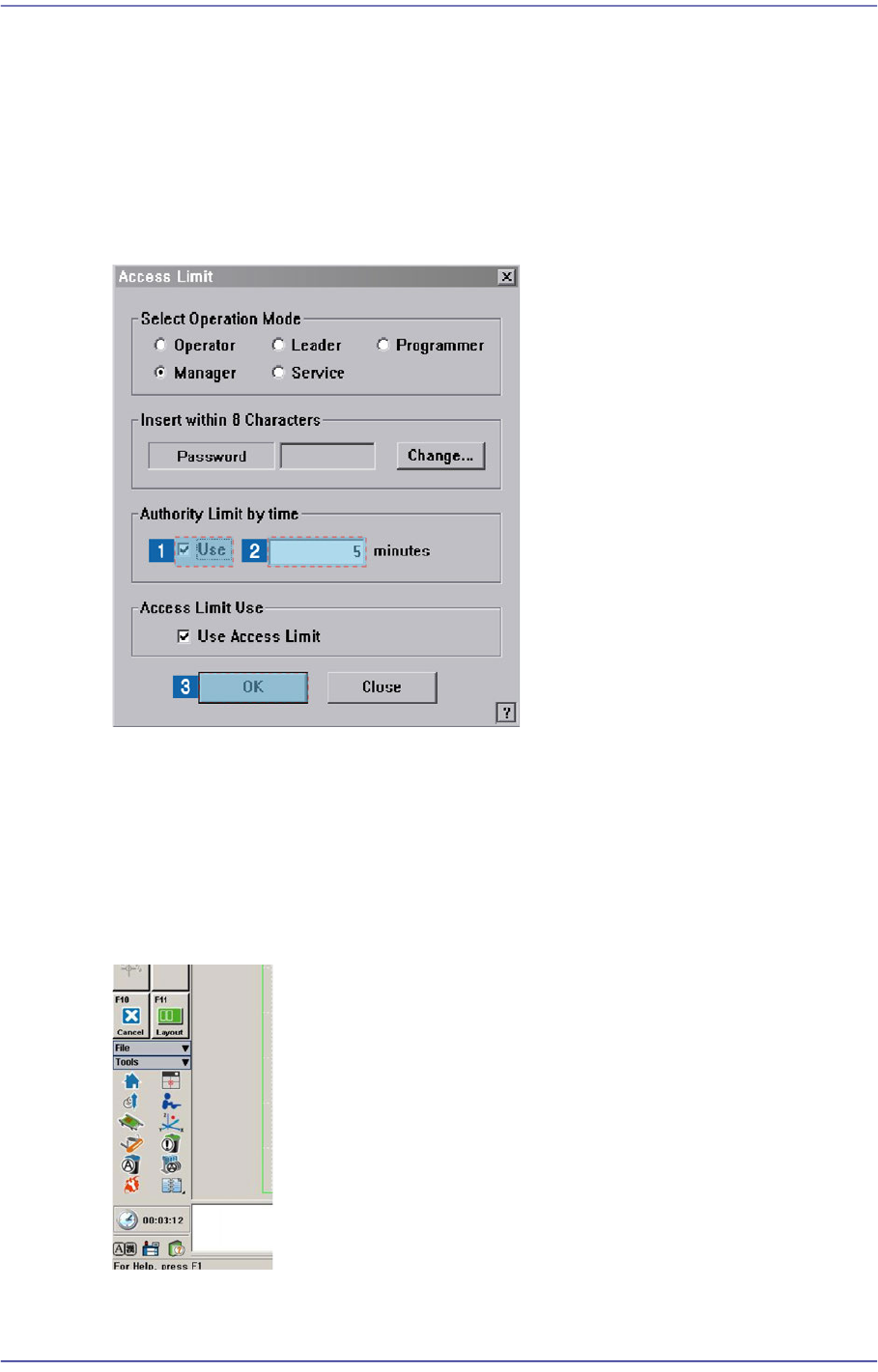
1.3. Setting User Login Time
User authorization is automatically changed to ‘Operator’ after the set period of time.
The setup is performed in the following manner.
Select the <Use> check box in the <Authority Limit by time> group.
Input the time to set in the edit box in minutes.
Click the <OK> button.
After the time is set up, the remaining time until the time for the authorization change is
indicated below the shortcut menu of the Tools at the right of the MMI.

Structure of MMI and
Main Menu