Hanwha SM481 PLUS Series Administrator’s Guide Eng.pdf.pdf - 第317页
12-9 LED placement 12.3. F eeder and placement point regis tration In order to supply LED parts using the Rank functi o n in the feeder registratio n menu, the <Rank> option must be set. Set the Rank option in the …
12-8
Fast Flexible Placer SM481(L) Administrator’s Guide
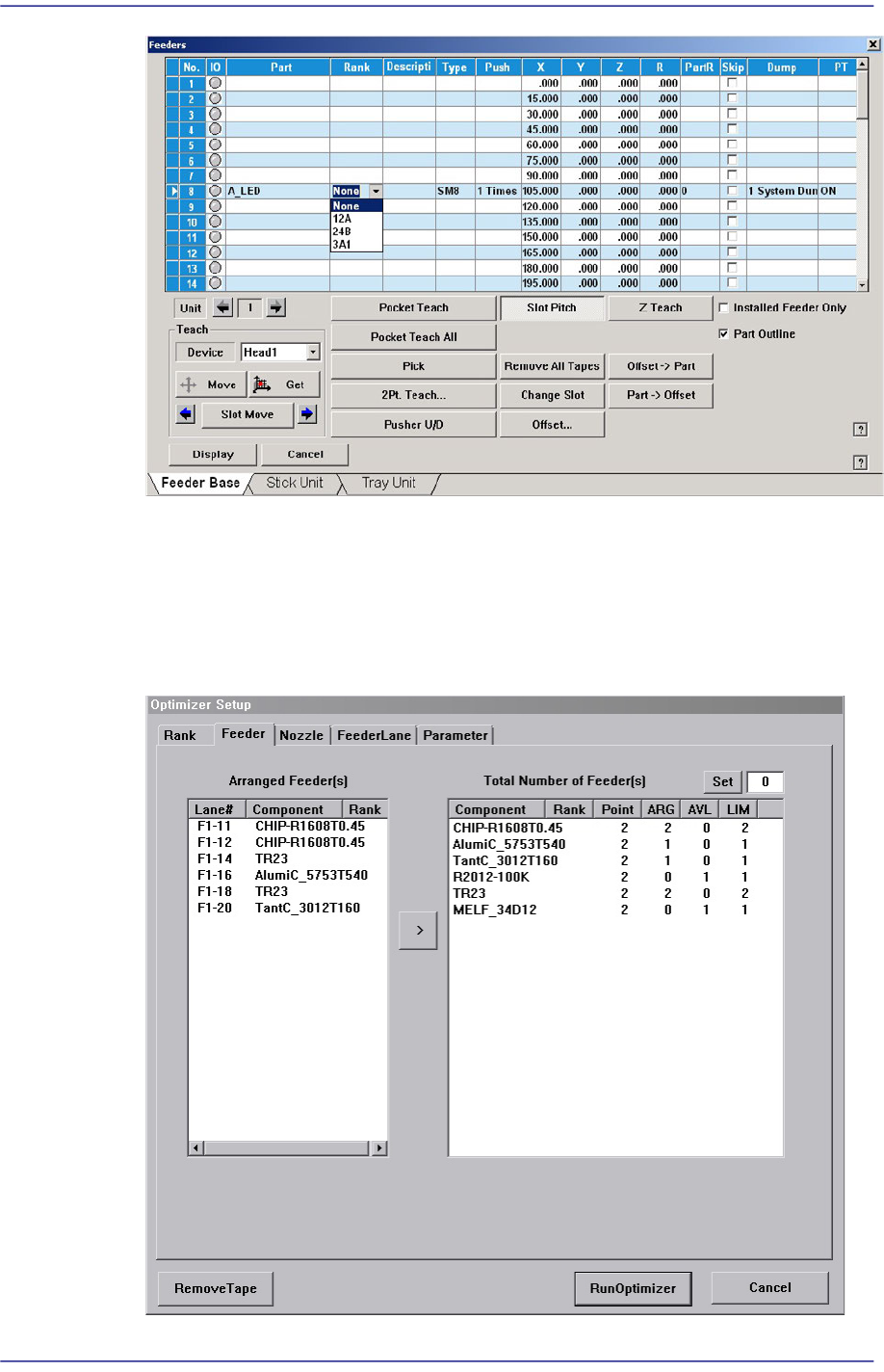
When using the rank function, even though parts are identical, they are treated as
different parts according to their rank. Therefore, when registering placement point
using “Steps” dialog box, the user must set up part name as well as the feeder that uses
the part of corresponding rank. In addition, when using the optimization program, the
user must separately set up the feeder of the corresponding before performing
optimization.
12-9
LED placement
12.3. Feeder and placement point registration
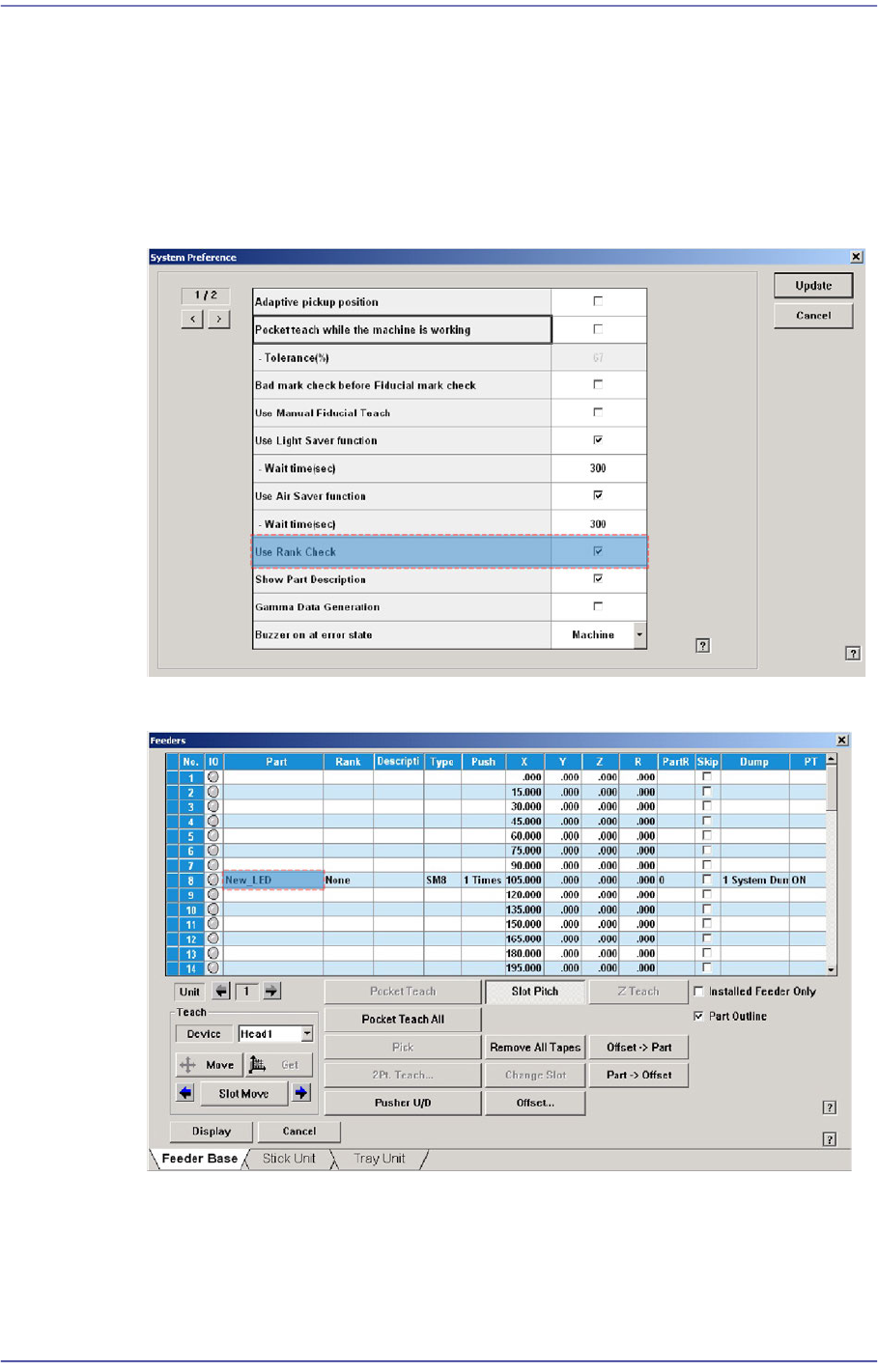
In order to supply LED parts using the Rank function in the feeder registration menu, the
<Rank> option must be set.
Set the Rank option in the following manner:
1) Select the “General” tab dialog box in the “Option Setup” submenu of the “System
Setup” menu. Then select the <Use Rank Check> dialog box.
2) Select the slot to supply LED parts in the “Feeder Registration” menu.
12-10
Fast Flexible Placer SM481(L) Administrator’s Guide
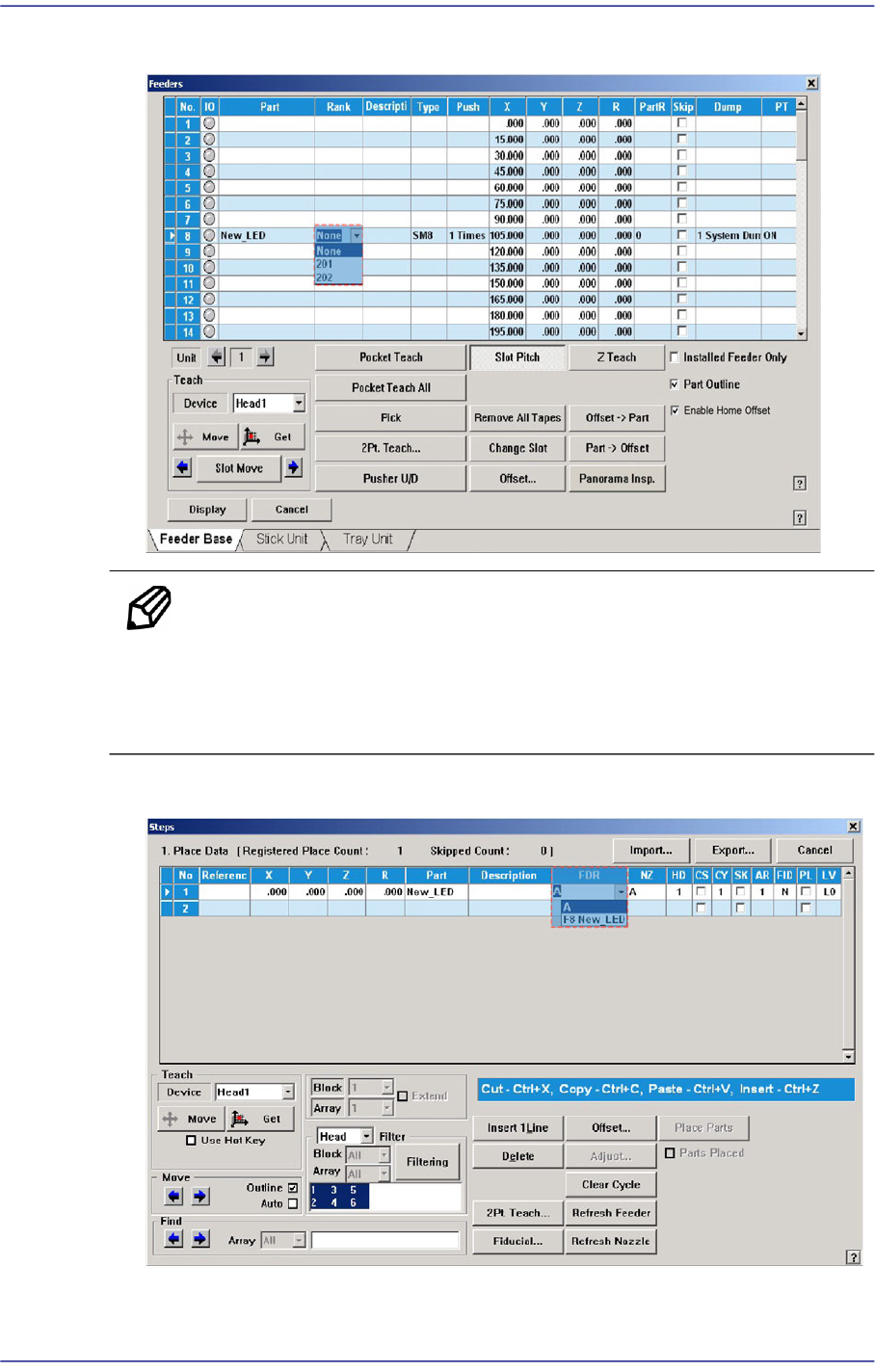
3) Select the rank of the LED part.
Memo Double clicking the rank column of the LED parts will execute the
dialog box that can add or delete the rank.
For an LED part for which rank is set, its rank is indicated along
with the feeder.
4) Select the LED part using the corresponding rank in the part registration menu.