Hanwha SM481 PLUS Series Administrator’s Guide Eng.pdf.pdf - 第480页
15-44 Fast Flexible Placer SM481(L) PLUS Administ r ator’s Guide Set the left width of the stick feeder . <Right> edit box Set the right width of the stick feeder . <Default Step> edit box Set the basic n…
15-43
System Setup
Sets the time it takes generally for the tape feeder to feed the part once.
<Real Transfer Time> edit box
Sets the time required to transfer the reel in order to supply parts from the tape
feeder.
<Pickup Offset> edit box
Set the X offset value of the pick-up position of the tape feeder.Based on the setting of
the tape feeder in the front of the equipment, set the offset value of the pick-up
position of other feeders against the pick-up position of the 8mm tape feeder.
<Width> edit box
Sets the left and right width of the tape feeder based on the location pin of the tape
feeder. It is possible to calculate the space occupied by the tape feeders in the feeder
base using these parameters.
15.6.2. Stick Feeder
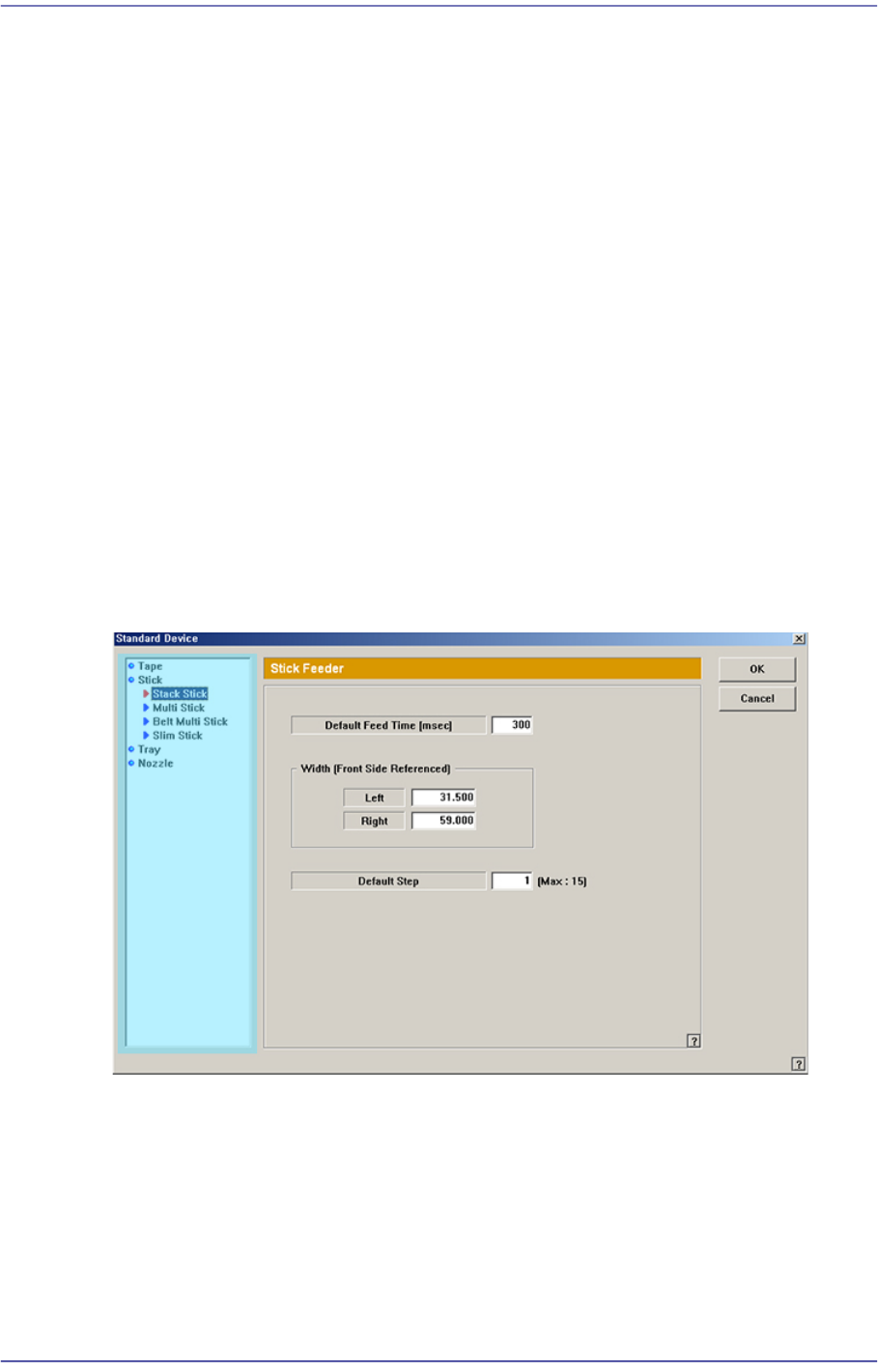
Next screen is the case where the “Stick” is selected in the Device list. Set the data on the
stick feeder.
Figure15.23 “Standard Device –Stick” dialog box
List box
Select the stick feeder type to set.
<Default Feed Time> edit box
Set the feed time.
<Width –Left> group
<Left> edit box
15-44
Fast Flexible Placer SM481(L) PLUS Administrator’s Guide
Set the left width of the stick feeder.
<Right> edit box
Set the right width of the stick feeder.
<Default Step> edit box
Set the basic number of sticks of each stick feeder according to the stick feeder type.
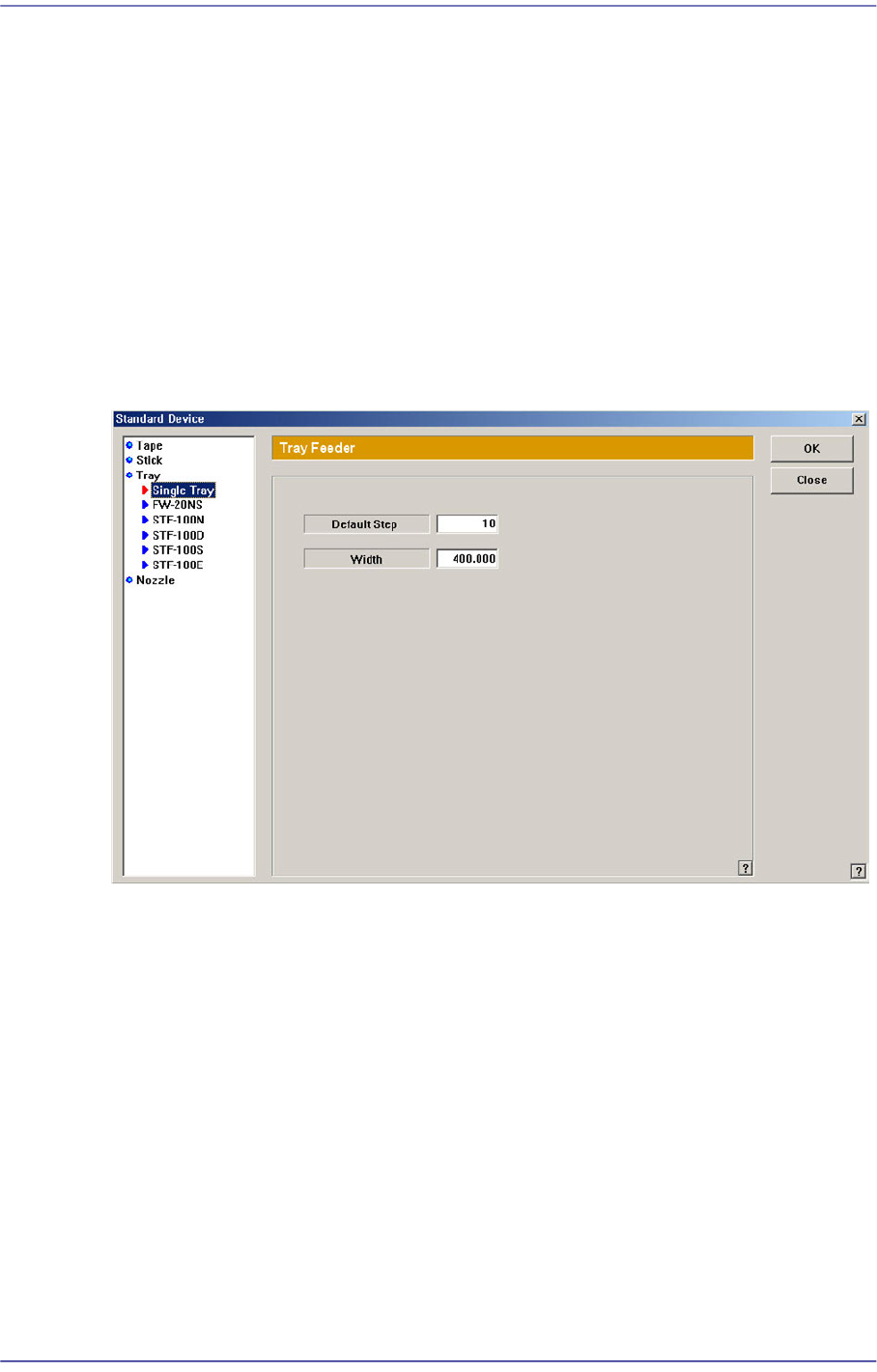
15.6.3. Tray Feeder
Next screen is the case where the “Tray” is selected in the Device list. Set the data on the
tray feeder
Figure15.24 “Standard Device –Tray” dialog box
List box
Select the tray feeder type to set.
<Default Step> edit box
Set the maximum number of pallets that can be placed on the single tray.
: Single Tray(5), FW-20NS(20), STF-100N(20), STF-100D(24), STF-100S(20) , STF-
100E(20).
<Width> edit box
Set the width of the tray feeder.
15-45
System Setup
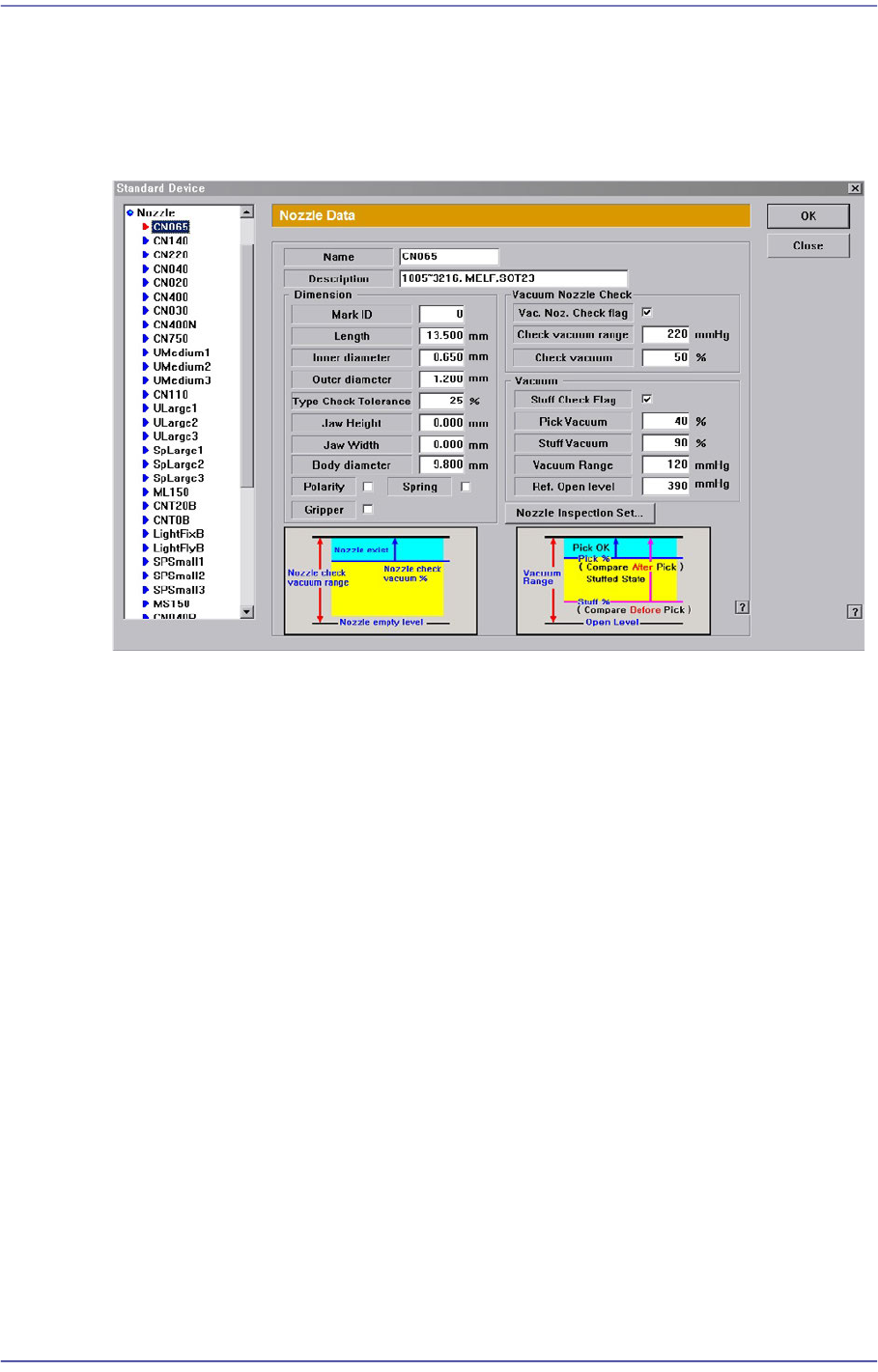
15.6.4. Nozzle
Next screen is the case where the “Nozzle” is selected in the Device list. Set the data on
Nozzle.
Figure15.25 “Standard Device – Nozzle” dialog box
List box
Select the nozzle type to set.
<Name> edit box
Set the name of the selected nozzle.
<Description> edit box
Set the name of the selected nozzle.
<Dimension> group
<Mark ID> edit box
Set the mark ID value of the selected nozzle.
<Length> edit box
Set the nozzle length.
<Inner diameter> edit box
Set the inner diameter.
<Inner / Outer diameter> edit box
Set the inner diameter/Outer diameter of the nozzle.
<Type Check Tolerance> edit box
Sets the upper tolerance of inner and outer diameters of the nozzle in percentage