Hanwha SM481 PLUS Series Administrator’s Guide Eng.pdf.pdf - 第263页
8-27 Feeder Setup The pick-up position of the parts can also be designated using the following method. <3Pocket Center> As shown in the following figure, input the coordi na tes of the center point s of pocket No…
8-26
Fast Flexible Placer SM481(L) PLUS Administrator’s Guide
<Dump> column
Selects the method to dump the corresponding part when it failed to pick up or
recognize the part fed from the corresponding pallet.
Return to Tray: Dumps to the tray from which the component was picked up..
User Dump: Sets the dump box set by the user in the system.
<Copy> button
Copies the part information in the ‘Grid’ group. At this time, all setup data related to
the corresponding part are copied together.
<Paste> button
Clicking this Button after selecting the desired pallet from the ‘Grid’ group will paste
the copied part information.
<Teaching method> combo box
Select the method to teach the pocket position in order to pick up the part supplied to
the tray feeder. If the 3Pocket or 2Pocket Diagonal method is selected, the function
that guesses the teaching position is provided during teaching. Therefore, the time
required to move the gantry using the teaching box is reduced.
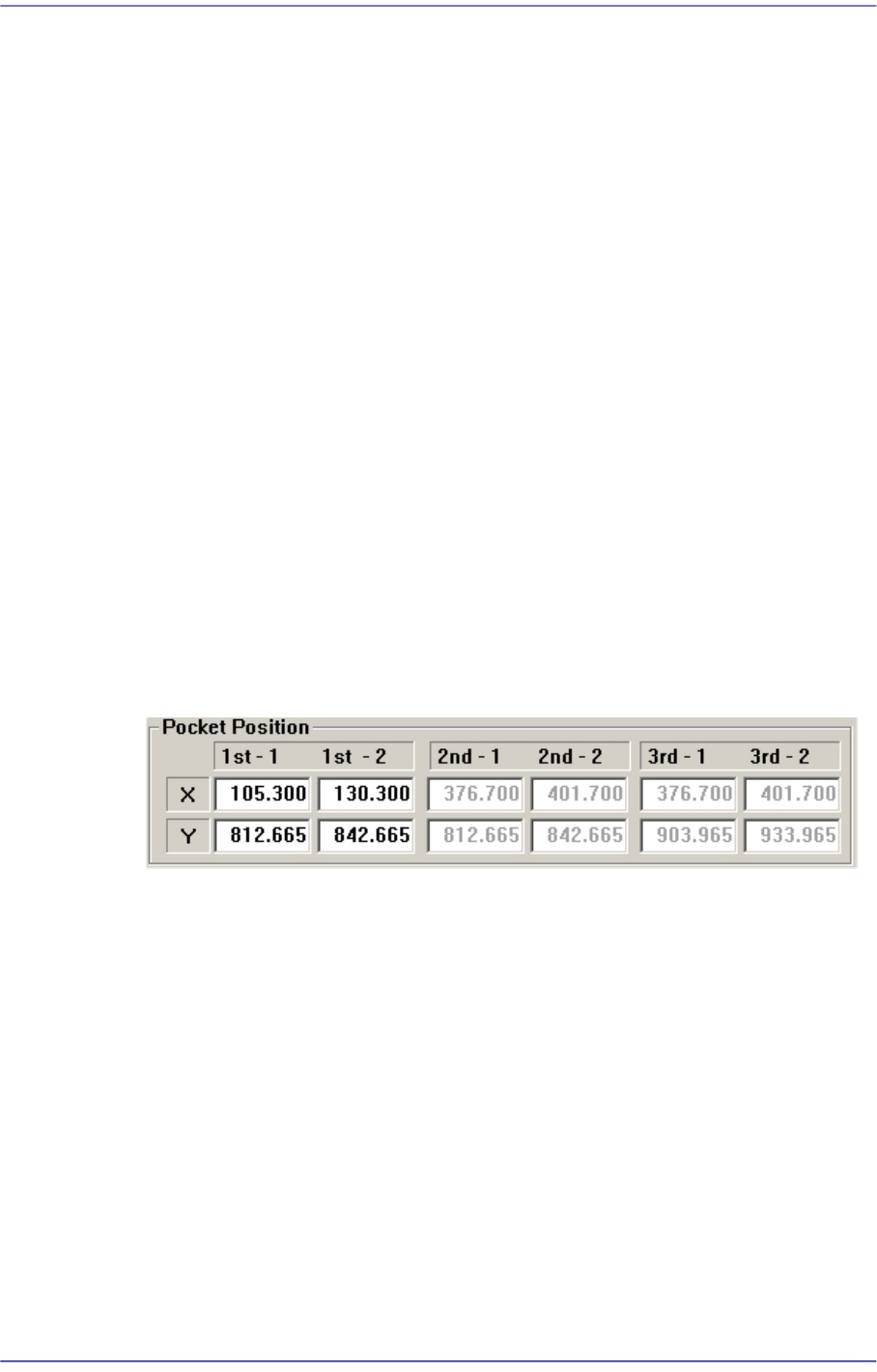
Select the 3Pocket or 2Pocket Diagonal as a teaching method. If all the 2nd-1, 2nd-2,
3rd-1 and 3rd-2 coordinates are 0.000, when the coordinates of the 1st-1 and 2nd-2 are
determined, the coordinates of the 2nd-1, 2nd-2, 3rd-1 and 3rd-2 are guessed and
displayed in grey.
If the actual values are taught, the guessed value displayed in gray is indicated in
black. The black means the fixed value.
If the guessed value is changed, the remaining value is guessed more accurately as the
second guessed value.
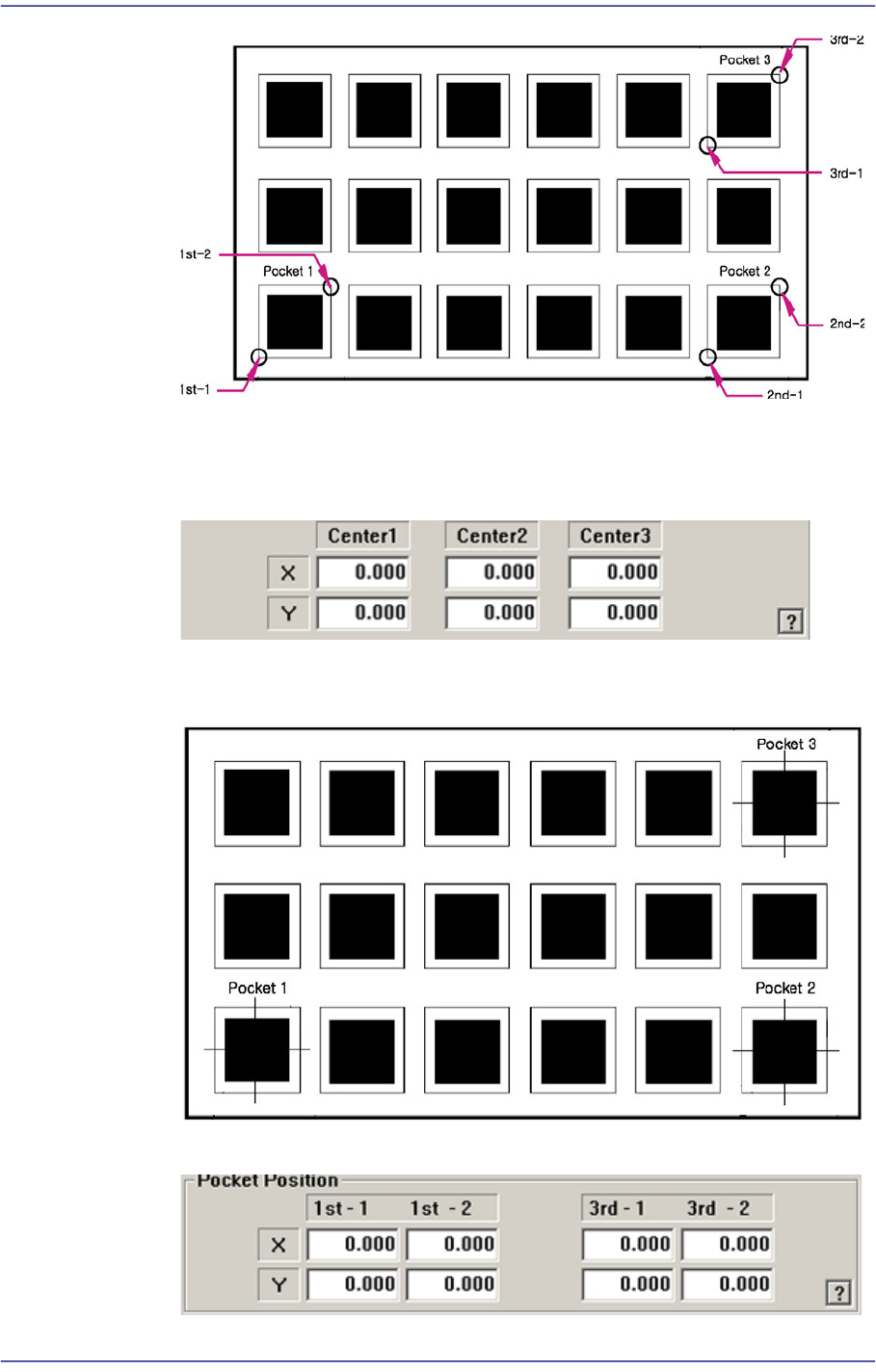
3Pocket [Default]
As shown in the following figure, input the positions of the two corner points
facing each other diagonally for 3 pockets.
8-27
Feeder Setup
The pick-up position of the parts can also be designated using the following
method.
<3Pocket Center>
As shown in the following figure, input the coordinates of the center points of
pocket No’s. 1, 2 and 3.
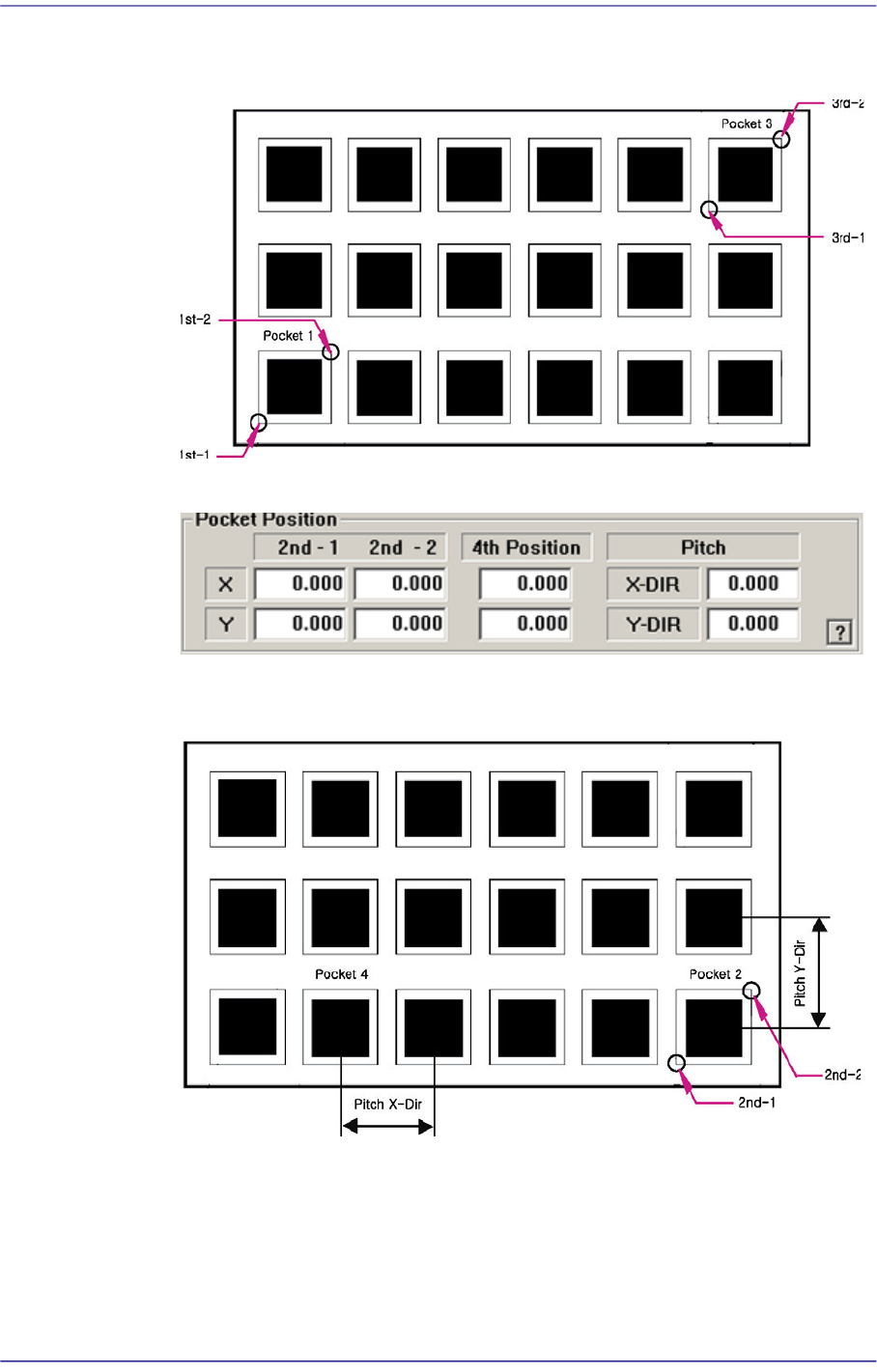
<2Pocket Diagonal>
8-28
Fast Flexible Placer SM481(L) PLUS Administrator’s Guide
As per the following figure, input two corner points of pocket No’s. 1, 2 and 3 that
face each other diagonally.
<2Pocket X-Axis>
Enter coordinate of a pocket center in the X direction, coordinate of the diagonal
vertex of the second pocket and the pitches in the X and Y directions.