Hanwha SM481 PLUS Series Administrator’s Guide Eng.pdf.pdf - 第115页
6-5 Board Definition <Origin X> edit box Set the X value of the placement origin of PCB. <Origin Y> edit box Set the Y value of t h e placement origin of PCB. Click on < Origin X> or <Origin Y>…
6-4
Fast Flexible Placer SM481(L) PLUS Administrator’s Guide
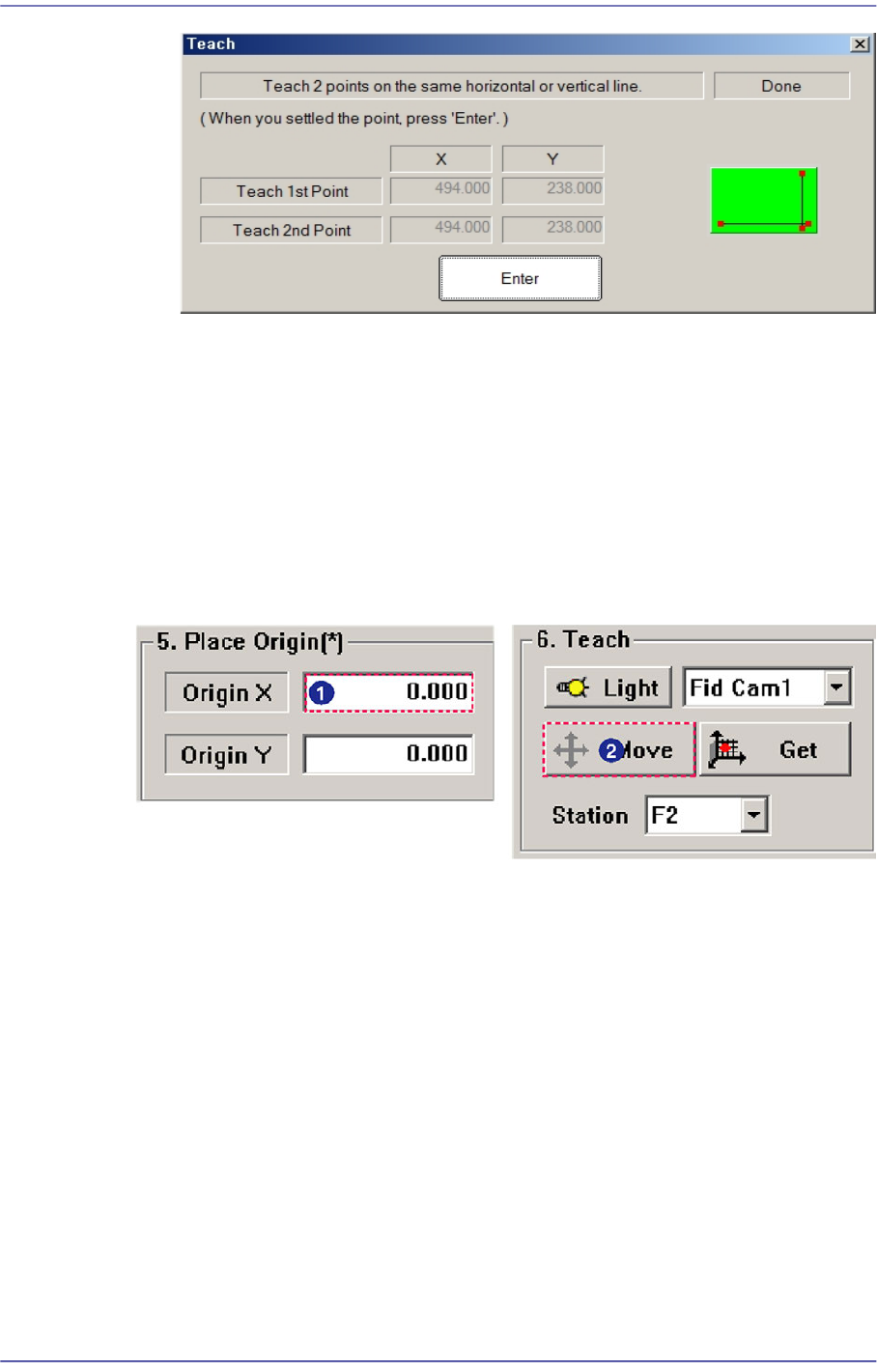
After teaching the two points, press “Enter” to complete the initial theta teaching
operation.
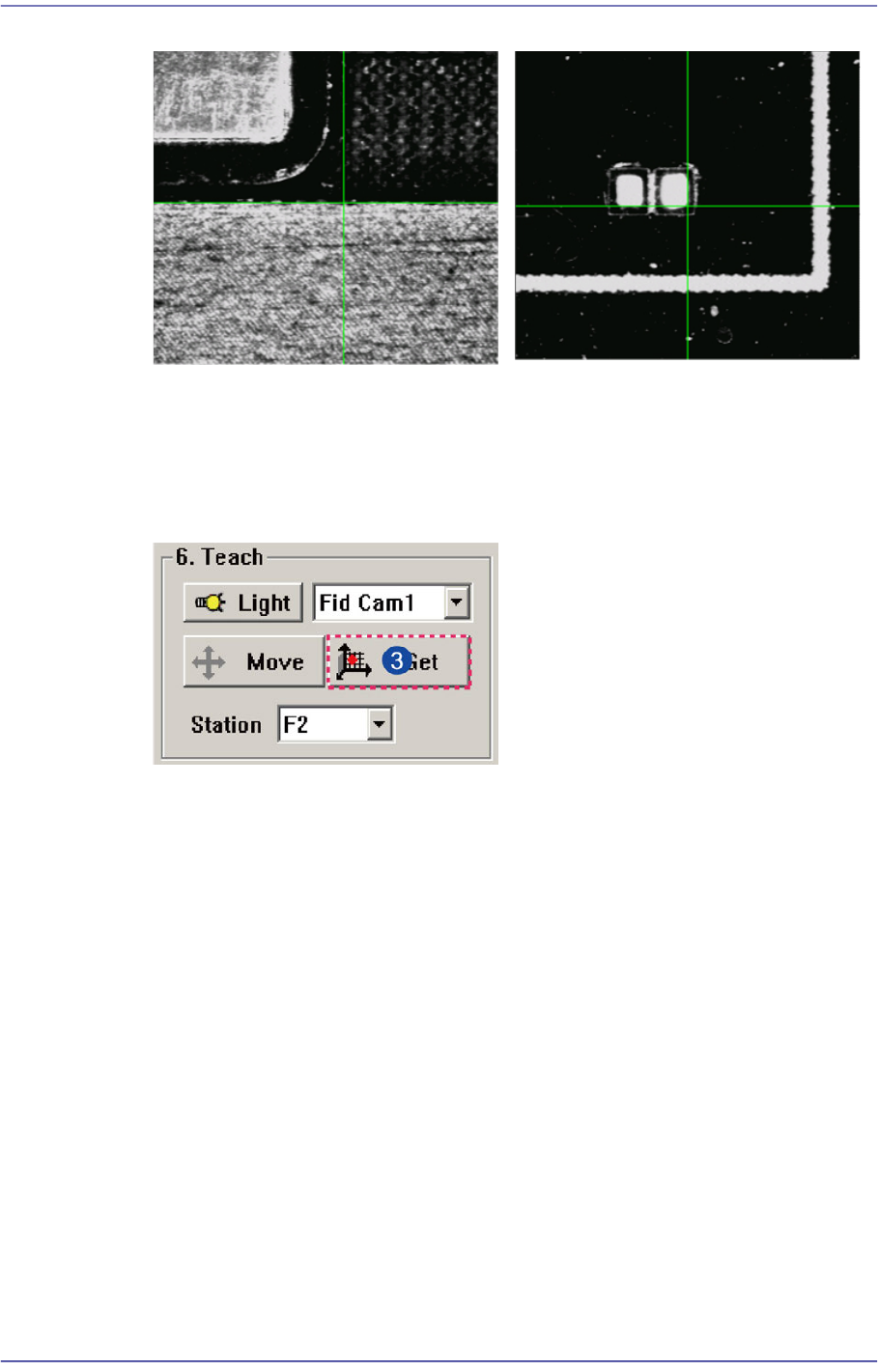
<5. Place Origin> group
Set the placement origin of the PCB. This origin is defined by the offset from the PCB
origin of the system to the placement origin of the PCB board. Set the fiducial point of
the board to be worked on based on the set coordinates.
Generally, perform setup by designating the pattern near the stopper. Designate a
position in the PCB which can be checked easily.
6-5
Board Definition
<Origin X> edit box
Set the X value of the placement origin of PCB.
<Origin Y> edit box
Set the Y value of the placement origin of PCB. Click on <Origin X> or <Origin
Y>, then click on the “Move” or “'Get” Button in the <8. Teach> group, Teaching
of placement origin is possible based on the selected object from the Combo Box.
<6. Teach> group
Used for moving the selected object from the Combo Box to the position of assigned
coordinates, or for obtaining the present coordinates by rotating the XY, Z axis driving
motor.
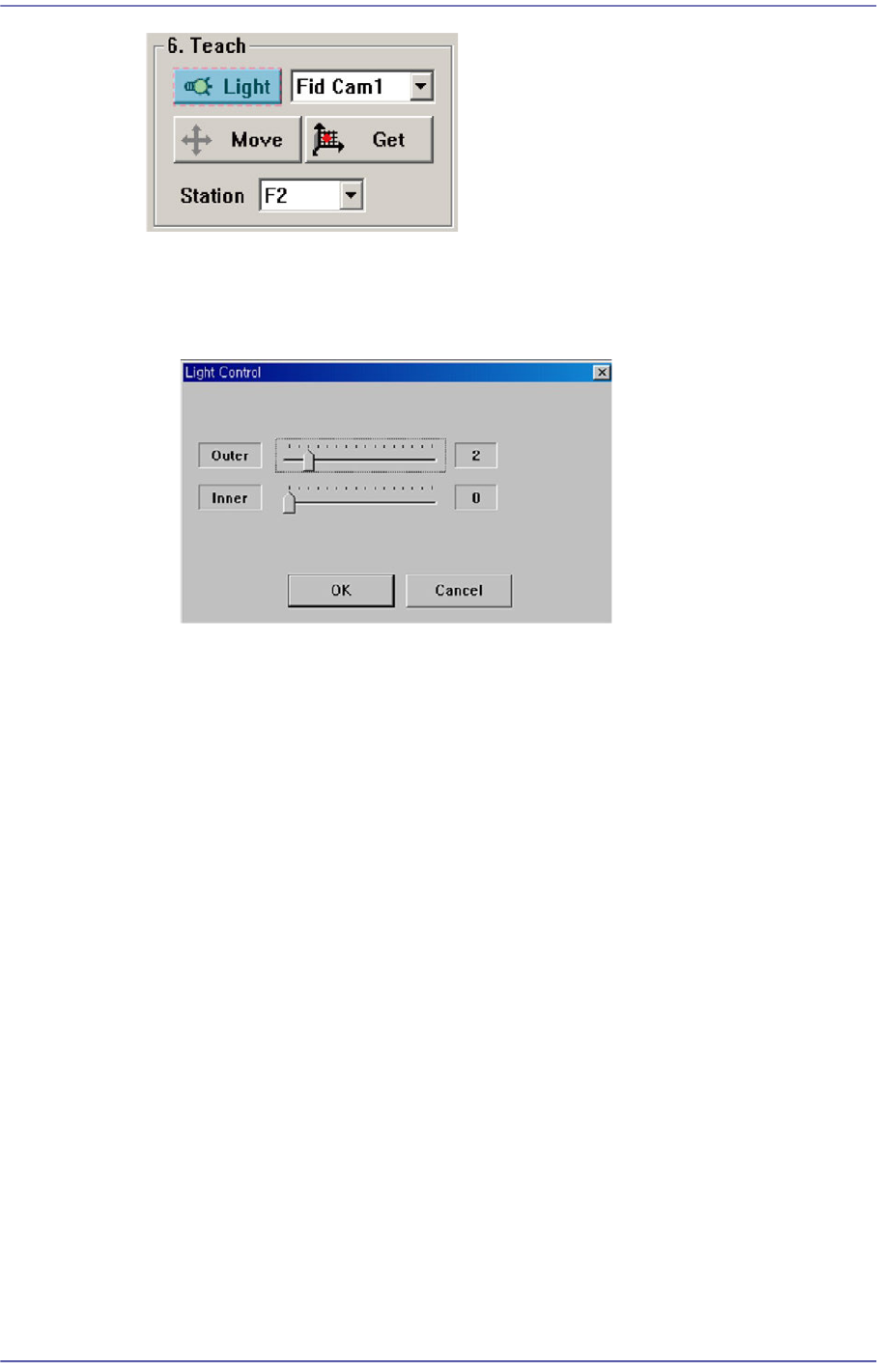
[Case 1 - Using the Board Stop]
It is difficult to apply to the array PCB
since it is not easy to check the
coordinate.
[Case 2 - Utilizing a pattern in the
PCB]
Utilize the pattern in the PCB and
apply it to the array PCB since it is
easy to check the coordinate.
6-6
Fast Flexible Placer SM481(L) PLUS Administrator’s Guide
<Light> button
Sets the lighting for the fiducial camera. When this Button is clicked on, the
following dialog box is displayed.
Combo Box
Used for selecting the object to move to the designated coordinates by rotating the
XY, Z axis driving motor or to select the object for which the present coordinates
is searching. Selectable objects are as follows;
Fid Cam2: Select the fiducial camera on the front gantry.
Head 1 ~ Head 10: Select #1 ~ #10 heads.
<Move> button
Move the object selected in the Combo Box to the position of the assigned
coordinates. Before clicking on the <Move> button, the objects (Place Origin,
Move Z) related with the coordinates must first be clicked with the mouse.
<Get> button
Obtain coordinates for XY, Z axis with reference to the object selected in the
Combo Box. At this time, the objects (Place Origin, Move Z) related with
coordinates must first be clicked with the mouse before clicking on the <Get>
button.
<7. Board Size> group
Set the board size.
<X> edit box
Set the length of PCB size.
<Y> edit box