Hanwha SM481 PLUS Series Administrator’s Guide Eng.pdf.pdf - 第78页
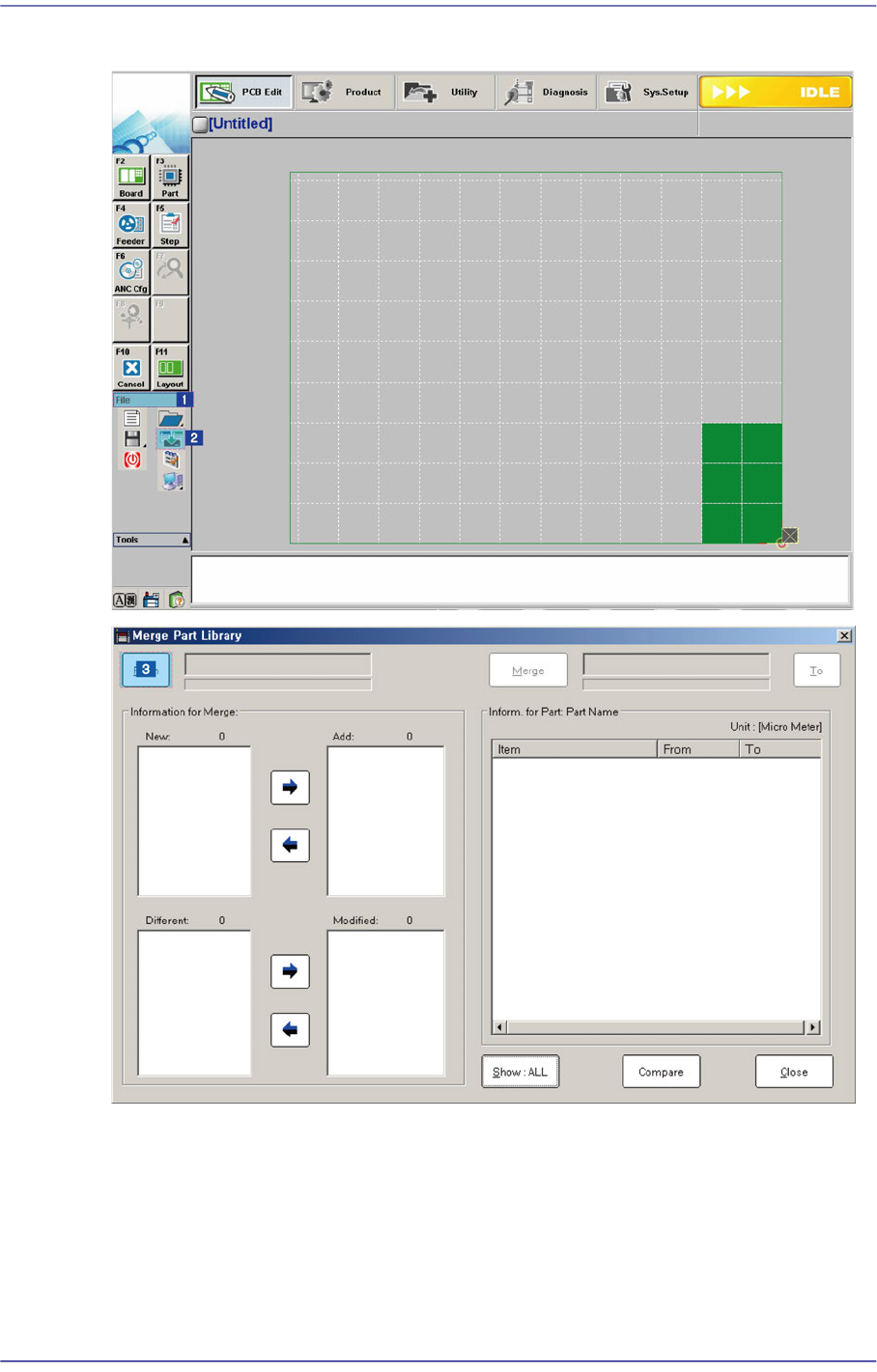
3-14 Fast Flexible Placer SM481(L) PLUS Administ r ator’s Guide 3.4.1. Part Library Merge Procedure Click the <From> button to select the sourc e DB file copied from the other machine
3-13
File Shortcut Menu
<Item> column
Displays only part information related to the selected part in the <New:> or
<Different:> list box.
<From> column
Displays the values saved in the part information corresponding to the <Item>
column of the parts selected from the <New:> or <Different:> list box in the
source DB file.
<To> column
Displays the values saved in the part information corresponding to the <Item>
column of the parts selected from the <New:> or <Different:> list box in the target
DB file. In this case, when the part name is selected in the <New:> list box, it is
indicated as “New”.
Button
This Button is used to select the part information to be merged with the target DB file
from the <New:> or <Different:> list box and includes the corresponding information
in the <Add:> list box or <Change:> list box.
Button
This Button is used to exclude the item selected to merge into the target DB file from
the <Add:> or <Modified:> list box.
<Merge> button
Once all setups are completed, click this Button to update the target DB file. This
Button is disabled when there is no selected item in the <Add:> or <Modified:> list
box.
3-14
Fast Flexible Placer SM481(L) PLUS Administrator’s Guide
3.4.1. Part Library Merge Procedure
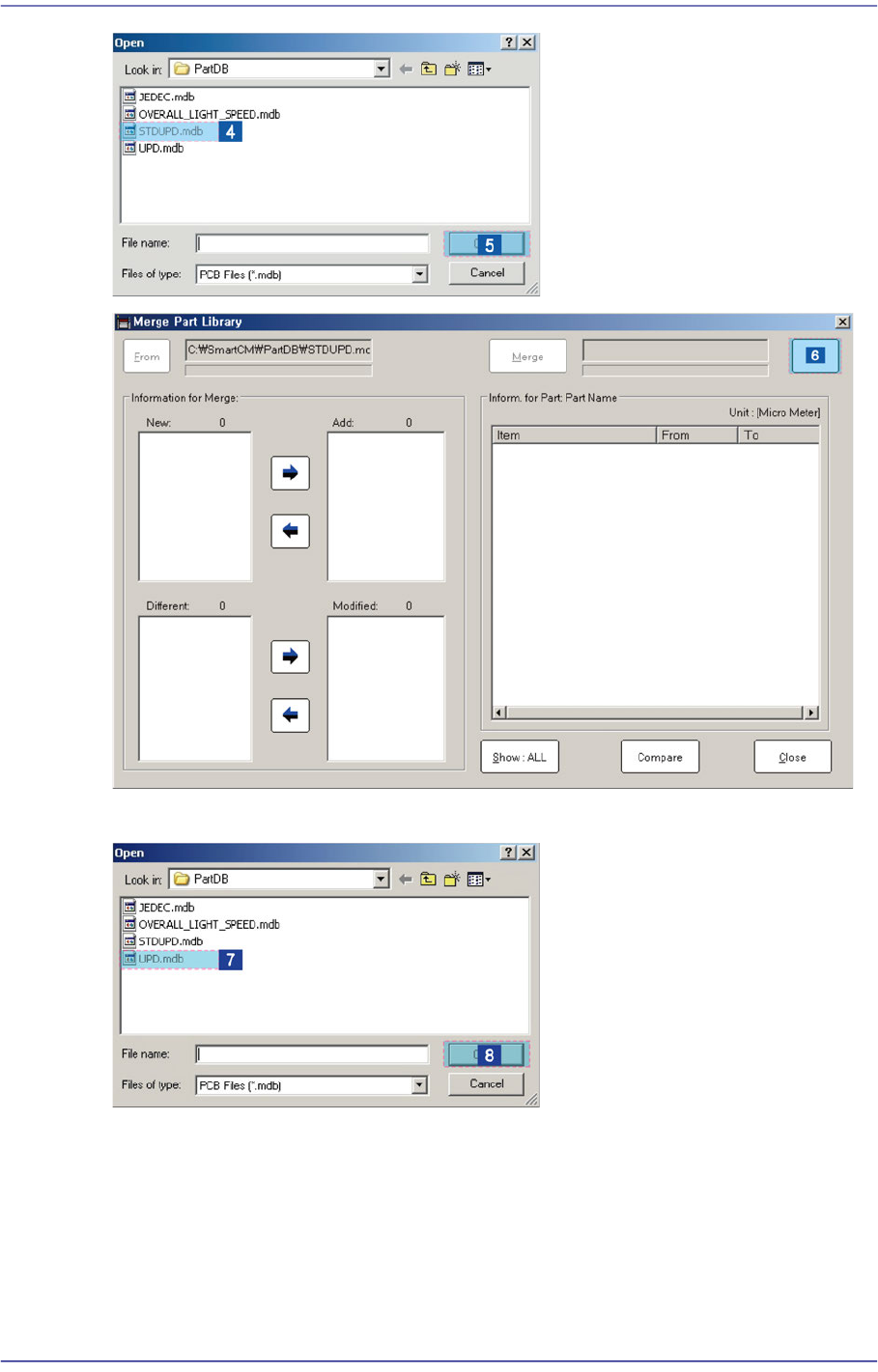
Click the <From> button to select the source DB file copied from the other machine
3-15
File Shortcut Menu
Click the <To> button to select the target DB file.