Hanwha SM481 PLUS Series Administrator’s Guide Eng.pdf.pdf - 第175页
7-17 Part Registration right directi o n <Lead W idth (Up/Down/Left/Right)>: Lead width <Lead Length (Up/Down/Left/Right)>: Le a d length <Lead Pitch (Up/Down/Left/ Right)>: Pitch between leads …
7-16
Fast Flexible Placer SM481(L) PLUS Administrator’s Guide
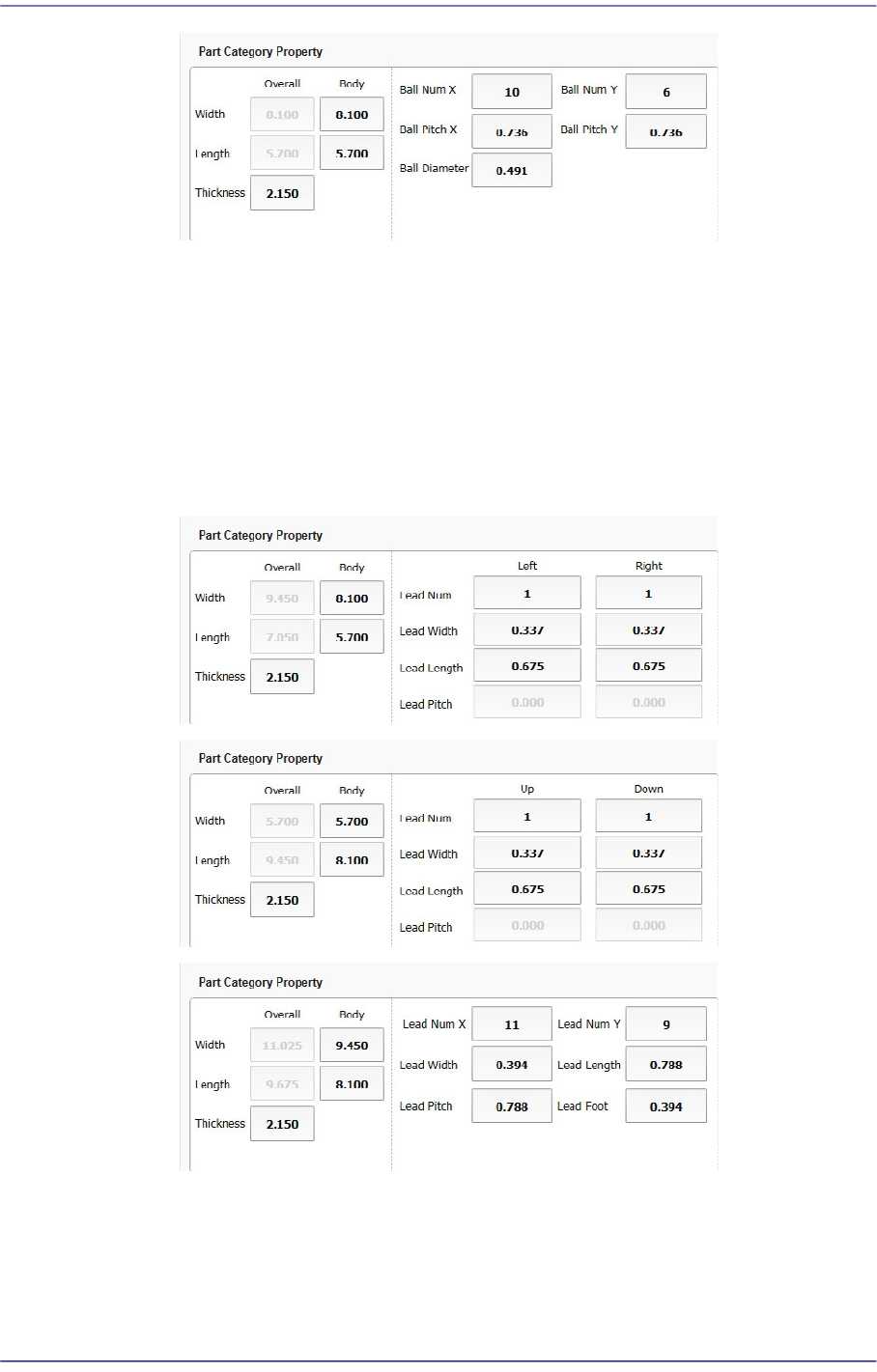
<Body Width/Length>: Part size in the X/Y direction
<Thickness>: Part thickness
<Number of X/Y Balls>: Number of balls in the X/Y direction
<Ball Pitch X/Y>: X/Y distance from the a ball center to the center of an
adjacent ball
<Ball Diameter>: Diameter of a ball
Leaded Part
<Overall Width/Length>: Distance of lead in the X/Y direction
<Body Width/Length>: Part body size in the X/Y direction
<Thickness>: Part thickness
<Lead Num (Up/Down/Left/Right)>: Number of leads in the top/bottom/left/
7-17
Part Registration
right direction
<Lead Width (Up/Down/Left/Right)>: Lead width
<Lead Length (Up/Down/Left/Right)>: Lead length
<Lead Pitch (Up/Down/Left/Right)>: Pitch between leads
<X/Y Lead Num>: Number of leads at one side in the X/Y direction
<Lead Foot>: Length through which the lead contacts with the bottom surface
<Part Type Setup> group
It is possible to select the part category and group in order to obtain the recommended
lighting value for the part to be registered.
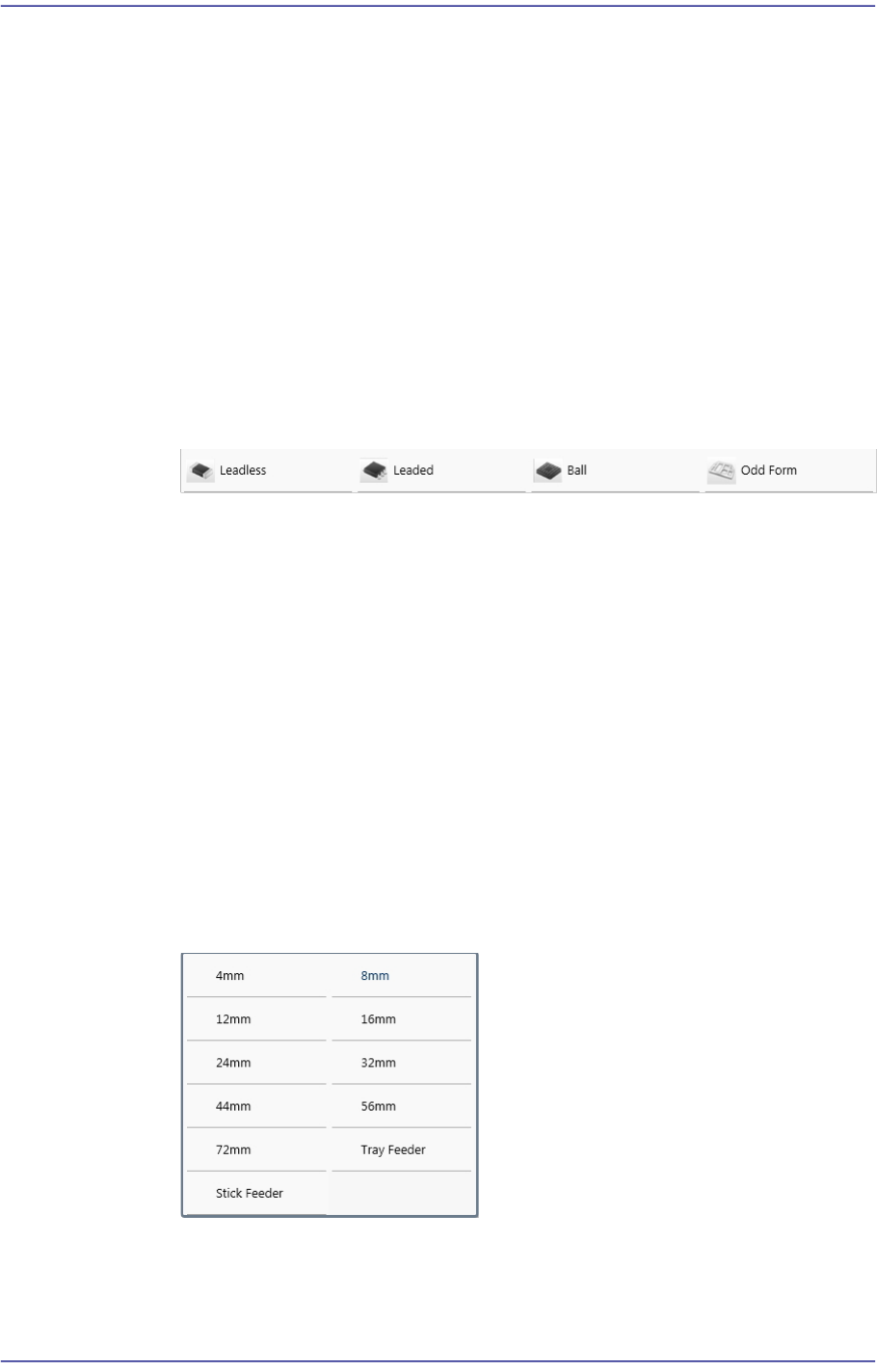
<Component Shape> combo box
Select the shape of the part to be registered.
<Component Type> combo box
Select the Type of the part to be registered.
<Component Scale> combo box
Select the size of the part to be registered. Enabled when the Capacitor and
Resister parts are selected.
<Part group> Caption Box
Displays the group to which the part to be registered belongs.
‘Feeder/Nozzle Setup’ area
Set the type of feeder to supply parts as well as the nozzle to pick parts.
<Feeder> combo box
Selects the type of the feeder to supply parts. Selectable feeder types are as
follows:
<Feeder Pitch> combo box
Used when the electrically driven feeder is selected. Selects the pitch of the tape
feeder selected from the <Feeder> combo box.
7-18
Fast Flexible Placer SM481(L) PLUS Administrator’s Guide
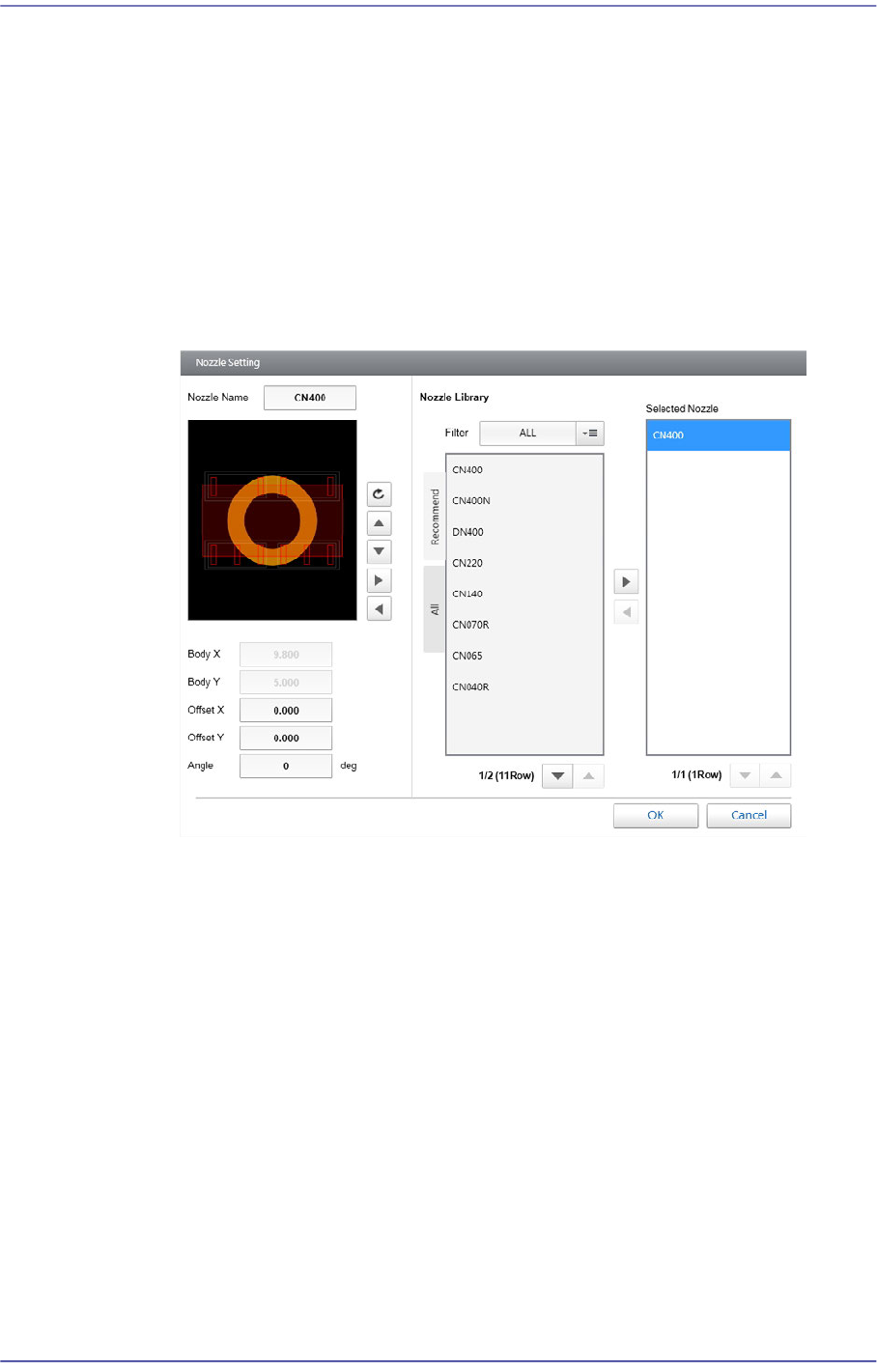
<Nozzle List> List Box
Displays the nozzle that picks up a part. For further details, refer to “Chapter7.
Nozzle type and application of part” in the Operation Handbook.
Selecting the nozzle in the nozzle list, the shape of contact between the nozzle and
part is indicated in orange in the vision window.
It will be helpful to refer to this shape in selecting an adequate nozzle.
<Nozzle Selection> button
If there is no adequate nozzle in the nozzle list, click this button to select an
adequate nozzle.
<Nozzle Name> View Field
Displays the nozzle name.
<Body X/ Y (mm)> View Field
Displays the X and Y sizes of the part layout.
<Offset X/ Y (mm)> edit box
Input the X and Y offsets from the nozzle center.
<Pickup Angle> edit box
Set the part pickup angle.
<Nozzle Library> group
<Filter> combo box
- ALL
Selected in cases displays all types of nozzles in the following list
box.