Hanwha SM481 PLUS Series Administrator’s Guide Eng.pdf.pdf - 第434页
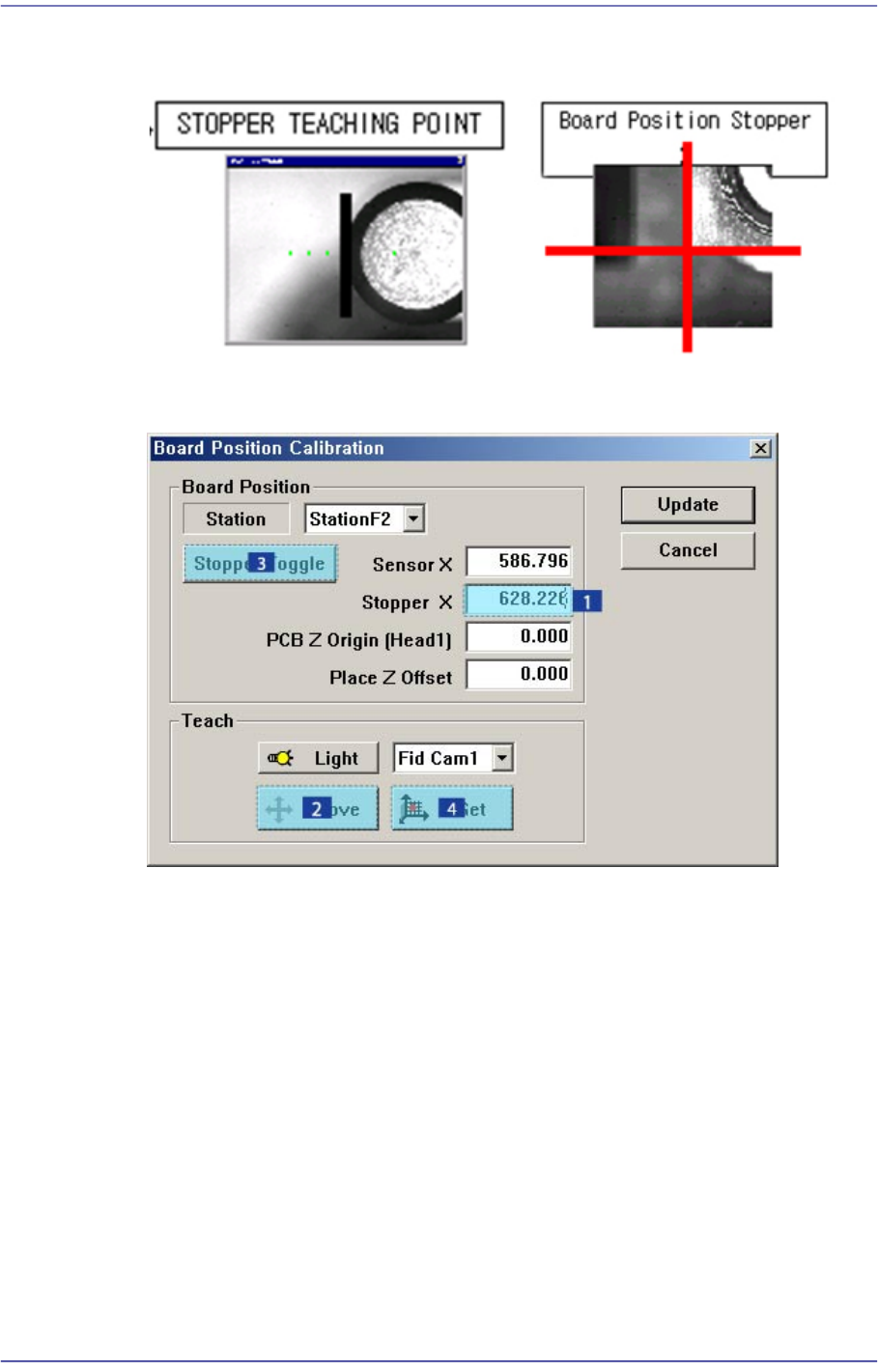
14-82 Fast Flexible Placer SM481(L) PLUS Administ r ator’s Guide 2. Select < Stopper X> edit box of Station 2 with t he mouse pointer and c lick the <Move> button t o move the c orresponding f iducial c a mer…
14-81
Machine Calibration
6. Click the <Stopper Toggle> button to move down the stopper.
7. Save the data by clicking the <Update> button.
[Additional calibration that must be performed in the SM481L machine]
When using the long conveyor option of 1500mm in length and 460mm in width for two-
staged placement, the calibration for Station 3 must be performed additionally. (When a
PCB moves from the right to the left on the conveyor, perform calibration of Station 1
additionally.)
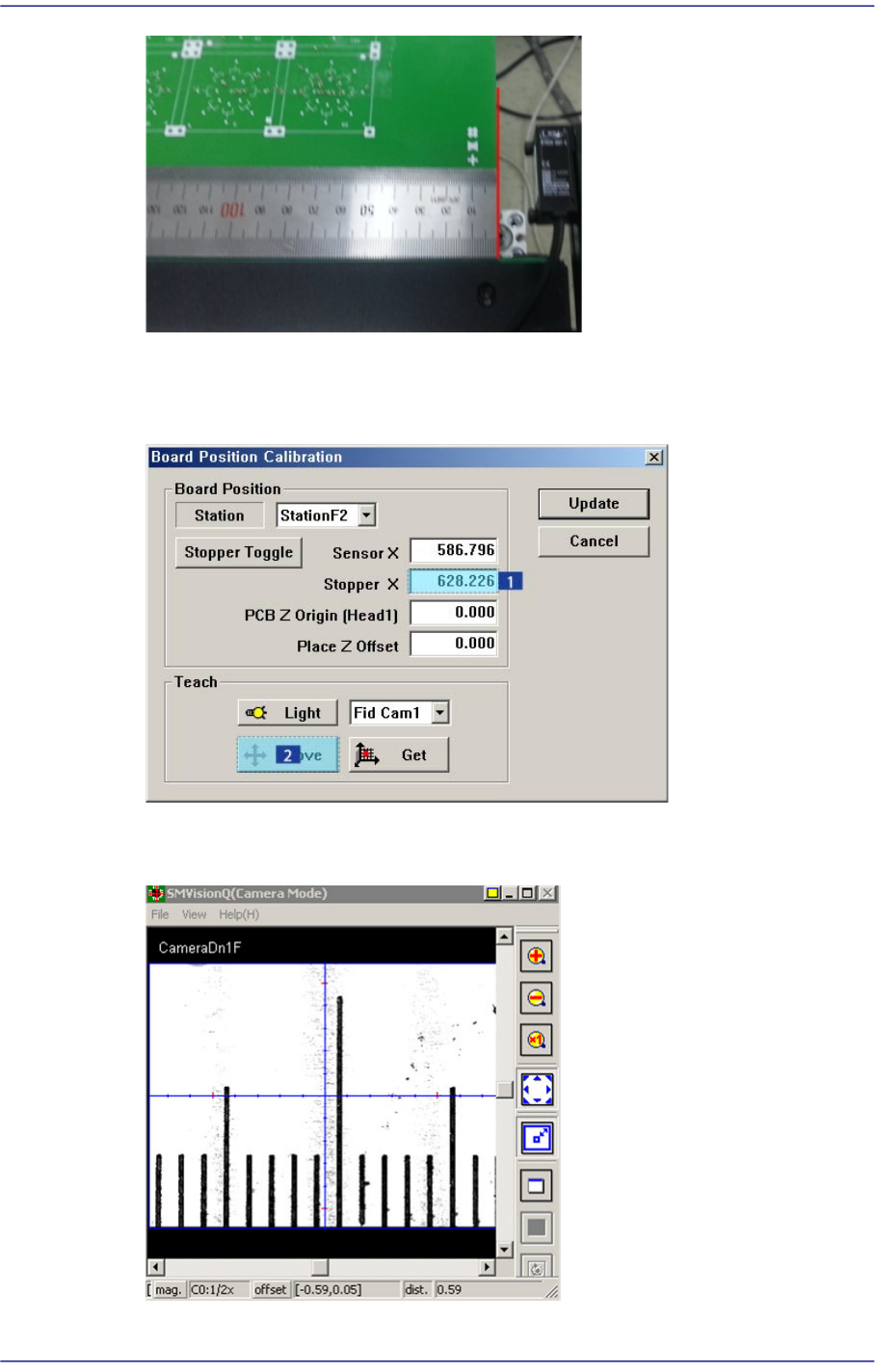
1. Load a PCB to Station 3 area and align the steel ruler with the PCB end as shown in
the following figure:
14-82
Fast Flexible Placer SM481(L) PLUS Administrator’s Guide
2. Select <Stopper X> edit box of Station 2 with the mouse pointer and click the <Move>
button to move the corresponding fiducial camera to the Stopper X position of Station
2.
3. Check the scale of the steel ruler matching the crosshair center of the fiducial camera
and memorize this measurement value.
14-83
Machine Calibration
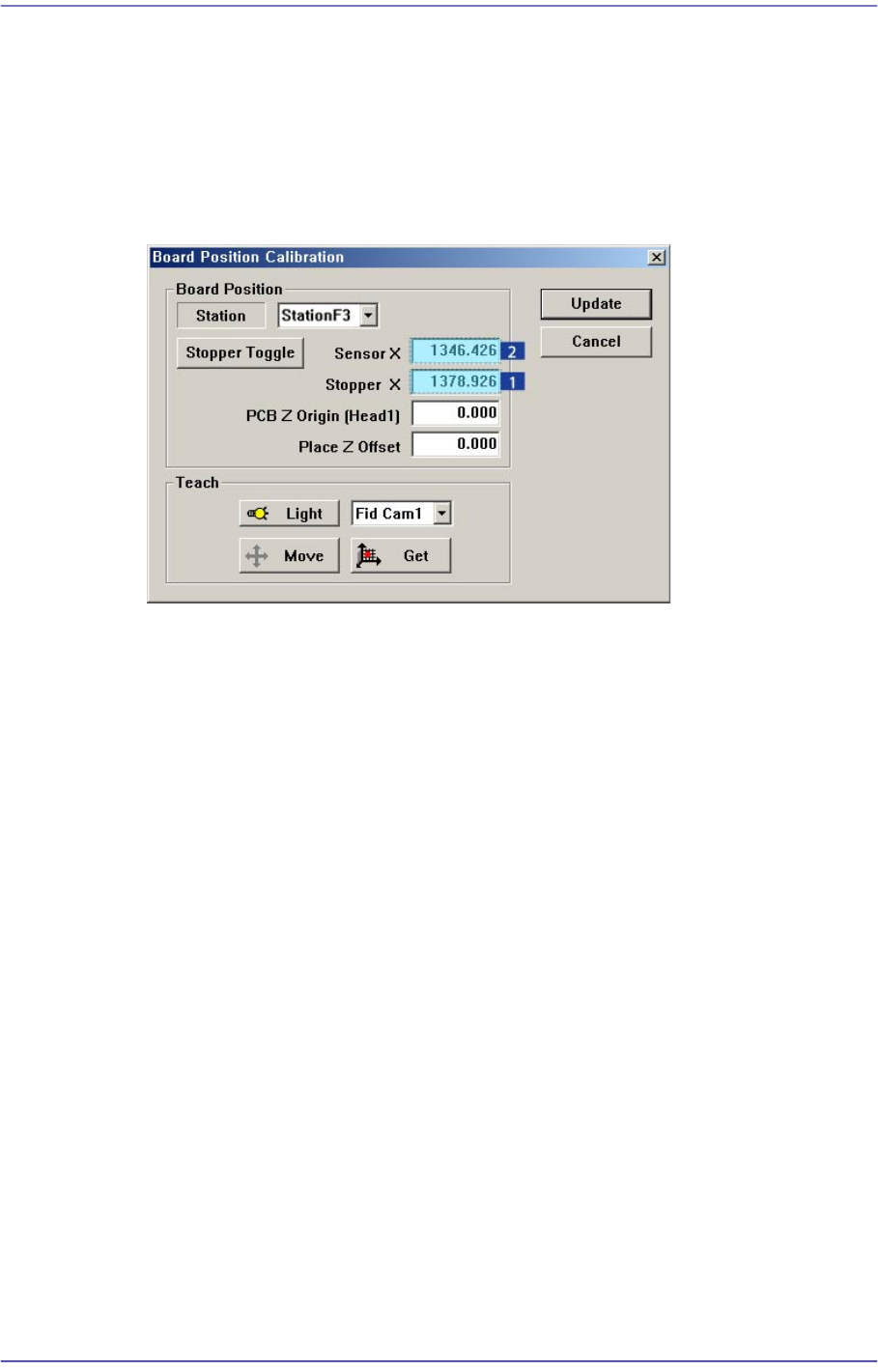
4. Input the value, which was obtained by adding the value inputted in the <Stopper X>
edit box of Station 2 to the value measure in the previous stage, in the <Stopper X>
edit box of Station 3. For example, if the coordinate of Stopper X of Station 2 is
628.226 mm and the value measured by the steel ruler is 750.7 mm, input 1378.926
mm in the <Stopper X> edit box of Station 3 and 1346.426mm in the <Sensor X> edit
box, which was obtained by subtracting 32.5mm from the value inputted in the
<Stopper X> edit box.
5. Save the data by clicking the <Update> button.