Hanwha SM481 PLUS Series Administrator’s Guide Eng.pdf.pdf - 第523页
18-7 Producti o n Information Management 18.1.3. Feeder Displays the operation information of each f e eder . <Feeder> column Indicates the in formation on the slot where the feeder is installed and the p a rts a…
18-6
Fast Flexible Placer SM481(L) PLUS Administrator’s Guide
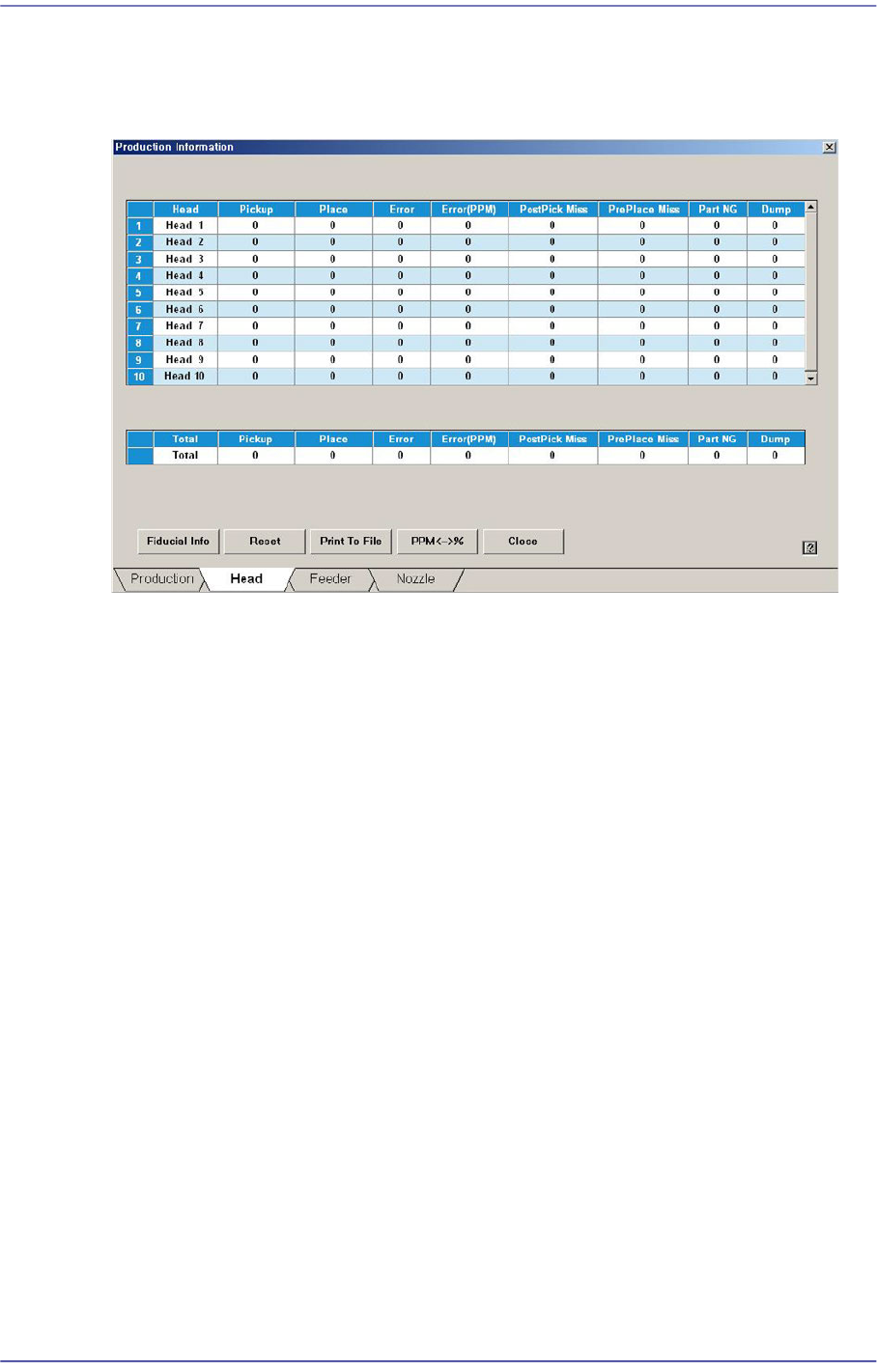
18.1.2. Head
Displays the operation data for each head. Shows the overall statistics information related
with placement.
<Head> column
Displays the total head number.
<Pickup> column
Displays the total number of components picked up.
<Place> column
Displays the total number of components placed.
<Error> column
Indicates the number of part placement failures after recognizing the picked up parts
using ‘Vision’.
<Error (PPM)> column
Recognize the picked part by using the vision system and indicate the non-placement
error in PPM unit.
<Pick Miss> column
Indicates the number of part pickup failures.
<Part NG> column
Indicates the number of part recognition failures using ‘Vision’ after pickup of parts.
<Dump> column
Indicates the number of times part dumping has been performed by the corresponding
head.
18-7
Production Information Management
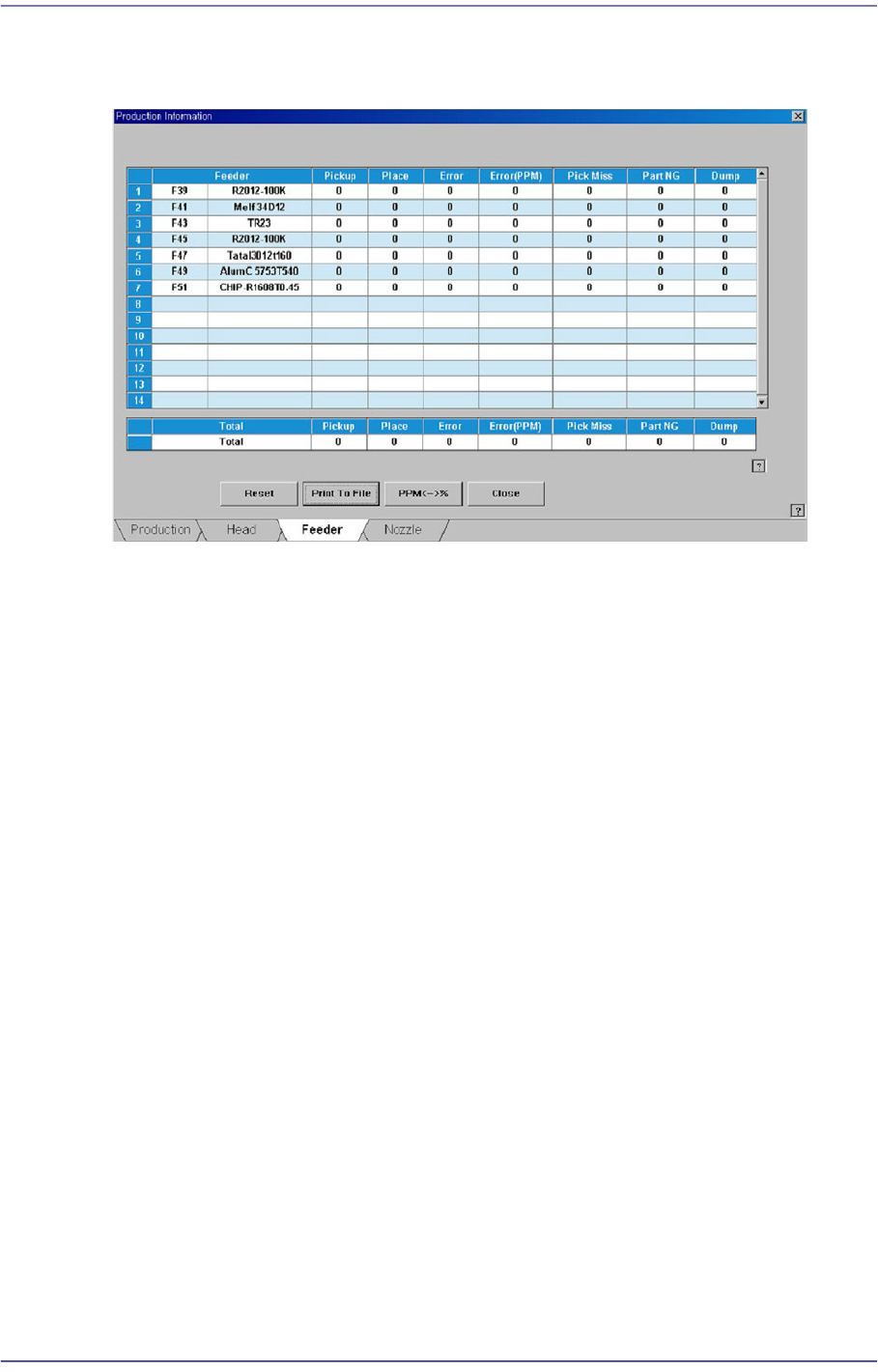
18.1.3. Feeder
Displays the operation information of each feeder.
<Feeder> column
Indicates the information on the slot where the feeder is installed and the parts are
supplied.
<Pickup> column
Displays the number of components picked up from the corresponding feeder.
<Place> column
Displays the number of components placed from the corresponding feeder.
<Error> column
Displays the number of components placed from the corresponding feeder.
<Error (PPM)> column
Indicate the feeder error, which caused the fed parts not to be placed, in the PPM unit.
<Pick Miss> column
Indicates the number of part pickup failures.
<Part NG> column
Indicates the number of part recognition failures using ‘Vision’ after pick up by the
feeder.
<Dump> column
Indicates the number of times part dumping has been performed by the corresponding
head.
18-8
Fast Flexible Placer SM481(L) PLUS Administrator’s Guide
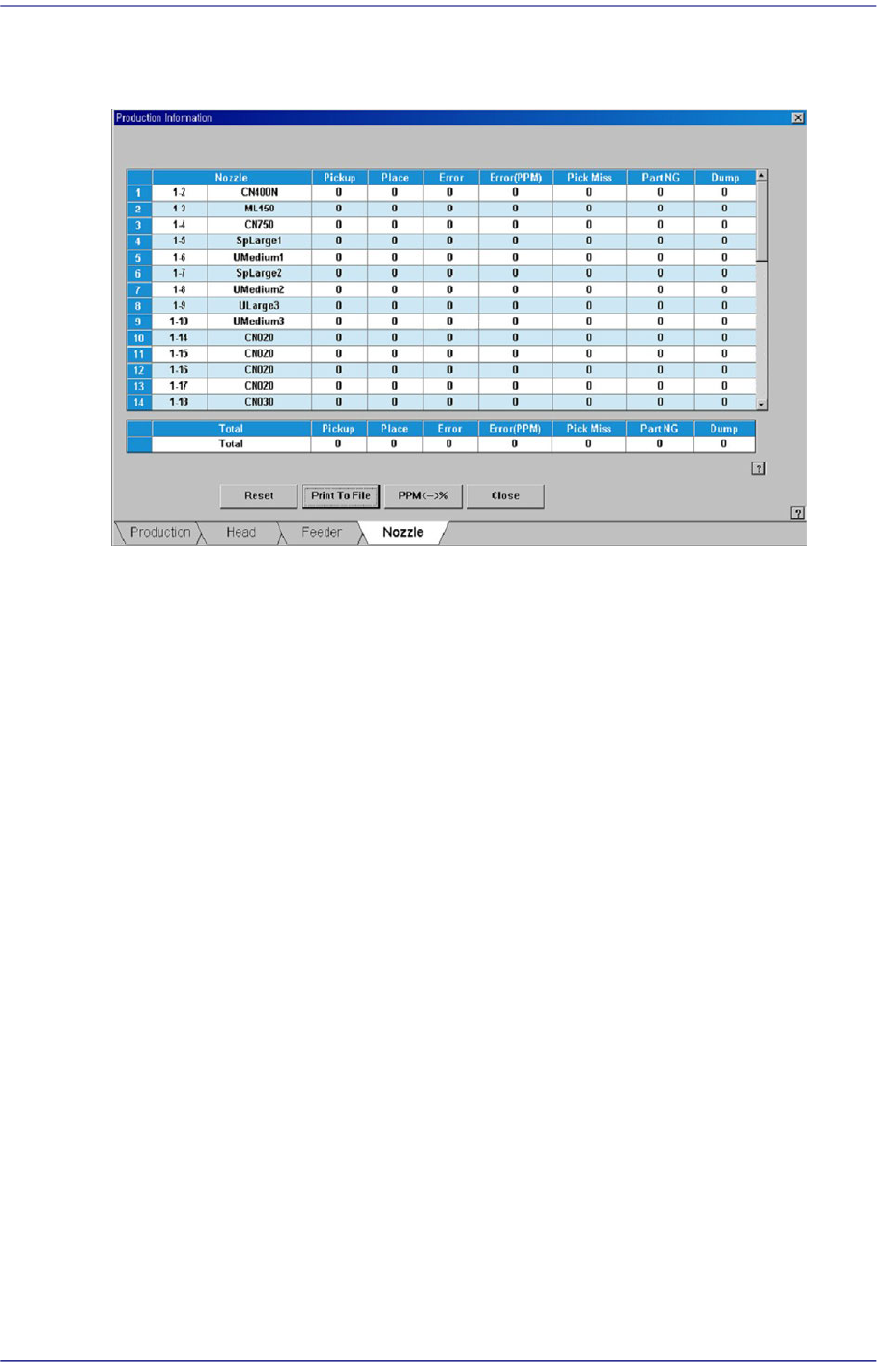
18.1.4. Nozzle
Displays the operation information of each nozzle.
<Nozzle> column
Indicates the type of nozzles and number of holes where nozzles are arranged in the
ANC.
<Pickup> column
Displays the number of components picked up by the corresponding nozzle.
<Place> column
Displays the number of components placed by the corresponding nozzle.
<Error> column
Indicate the nozzle error, which caused the parts not to be placed.
<Error (PPM)> column
Indicate the nozzle error, which caused the parts not to be placed, in the PPM unit.
<Pick Miss> column
Indicates the number of failures in pickup the parts by nozzle.
<Part NG> column
Indicates the number of part recognition failures using ‘Vision’ after parts are picked
up by nozzles.
<Dump> column
Indicates the number of times part dumping has been performed by the corresponding
head.