Hanwha SM481 PLUS Series Administrator’s Guide Eng.pdf.pdf - 第498页
16-12 Fast Flexible Placer SM481(L) PLUS Administ r ator’s Guide <Save As> button Clicking this button will exe cute the dialog box used to select the pa th to save the result data as a text file. <V acuum P…
16-11
Diagnosis
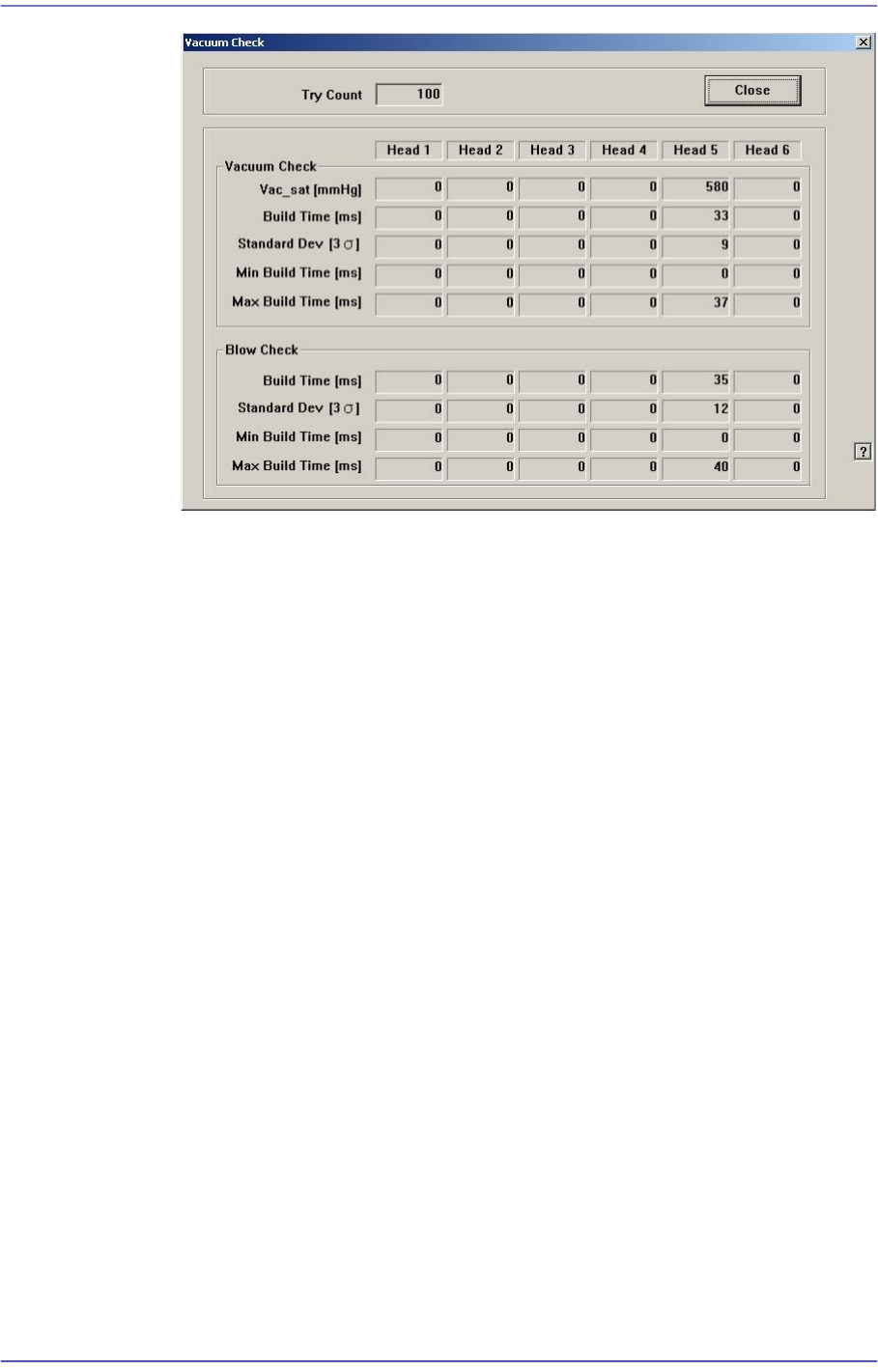
<Vacuum Check> group
Vac_sat [mmHg]
Indicates the average vacuum level of the corresponding heads after
performing the ‘Vacuum On’ operation. (Average: -580 mmHg)
Build Time [ms]
Indicates the time taken to reach 90% of the vacuum level.
Standard Dev [3σ]
Indicates the dispersion (3σ) of “Build Time’.
Min Build Time [ms]
Indicates the minimum value of the ‘Build Time’.
Max Build Time [ms]
Indicates the maximum value of the ‘Build Time’.
<Blow Check> group
Build Time [ms]
Indicates the time taken to reach 90% blow creation.
Standard Dev [3σ]
Indicates the dispersion (3σ) of “Build Time’.
Min Build Time [ms]
Indicates the minimum value of the ‘Build Time’.
Max Build Time [ms]
Indicates the maximum value of the ‘Build Time’.
16-12
Fast Flexible Placer SM481(L) PLUS Administrator’s Guide
<Save As> button
Clicking this button will execute the dialog box used to select the path to save the
result data as a text file.
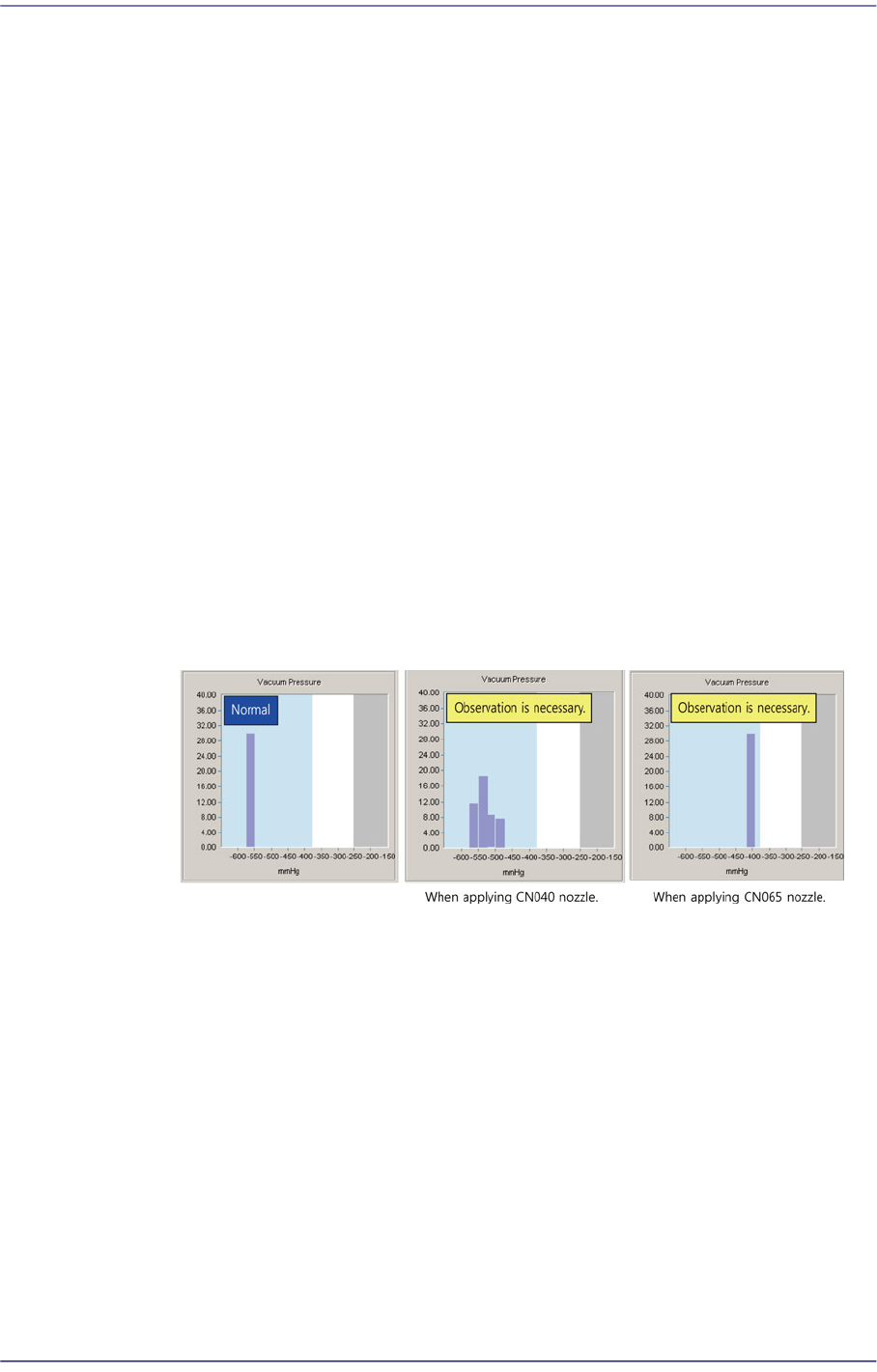
<Vacuum Pressure>
Indicates the vacuum level in graphic form when the vacuum level of the
corresponding head reached 90% after performing the ‘Vacuum On’ operation
X-axis
Indicates the average vacuum level of the heads after performing the ‘Vacuum
On’ operation. (Average: -580 mmHg)
Y-axis
Refers to the count corresponding to the vacuum level which is the index of
the X-axis. The sum of the counts indicated by bar graphs is the same as the
count selected from the <Try> combo box.
Check whether the vacuum is created up to the required level while watching the
graph. If the result value exists within the blue area, it is normal. However, if it is
indicated in the white area, there is a problem. In this case, it is necessary to
observe the vacuum level continuously. If the result value is indicated in the grey
area, it is abnormal. In this case, contact our STS or local agent for a precise
check.
For the CN040 nozzle, if the vacuum level is higher than 400 mmHg, it is possible
to operate normally.
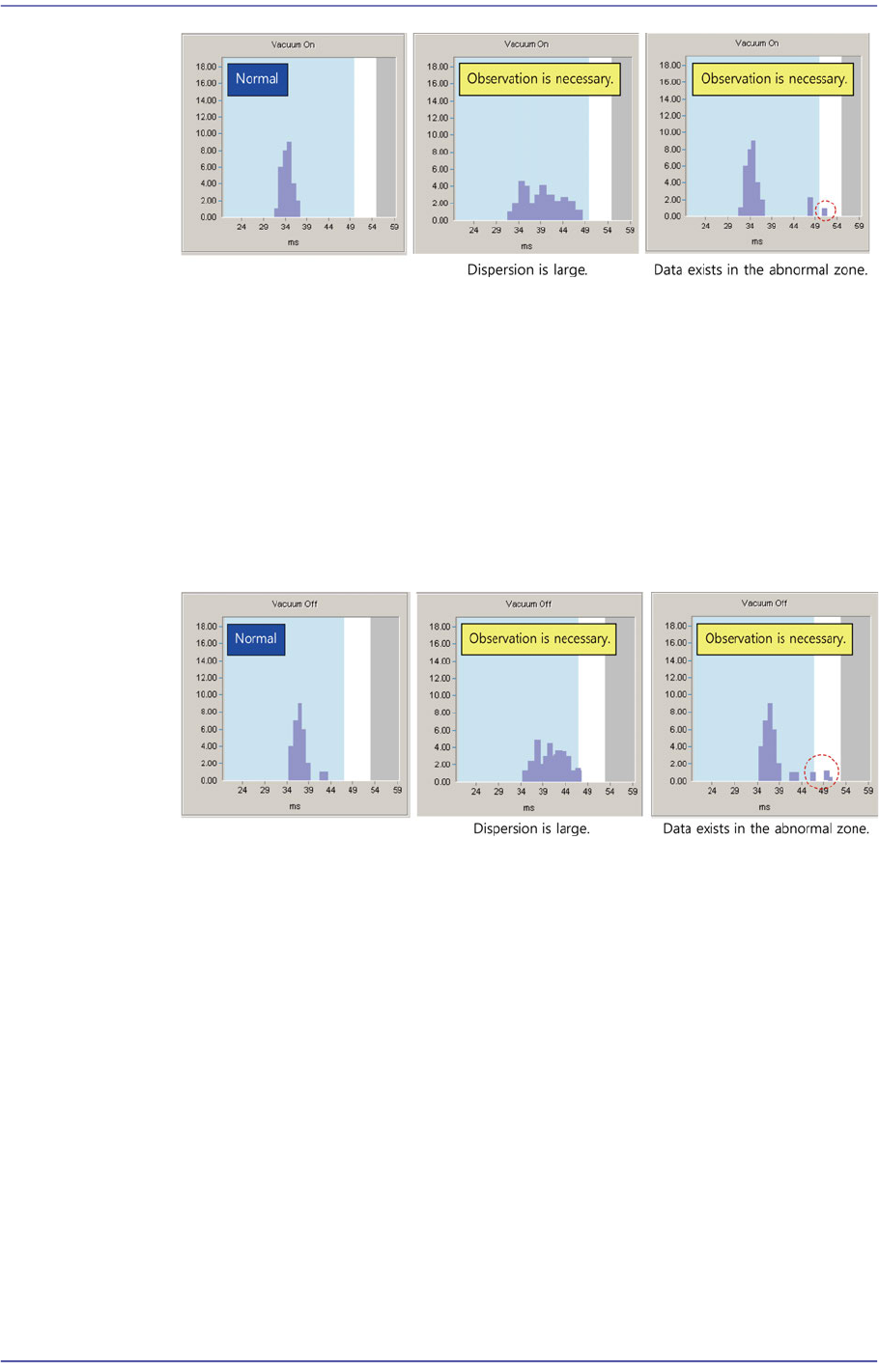
<Vacuum On>
Indicates the time taken to reach 90% of the vacuum level. Smaller dispersion is
better based on the average value. (Average value: 34 ms)
If the result value exists in the blue area, it is normal. If it is indicated in the white
area, it has a problem. In this case, it is necessary to observe the vacuum level
continuously. If it is indicated in the grey area, it is abnormal. In this case replace
the corresponding part.
16-13
Diagnosis
It is better when the dispersion of all result values is smaller than the average value
in the blue area. If the dispersion is larger, there is considered to be a problem.
Therefore, continuous observation is necessary.
<Vacuum Off>
Indicates the time taken to reach 90% Vacuum Off. (Average value: 32 ms)
If the result value exists within the blue area, it is normal. However, if it is
indicated in the white area, it has a problem. In this case, it is necessary to observe
the vacuum level continuously. If the result value is indicated in the grey area, it is
abnormal. In such case, contact our STS or local agent for precise check.
It is better when the dispersion of all result values is smaller than the average value
in the blue area. If the dispersion is larger, it is considered to have problem.
Therefore, continuous observation is necessary.