Hanwha SM481 PLUS Series Administrator’s Guide Eng.pdf.pdf - 第275页
9-1 Step Programming Chapter9. Step Programming The ‘Step’ submenu edits data on PCB placement poin t s, component fiducial marks, components to be placed, component supp lying feeders, and nozzles to pick up components.…
8-38
Fast Flexible Placer SM481(L) PLUS Administrator’s Guide
window.
9-1
Step Programming
Chapter9. Step Programming
The ‘Step’ submenu edits data on PCB placement points, component fiducial marks,
components to be placed, component supplying feeders, and nozzles to pick up
components.
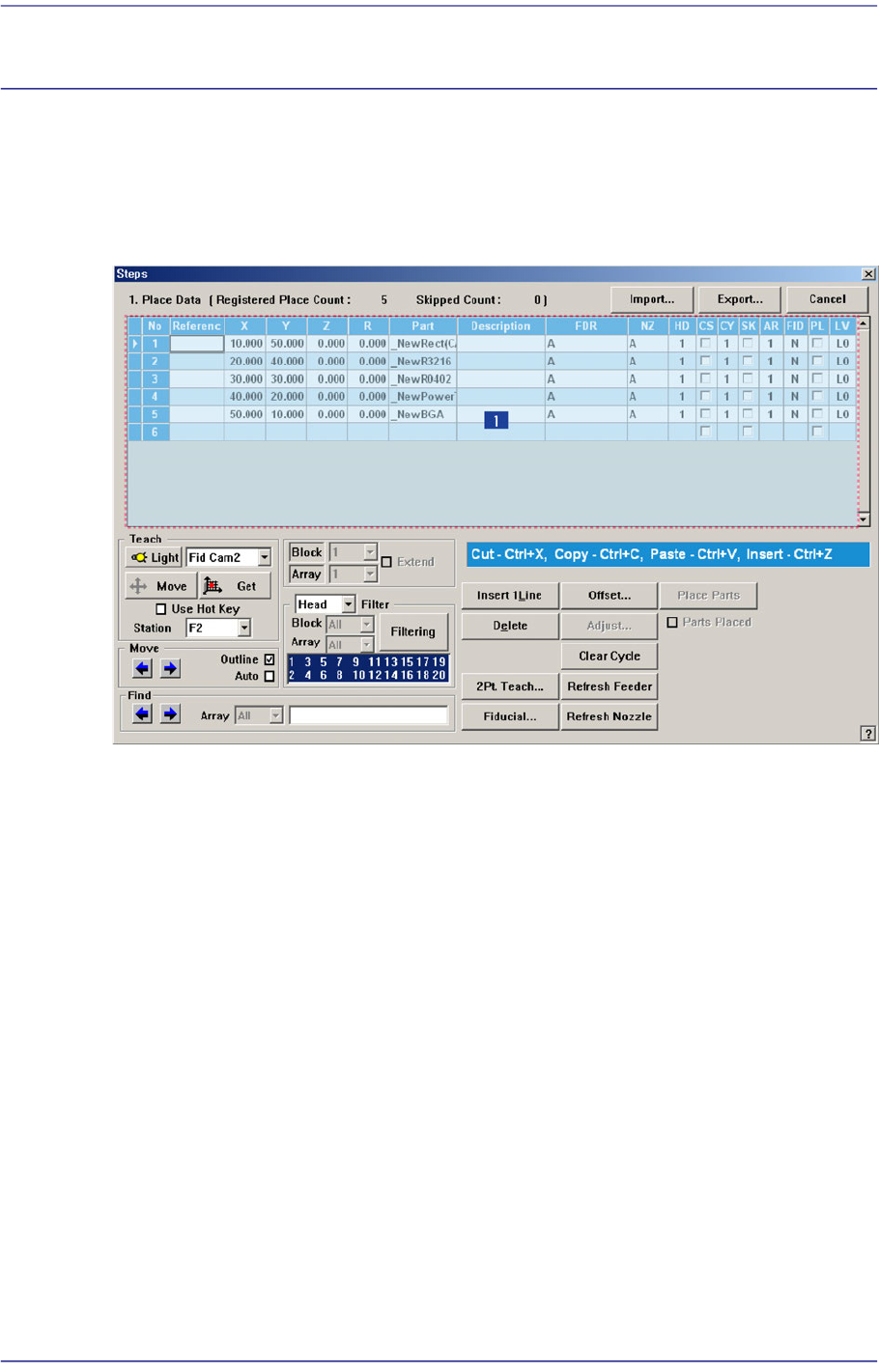
Figure9.1 “Steps” dialog box
1: Grid
‘Grid’ group
Set the edit data related to placement.
<No> column
Refers to the number of the placement point.
<Reference> column
Set the reference name of the placement point. In general, enter the value of R1,
R2, C1, and C2 on the PCB (up to 8 characters).
<X> column
Set the X position of the placement point.
<Y> column
Set the Y position of the placement point.
<Z> column
Set the Z position of the placement point.
9-2
Fast Flexible Placer SM481(L) PLUS Administrator’s Guide
<R> column
Set the R position (rotation angle of the placement component) of the placement
position.
<Part> column
Select the component to place.
<Description> column
Note that slot to display the description of installed components.
<FDR> column
Select the feeder to supply the component.
<NZ> column
Select the nozzle to pick up the component.
<HD> column
Selects the head to pick up the part to be placed.
<CS> column
When you want to start a new cycle, check this check box.
<CY> column
When <Cycle> is clicked on, the corresponding cycle number is displayed.
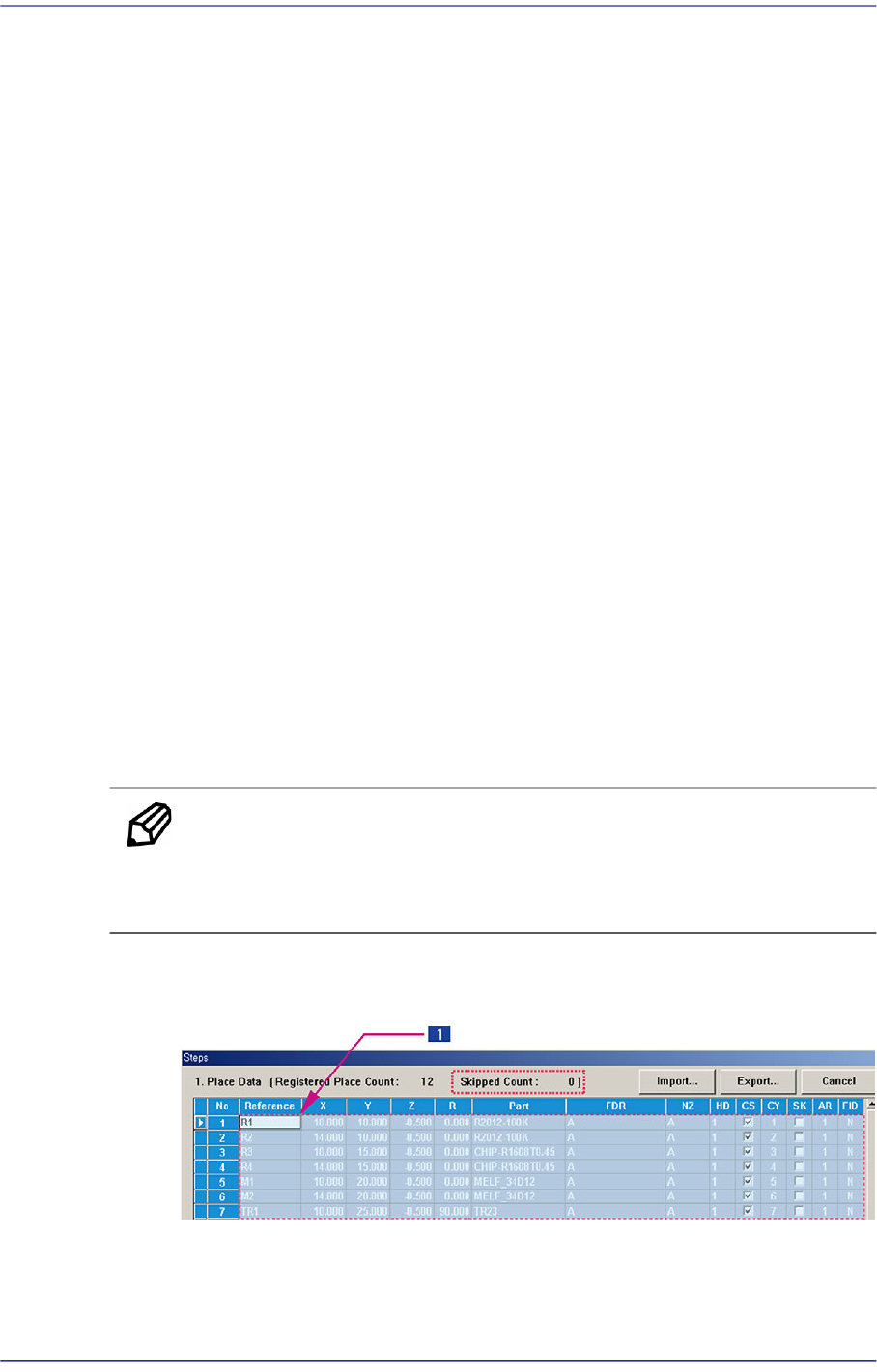
<SK> column
Check the check box when you want to skip the placement point. The number of
skipped rows is indicated in the ‘Skipped Count’.
Memo The part set to be skipped is not included in the number of parts that
can be placed. (The maximum number of parts that can be placed is
150.)
Possible to skip the selected lines after selecting the lines to be skipped with the
mouse. On the contrary, it is possible to setup so as not to skip.
1: Selection of drag using mouse
Select lines using mouse. (Use the mouse drag function.)