Hanwha SM481 PLUS Series Administrator’s Guide Eng.pdf.pdf - 第288页
9-14 Fast Flexible Placer SM481(L) PLUS Administ r ator’s Guide When all the unregistered part i n formation is registered, they are displ a yed as follows.
9-13
Step Programming
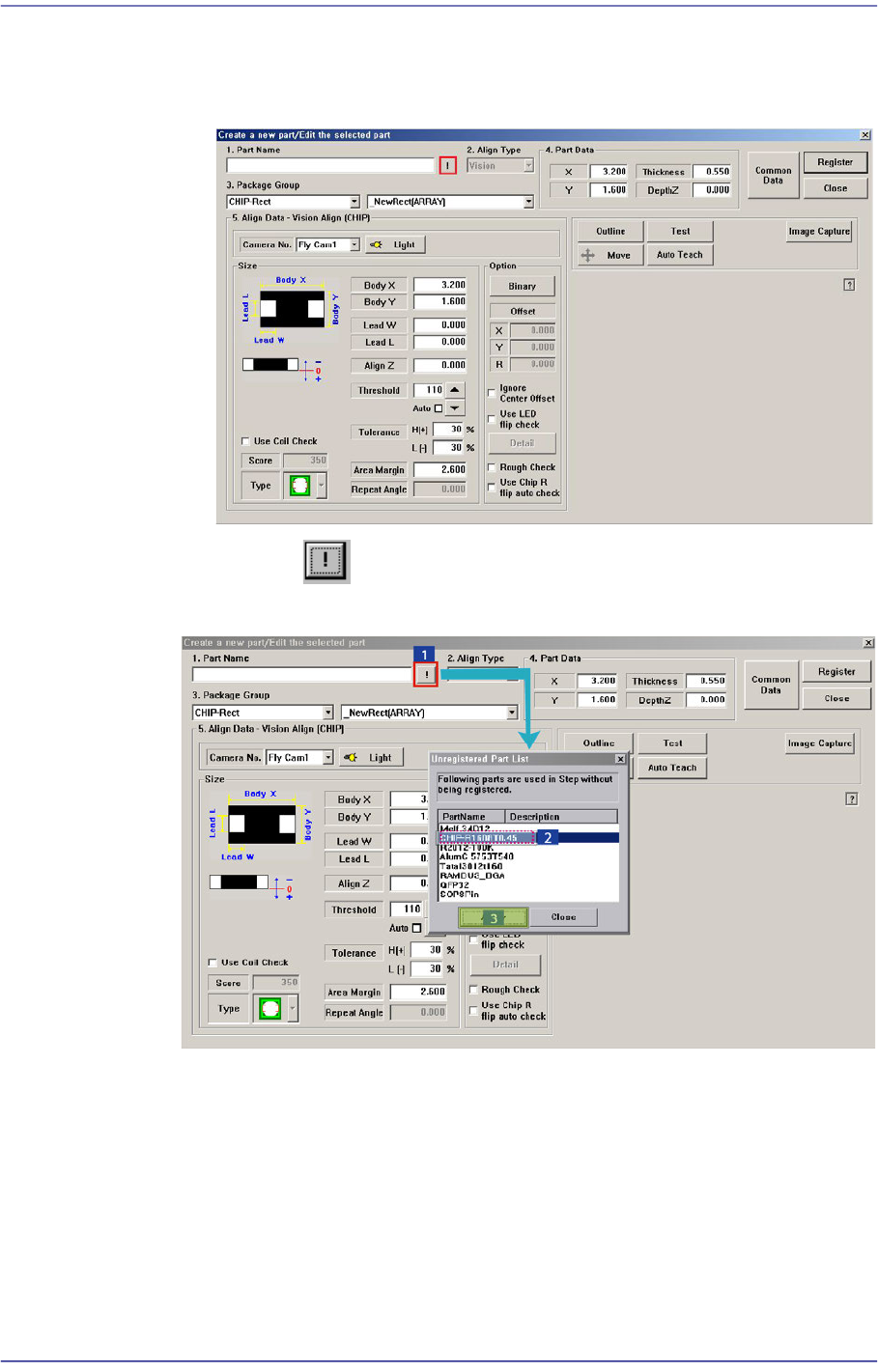
The component that has already been registered in the Local Part DB is
registered automatically as can be seen above. Click the <New Part…> button
and execute the <Part Edit> dialog box.
When the button is clicked, the unregistered part list is displayed as
shown in the following figure.
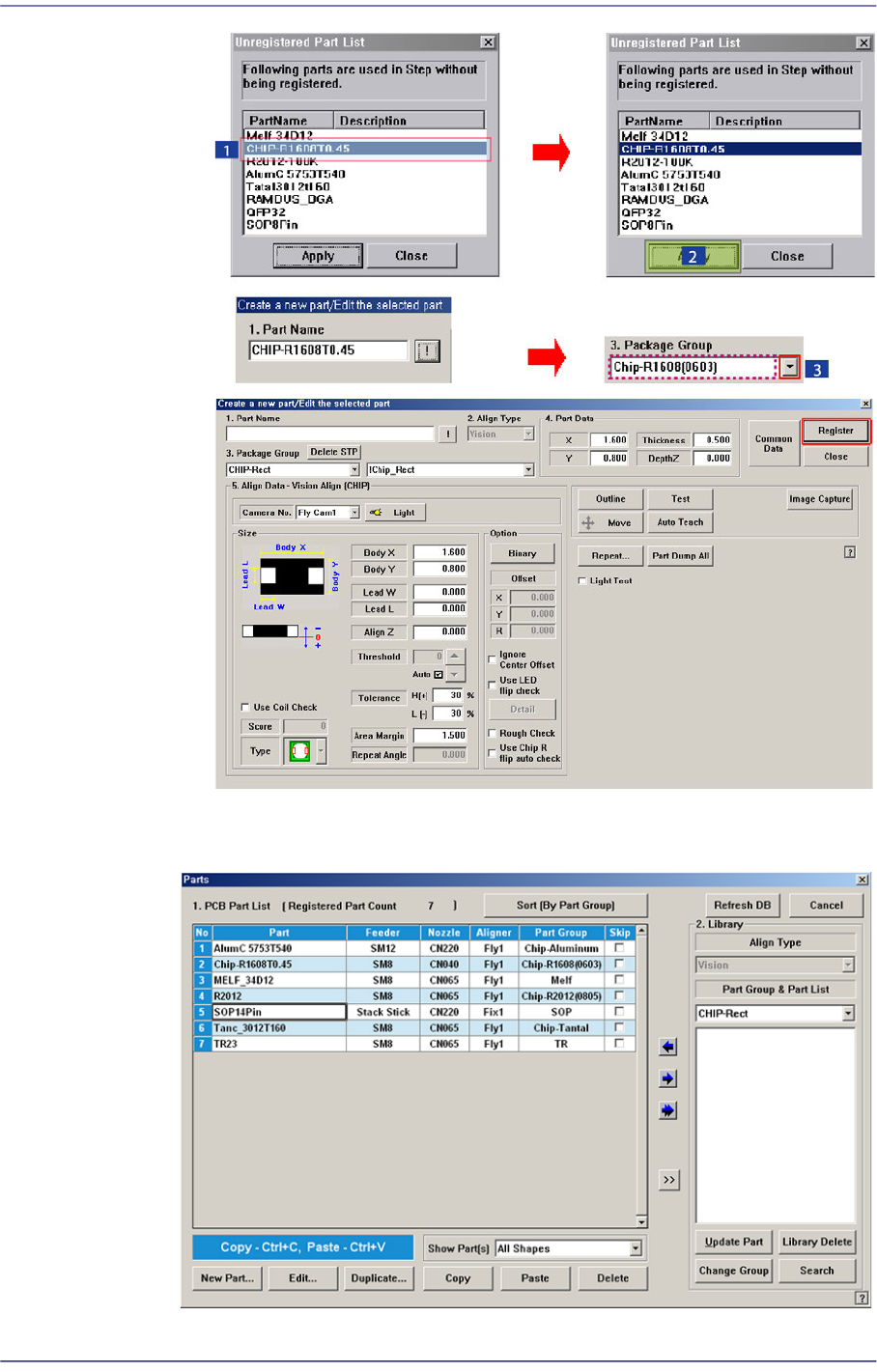
When the <OK> button is clicked after selecting a component, the name of the
selected file is inputted in the <1.Part Name> edit box.
Select the <Package Group> corresponding to the selected component and
revise the component profile according to the selected component.
Click the <Register> button to register the component to the PCB Part List.
9-14
Fast Flexible Placer SM481(L) PLUS Administrator’s Guide
When all the unregistered part information is registered, they are displayed as
follows.
9-15
Step Programming
<Export…> button
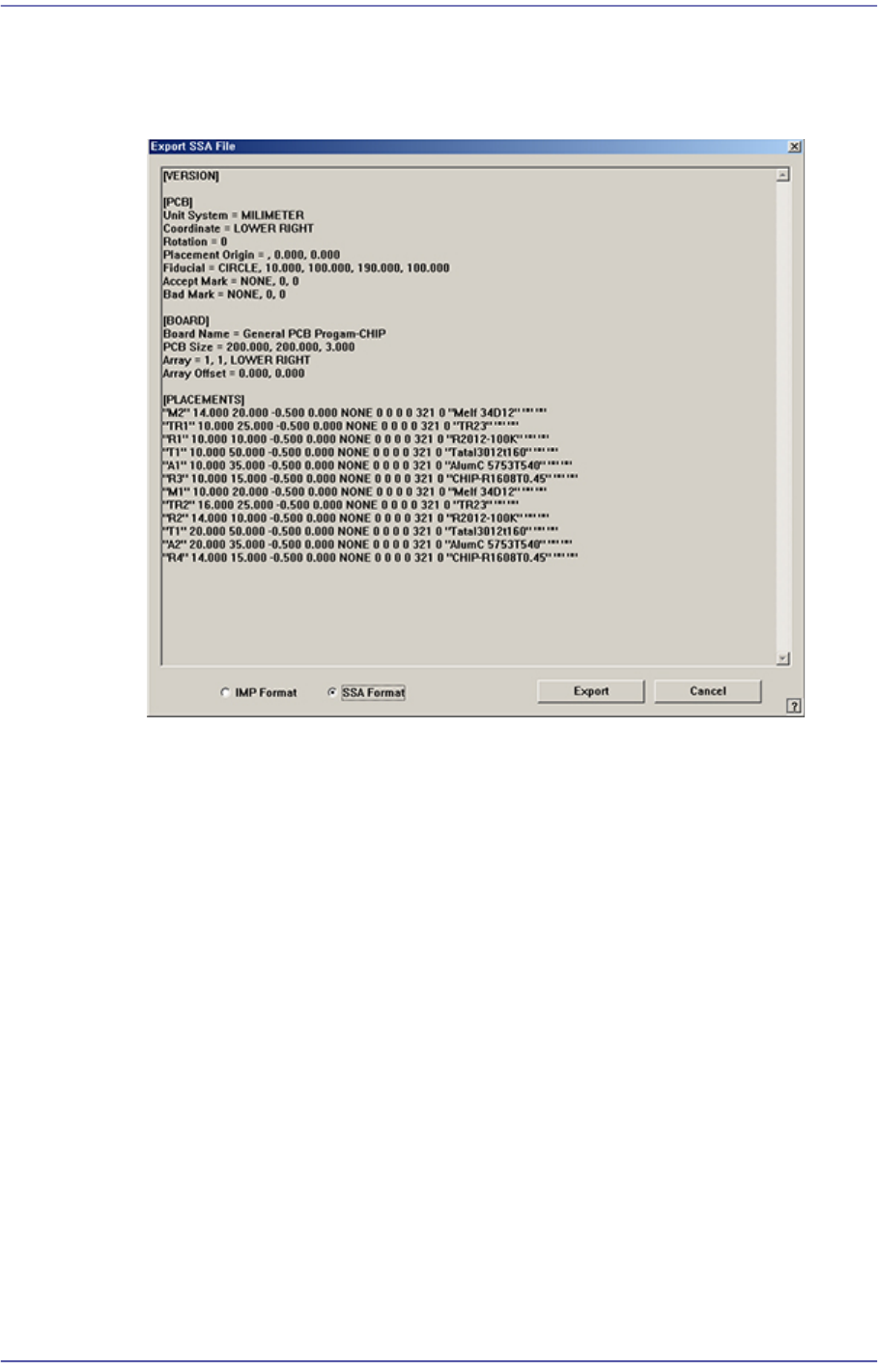
Converts the step data created by this machine into other format (SSA Format) ASCII
File. When this button is clicked on, the following dialog box is displayed.
Select the format to be converted and press the <Export> button. The formats that can
be selected are as follows: