Hanwha SM481 PLUS Series Administrator’s Guide Eng.pdf.pdf - 第239页
8-3 Feeder Setup Figure8.3“Feede r: When various devices are installed in the Feeder Base” screen Of the items displayed in the <T ype> column, explanation is given on the following. 1Half: The c orresponding slot …
8-2
Fast Flexible Placer SM481(L) PLUS Administrator’s Guide
<Part> column
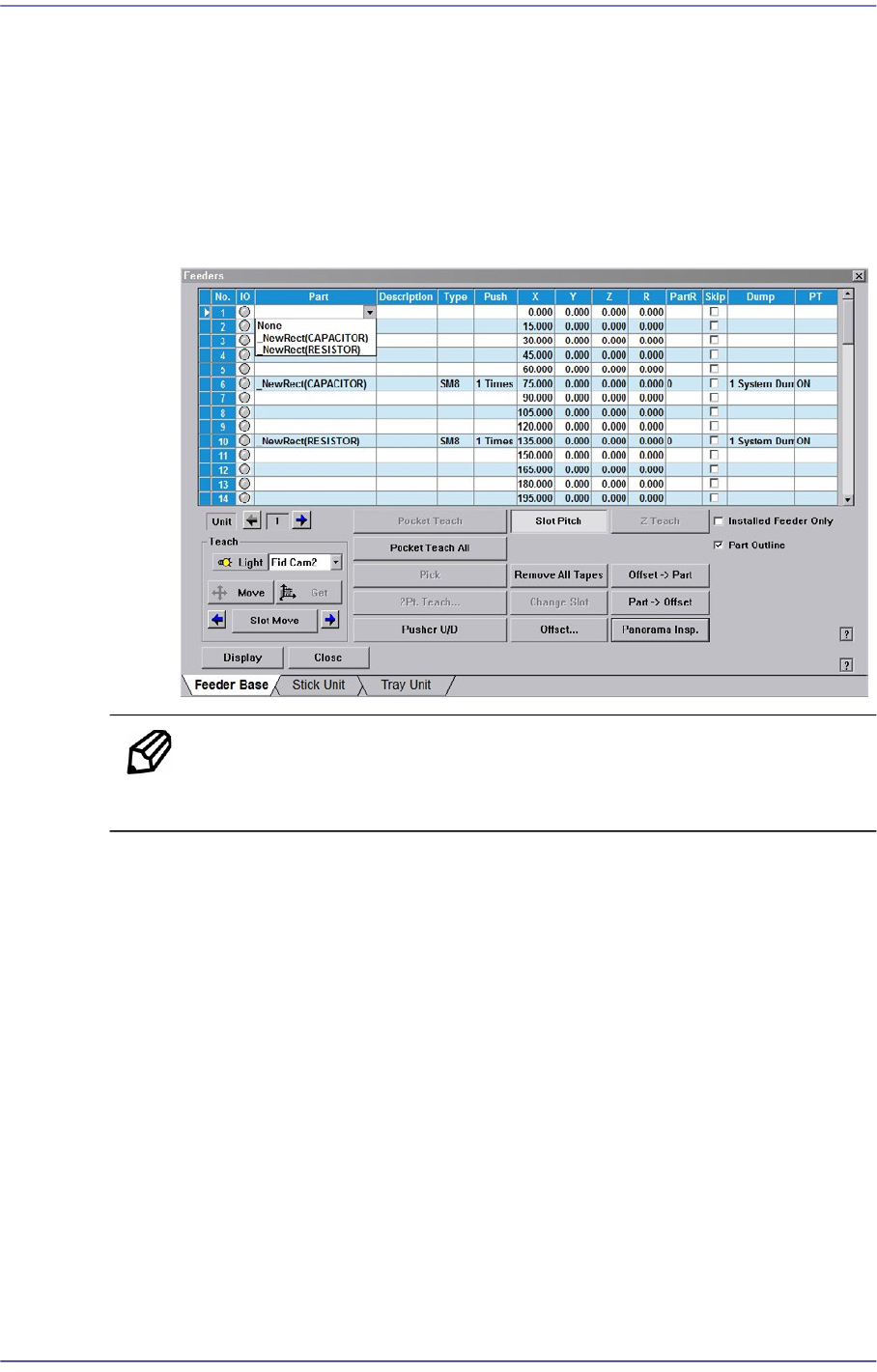
Select the component to install in the corresponding slot. When the <Part> column
is clicked on, the Combo Box appears, and of the components registered in <1.2
Part>, the list of components to be supplied to “Tape Feeder” is displayed. Select
the component to install in this list. Next is the screen that shows selection of
components in the Combo Box of <Part> column.
Figure8.2“Feeder: When the part is selected in the Feeder Base” screen
Memo Changing the part in the selected slot to another part will initialize the
Home Offset value set for the corresponding slot to ‘0’.
<Description> column
Note that slot to display the description of installed components.
<Type> column
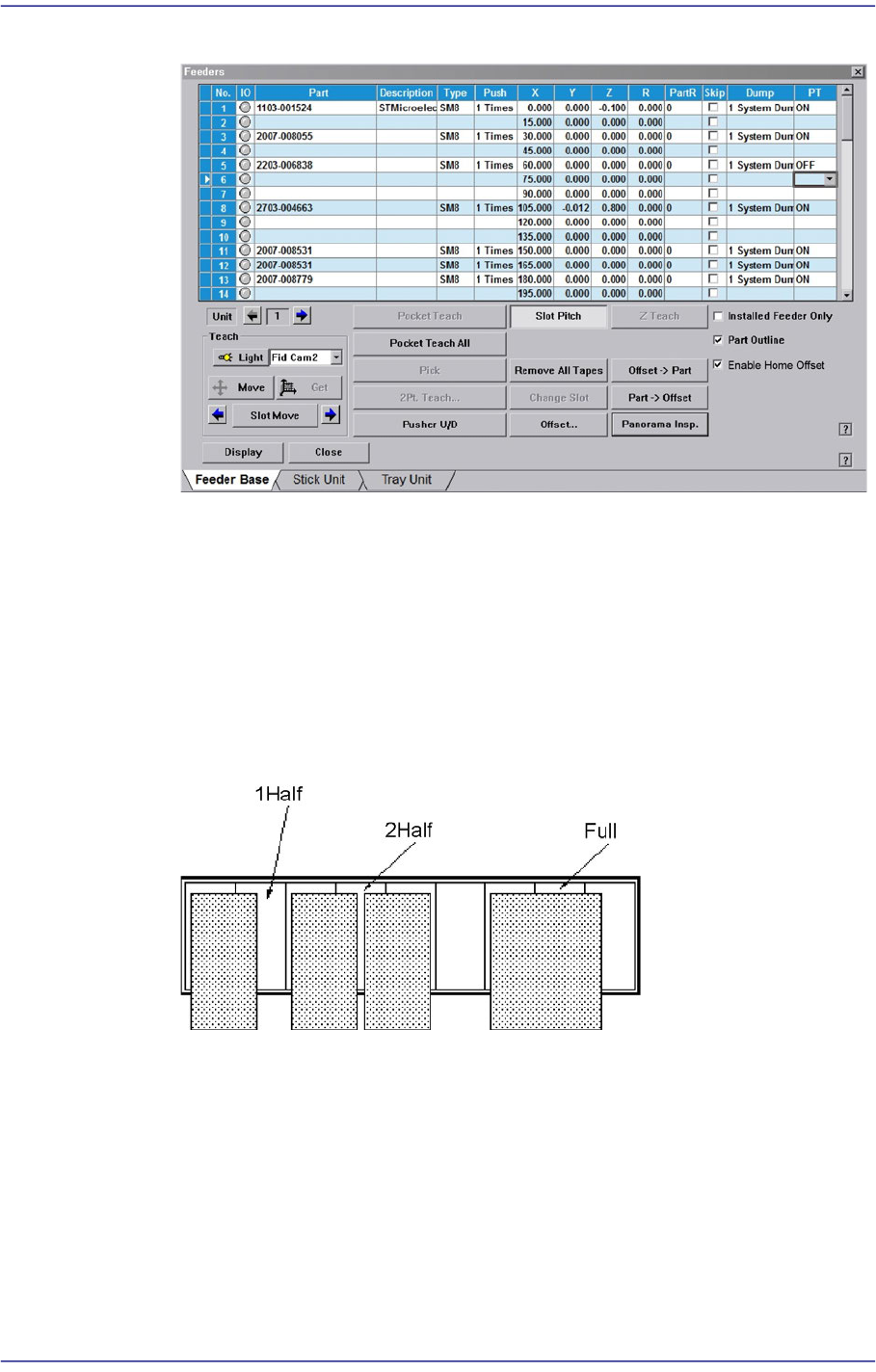
Displays the type of the device installed in the corresponding slot. Next screen
shows the content displayed in the <Type> column of the feeder base on which
various devices are installed.
8-3
Feeder Setup
Figure8.3“Feeder: When various devices are installed in the Feeder Base” screen
Of the items displayed in the <Type> column, explanation is given on the
following.
1Half: The corresponding slot is occupied by 1 device installed in the adjacent
slot.
2Half: The corresponding slot is occupied by 2 devices installed in the adjacent
slot.
Full: The corresponding slot is entirely occupied by the device installed in the
adjacent slot.
<Rank> column
Used to register and manage the rank for LED parts. When enabling the <Rank>
column, select the ‘General’ tab dialog box from the ‘Pref.’ submenu of the
‘Sys.Setup’ menu and select the <Use Rank Check> check box.
If an LED part is not registered in the part registration dialog box, the
corresponding part does not appear in the <Rank> column.
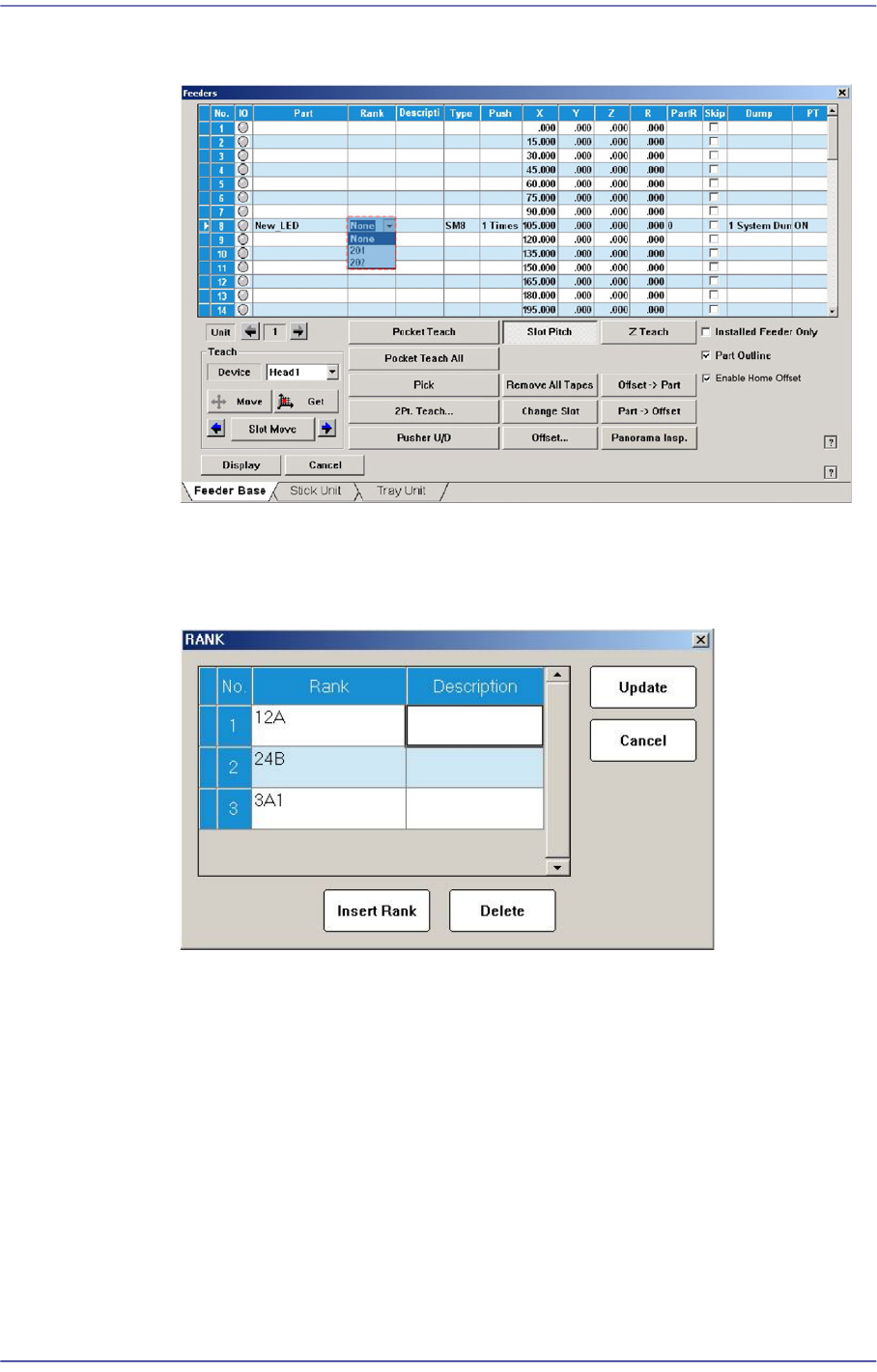
The following is the screen where the feeder supplying LED parts is selected from
the feeder base and the rank is selected from the <Rank> column.
8-4
Fast Flexible Placer SM481(L) PLUS Administrator’s Guide
Figure8.4The screen in which the <Rank> column is selected from the “Feeders” dialog
box
Double clicking the <Rank> combo box after selecting the LED part will execute
the dialog box that manages the rank as shown below.
Figure8.5“Rank” dialog box
<Push> column
When the tape feeder is installed in the corresponding slot, Select the number of
cylinder movements needed to move the part tape forward by 1 pitch.
<X> column
When the tape feeder is installed in the corresponding slot, set the X position to
pick up the component supplied from the tape feeder.
<Y> column
When the tape feeder is installed in the corresponding slot, set the Y position to
pick up the component supplied from the tape feeder.