Hanwha SM481 PLUS Series Administrator’s Guide Eng.pdf.pdf - 第168页
7-10 Fast Flexible Placer SM481(L) PLUS Administ r ator’s Guide Shows the unit system for the currently set items. button Initializes the part data accordi n g to the item selected from the <L o ad Default Data Leve…
7-9
Part Registration
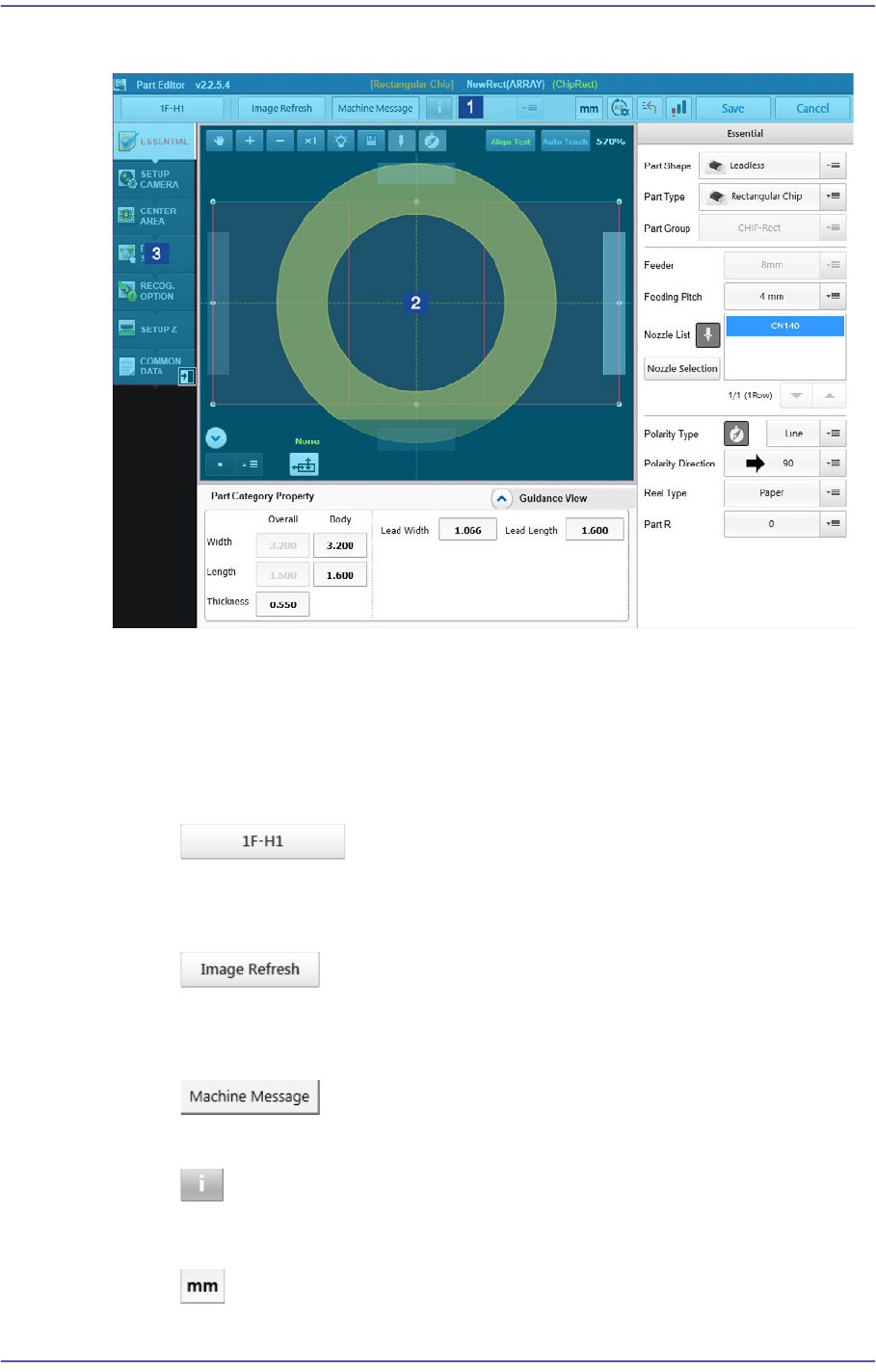
7.2.1. Screen Configuration
1: Title
2: Vision Window
3: Part parameters
‘Title’ area
<Select Head> button
Selects the head to pick the part.
<Image Refresh> button
Refresh the part image displayed in the vision window.
<Machine Message> button
Executes the dialog box that can check an error message generated in the machine.
button
It is possible to input further explanations for the corresponding part.
caption button
7-10
Fast Flexible Placer SM481(L) PLUS Administrator’s Guide
Shows the unit system for the currently set items.
button
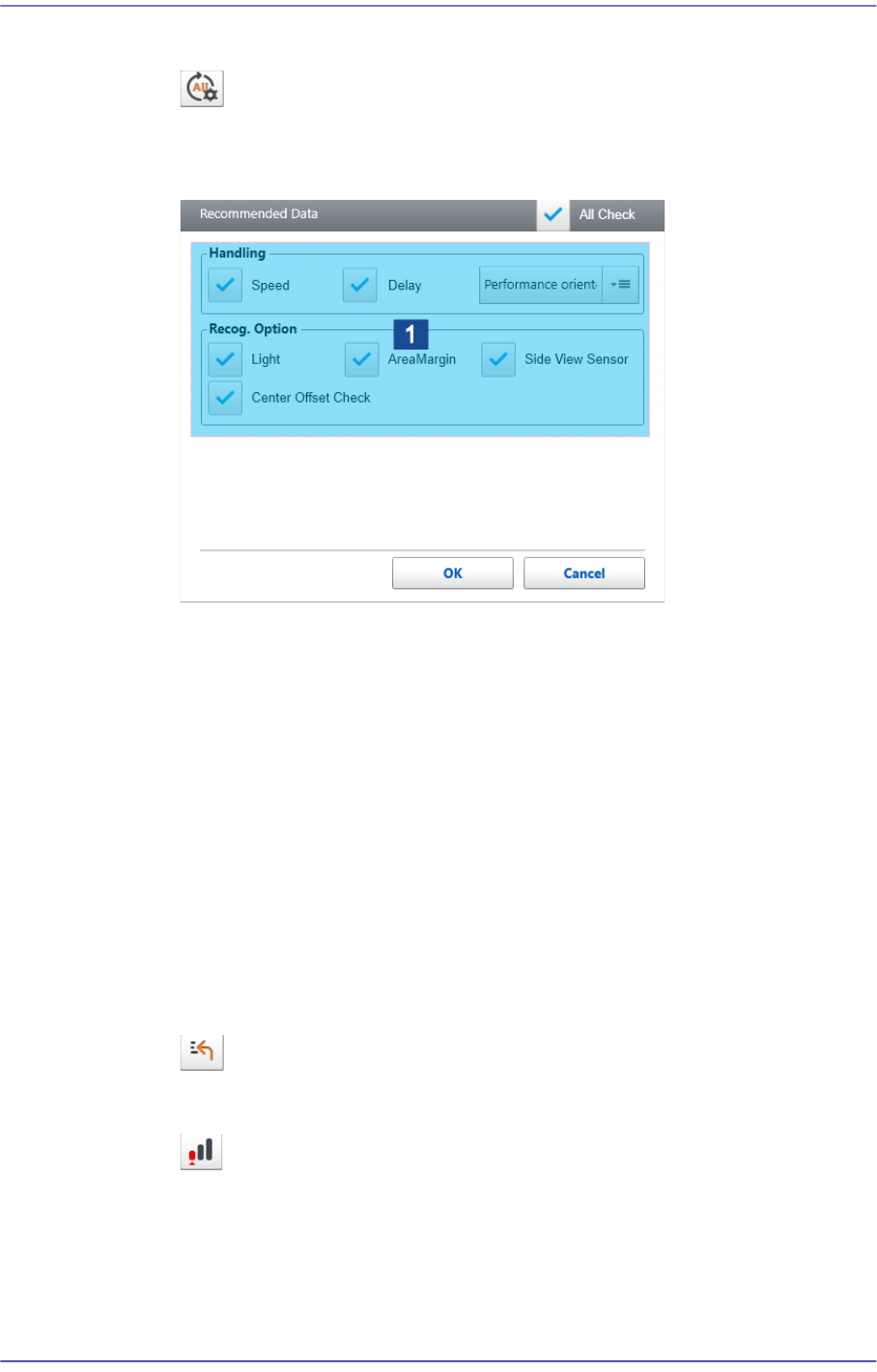
Initializes the part data according to the item selected from the <Load Default
Data Level> selection box.
1: Check Box
<Load Default Data Level> combo box
Select the vision algorithm to be applied in advance when placing a part.
High-Performance
Selected when initializing parameters of the part by giving priority to
productivity.
Safety-Mounting
Selected when initializing parameters of the part in order to prevent the
pickup and placement errors to the maximum extent.
‘Check Box' group
Selects the parameter to be initialized as a default value.
button
Restores the modified part data to the data before modification.
button
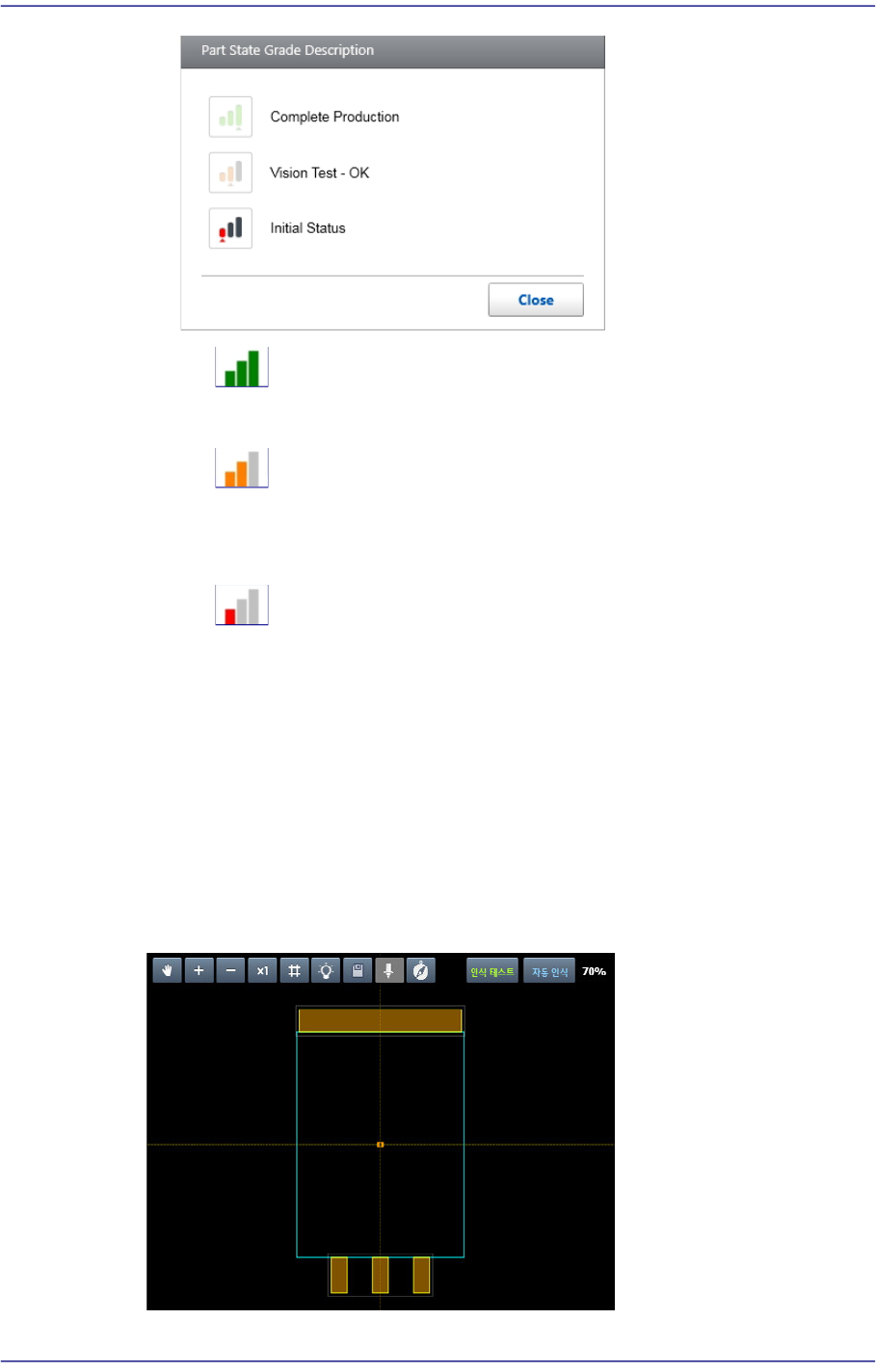
Displays the part registration status as a grade.
7-11
Part Registration
Refers to the part that has been used for PCB production.
Refers to the part that passed the part recognition test in the machine MMI and
T-ELITE .
Refers to the part temporarily registered when creating a PCB program in the
T-Solution. It is copied from the standard part DB.
<Save> button
Saves the edited part data and closes the dialog box.
<Cancel> button
Closes the dialog box without saving the edited part data.
‘Vision Window’ area
Displays the part image and part shape.