Hanwha SM481 PLUS Series Administrator’s Guide Eng.pdf.pdf - 第345页
13-15 Production Setu p The v a lues set from t he < Default Error Rati o> combo box and < Default Count> in the T ape Feeder Monitor T ab dialog box are applied. If the <OK> butt on is clicked, the val…
13-14
Fast Flexible Placer SM481(L) PLUS Administrator’s Guide
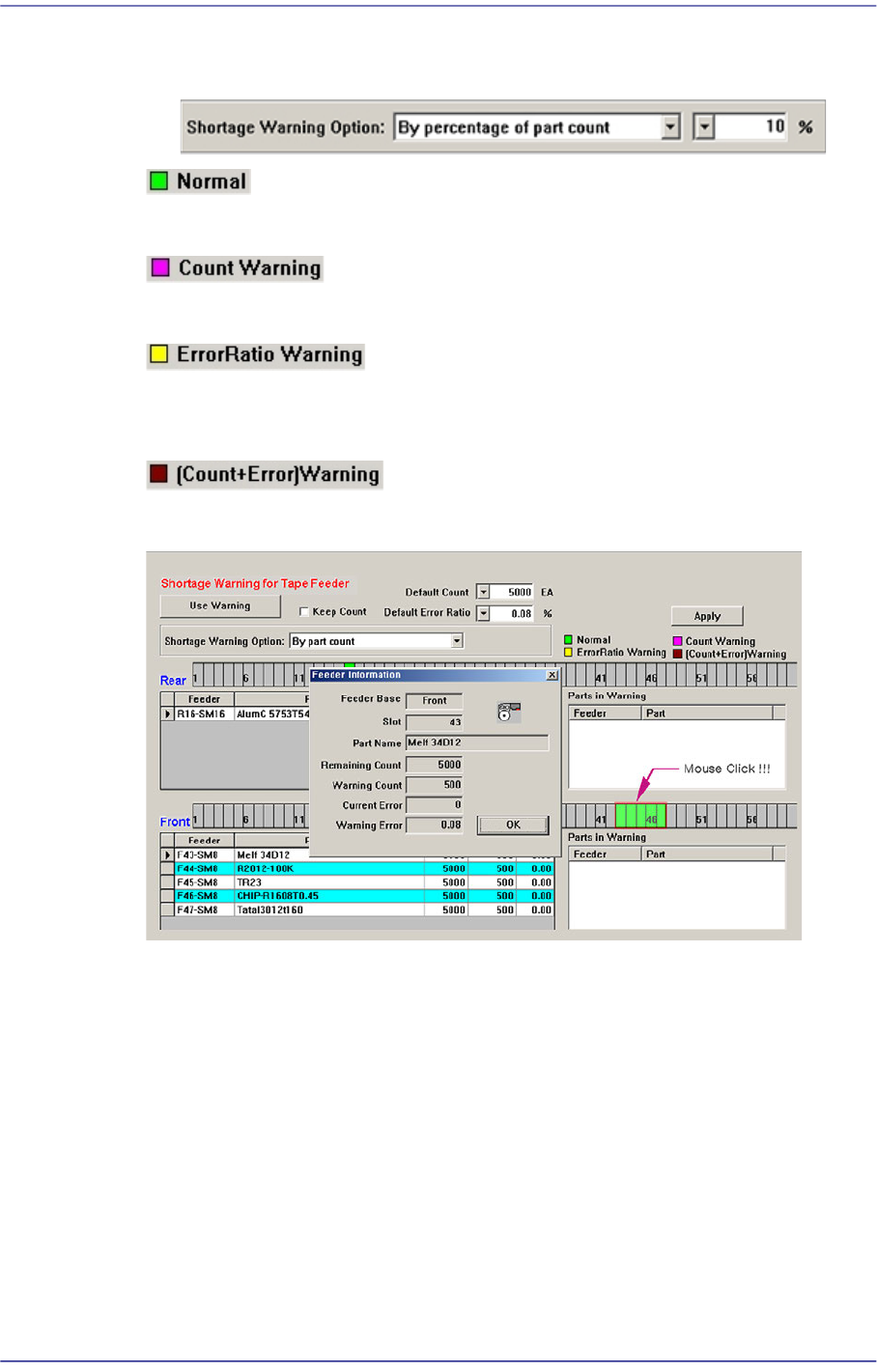
Based on the Remain Count, if the part count becomes less than the corresponding
percent, the warning message is indicated.
Indicates normal tape feeder.
Indicates the tape feeder of which the remaining parts are less than the setup value.
Indicates the tape feeder of which the error rates of part supply is higher than the setup
value.
Indicates the tape feeder with simultaneous shortage and defect of remaining parts.
Clicking the mouse on the place at which the feeder is installed will display the
‘Feeder Information’ dialog box as shown above.
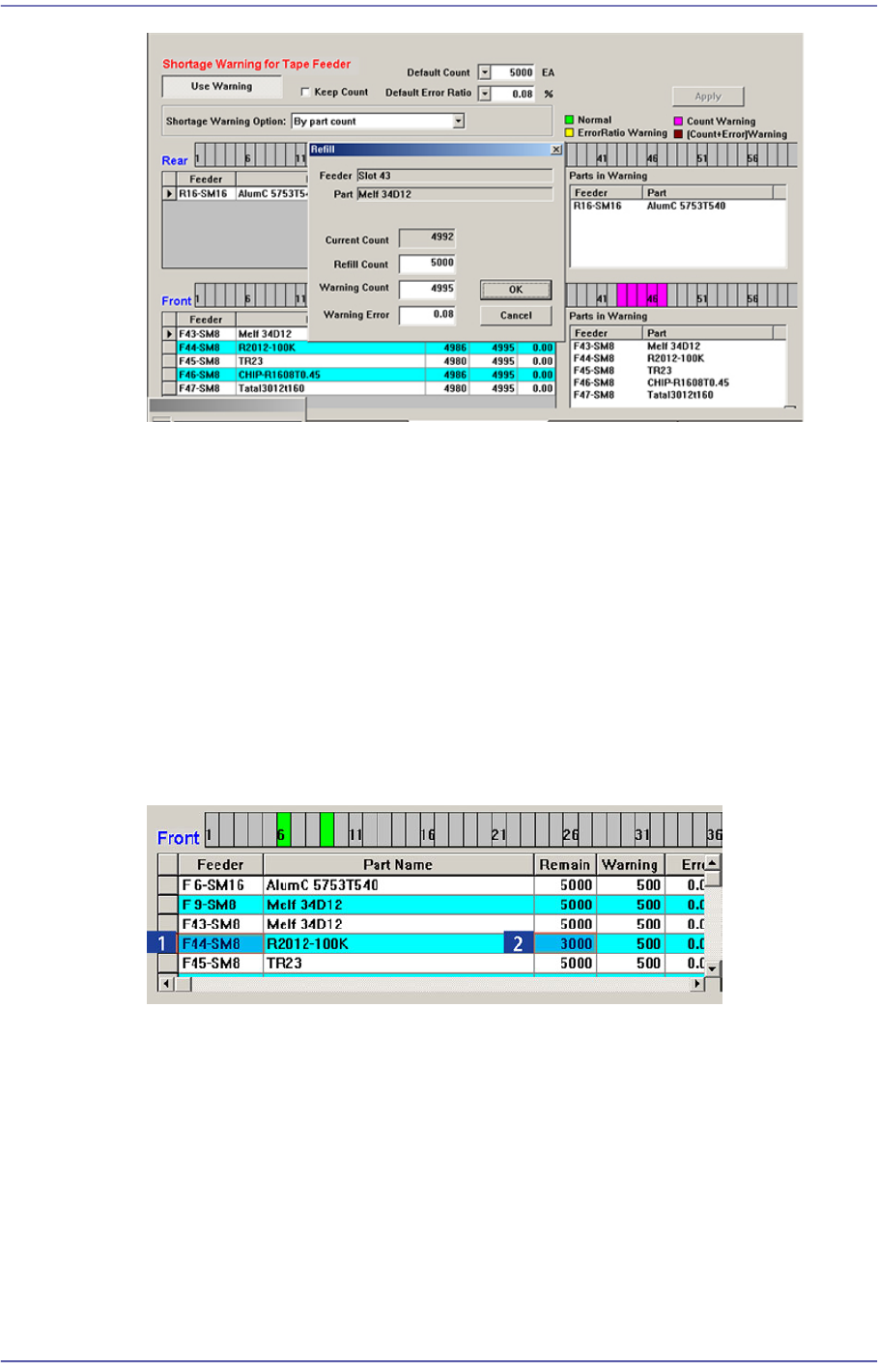
However, right clicking the mouse will display the ‘Refill’ dialog box as follows.
When performing the work after splicing reel, change the Remain Count by using the
Refill dialog box.
13-15
Production Setup
The values set from the <Default Error Ratio> combo box and <Default Count> in the
Tape Feeder Monitor Tab dialog box are applied.
If the <OK> button is clicked, the value set in the <Refill Count> edit box is added to
the current count to make the Remain Count.
<Apply> button
Generally, if the PCB program is downloaded, the remain count is set up to the default
count.
However, in the case of the part reel to which the Default Count cannot be applied,
select the corresponding tape feeder and set the corresponding count in the <Remain>
column and then click the <Apply> button. Then the change value is applied as the
Remain Count.
13-16
Fast Flexible Placer SM481(L) PLUS Administrator’s Guide
13.1.4. My PCB
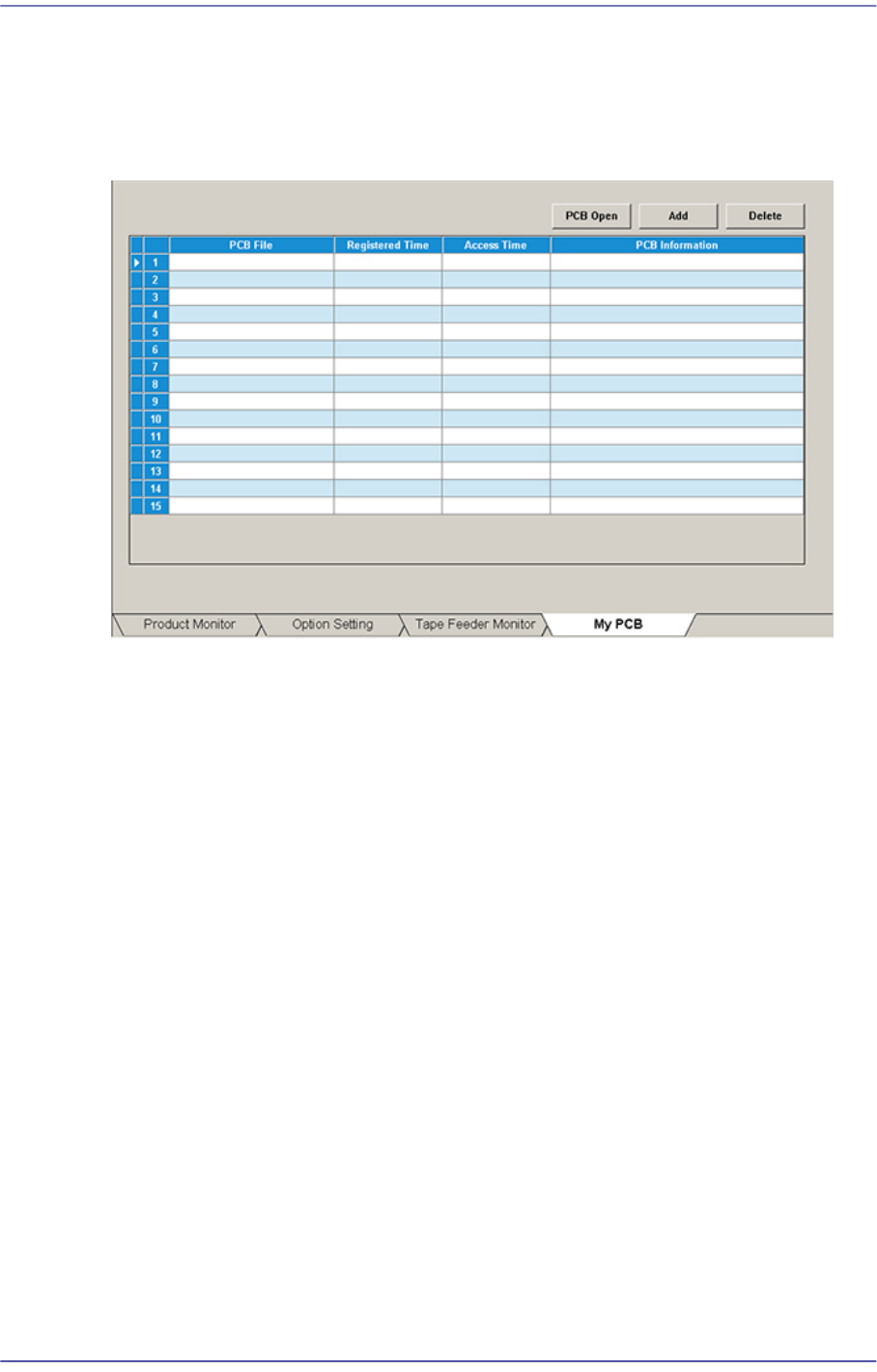
Used for easily loading the registered PCB files by registering the PCB primarily worked
on. Up to 15 PCB files that are frequently used can be set in advance.
Figure13.6 “My PCB” tab dialog
<Add> button
Register the PCB file primarily worked on.
<Delete> button
Registration is canceled when this button is clicked after selecting the registered PCB
file.
<PCB Open> button
Perform loading of the selected PCB file by clicking this button is clicked after
selecting the registered PCB file.