Hanwha SM481 PLUS Series Administrator’s Guide Eng.pdf.pdf - 第316页
12-8 Fast Flexible Placer SM481(L) Administrator’s Guide When using the r ank function, even though parts are identi c al, they are treated as diff eren t parts acc ording to their rank. Therefore, when registering place…
12-7
LED placement
Helps to specify the optimum lighting value. The lighting is gradually changed
automatically and the images are saved. The user can check the best image and
identify the optimum lighting value. Please refer to“7.1.1 Common Align Data” for
more information.
<Auto Teach> button
Automatically finds out the component align data. For more details, refer the “<Use
LED flip check>Check Box”of“7.1.1 Common Align Data” for more information.
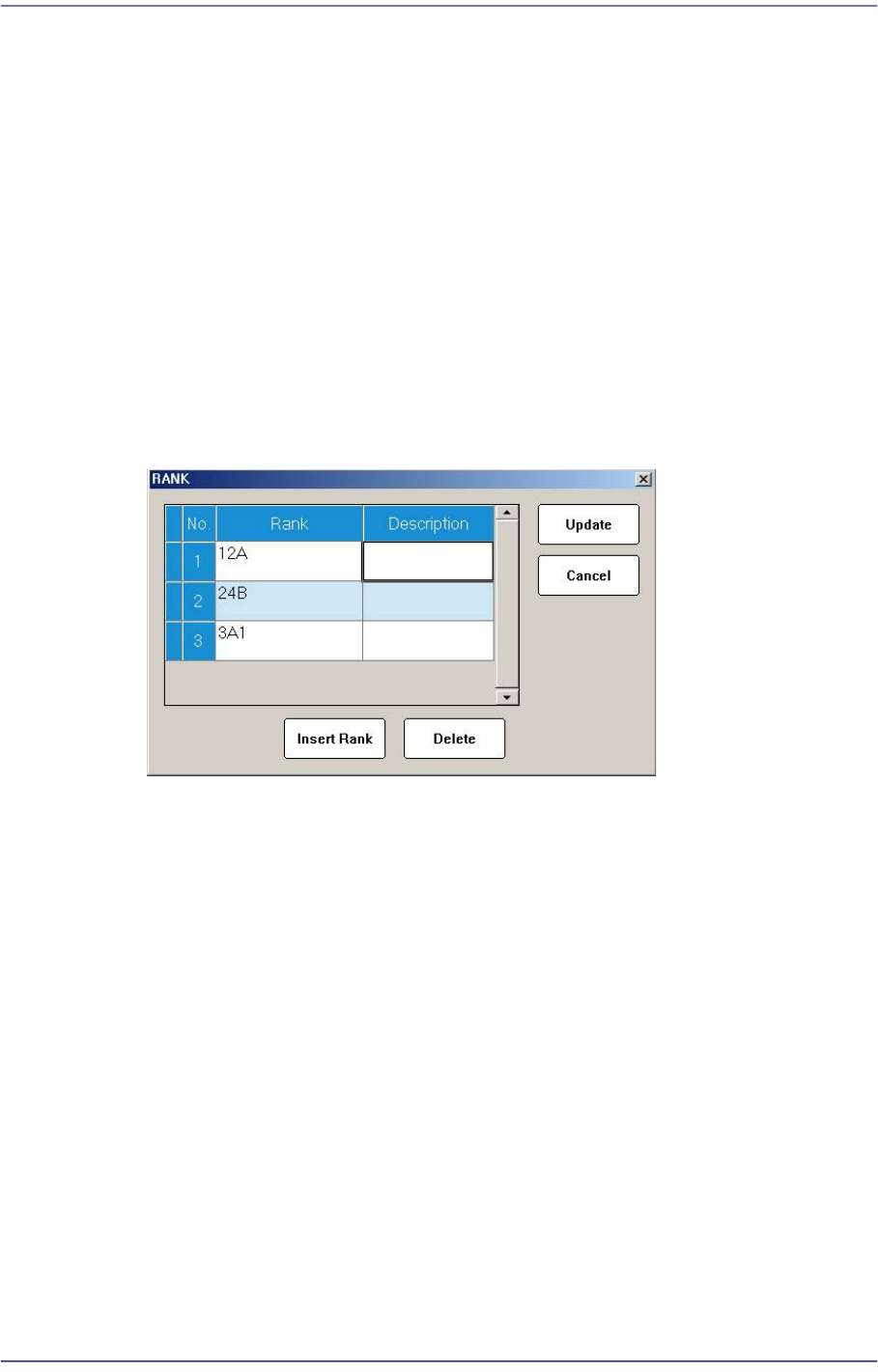
<Rank> buttion
When placing a part whose shape is identical but characteristics including brightness
are different, the rank function registers only one part and sets its rank differently to
allow parts to be placed efficiently. However, the part recognition data must be
completely identical. Up to two ranks can be set and used.
Clicking this button will display the following dialog box for setting the Rank.
<Insert Rank> button
A grid is added on the screen so that the rank can be newly added.
<Delete> button
The selected rank is deleted.
<Update> button
Saves the changed rank information and closes the window.
<Cancel> button
Closes the window without saving the changed rank information.
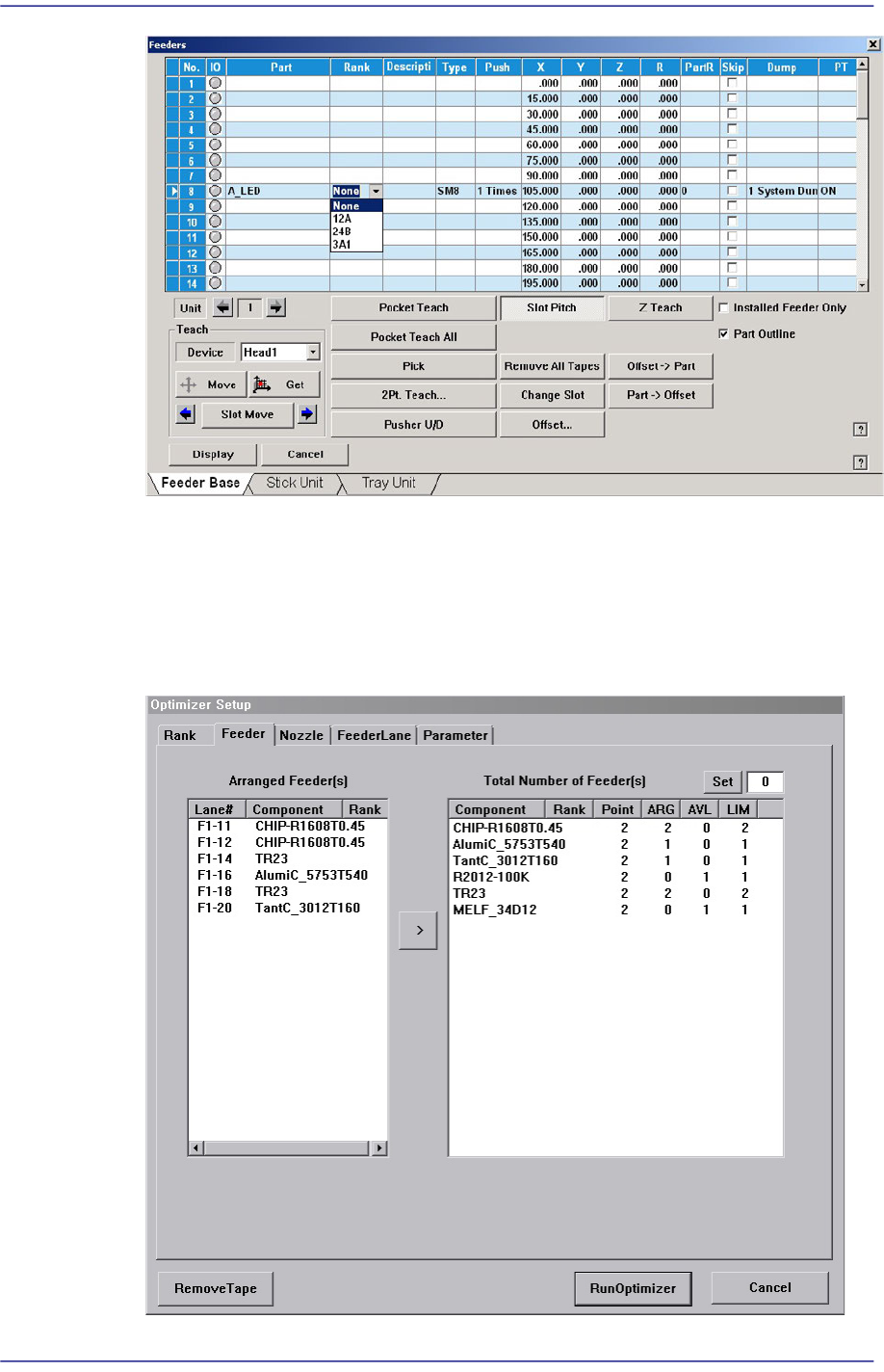
When the rank has been registered, the corresponding rank can be checked by
selecting the rank from the “Feeders” dialog box as shown in the following figure.
For ITS equipment, the operator must check the rank before performing work. For
general equipment, the operator can check the rank visually.
12-8
Fast Flexible Placer SM481(L) Administrator’s Guide
When using the rank function, even though parts are identical, they are treated as
different parts according to their rank. Therefore, when registering placement point
using “Steps” dialog box, the user must set up part name as well as the feeder that uses
the part of corresponding rank. In addition, when using the optimization program, the
user must separately set up the feeder of the corresponding before performing
optimization.
12-9
LED placement
12.3. Feeder and placement point registration
In order to supply LED parts using the Rank function in the feeder registration menu, the
<Rank> option must be set.
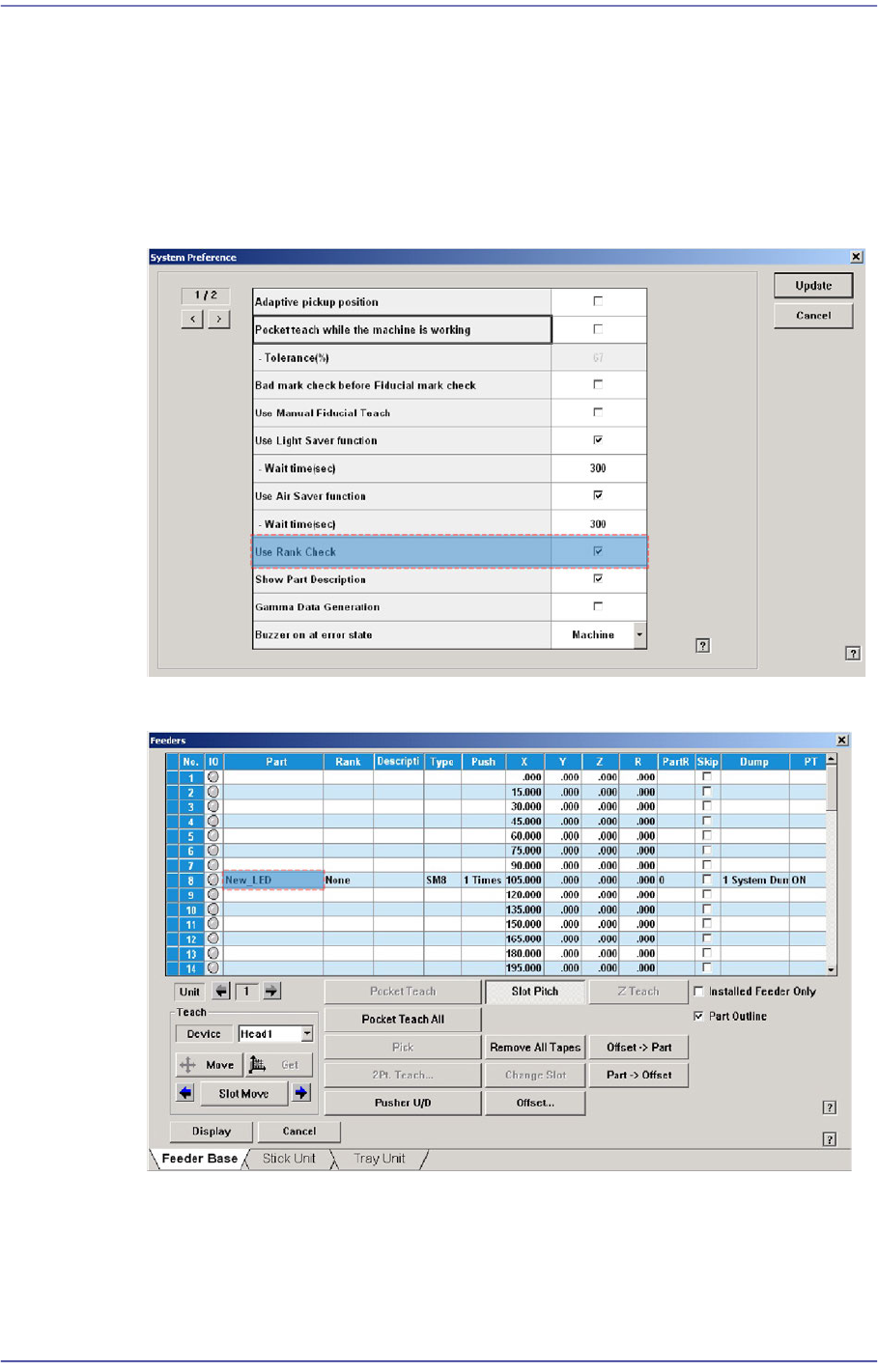
Set the Rank option in the following manner:
1) Select the “General” tab dialog box in the “Option Setup” submenu of the “System
Setup” menu. Then select the <Use Rank Check> dialog box.
2) Select the slot to supply LED parts in the “Feeder Registration” menu.