Hanwha SM481 PLUS Series Administrator’s Guide Eng.pdf.pdf - 第535页
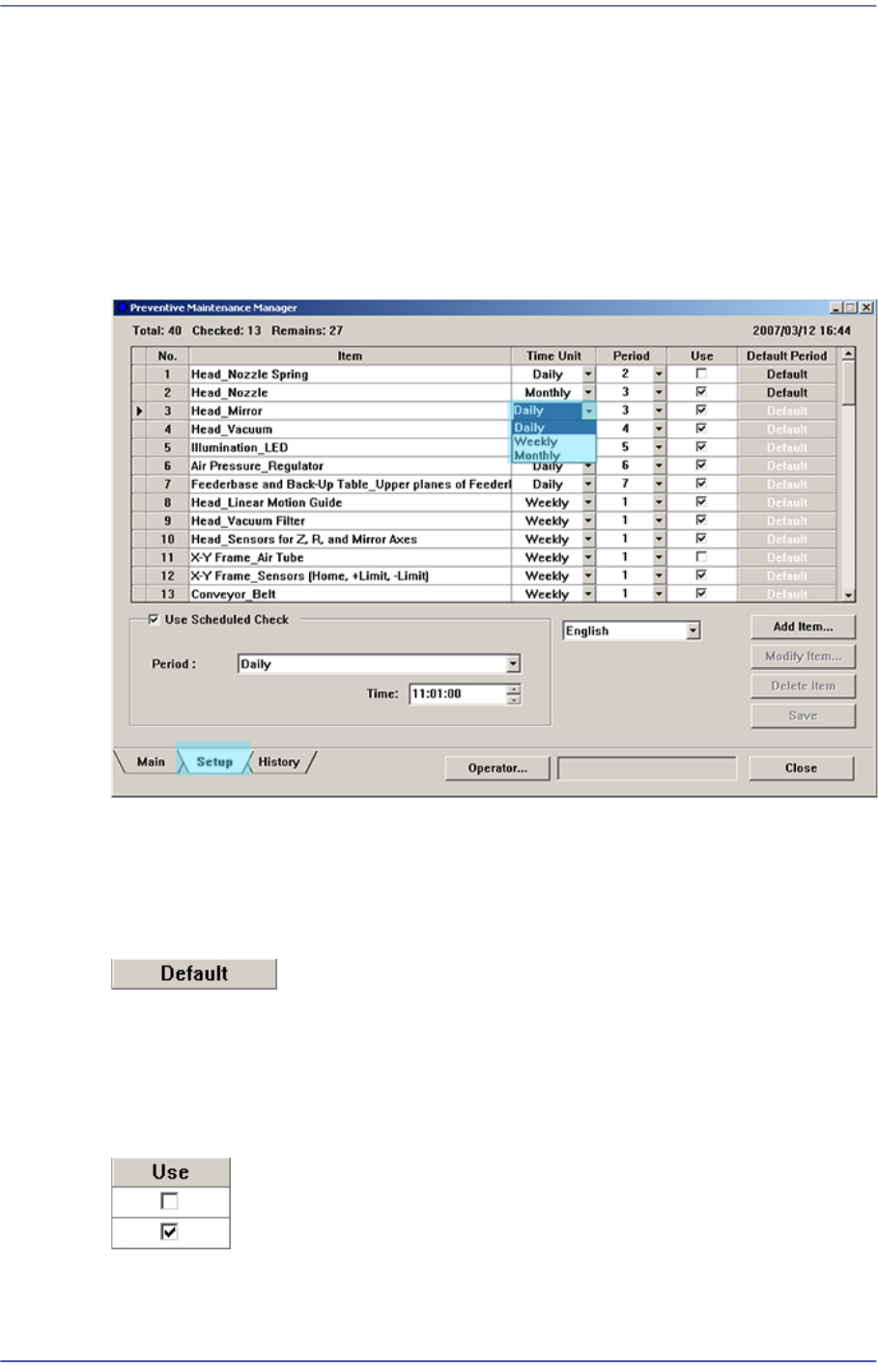
19-9 PM Manager The text file is saved in the form shown below . Figure19.8 Check Item Output Screen
19-8
Fast Flexible Placer SM481(L) PLUS Administrator’s Guide
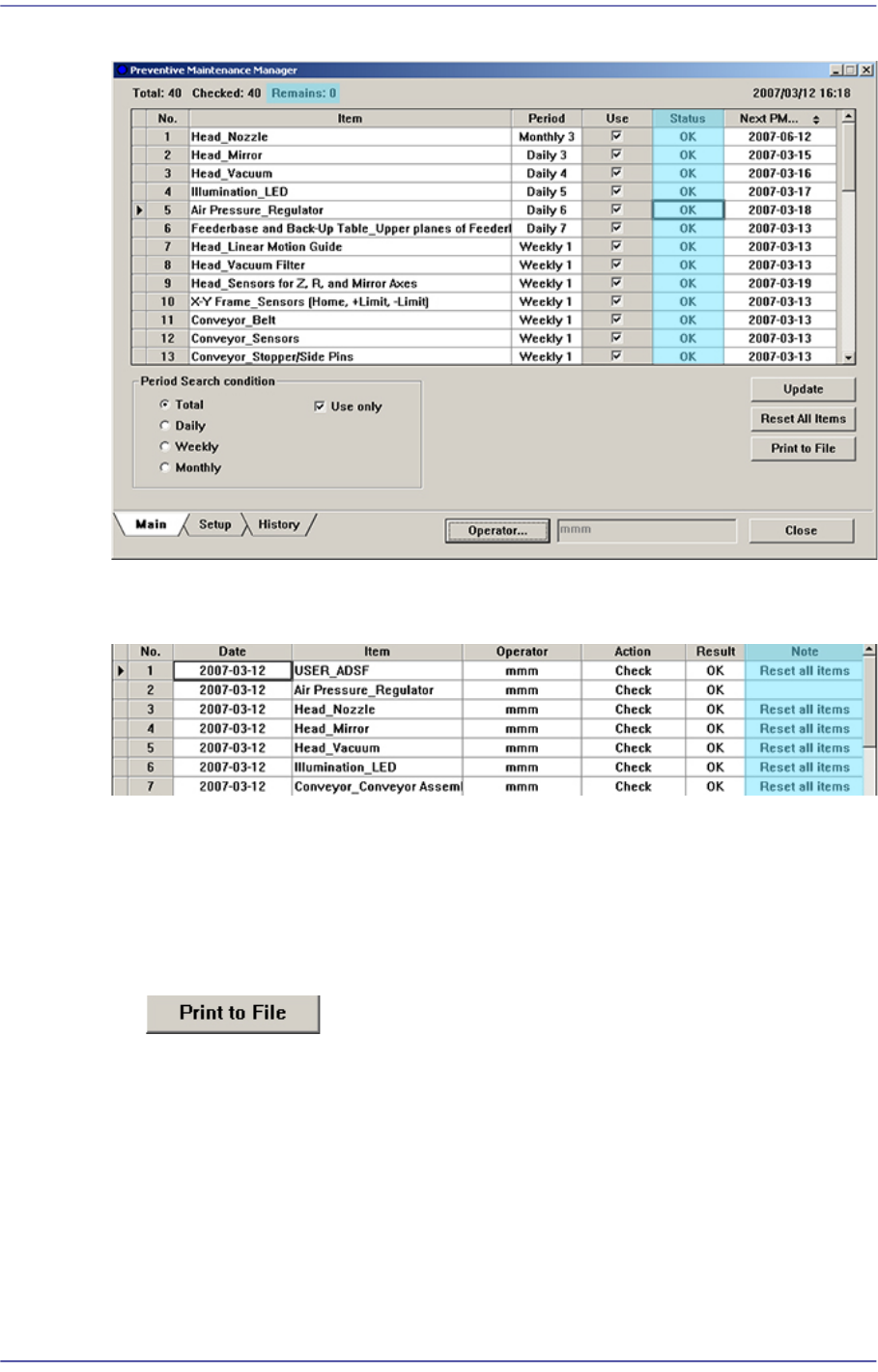
Figure19.7 Main Screen of PM Manager
The history of all changed items are recorded in the History Screen, and “Reset all items”
is indicated in the ‘Note’ column.
19.4.7. Outputting Check Items in File Format
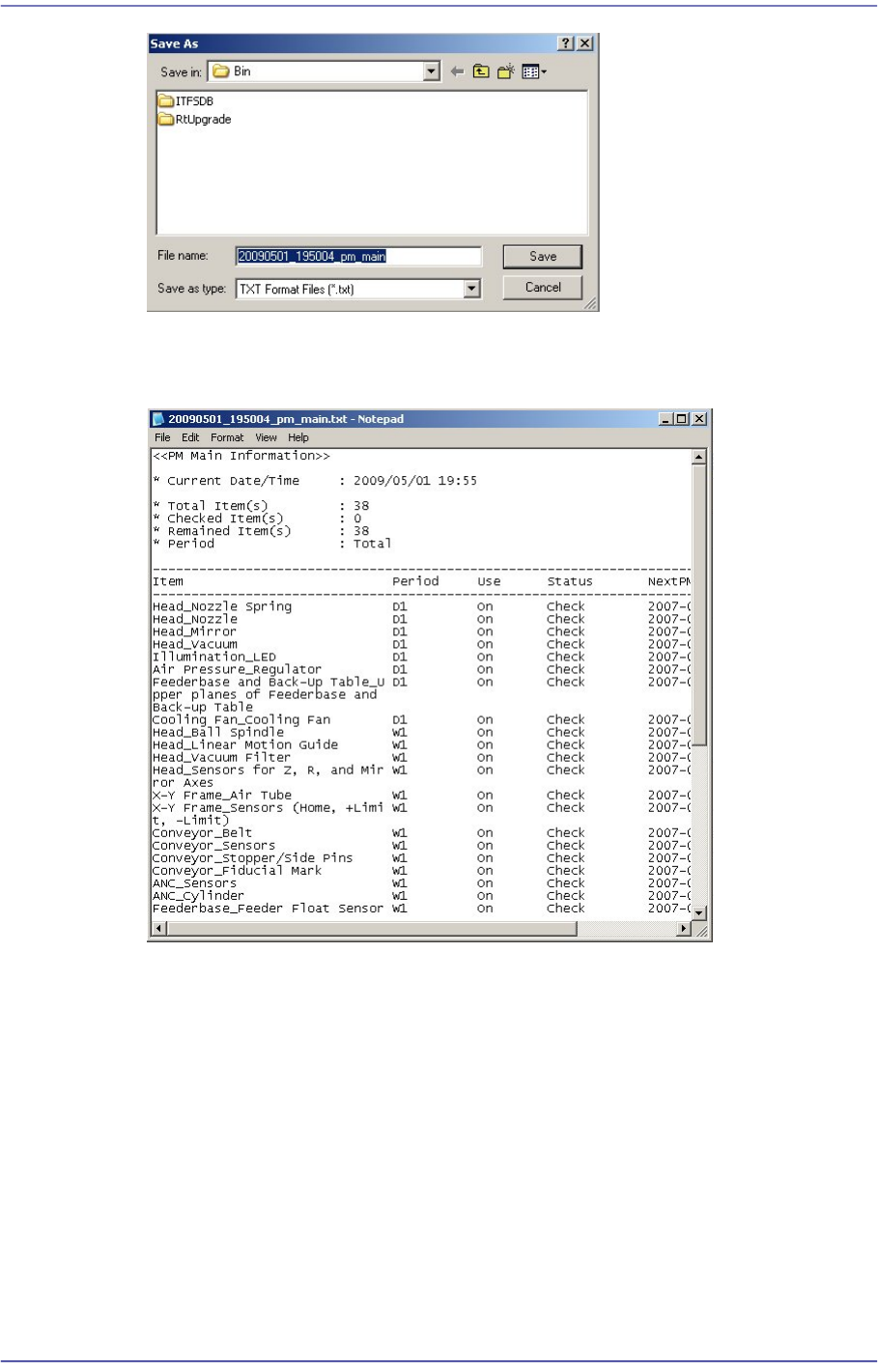
All check items can be outputted in text file format. This can be performed in the
following manner.
Click the <Print to File> button
Enter the file name and designate the file path and then click <Save>.
19-9
PM Manager
The text file is saved in the form shown below.
Figure19.8 Check Item Output Screen
19-10
Fast Flexible Placer SM481(L) PLUS Administrator’s Guide
19.5. Setup Screen
19.5.1. Changing Check Period
The check period of each check item can be changed in the setup screen.
Click the Combo Box button in the Time Unit column for the items whose check period is
to be changed as shown in the following figure to change the check period (daily, weekly
and monthly).
Figure19.9 Changing Check period
19.5.2. Setting Check Period as Default
When setting the changed check period as default value again, click the <Default> button
for the corresponding item.
The change check period is set as default again.
19.5.3. Setting Whether to Use Check Period
Set whether to use the check item in the <Use> column.