Hanwha SM481 PLUS Series Administrator’s Guide Eng.pdf.pdf - 第69页
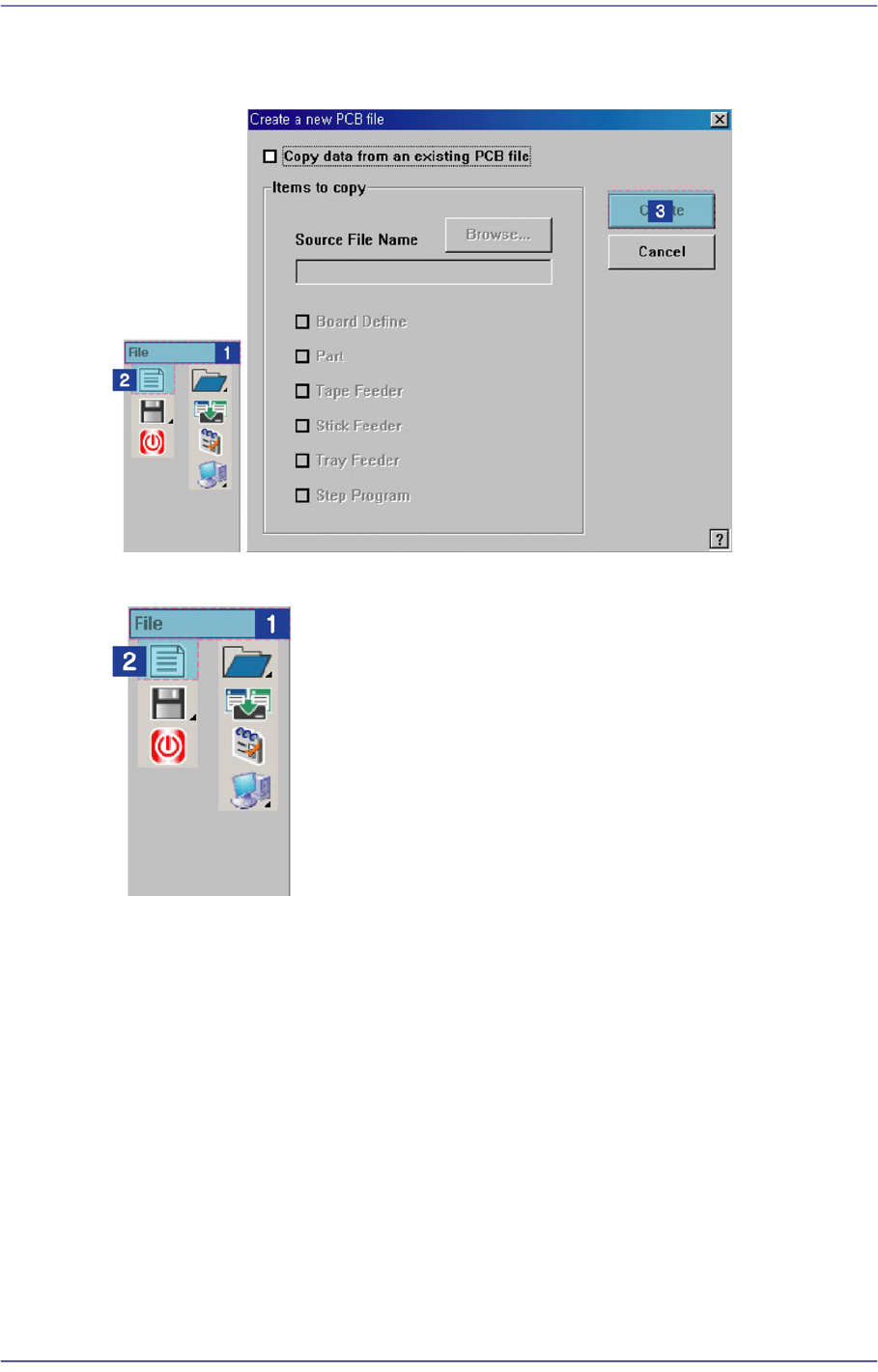
3-5 File Shortcut Menu 3.1.1. New File Creation Procedure Default creation Creation using source file

3-4
Fast Flexible Placer SM481(L) PLUS Administrator’s Guide
Part Number: Component information
Tape Feeder: Tape Feeder information
Stick Feeder: Stick Feeder information
Tray Feeder: Tray Feeder information
Step Program: Step Program information
By checking an item in the above, the content of that item can be copied. The menu
without check mark returns to the initial setting.
<Create> button
Creates a new PCB file according to the setting content. When the source file for
copying is not specified, creates a data file with all the data in the <Items to Copy>
check box group in the initial setting.
<Cancel> button
Cancels the New command and closes the “Create a new PCB file” dialog box.
3-5
File Shortcut Menu
3.1.1. New File Creation Procedure
Default creation
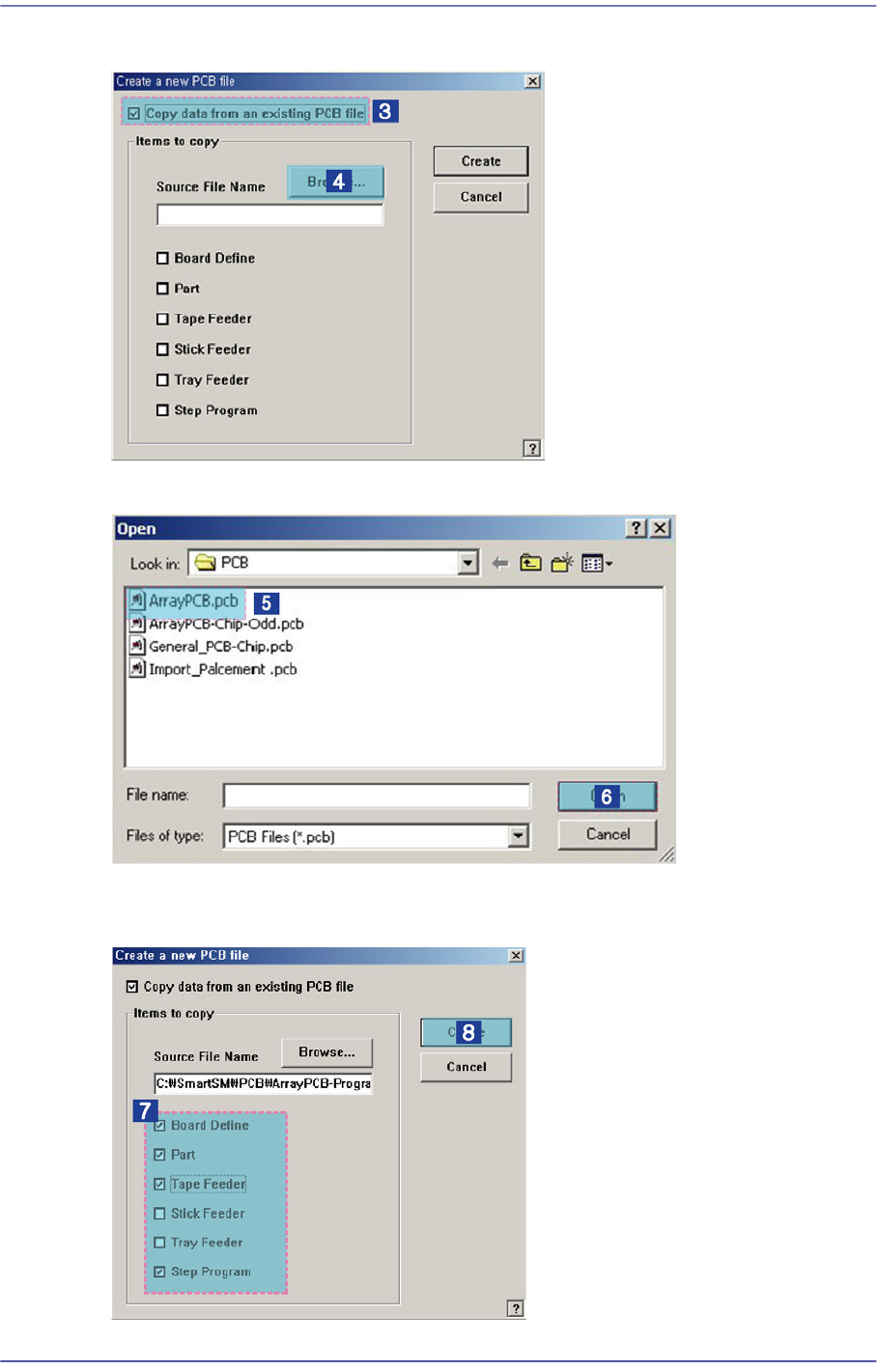
Creation using source file
3-6
Fast Flexible Placer SM481(L) PLUS Administrator’s Guide
Click the <Search> button to select the existing PCB file to be used to create the PCB file
Select the source file to be used to create the PCB file.
Select the item to be used to create the file among the PCB data in the source file and click
the <Create> button.