Hanwha SM481 PLUS Series Administrator’s Guide Eng.pdf.pdf - 第312页
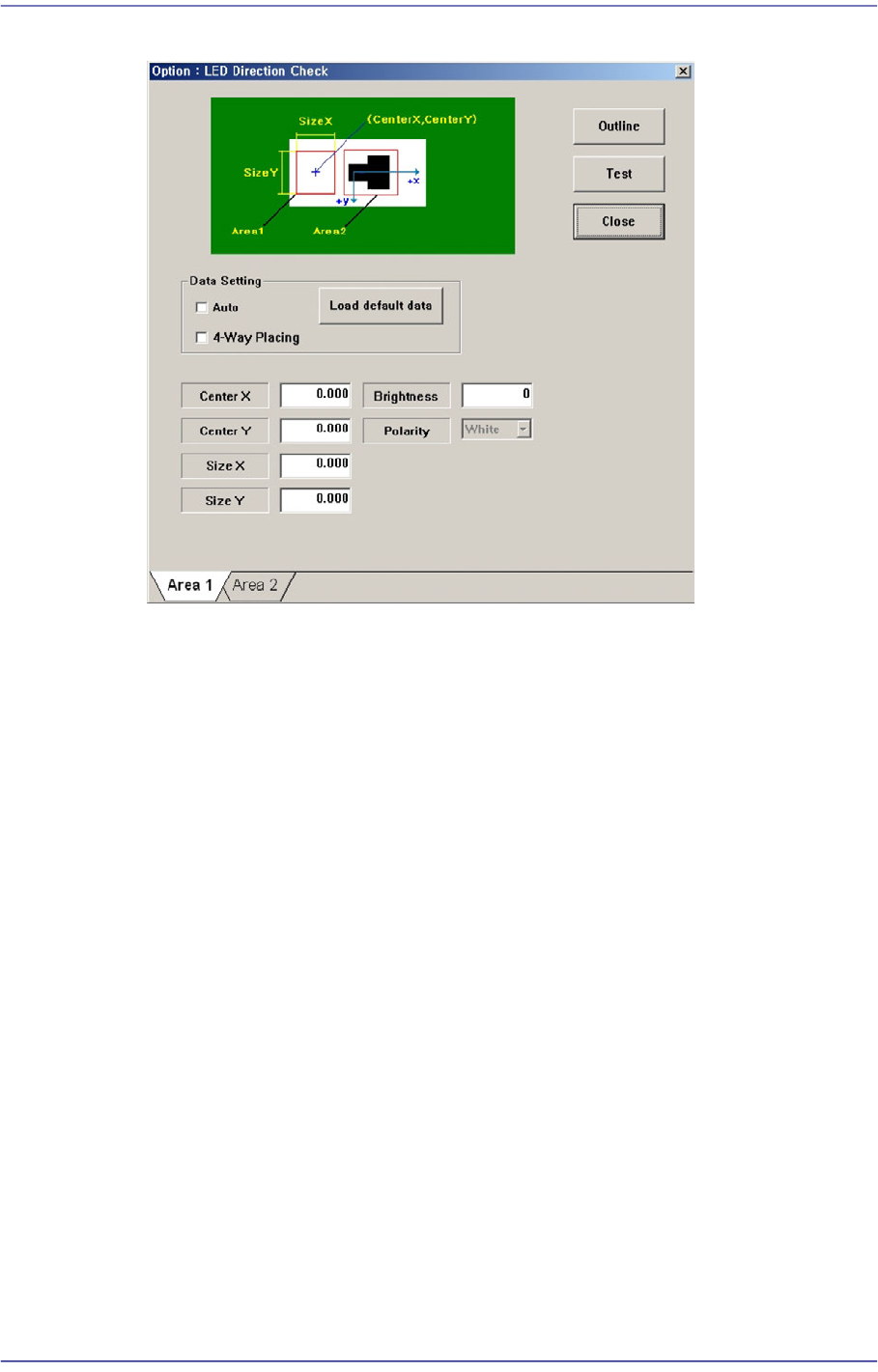
12-4 Fast Flexible Placer SM481(L) Administrator’s Guide Center X Refers to the coordinate in the X direction of the Blac k area based on the part center . (Refers to the figure in the d ialog box) Center Y Refers to…
12-3
LED placement
Figure12.2 “LED direction check” check box
Set the White area of the LED in the ‘Area 1’ tab dialog box.
Center X
Refers to the coordinate in the X direction of the White area based on the part
center. (Refers to the figure in the dialog box)
Center Y
Refers to the coordinate in the Y direction of the White area based on the part
center. (Refers to the figure in the dialog box)
Size X
Size of the tetragonal area in the X direction (mm)
Size Y
Size of the tetragonal area in the Y direction (mm)
Brightness
Refers to the reference value of the White area. The White area with a value
less than the reference value can be considered normal. Generally, it has a
value of 200 and above.
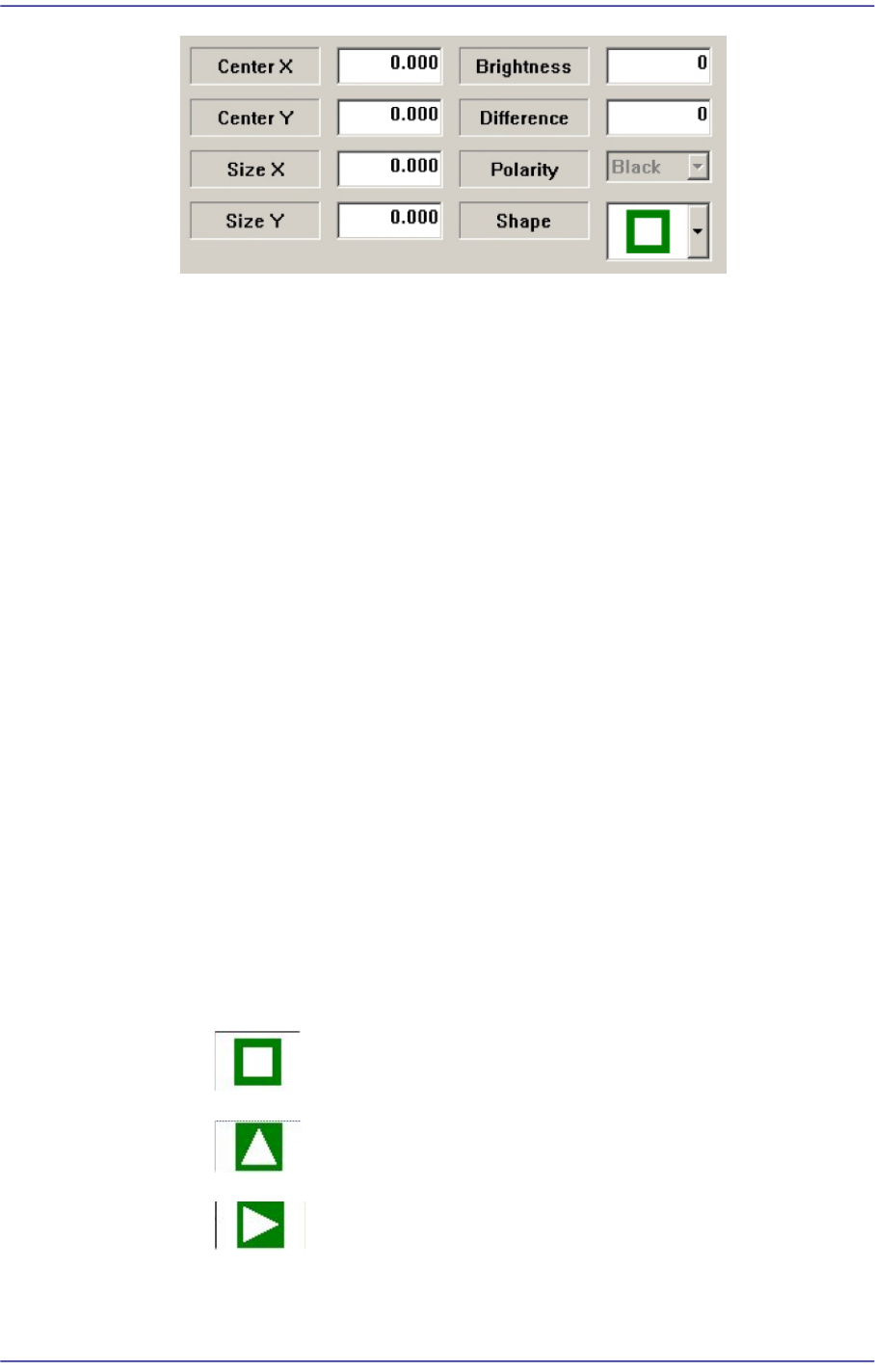
Set the Black area of the LED in the ‘Area 2’ tab dialog box.
12-4
Fast Flexible Placer SM481(L) Administrator’s Guide
Center X
Refers to the coordinate in the X direction of the Black area based on the part
center. (Refers to the figure in the dialog box)
Center Y
Refers to the coordinate in the Y direction of the Black area based on the part
center. (Refers to the figure in the dialog box)
Size X
Size of the tetragonal area in the X direction (mm)
Size Y
Size of the tetragonal area in the Y direction (mm)
Brightness
Refers to the reference value of the White area. The White area with a value
greater than the reference value can be considered normal.
Difference
Input the minimum difference in the brightness between <Area 1> and <Area
2>. Generally, input 40.
Shape
Select a shape according to the mark or concavo-convex on the bottom surface of
the LED. If the concavo-convex shape is selected, the brightness of the selected
area as well as the direction of a protrusion are checked. This, therefore, prevents
the part from being placed upside down.
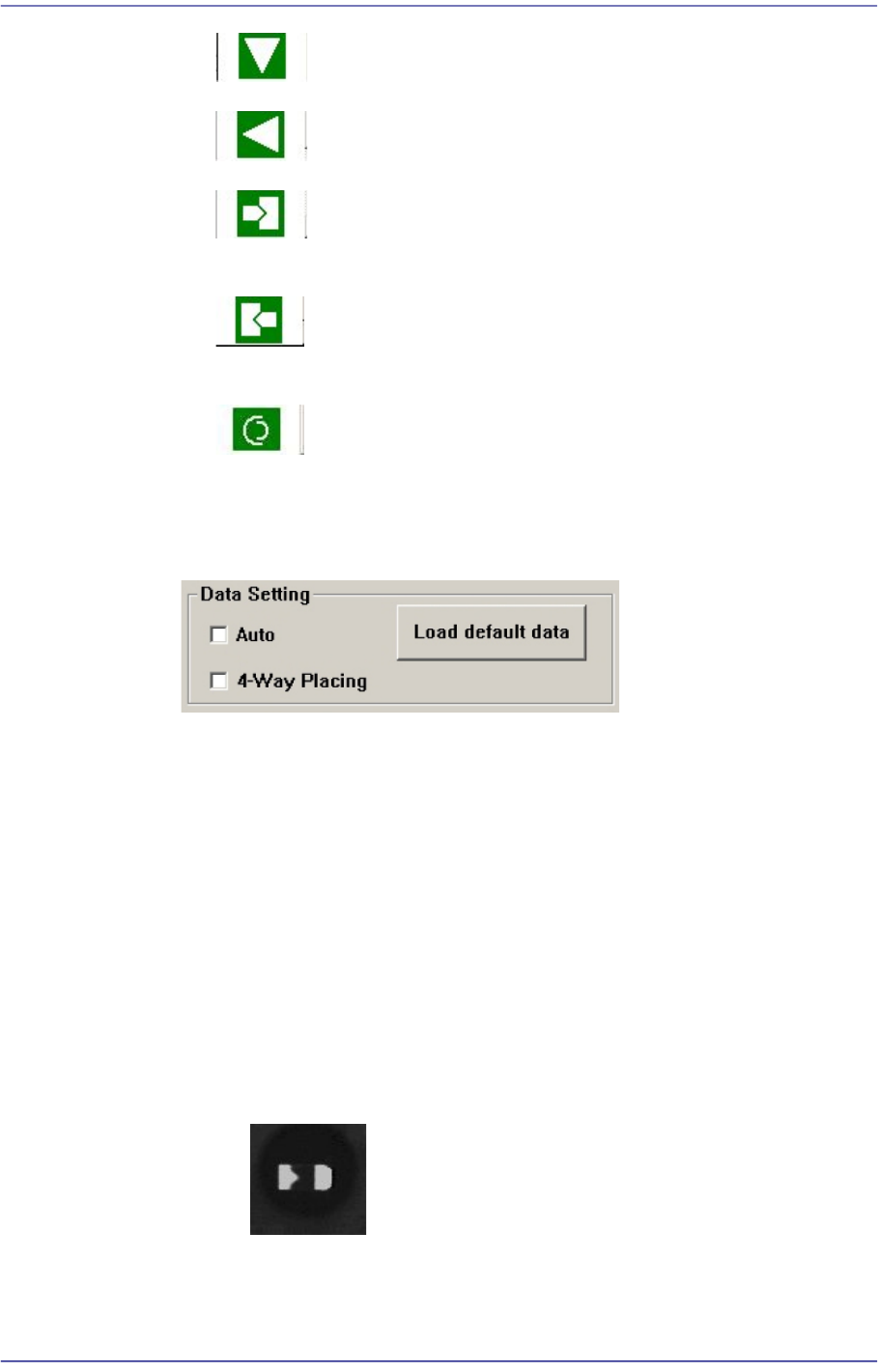
: There is no shape.
: Triangle mark in the 0° direction.
: Triangle mark in the 90° direction.
12-5
LED placement
: Triangle mark in the 180° direction.
: Triangle mark in the 270° direction.
: There is a recess or protrusion at the bottom surface of the part in
the left direction. (concavo-convex)
: There is a recess or protrusion at the bottom surface of the part in
the right direction. (concavo-convex)
: Refers to cases where work is performed on Lumens LED and a
circular shape is engraved on the bottom surface of a part.
Select the option function used when recognizing the LED using the vision system
in the <Data Setting> group.
<Auto> check box
When there is a black area on the LED bottom surface (surface to be
recognized by the vision system) without specific marks such as a tetragon or
triangle on it, if this check box is selected, this image is considered to be one
of the images shown below.
<4-Way Placing> check box
When recognizing an LED part, if it was picked up being turned 180°, this
function allows the part to be placed by turning it 180° without dumping it.
Mainly, this function is enabled when using a bowl feeder.
In order to use this function, the characteristics, position and size of the LED
mark must be inputted correctly. When there is a symmetrical mark on the
bottom surface of the part, exercise care not to use this function.
: OK –Considered to be picked up normally.