Hanwha SM481 PLUS Series Administrator’s Guide Eng.pdf.pdf - 第192页
7-34 Fast Flexible Placer SM481(L) PLUS Administ r ator’s Guide the shape object of the registered part, input the allo wa ble level as a percentage. For example, if the tolerance is set to 10%, the data of the registere…
7-33
Part Registration
In the case of BGA, sets the number of balls in X and Y directions. In the case
of “Checker” or “Rev. Checker” type, the empty area is also reflected on the
number of balls. Therefore, in the case of “Checker” or “Rev. Checker” type,
the number of balls is always an odd number.
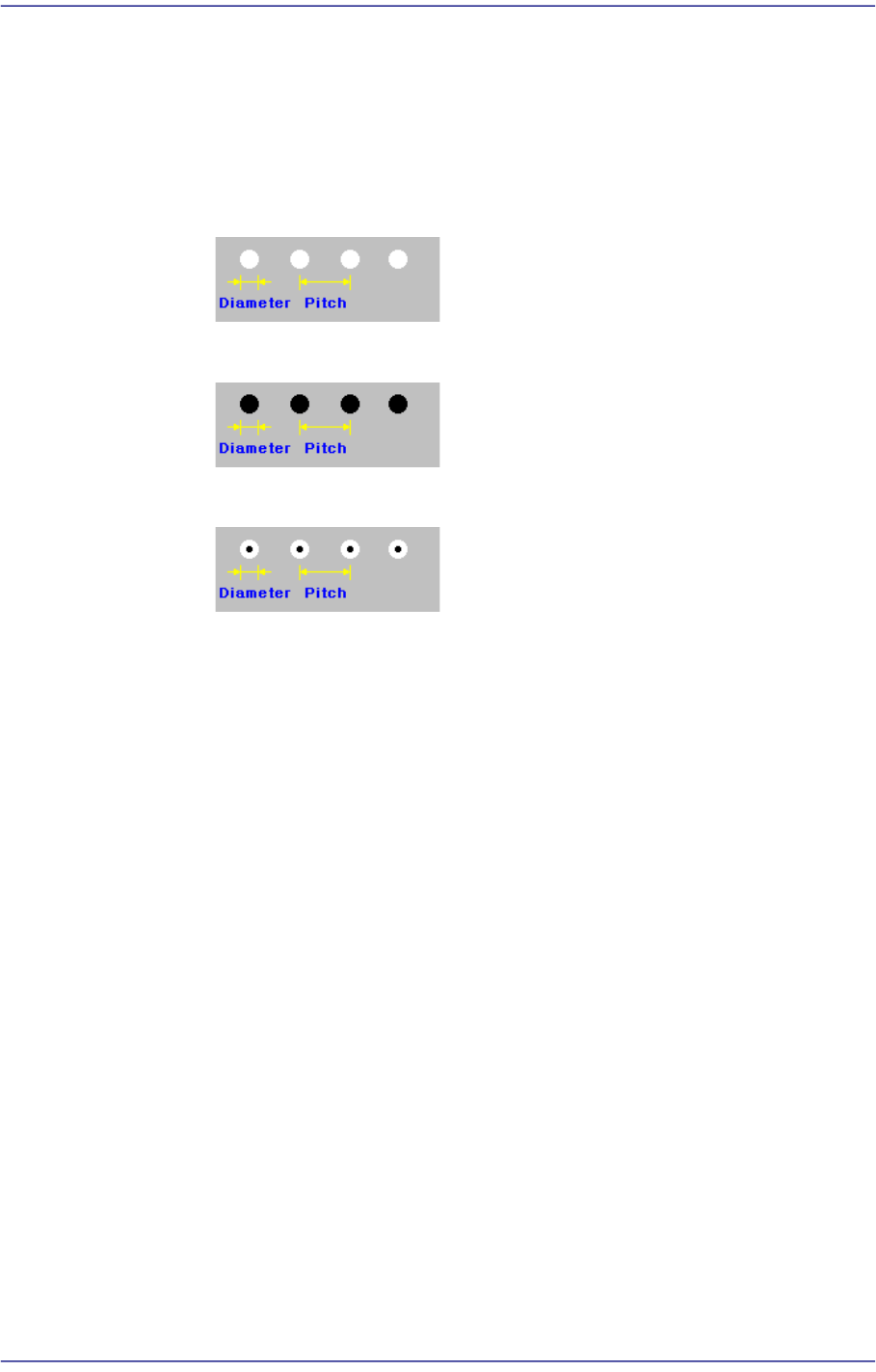
<BGA Flag> combo box
Selects the ball color.
White
Selected when the ball looks white.
Black
Selected when the ball looks black.
W & B (White and Black)
Selected when the center of the ball looks black and the outer side looks.
<Pitch XY> edit box
Enable only for BGA. Input the distance between the ball center and the center
of the adjacent ball in the X direction.
Input the distance between the ball center and the center of the adjacent ball in
the Y direction.
In the case of the “Checker” or “Rev. Checker” type, set the ball gap assuming
that there is a ball in the empty area.
<Score> edit box
The “Score” is the numerical value that indicates how accurately the ball
shape recognized by the vision system matches with the registered ball object
data.
For example, if this value is 1000, it means complete conformity. However, in
general, it is set to 600. If this value is too small, recognition accuracy
decreases, and if it is too great, the rejection result appears defective in many
cases.
<Diameter> edit box
Input the ball diameter.
<Tolerance%> edit box
Even though there will be a difference between the recognized part shape and
7-34
Fast Flexible Placer SM481(L) PLUS Administrator’s Guide
the shape object of the registered part, input the allowable level as a
percentage.
For example, if the tolerance is set to 10%, the data of the registered shape
object is 10 and the shape data of the actually recognized part is 11, the vision
system considers that the shape of the recognized part is a normal shape.
In order to set detailed tolerance by major recognition parameter, click the
<Detail> button at the right.
<Detail> button
Sets the over-tolerance and under-tolerance for the ball diameter and ball
pitch, respectively.
Over-tolerance: Allows the tolerance to exceed the set value
Under-tolerance: Allows the tolerance less than the set value
<Algorithm> combo box
Selects algorithm for BGA component recognition. Available algorithms are
as follows;
Ball
Recognizes using ball only. It is used for BGA that has distinct balls as in
the PBGA.
Ball & Body
Considers the component body and ball simultaneously. It is used for the
BGA where it is difficult to distinguish the ball and the body as in the
BGA.
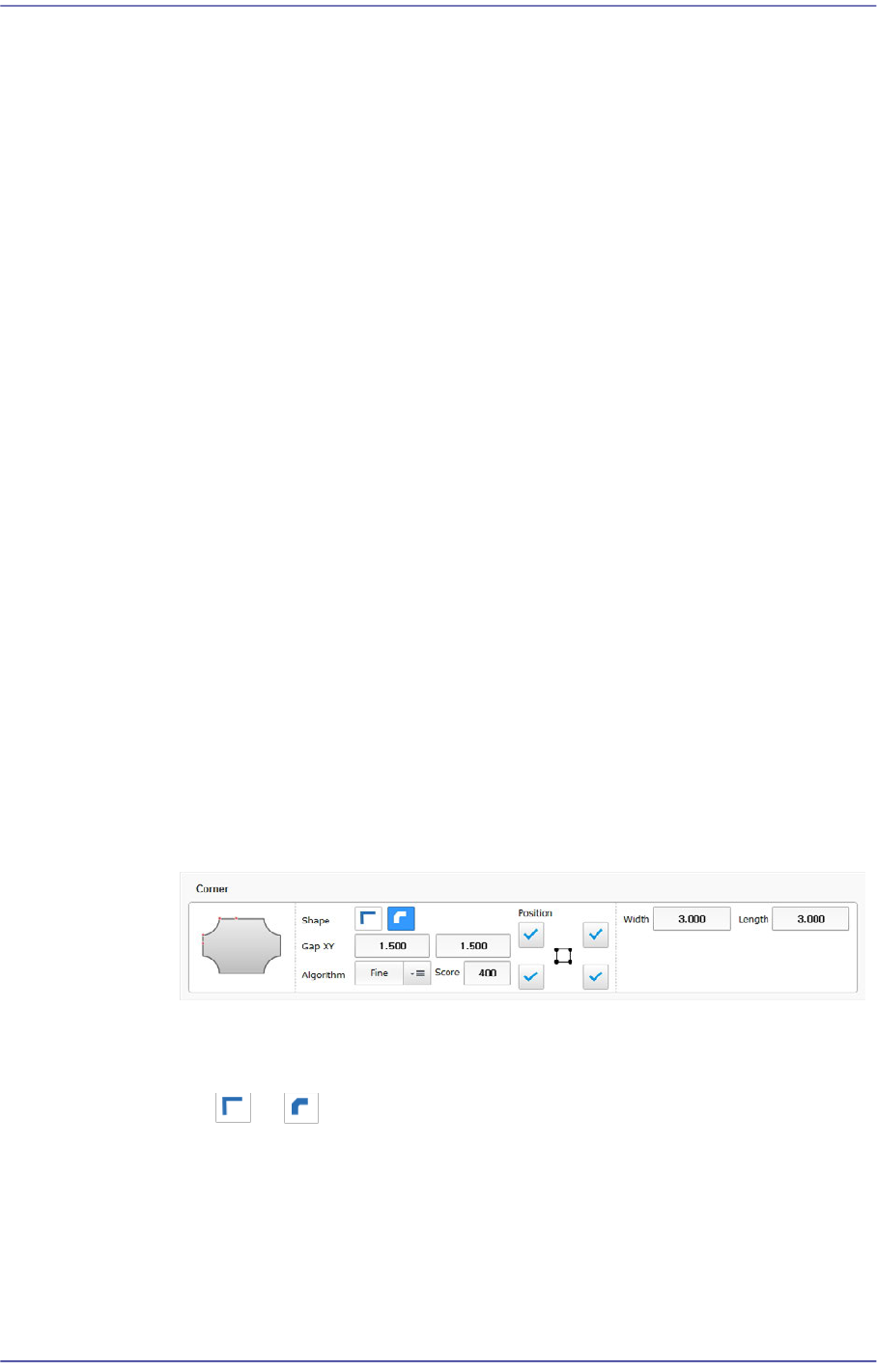
Corner
Edits a corner shape to a defined object or deletes it.
<Shape> group
Selects the shape most similar to the corner shape of an actual part.
or can be selected.
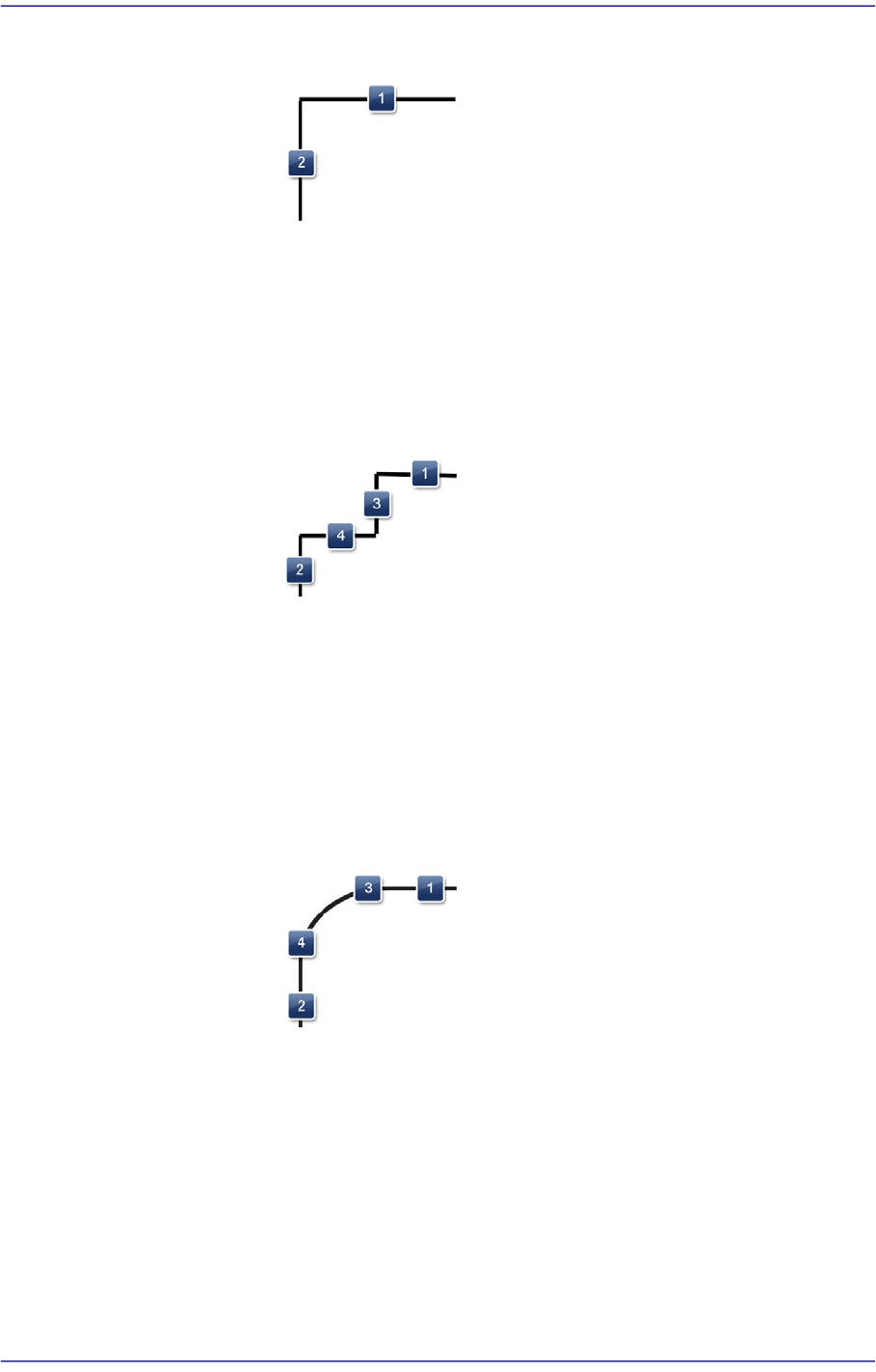
Shape definition - Corner Type1
7-35
Part Registration
1: Length of the corner in the X direction
2: Length of the corner in the Y direction
Shape definition - Corner Type2
1: Length of the corner in the X direction
2: Length of the corner in the Y direction
3: Length of the Gap in the Y direction
4: Length of the Gap in the X direction
Shape definition - Corner Type3
1: Length of the corner in the X direction
2: Length of the corner in the Y direction
3: X gap for rounding start
4: Y gap for rounding start
Shape definition - Corner Type4