Hanwha SM481 PLUS Series Administrator’s Guide Eng.pdf.pdf - 第501页
16-15 Diagnosis 16.5. Jo gbox [F6] Checks the operation of the T eaching Box. W hen this button is c l icked on, the following dialog box is displayed. When each button in the actual T eaching Box is operated, dis p lays…
16-14
Fast Flexible Placer SM481(L) PLUS Administrator’s Guide
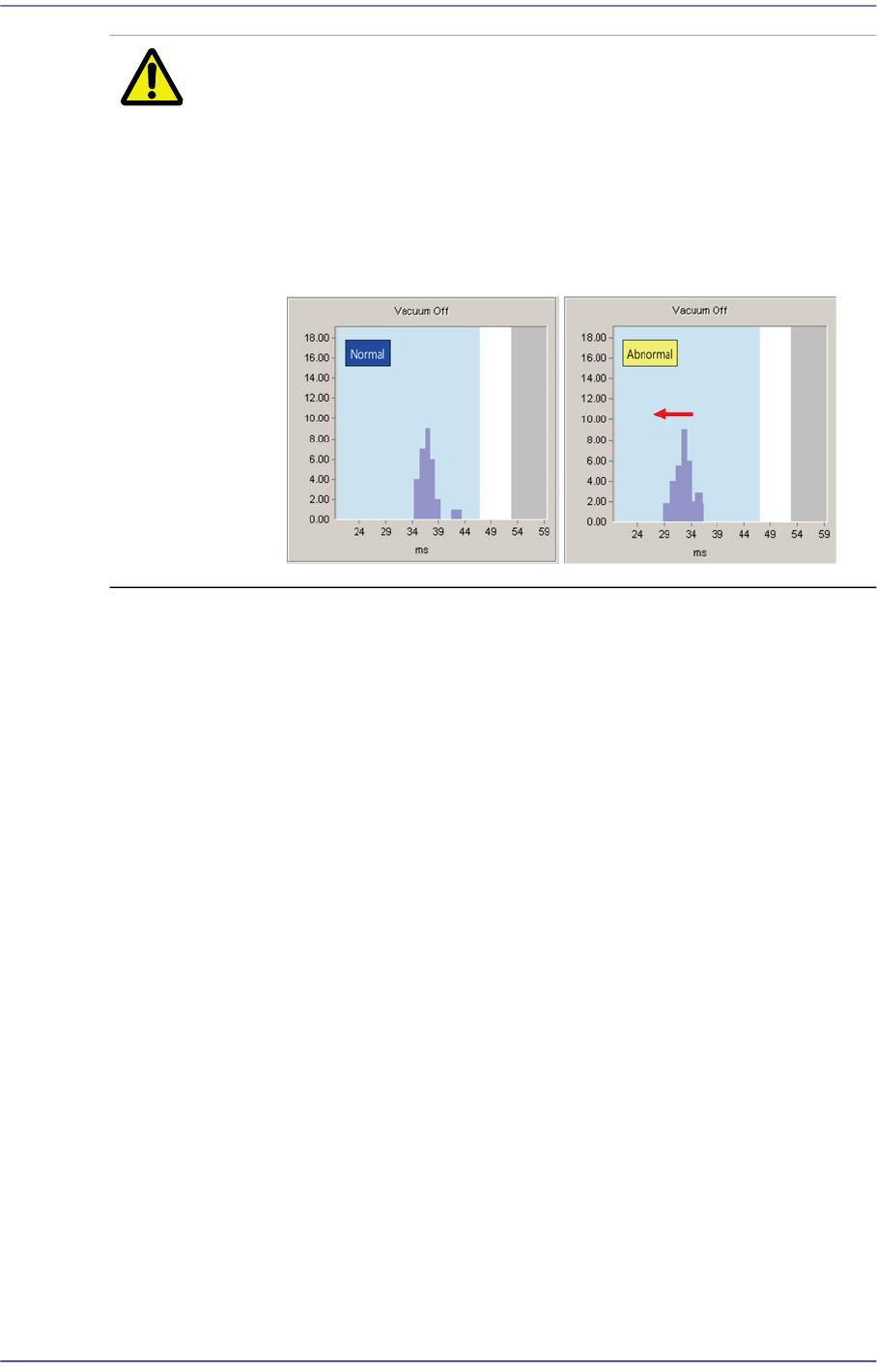
Caution As the vacuum filter cleaning is poorer, Vacuum Off occurs
faster. If the result values are indicated at the left one-
sidedly based on the average value as shown in the
following figure, replace the vacuum filter.
Otherwise, the solenoid valve will be damaged, which as a
result affects the machine’s performance. (Replacement
cycle of vacuum filter: 6 months).
<Close> button
Closes the dialog box.
16-15
Diagnosis
16.5. Jogbox [F6]
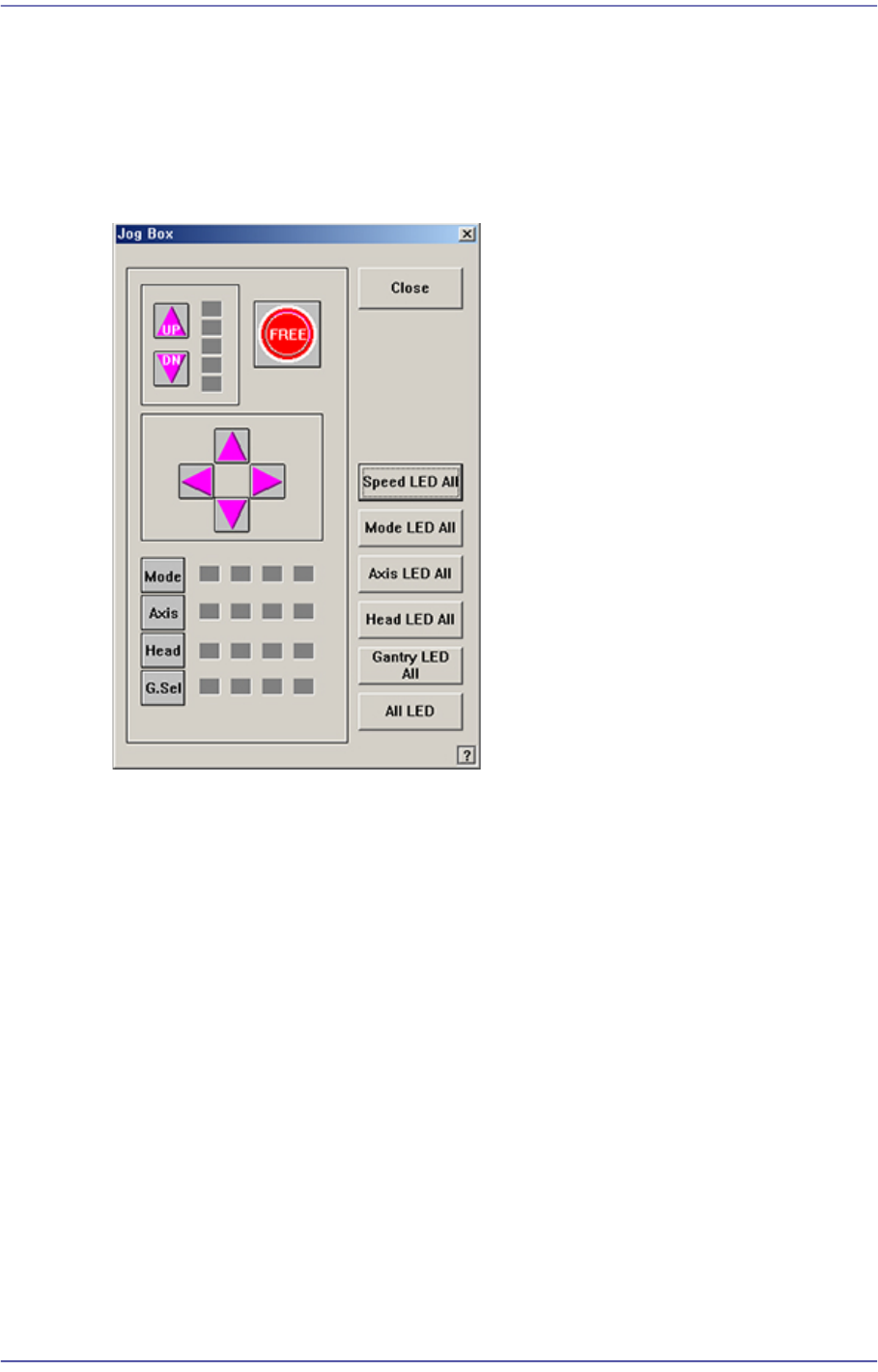
Checks the operation of the Teaching Box. When this button is clicked on, the following
dialog box is displayed.
When each button in the actual Teaching Box is operated, displays the operation status.
Figure16.8 “Jog Box Diagnosis” dialog box
<Speed LED All> button
Turns ON/OFF all Speed LEDs.
<Mode LED All> button
Turns ON/OFF all Mode LEDs.
<Axis LED All> button
Turns ON/OFF all Axis LEDs.
<Head LED All> button
Turns ON/OFF all Head LEDs.
<Gantry LED All> button
Turns ON/OFF all Gantry LED.Used only for machines with more than one gantry.
<All LED> button
Turns ON/OFF all Gantry LED.
<Close> button
Closes the dialog box.
16-16
Fast Flexible Placer SM481(L) PLUS Administrator’s Guide
16.6. Tray [F7]
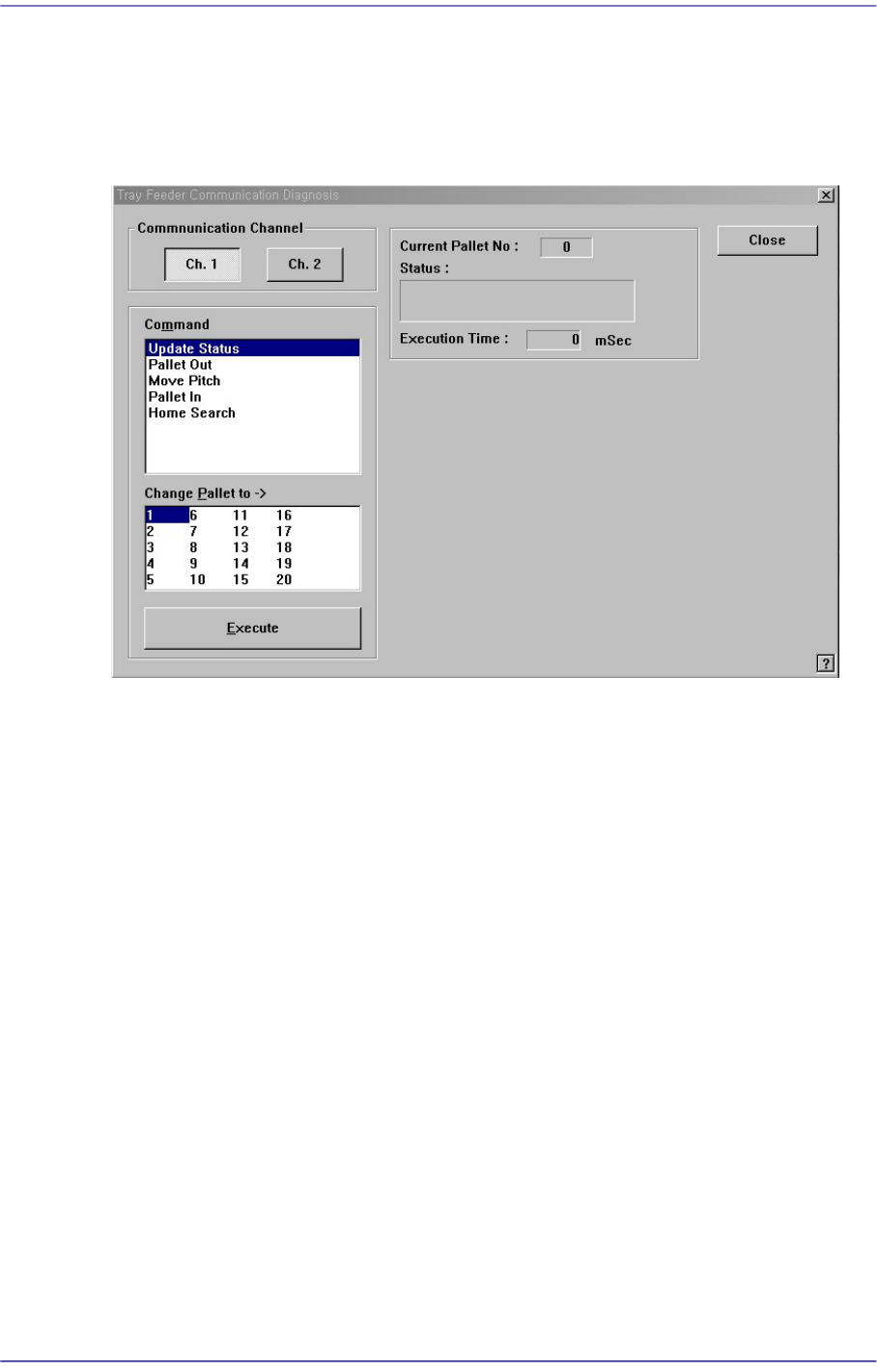
Checks communication with the tray feeder. When this submenu is selected on, the
following dialog box is displayed.
Figure16.9 “Diagnosis: Tray Feeder Communication Diagnosis” dialog box
<Communication Channel> group
Select the communication channel to which the tray feeder is connected.Ch. 1: Selects
RS-232C communication Port1.Ch. 2: Selects RS-232C communication Port2.
<Command> combo box
Select the command to transmit to the tray feeder.
Update Status: Updates the status.
Pallet Out: Outputs the selected pallet from the tray magazine.
Move Pitch: Locates the selected pallet at the entrance of tray magazine output.
Pallet In: Brings the selected pallet into the tray magazine.
Home Search: Moves the tray feeder to Home.
<Change Pallet to> list box
Select the palette number to change.
<Execute> button
Transmits the selected command to the tray feeder.
<Current Palette No.> Static box
Displays the number of the pallet currently taken out.