Hanwha SM481 PLUS Series Administrator’s Guide Eng.pdf.pdf - 第514页
17-10 Fast Flexible Placer SM481(L) PLUS Administ r ator’s Guide 17.6. War mUp [F9] The <W armUp> command is u s ed to warm up each axis after po w er supply . When this command is selected, the following dialog bo…
17-9
Utility
17.5. Bypass [F8]
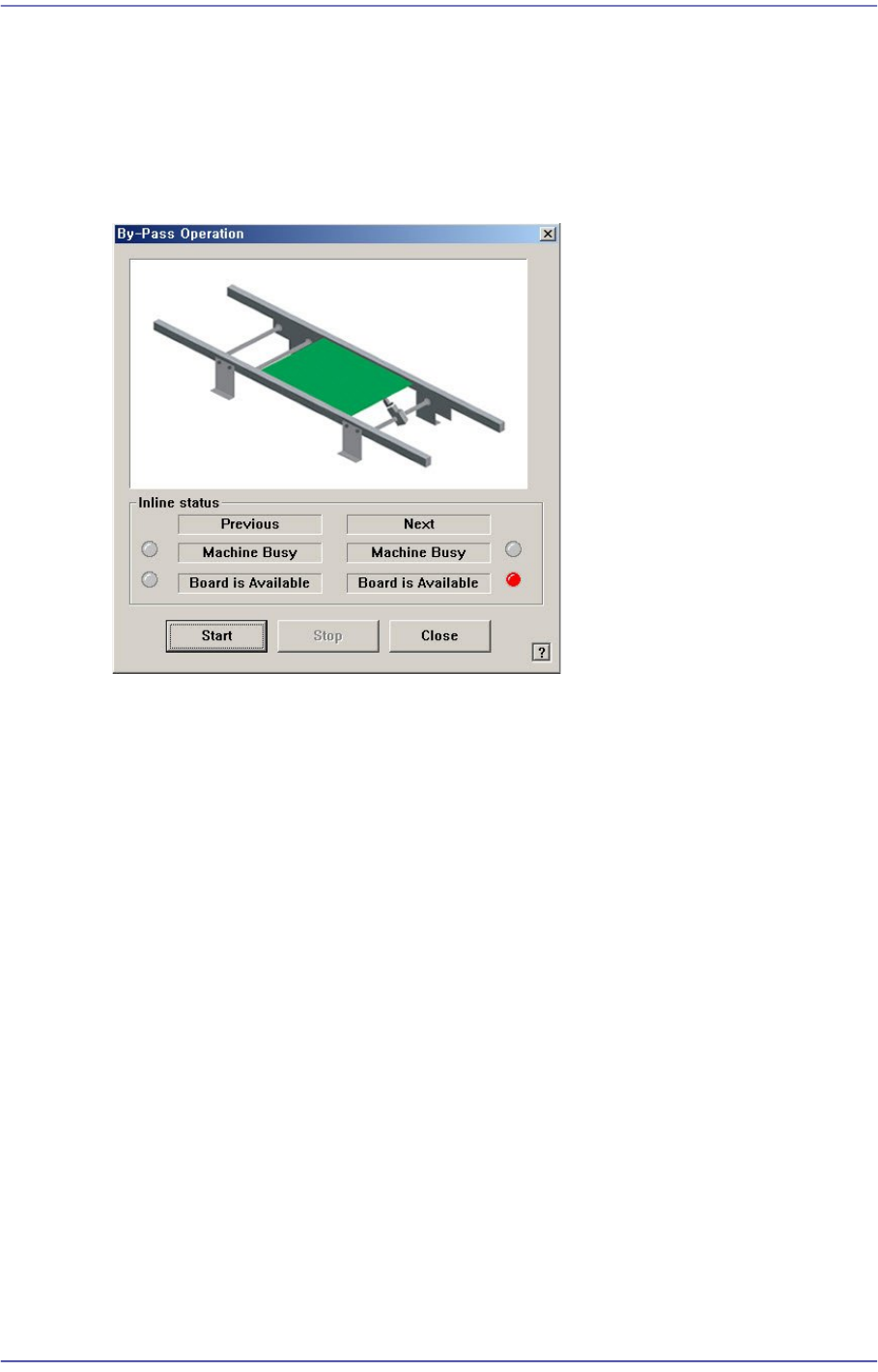
The following dialog box is displayed and shows it is in the PCB Bypass status.
If the head is above the conveyor, the PCB sensing sensor gets affected. Therefore, move
the head out of the conveyor and execute the command.
Figure17.7 “By-pass Operation” dialog box
<Inline status> group
Indicates the SMEMA related input status. (Lighted On: On, Lighted Off: Off)
Previous
Indicates the status of the previous machine.
Next
Indicates the status of the next machine.
Machine Busy
PCB not transferred.
Board is Available
PCB can be transferred.
<Start> button
Starts the ‘PCB bypass’.
<Stop> button
Stops the ‘PCB bypass’.
<Close> button
Closes the dialog box.
17-10
Fast Flexible Placer SM481(L) PLUS Administrator’s Guide
17.6. WarmUp [F9]
The <WarmUp> command is used to warm up each axis after power supply. When this
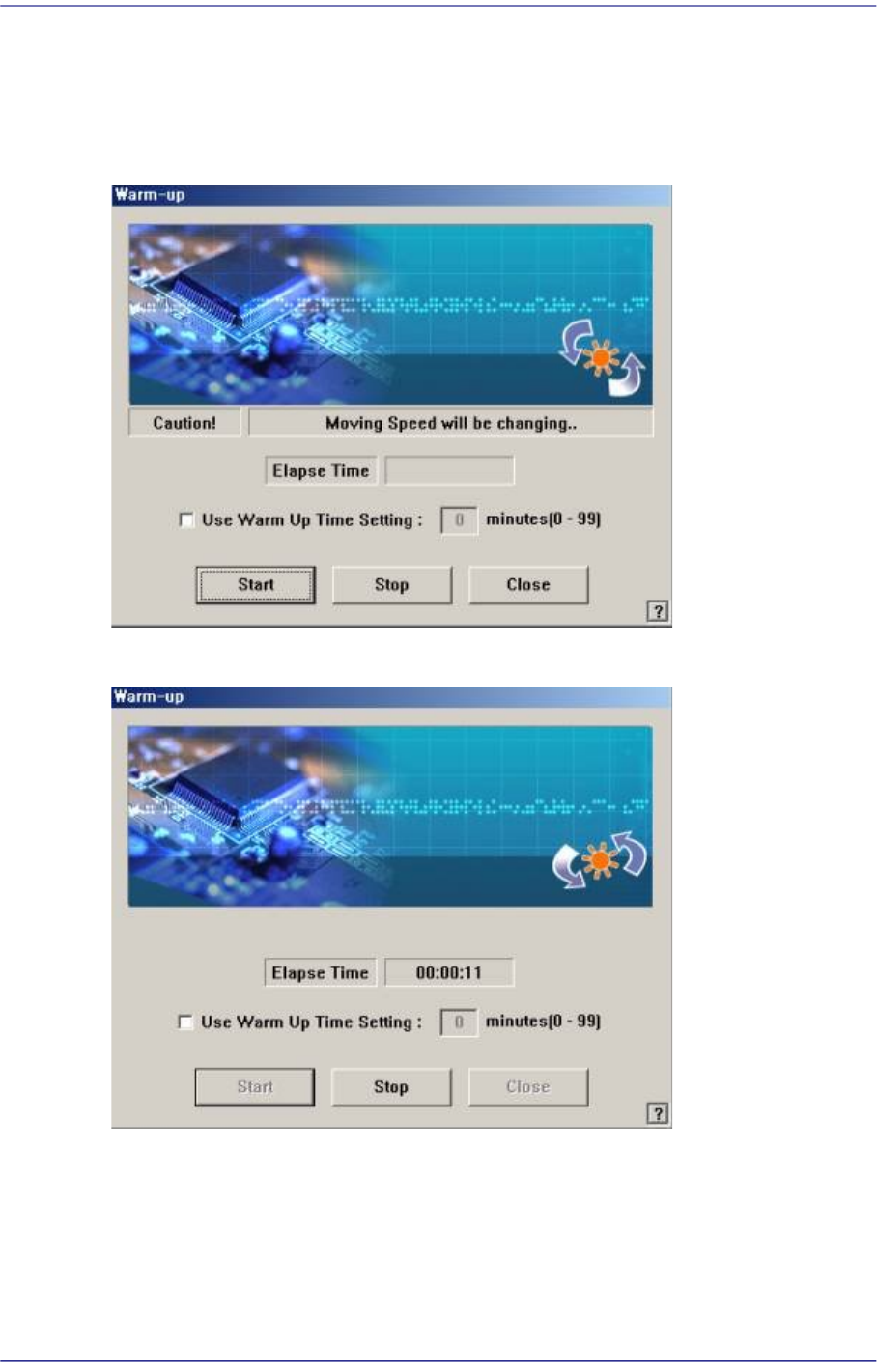
command is selected, the following dialog box is displayed.
Figure17.8 “Warm-Up” dialog box
Figure17.9 “Warm-Up” dialog box, After pressing the Start button
<Start> button
Starts the warm up operation. When this button is clicked on, starts the warm-up
operation and the elapsed time is displayed in the “Warm-up” dialog box.
<Stop> button
When this button is clicked on, stops the <Warm-up>.
17-11
Utility
<Use Warm Up Time Setting> check box
Select this check box and input the desired time. (Unit: Minute)
<Close> button
Closes the dialog box
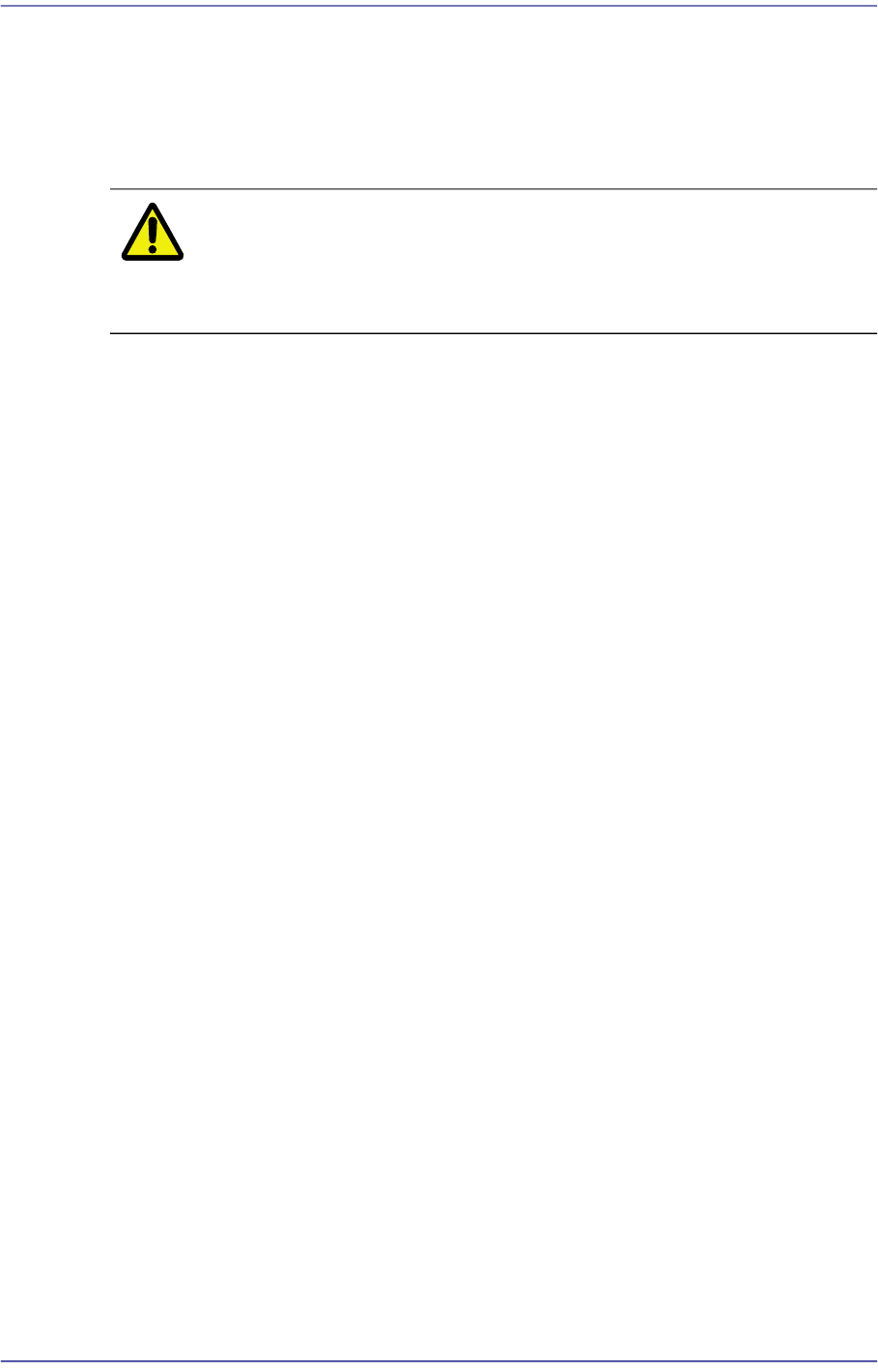
Caution To raise the level of placement precision, Warming UP must
be done. To raise the level of placement precision, be sure
to carry out warm up before operating the machine..