Hanwha SM481 PLUS Series Administrator’s Guide Eng.pdf.pdf - 第320页
12-12 Fast Flexible Placer SM481(L) Administrator’s Guide Refers to bar type lighting boar ds. When working on LEDs of the same rank, select this type. <Bar -Feeder Matchin g > check box In the case of bar type…
12-11
LED placement
12.4. Optimization
12.4.1. Rank
Arranges feeders automatically for placement points by the rank of the LED according to
the characteristics of the PCB for lighting.
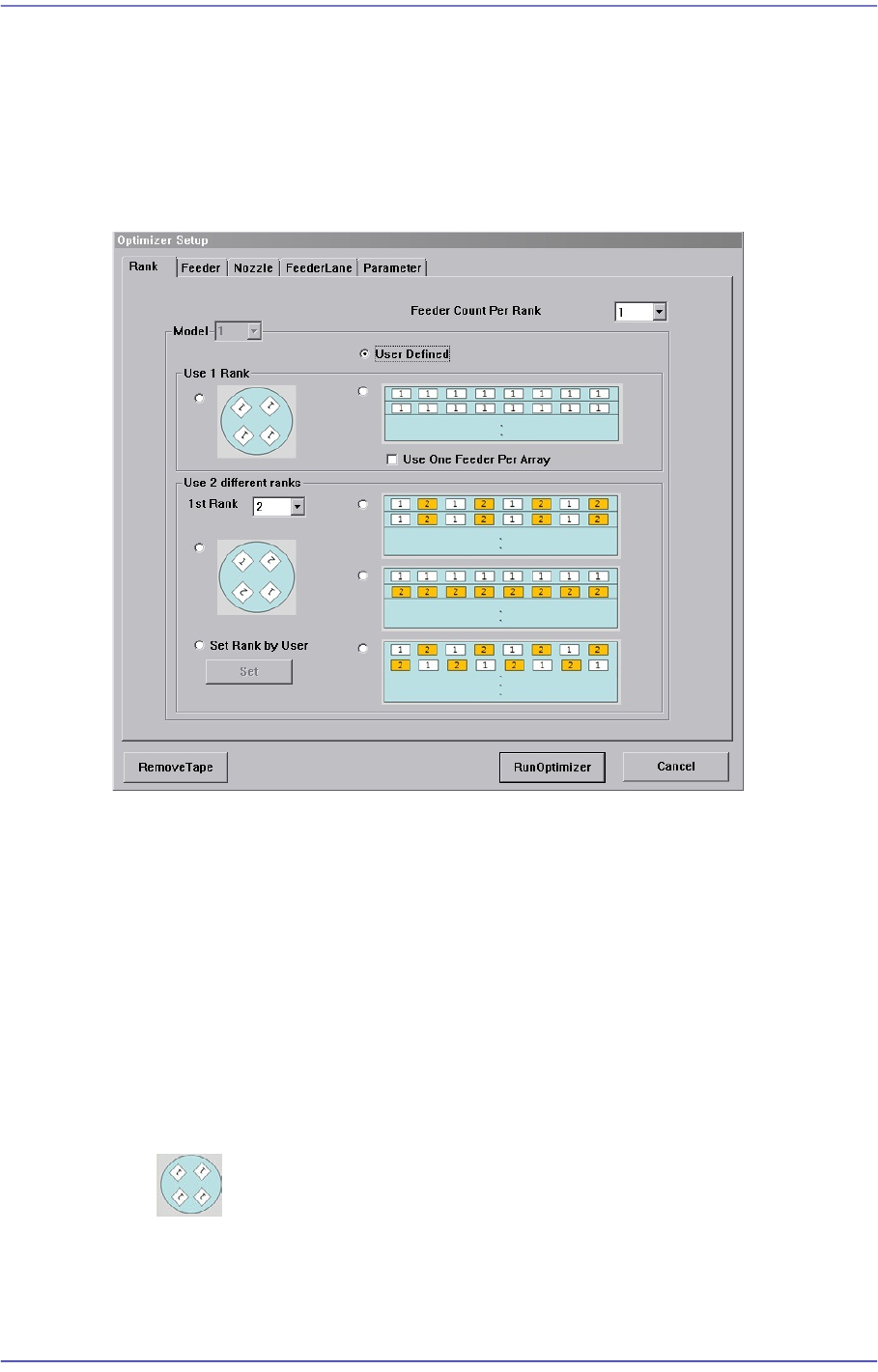
Figure12.3 “Optimizer Setup: Rank” tab dialog box
Refers to the dialog box that allows the user to select the work type according to the
characteristics of the PCB for LED lighting and optimize the feeder arrangement.
Generally, in the case of the PCB for LED lighting, the user must directly designate the
feeder manually for each placement point in one array in order to perform setup for the
feeder by rank.
However, the user does not need to directly perform feeder arrangement for many
placement points by selecting the appropriate type for the work type in this dialog box.
The rank option may be set differently depending on each model.
<Use 1 Rank> group
Refers to the method to work on the PCB using LEDs of the same rank.
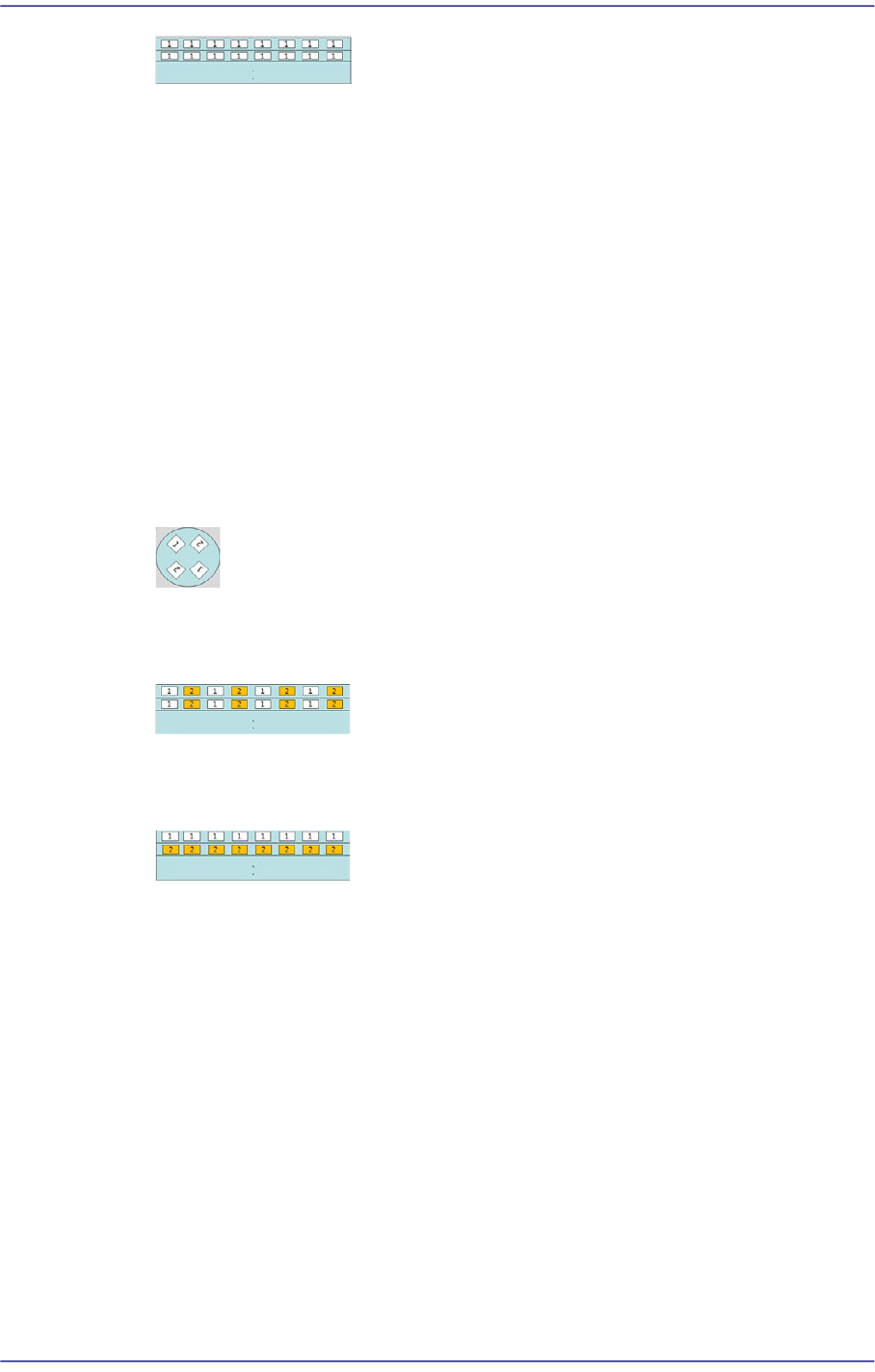
Refers to the round lighting board. When working on LEDs of the same rank,
select this type.
12-12
Fast Flexible Placer SM481(L) Administrator’s Guide
Refers to bar type lighting boards. When working on LEDs of the same rank,
select this type.
<Bar-Feeder Matching> check box
In the case of bar type lighting boards, select this check box when receiving parts
from one feeder for all placement points in one line.
<Use 2 Rank> group
Refers to the method to perform work on the PCB using two types of LED of different
rank.
<1st Rank> Combo box
The 1st rank refers to the part with the rank to be placed first. That is, select the
part with the rank to be placed first. The part corresponding to the number ‘1’ in
the figure is the one with the 1st rank.
Refers to the round lighting board. Select this type when performing work with
LEDs of the same rank facing each other.
Refers to bar type lighting boards. Select this type when performing work on
LEDs of different rank in one line.
Refers to bar type lighting boards. Select this type when working on LEDs of the
same rank by line.
<User Defined> option button
Refers to the existing setup option. Select this setup when performing work on general
PCBs other than PCBs for LED lighting. At this time, for the part selected from the
<1st Rank> combo box, the rank order is set to ‘1’ and another one to ‘2’. The rank
order of the other part that is not set will be set to ‘0’
<Feeder Count Per Rank> combo box
Sets the number of tape feeders to be arranged for a rank. It is possible to arrange up to
9 feeders.
12-13
LED placement
12.4.2. Feeder
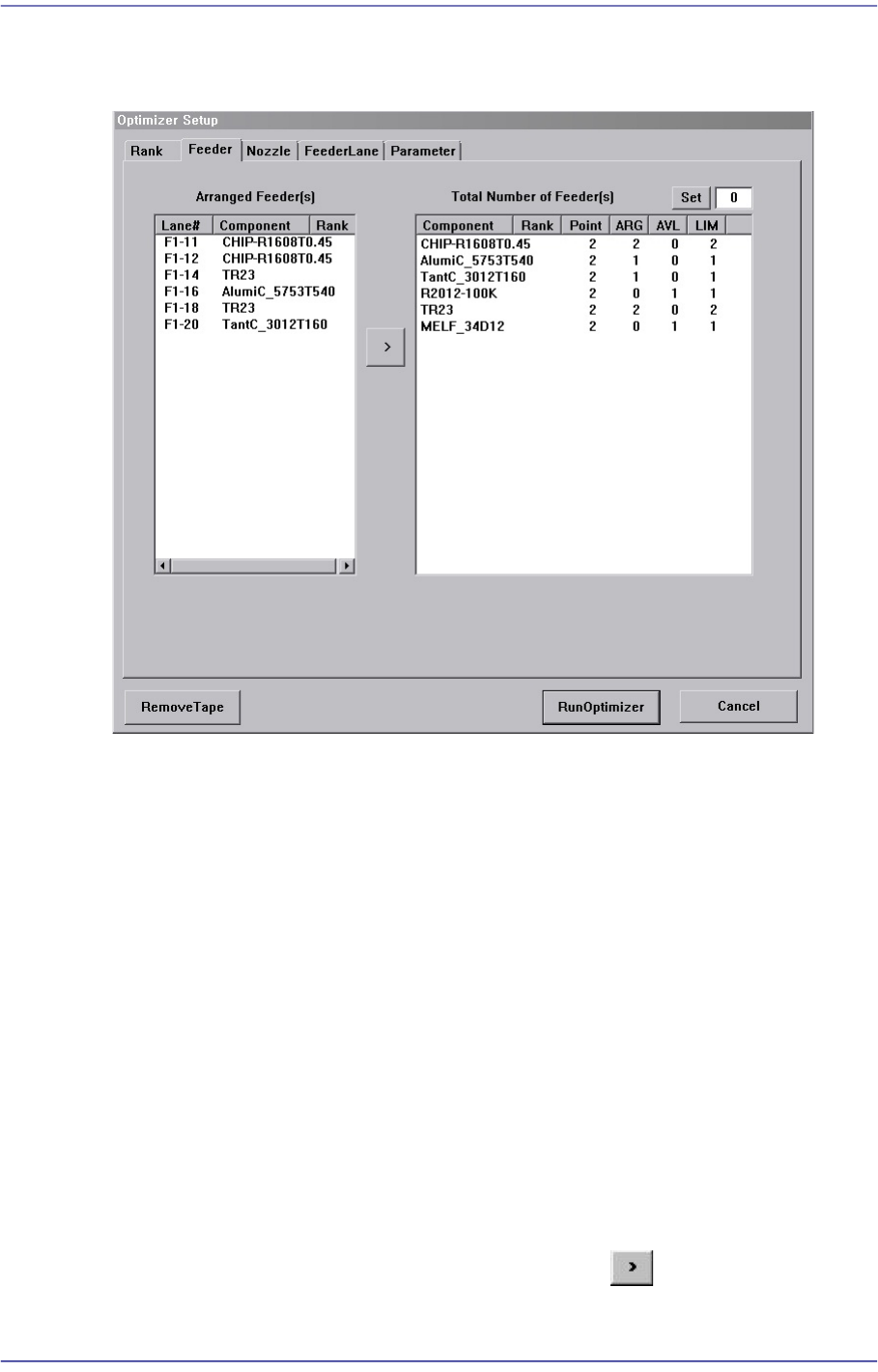
Figure12.4 “Optimizer Setup: Feeder Arrangement” dialog box
A window to set the optimum arrangement of tape feeders. Optimizer can arrange Tape
feeders on the optimum feeder lanes automatically in consideration of simultaneous
pickup and operation time. However, the user must specify mounting positions for Tray
Feeders and Stick Feeders.
<Arranged Feeder(s)> list box
<FDLane> column
The number in []is the feeder base number. The feeder lane number with F in front
is Front Feeder Base and that with R in front is Rear Feeder Base.
<Component> column
Displays the component name of the tape feeder mounted on the corresponding
lane. This list displays already arranged feeders. As these feeders are not arranged
arbitrarily by Optimizer, they affect arrangement of other feeders by Optimizer.
In other words, if there are feeders already arranged, the Optimizer arranges other
feeders to increase simultaneous pickups in consideration of these.
For the tape feeders of those indicated here, which are desired to be arranged
optimally by the optimizer, click the arrow button ( ) to move then to the right
list box and execute the optimizer.