Hanwha SM481 PLUS Series Administrator’s Guide Eng.pdf.pdf - 第309页
12-1 LED placement Chapter12. LED placement 12.1. Def inition of fiducial mark The method to define the fiducial mark size f or a PCB length is as follows: Length less than 800 mm: Same as the method to set general boa…
12-1
LED placement
Chapter12. LED placement
12.1. Definition of fiducial mark
The method to define the fiducial mark size for a PCB length is as follows:
Length less than 800 mm: Same as the method to set general boards.
Length is 800 mm ~ 1,500 mm: Set multi work area.
12.1.1. Fiducial mark setup
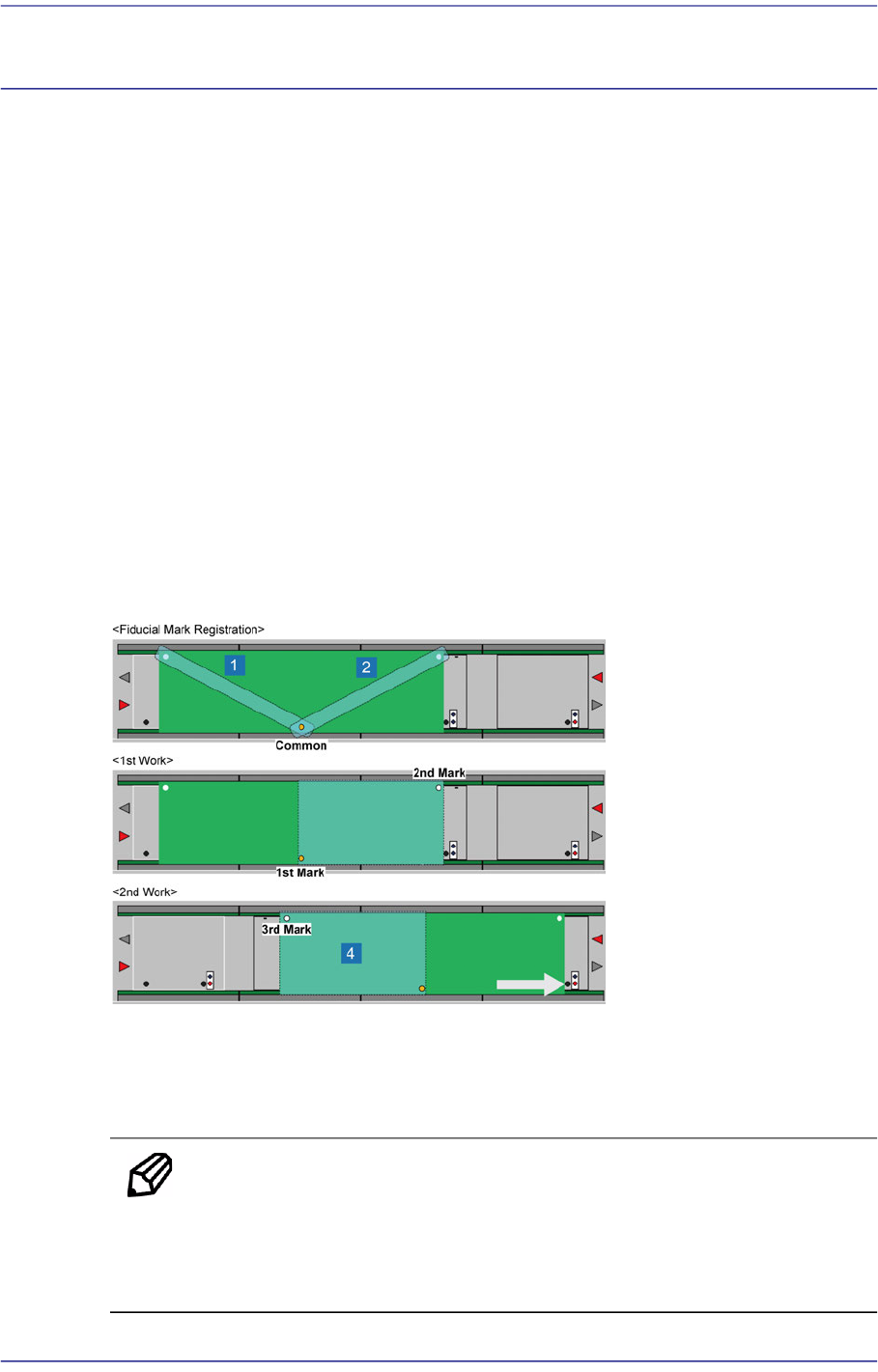
When placing parts on a 0.8~1.2 m long PCB, set 3~4 fiducial marks on it, one of which
must be at the position to which the fiducial camera of the gantry can move.
When setting 3 fiducial marks, they can be set as shown in the following figure.
1) Transfer the PCB to the first workstation.
2) Teach the fiducial mark at center and the right mark.
3) Transfer the PCB to the second workstation.
4) Teach the left fiducial mark.
1: Fiducial mark for ST-Gate2
2: Fiducial mark for ST2F-Work
3: Placement point registered to the ST2F-Work
4: Placement Point registered to the ST-Gate2
Memo Even though fiducial mark teaching is performed by changing the
workstation, all placement coordinates, fiducial mark coordinates and
the coordinates of various marks are always constant because the
relative distance from the origin is taught.
12-2
Fast Flexible Placer SM481(L) Administrator’s Guide
12.2. LED part registration
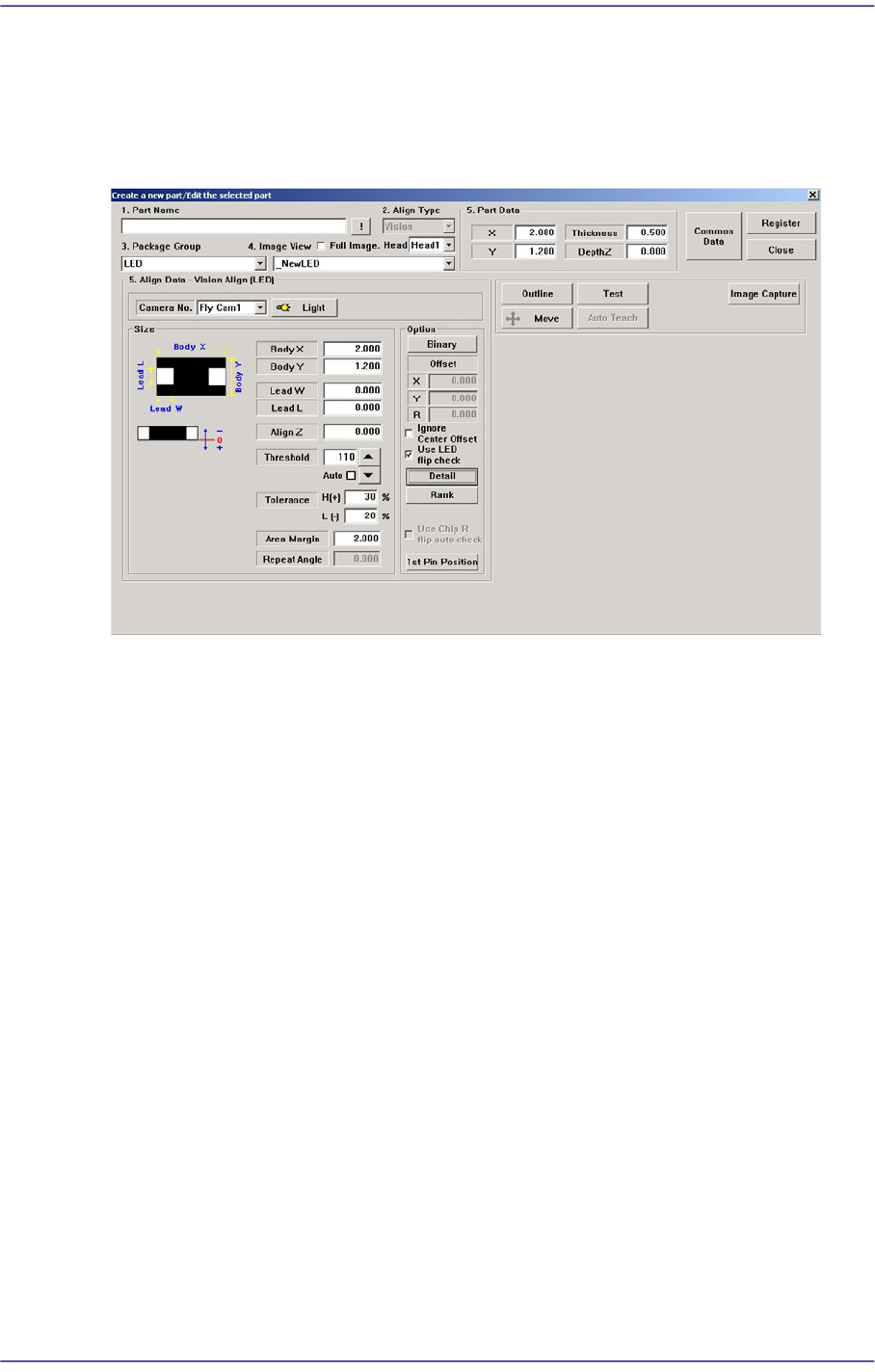
When registering an LED part, click the <New Part> button in the “Register Part” dialog
box to execute the “Create New Part/ Edit Selected Part” dialog box.
Figure12.1 “Create a new part/Edit the selected part” dialog box
Major options for LED part recognition are as follows:
<Use LED flip check> check box
This is selected to use the function that checks the turnover of the LED. This is applied
only to Chip-R, Chip-C, Chip-circle, Chip-tantal, Chip-aluminum, Melf, LED, etc.
For more details, refer the “<Detail> button”.
<Detail> button
Executes the following dialog box used to set the details for the “Use LED flip auto
check”. This button is enabled only when the <Use LED flip auto check> check box is
selected.