Hanwha SM481 PLUS Series Administrator’s Guide Eng.pdf.pdf - 第66页
3-2 Fast Flexible Placer SM481(L) PLUS Administ r ator’s Guide 3.1. New [Ctrl+N] <New> command is used to create a n e w PCB file. W hen the <New> comm a nd is selected, the following dialog box is displ a ye…
3-1
File Shortcut Menu
Chapter3. File Shortcut Menu
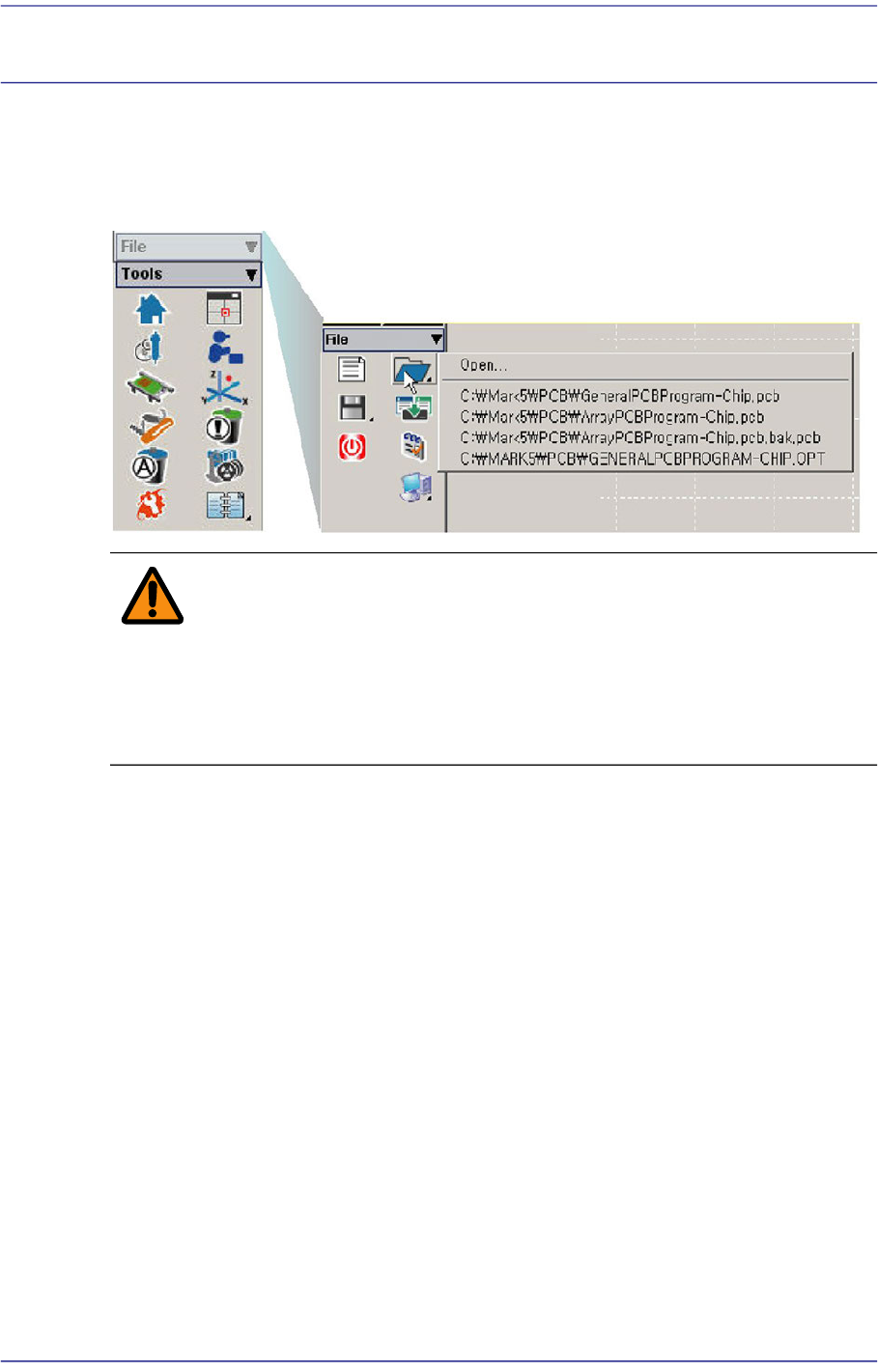
The <File shortcut> menu is composed of the following seven submenus: New, Open,
Save, Save As, Merge, Error MsgBar Show/Hide, Windows Tools, and Exit.
Figure3.1 File Menu and Submenus
Warning Except the PCB file, deleting or moving a system file or data
file arbitrarily could lead to the operation failure of MMI
program.
Except the PCB File, do not delete or remove a system file
or data file arbitrarily.
3-2
Fast Flexible Placer SM481(L) PLUS Administrator’s Guide
3.1. New [Ctrl+N]
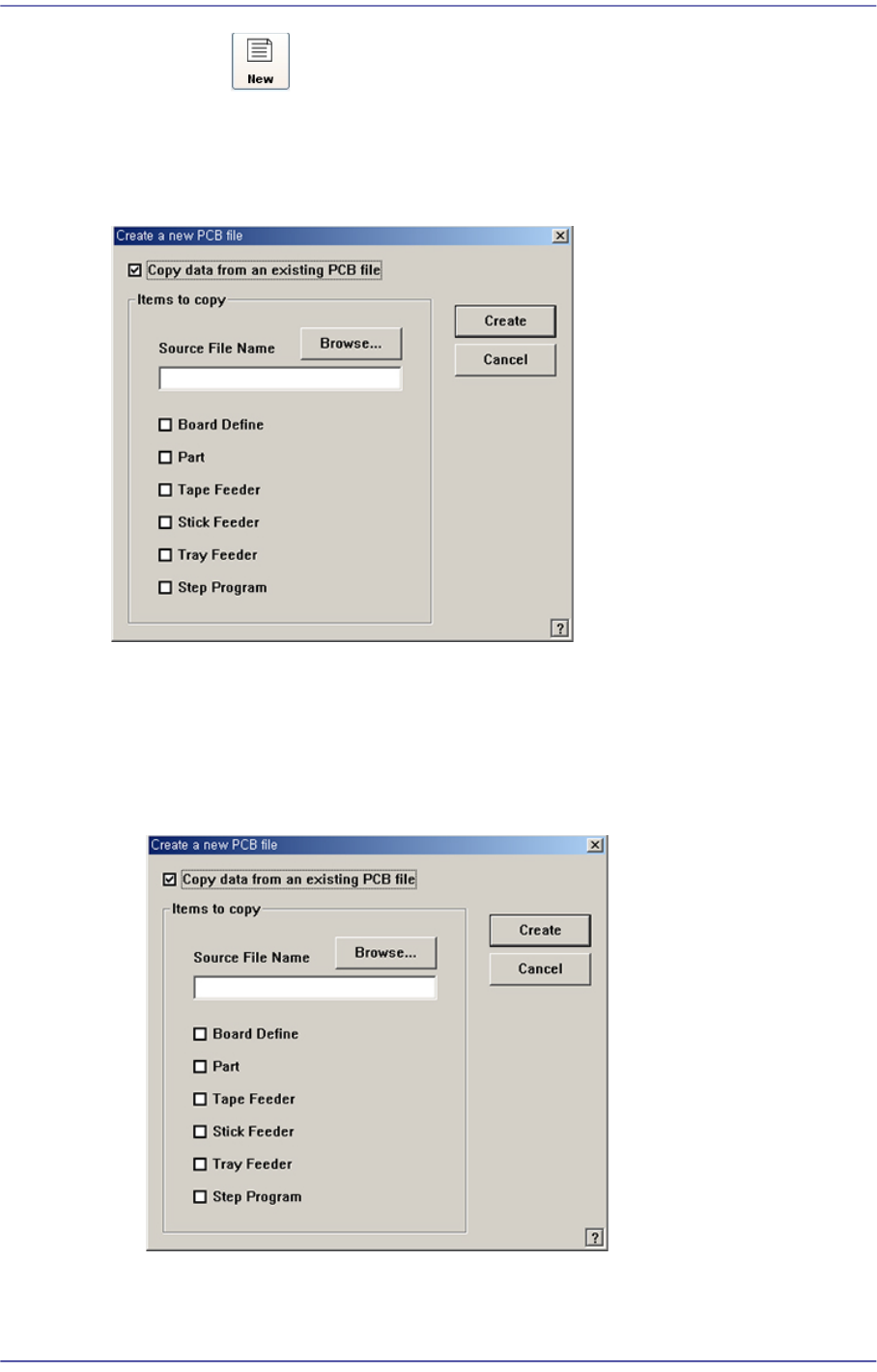
<New> command is used to create a new PCB file. When the <New> command is
selected, the following dialog box is displayed.
Figure3.2 “New PCB File” dialog box
<Copy data from an existing PCB file> check box
Used to copy certain data from an existing file and create a new file. When this box is
not checked, default data is used to create a new file. When this box is clicked on, the
<Items to Copy> dialog box is displayed.
Figure3.3 “ Create a new PCB file” dialog box
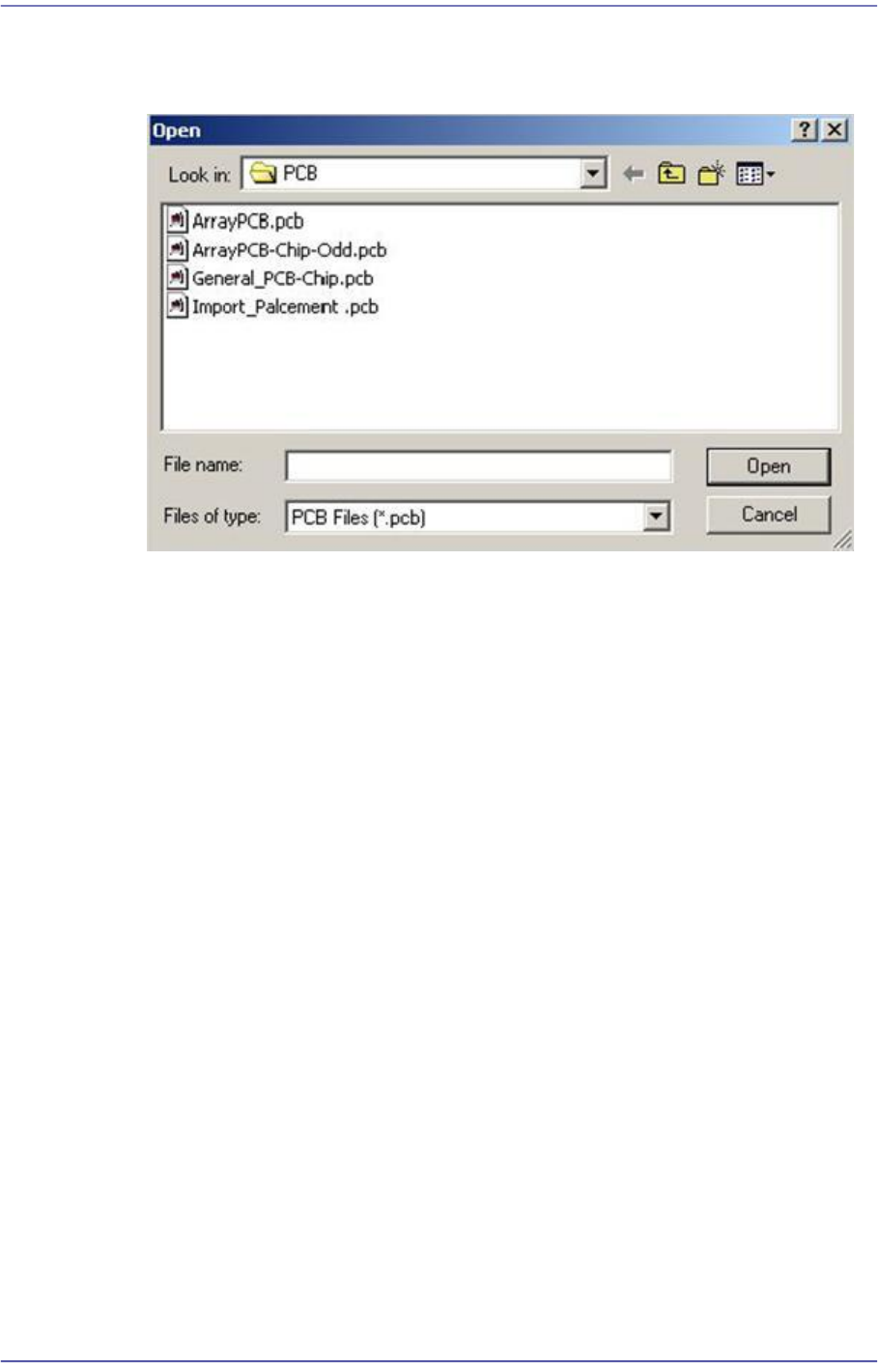
<Browse...> button
Used to create a new PCB file from existing files. When this Button is clicked on,
3-3
File Shortcut Menu
“Open” dialog box is displayed.
Figure3.4 “Open” dialog box
<Folders> combo box
Specify the directory in which the file is located. Displays the files in the directory
specified here in the <File list> list box.
List box
Displays existing files. When a file name is clicked on, displays the file name in
the <File name> edit box.
<File name> edit box
Enter a file name. If a file from the file list is clicked on, that file name is
displayed in the edit box.
<List files of type > combo box
Select the type of file to be displayed in the <File list> list box. When the
triangular Button is clicked on, accessible file types are displayed.
PCB Data Files(*.pcb): displays file names with the 'pcb' extension only.
OPT Data Files(*.opt): displays file names with the 'opt' extension only.
<OK> button
Selects a file and closes the “Open” dialog box.
<Cancel> button
Cancels the file selection and closes the “Open” dialog box
<Items to Copy> check box group
Select items to copy.
Board Definition: PCB Setup information