Hanwha SM481 PLUS Series Administrator’s Guide Eng.pdf.pdf - 第507页
17-3 Utility Stick Feeder: Select the inf ormation on Stick Feeder . T ray Feeder: Select the information on Tray Fe eder . <Step Info.> check box Select the information on operation seque nce. <System&g…
17-2
Fast Flexible Placer SM481(L) PLUS Administrator’s Guide
17.1. Print... [F2]
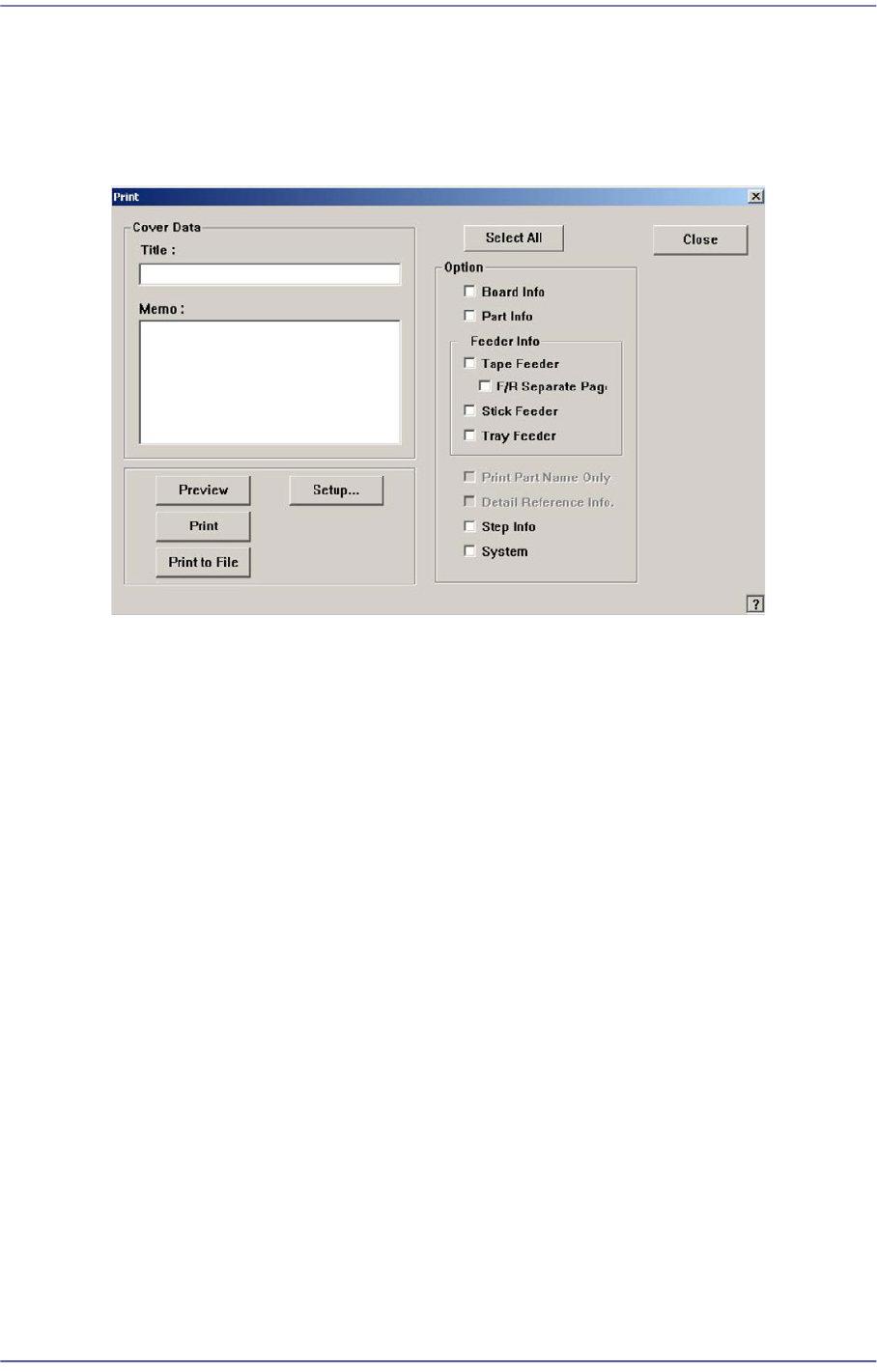
The <Print...> submenu is used to print PCB files. When this submenu is selected, the
following dialog box is displayed.
Figure17.3 “Print” dialog box
<Cover Data> group
Used to enter necessary information when a cover for the output is wanted.
<Title:> edit box
Enter the title of the output in the “Title” edit box.
<Memo:> edit box
Enter a short message to be displayed on the cover in the “Memo” edit box.
<Option> group
<Select All/Clear All.> button
Selects all the items to be output, or changes the selected items into unselected
status.
<Board Info.> check box
Select the information on PCB Boards.
<Part Info.> check box
Select the information on components.
<Feeder Info> check box group
Select the information on the feeder to print.
Tape Feeder: Select the information on Tape Feeder.
F/R Separate Page: Select the information on Tape Feeder.
17-3
Utility
Stick Feeder: Select the information on Stick Feeder.
Tray Feeder: Select the information on Tray Feeder.
<Step Info.> check box
Select the information on operation sequence.
<System> check box
Select the information on the system parameter of the equipment.
<Preview> button
Displays the content to be printed on the screen first.
<Setup…> button
Sets the printer.
<Print> button
Prints the checked content and closes the “Print “dialog box.
<Print to File> button
Outputs the content in text file format.
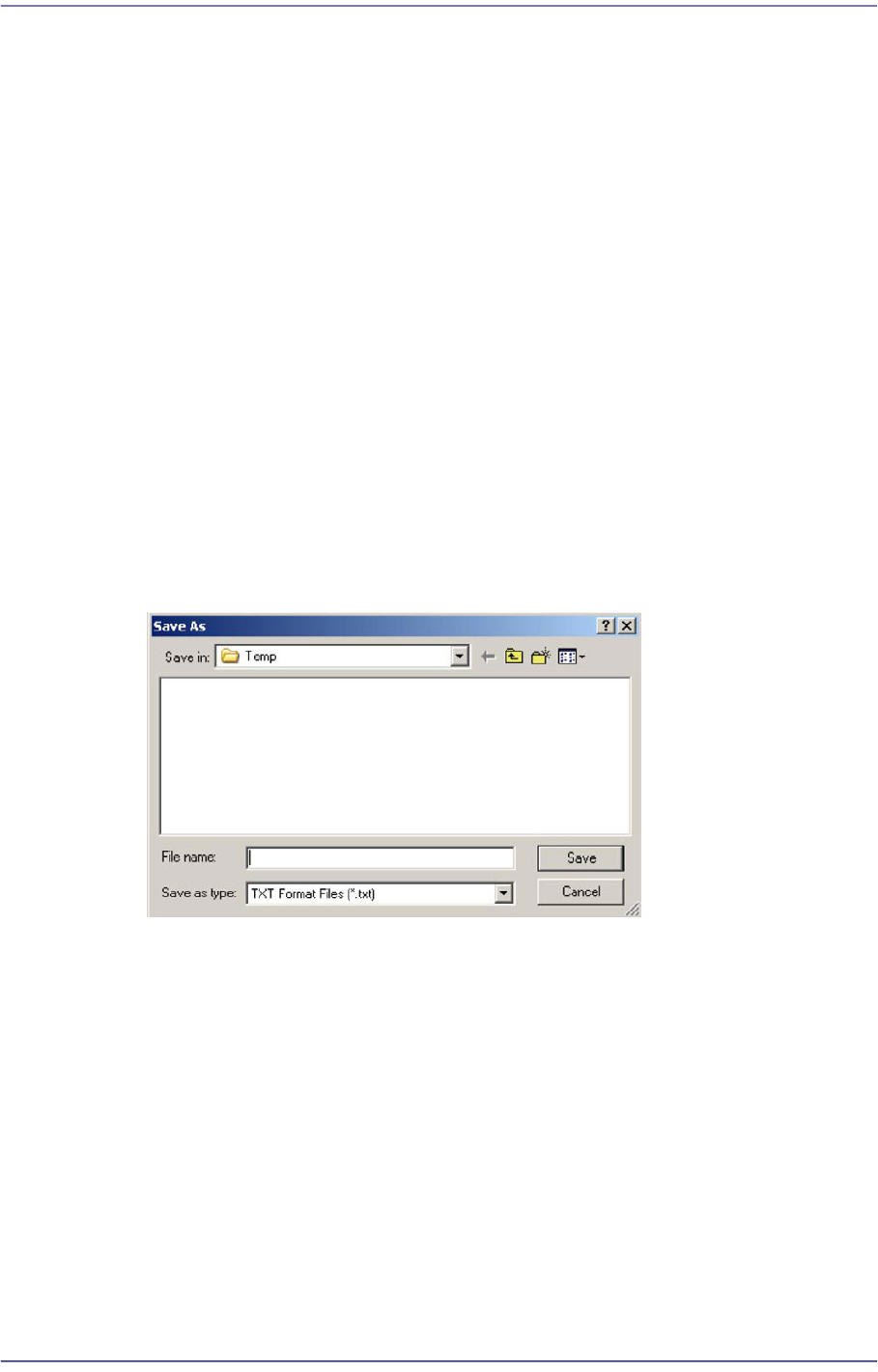
If the <Print to File> button is clicked, the following dialog box appears.
Enter the file name in the <File Name(N)> text box and press the <Save(S) button> to
save the file.
<Close> button
Cancels the execution of <Print> command and closes the “Print “dialog box.
17-4
Fast Flexible Placer SM481(L) PLUS Administrator’s Guide
17.2. Pd. Info[F3]
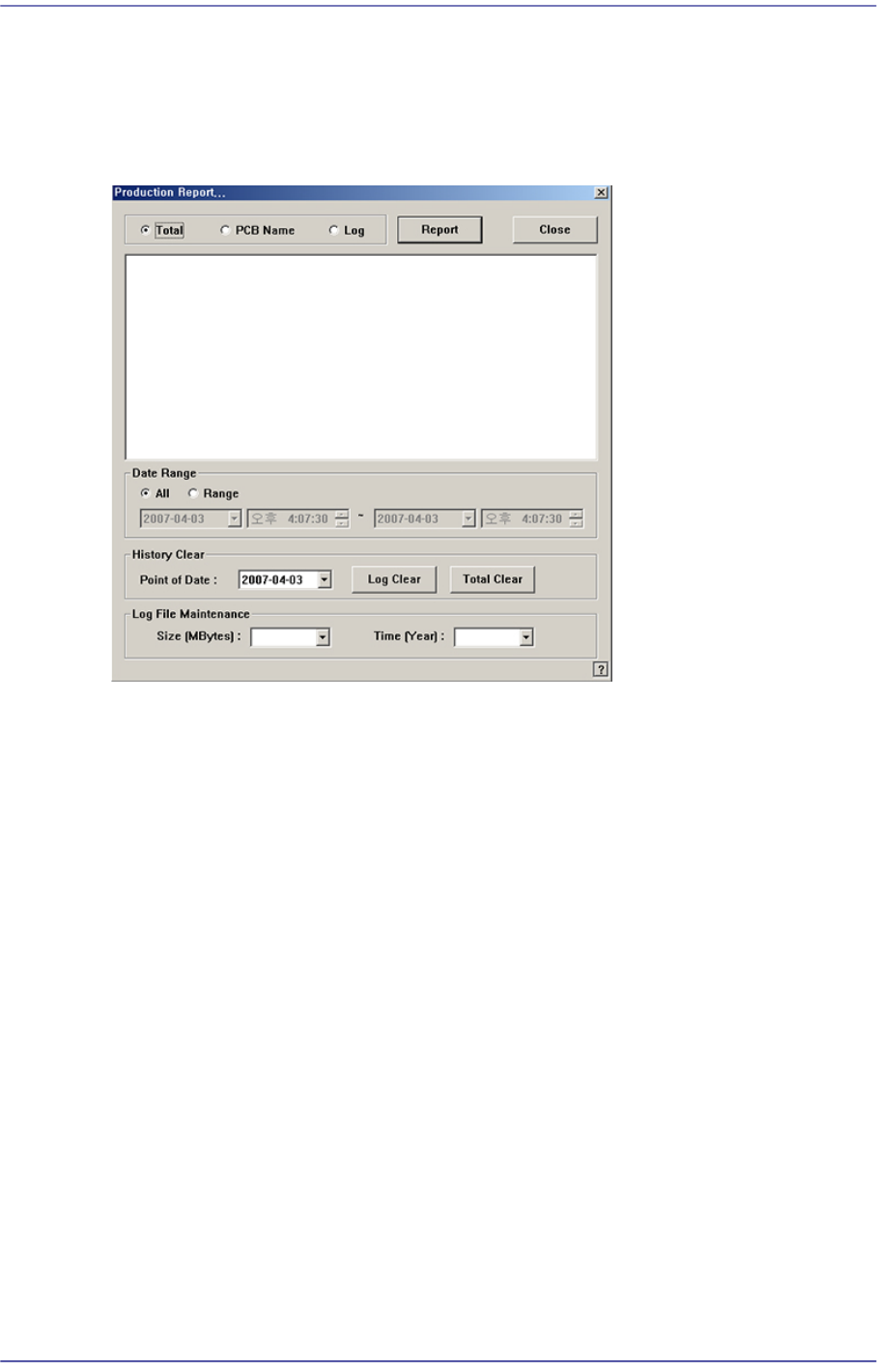
It is used to perform the production analysis and prepare a report by utilizing the
information related to PCB production.
Figure17.4 “Production Report…” dialog box
Option button group
Select the data to be used to perform analysis and prepare report.
<Total> option button
It is selected to perform the production analysis and prepare a report by using the
data related to all PCBs produced by the machine within the period of time
designated by the <Data Range> option button.
<PCB Name> option button
It is selected to perform the production analysis and prepare a report by using the
data related to the PCBs selected within the period of time designated by the
<Data Range> option button.
<Log> option button
It is selected to perform the production analysis and prepare a report by using the
selected PCB log.
<Data Range> option button group
<All> option button
Use all PCB related data within the period of log file maintenance.
<Range> option button
Use all PCB related data within the selected period of time.