Hanwha SM481 PLUS Series Administrator’s Guide Eng.pdf.pdf - 第196页
7-38 Fast Flexible Placer SM481(L) PLUS Administ r ator’s Guide <S hape> g roup When the 'Direction Mark' i s selected as a direction mark type Select the direction mark sha pe. (triangle, rectangle, …
7-37
Part Registration
selected object is rectangular is this enabled.
Mark
Edits a direction mark shape to a defined object or deletes it.
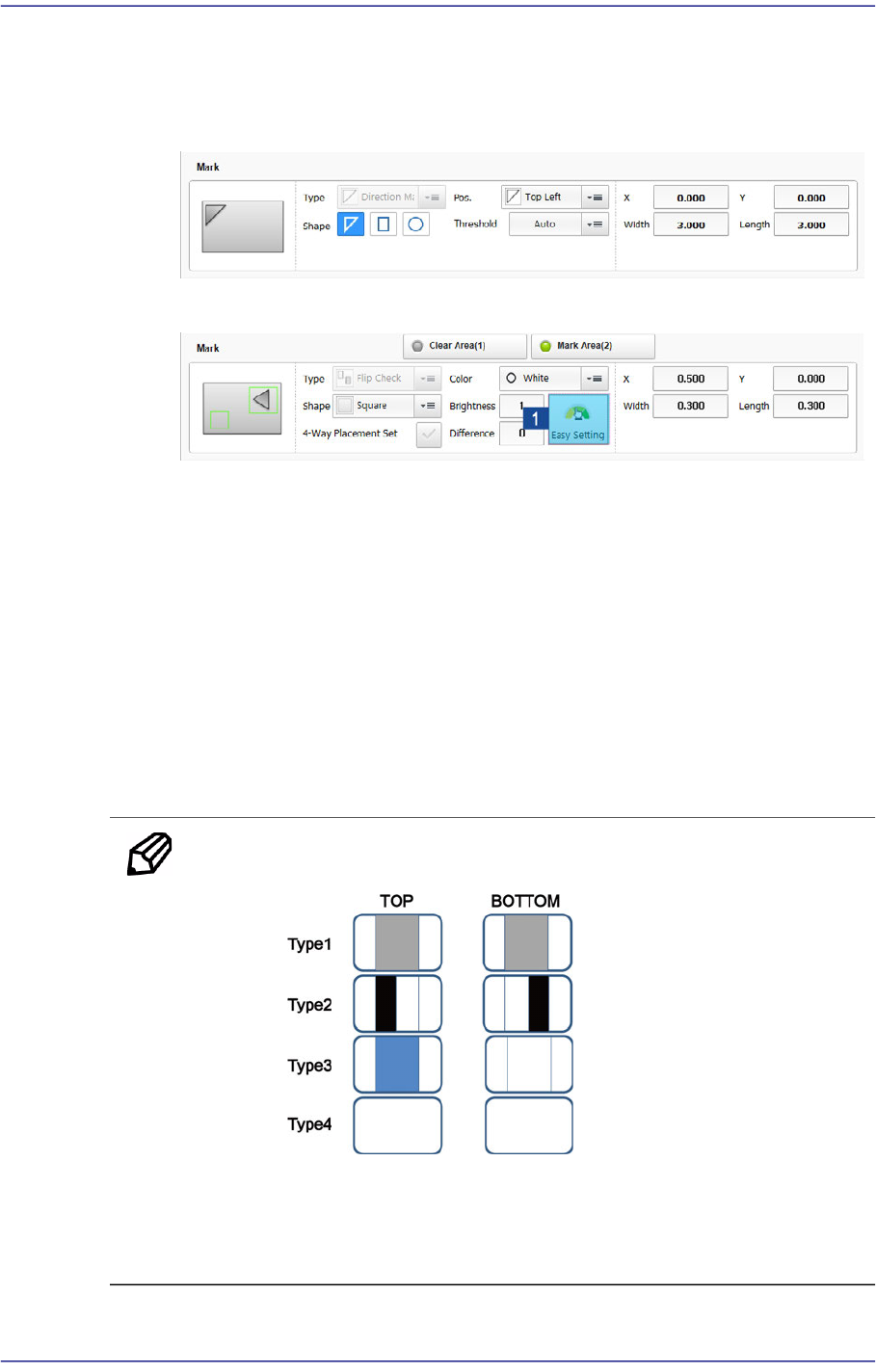
The following shows the Flip Check.
1: Sets Brightness / Difference
<Type> combo box
Select the direction mark type to edit.
Direction Mark
Selected when a user edits the mark displaying the direction of IC and
BGA.
Flip Check
Selected when a user edits the mark to divide the top surface and bottom
surface of the Chip R and LED.
Memo In the following cases, the 'Flip Check' function cannot be used.
When the top and bottom surface shapes of the part are the same
When the image of the top and bottom surfaces is not contrasted
clearly
7-38
Fast Flexible Placer SM481(L) PLUS Administrator’s Guide
<Shape> group
When the 'Direction Mark' is selected as a direction mark type
Select the direction mark shape. (triangle, rectangle, circle)
- Shape definition - Mark (Direction Mark)
1: Position change of the selected point (Up - Down)
2: Position change of the selected point (Left - Right)
When the 'Flip Check' is selected as a direction mark type
Displayed when the <Mark Area (2)> switch button is selected.
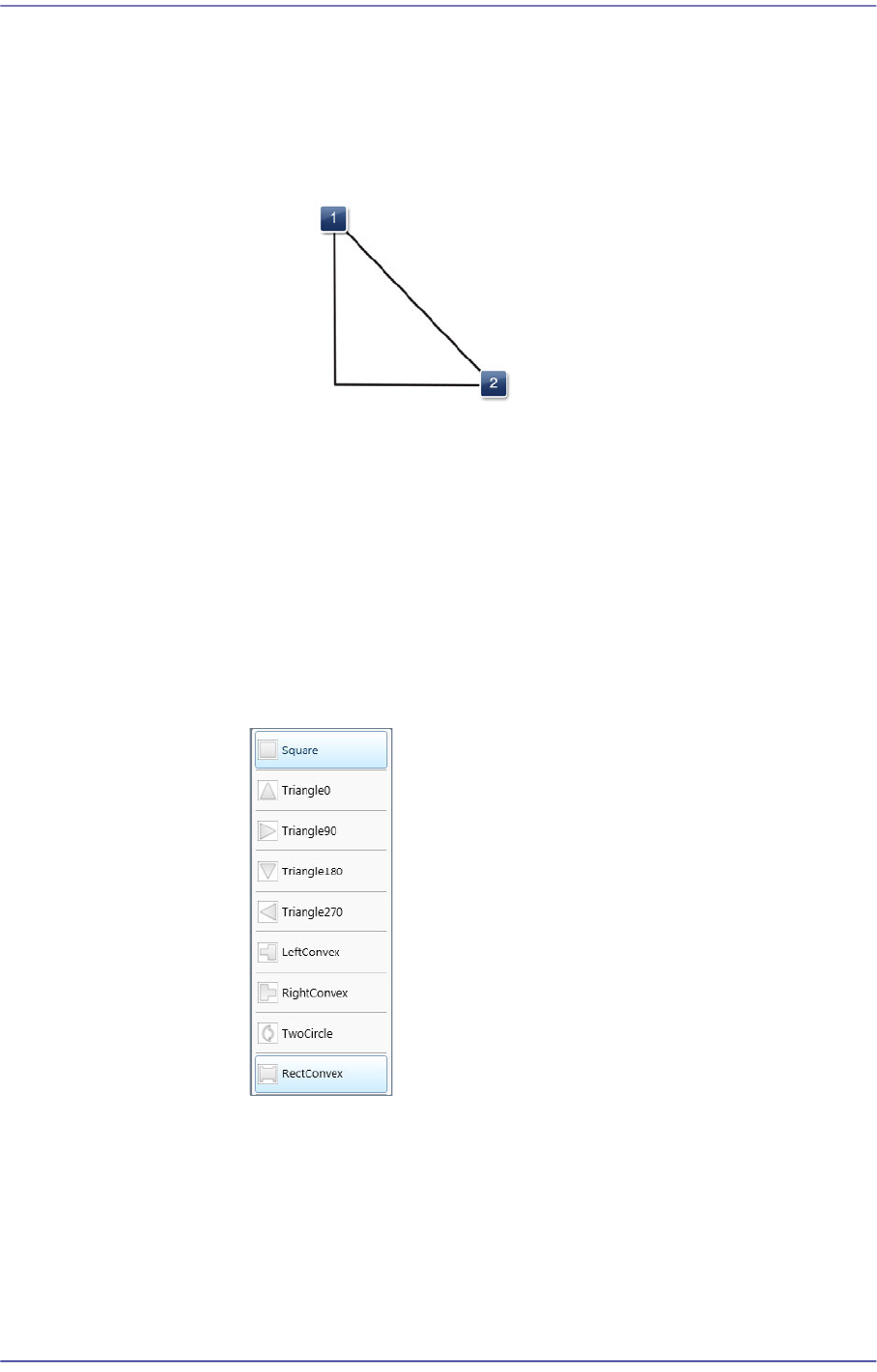
Selects a shape to the mark or convex-concave on the bottom surface of
the LED. If the convex-concave shape is selected, the brightness of the
selected area as well as the direction of a protrusion are checked. This,
therefore, prevents the part from being placed upside down.
Square: There is no shape.
Triangle 0: Triangle mark in the 0° direction.
Triangle 90: Triangle mark in the 90° direction.
Triangle 180: Triangle mark in the 180° direction.
Triangle 270: Triangle mark in the 270° direction.
Left Convex: There is a recess or protrusion at the bottom surface of the
7-39
Part Registration
part in the left direction.
Right Convex: There is a recess or protrusion at the bottom surface of the
part in the right direction.
Two Circles: Used when a Lumans LED is placed on a PCB. There is a
round concave shape at the bottom surface of a part.
Rect Convex: Used to place a flash lens on a PCB.
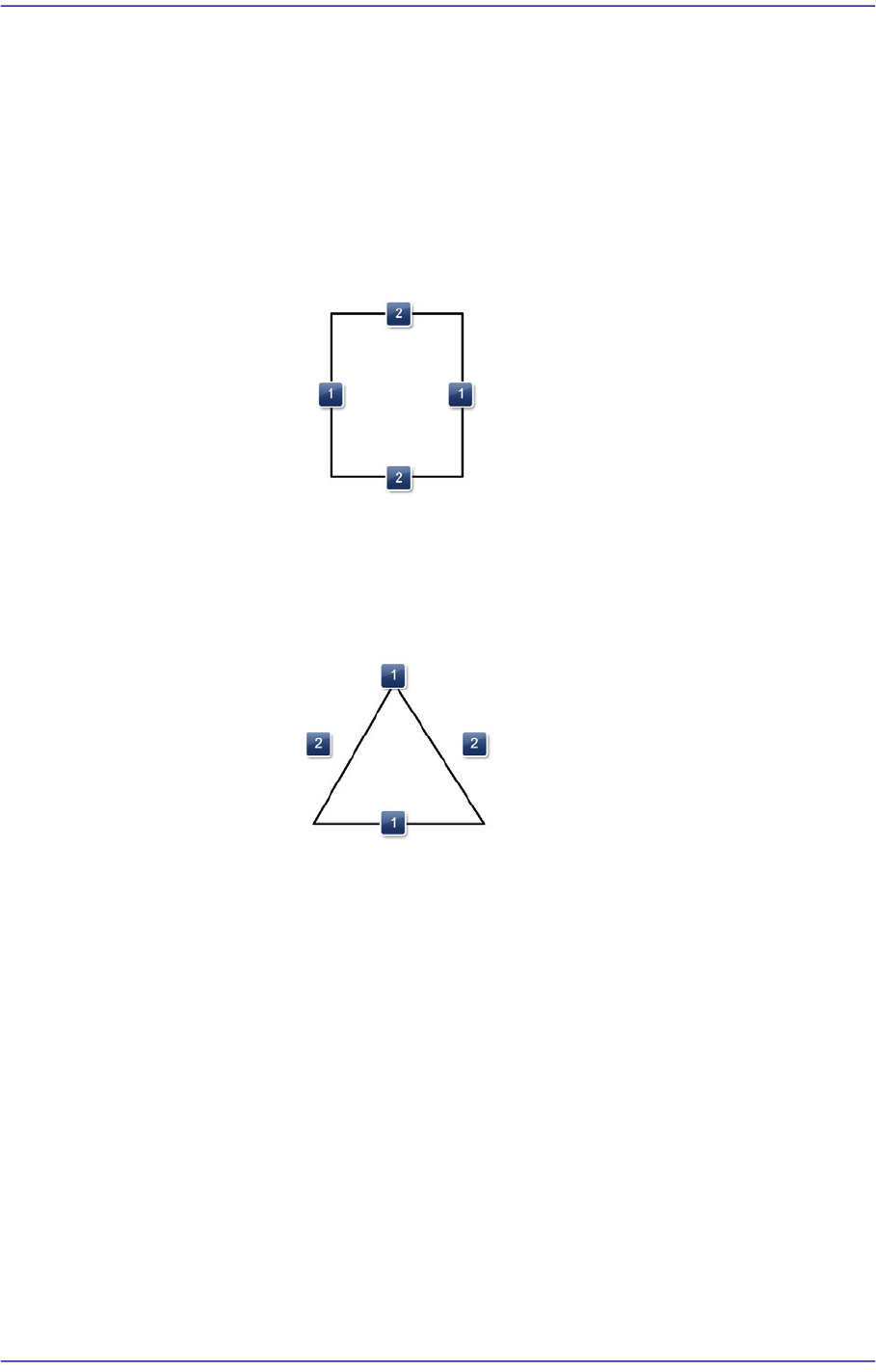
- Shape definition - Mark (LED Check - Rectangle)
1: Length of the rectangle in the X direction
2: Length of the rectangle in the Y direction
- Shape definition - Mark (LED Check - Triangle)
1: Position change of the selected point (Up - Down)
2: Position change of the selected point (Left - Right) Always an equilateral
triangle
<4-Way Placement Set> check button
As a direction mark type, this check box is displayed when selecting 'Flip
Check'.
When recognizing an LED, if it is picked up by being rotated by 180°, this
function places it by rotating it by 180° without dumping it. This check box is
selected when using the bowl feeder.
In order to use this function, the characteristics, position and size of the LED
mark must be inputted correctly.
When there is a symmetrical mark on the bottom surface of the part, exercise
care not to use this function.