Hanwha SM481 PLUS Series Administrator’s Guide Eng.pdf.pdf - 第172页
7-14 Fast Flexible Placer SM481(L) PLUS Administ r ator’s Guide 7.2.2. Edit Part Parameter It is possible to set the parameters rel ated to part recognition as well as the parameters related to feeders, nozzles, pneumati…
7-13
Part Registration
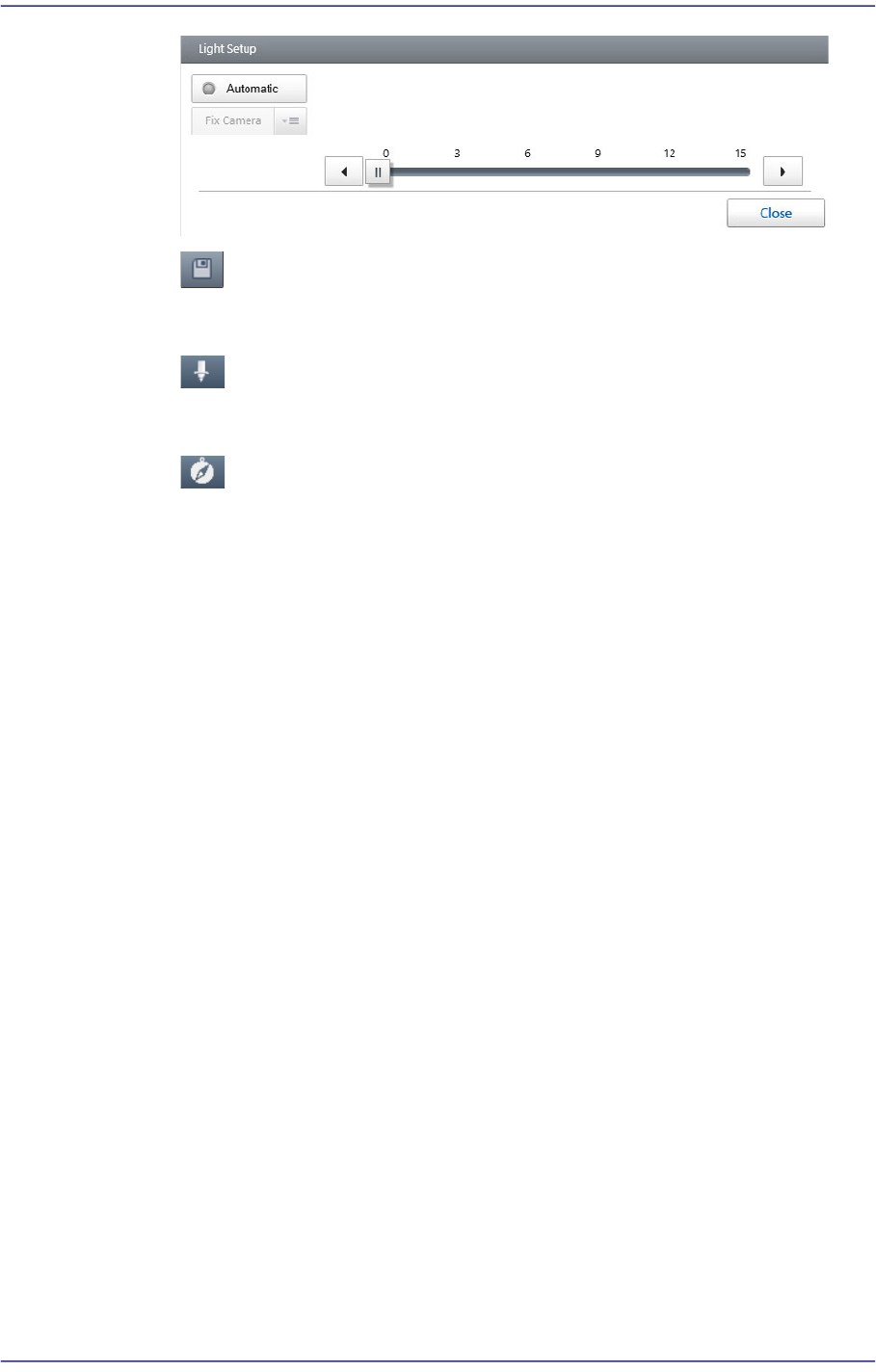
button
Saves the image viewed in the vision window currently.
button
Displays the nozzle shape in the vision window.
button
Displays the polarity of the part in the vision window.
<Align Test> button
Performs the part recognition test using the set part recognition data.
Displays the recognition test result at the bottom of the vision window.
<Auto Teach> button
Finds the part recognition data automatically.
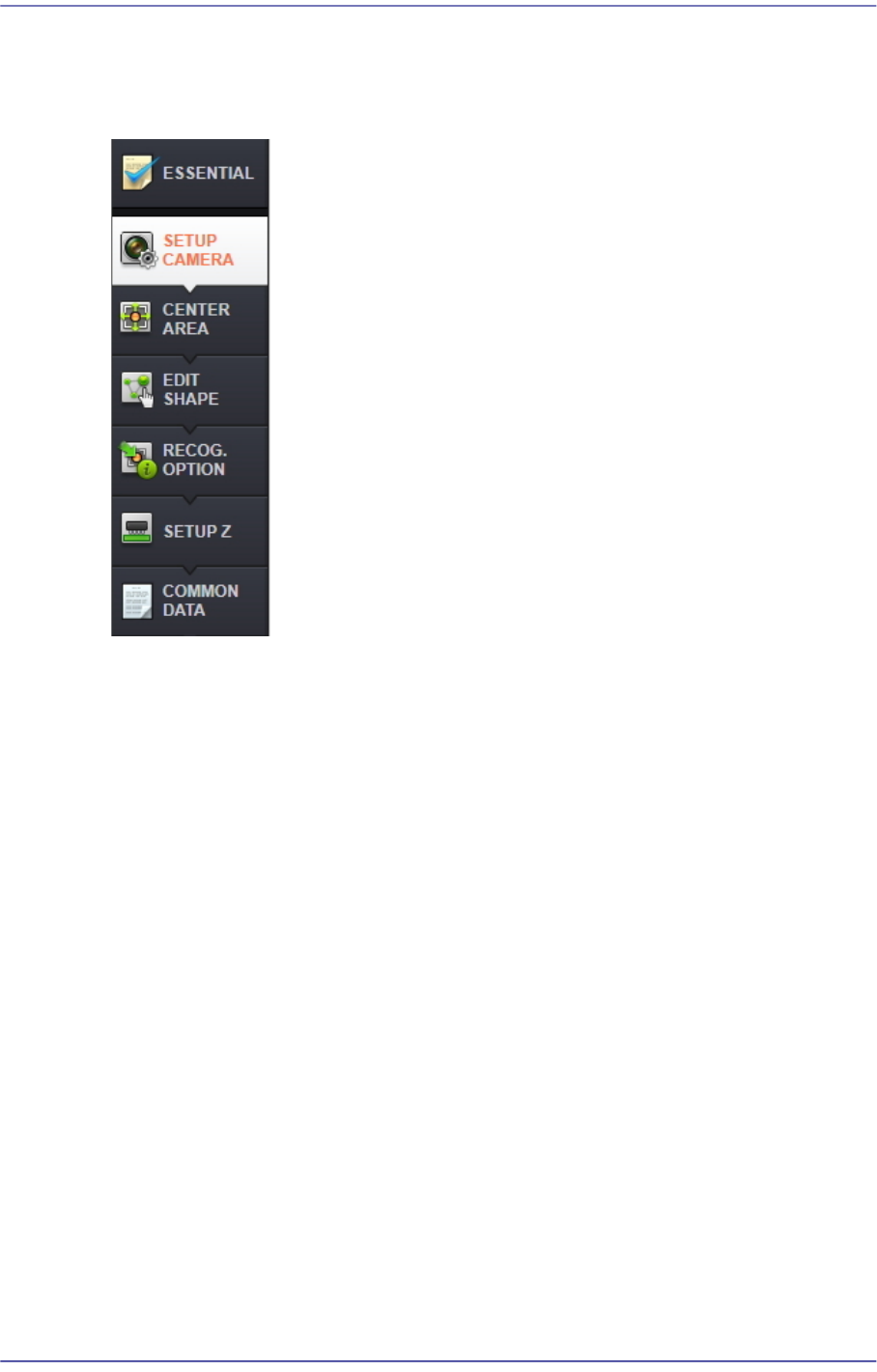
'Part Parameters' area
Selected when registering a new part or modifying the data of the registered part. Part
data consists of two types of part parameters as follows:
For more details, refer to “7.2.2. Edit Part Parameter”.
7-14
Fast Flexible Placer SM481(L) PLUS Administrator’s Guide
7.2.2. Edit Part Parameter
It is possible to set the parameters related to part recognition as well as the parameters
related to feeders, nozzles, pneumatic pressure and speed.
7.2.2.1. ESSENTIAL
Of general common parameters, sets the mandatory parameters that the user must check
and set.
7-15
Part Registration
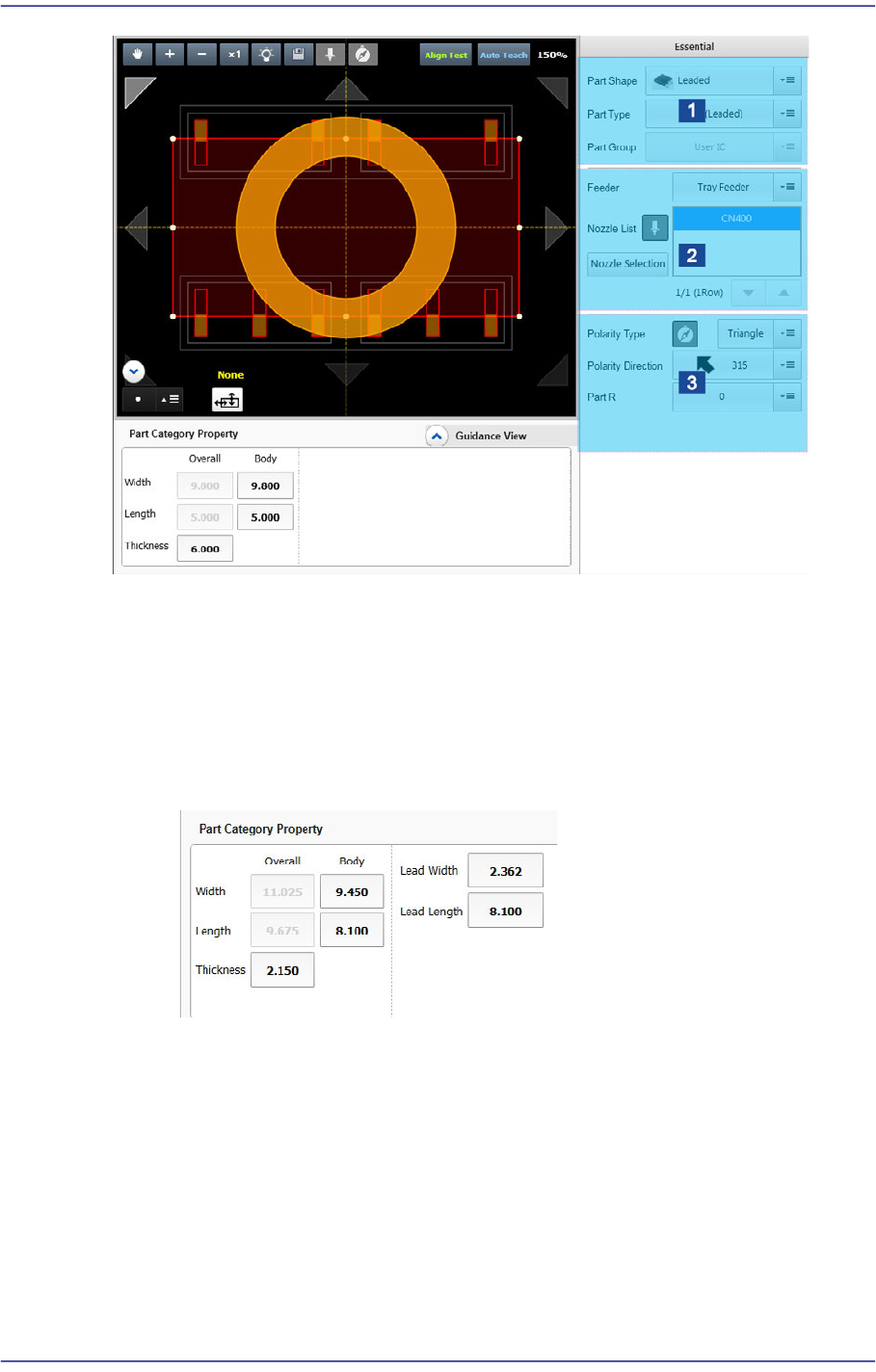
1: Part Type Setup
2: Feeder/Nozzle Setup
3: Setup of Other Options
<Part Category Property> group
Set the size of the part to be registered.
Leadless and odd form parts
<Body Width/Length>: Part size in the X/Y direction
<Thickness>: Part thickness
<Lead Width>: Lead width
<Lead Length>: Lead length
Ball Part