Hanwha SM481 PLUS Series Administrator’s Guide Eng.pdf.pdf - 第491页
16-5 Diagnosis 16.2. Co nveyor [F3] Checks th e status of various de v i ces in the c onveyor group. When this s ubm enu is se lected on, the f ollowing dialog box i s displaye d. Pleas e refer to “ 4.5 Conveyor ” for mo…

16-4
Fast Flexible Placer SM481(L) PLUS Administrator’s Guide
ANC Shutter #1(2) Close: Check the closing movement of the shutter of ANC
#1(2).
ANC Shutter #1(2) Open: Check the opening movement of the shutter of
ANC #1(2).
<Automatic> button
Checks devices in the <Operation Test> group in order automatically.
BUT Speed Test
Test the Up/Down speed of the backup table.
BUT Up Delay: Indicates the upward movement speed of the backup table.
BUT Down Delay: Indicates the downward movement speed of the backup
table.
Up/Down Count: Sets the Up/Down movement test count.
<BUT Run>: Tests the Up/Down speed of the backup table.
<Close> button
Closes the dialog box.
16-5
Diagnosis
16.2. Conveyor [F3]
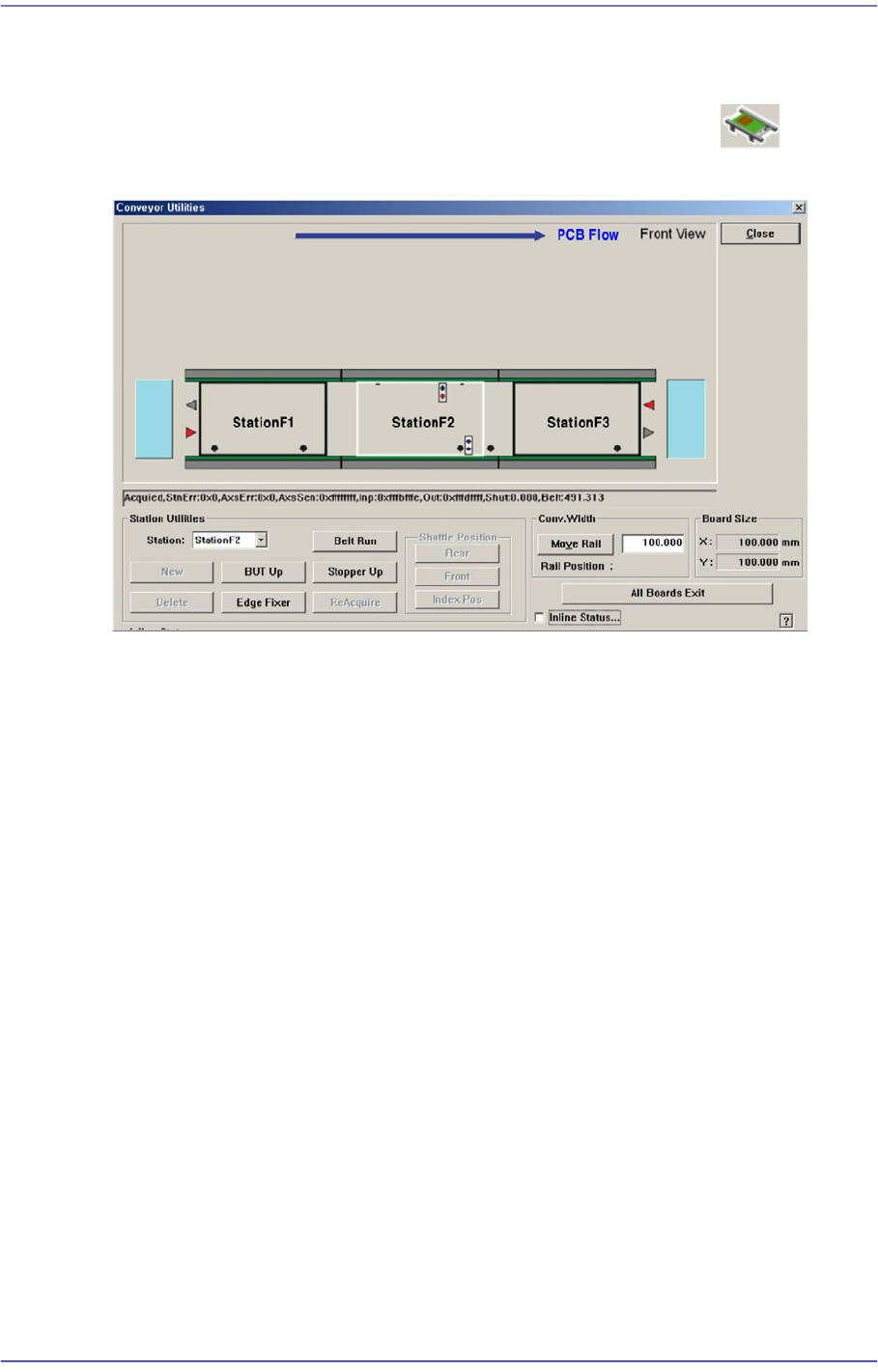
Checks the status of various devices in the conveyor group. When this submenu is selected
on, the following dialog box is displayed. Please refer to“4.5 Conveyor ” for more
information.
16-6
Fast Flexible Placer SM481(L) PLUS Administrator’s Guide
16.3. Light [F4]
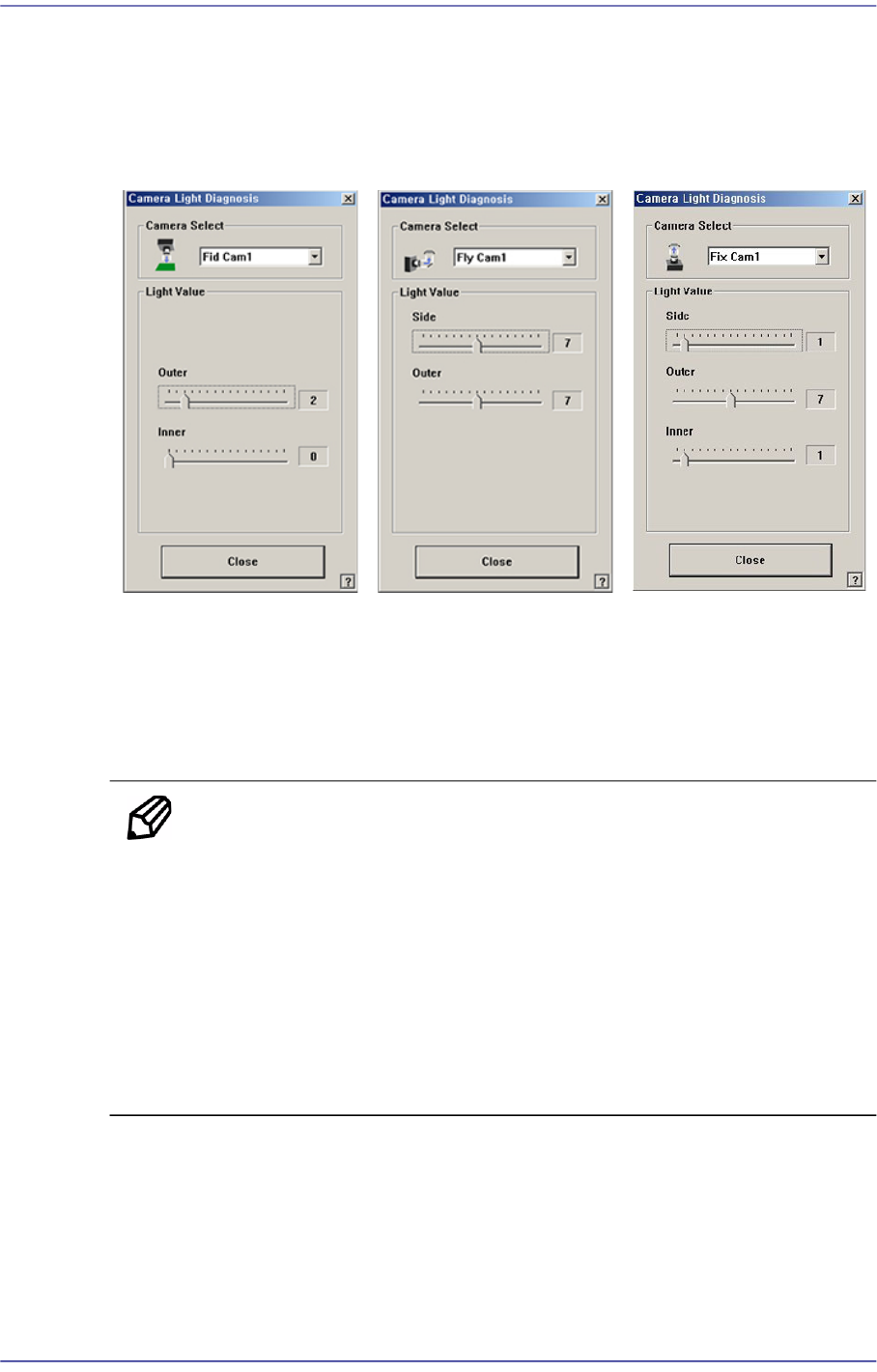
Checks the lighting devices installed on the fiducial camera, fly camera, and fix camera.
Figure16.6 “Camera Light Diagnosis “dialog box
<Camera Select> combo box
Select the camera on which the lighting device to be checked is installed.
<Camera No.> combo box
Fly Cam: Select the Fly camera on the front gantry.
Memo The Fly camera for recognizing each head is as follows:
Fly Cam6: Head #6
Fly Cam1: Head #1~Head #2
Fly Cam2: Head #3~Head #4
Fly Cam3: Head #5~Head #6
Fly Cam4: Head #7~Head #8
Fly Cam5: Head #9~Head #10
Fix Cam(Option): Select the fix camera.
Fid Cam(Option): Select the fiducial camera.
<Light Value> group
Set the light value.
When the fiducial camera is selected, the range of light level that can be set is as