Hanwha SM481 PLUS Series Administrator’s Guide Eng.pdf.pdf - 第384页
14-32 Fast Flexible Placer SM481(L) PLUS Administ r ator’s Guide 14.3.4. Conveyor Calibration Calibration is made upon initial install ation of the machine. Th e recalibration of transp ort rail should be performed when …
14-31
Machine Calibration
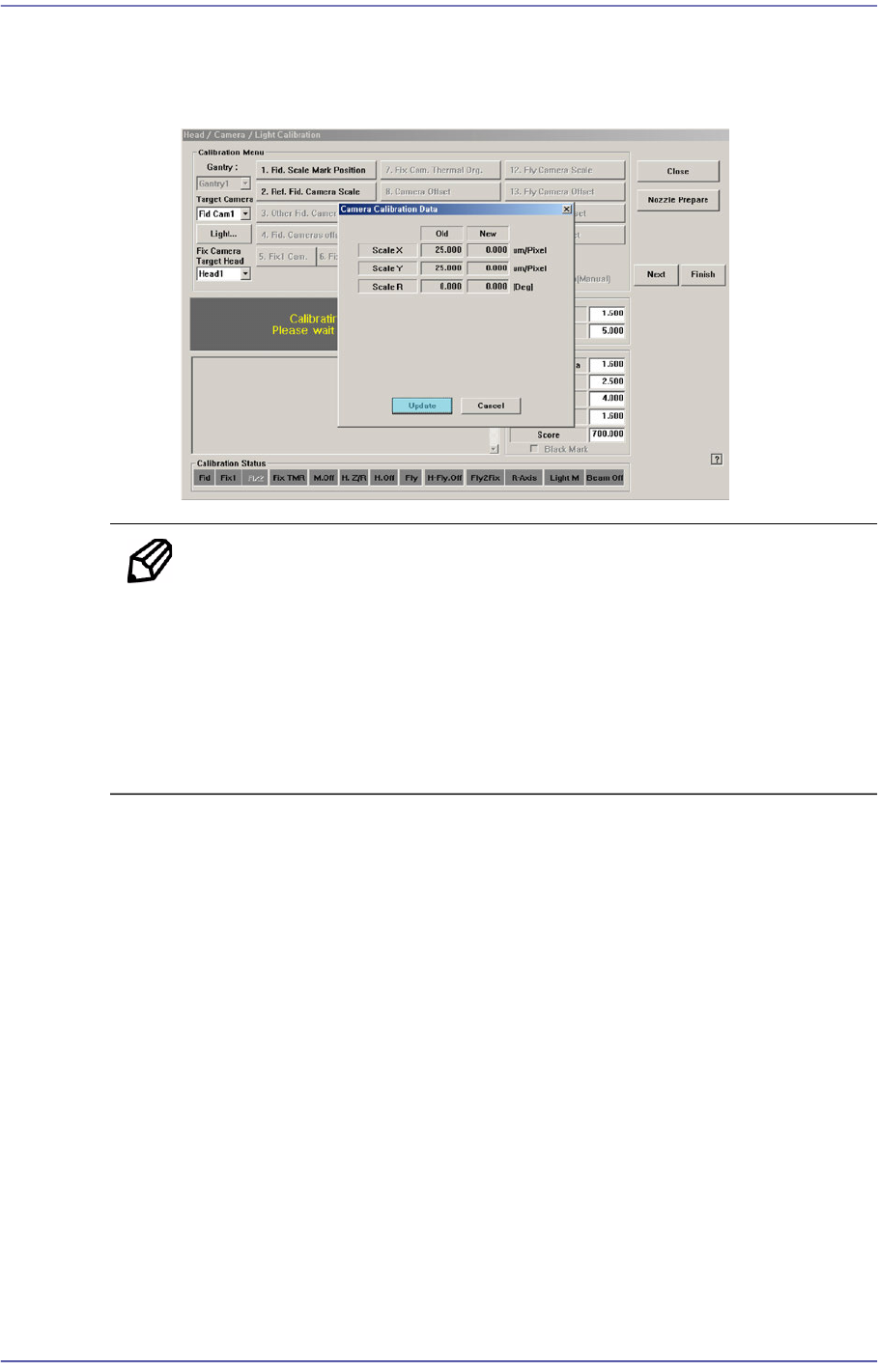
4. The calibration is performed automatically. If it is completed, the calibration result
is displayed as shown in the following figure. Click the <Update> button to apply
the new calibration value.
Memo The reference values for the calibration of the Fiducial Camera is as
follows.
Fiducial Camera (FOV12)
ScaleX: 23.0~27.0 (μm/pixel)
ScaleY: 23.0~27.0 (μm/pixel)
ScaleR: -0.5~0.5 (deg)
14-32
Fast Flexible Placer SM481(L) PLUS Administrator’s Guide
14.3.4. Conveyor Calibration
Calibration is made upon initial installation of the machine. The recalibration of transport
rail should be performed when mechanical adjustments to the transport rail occur.
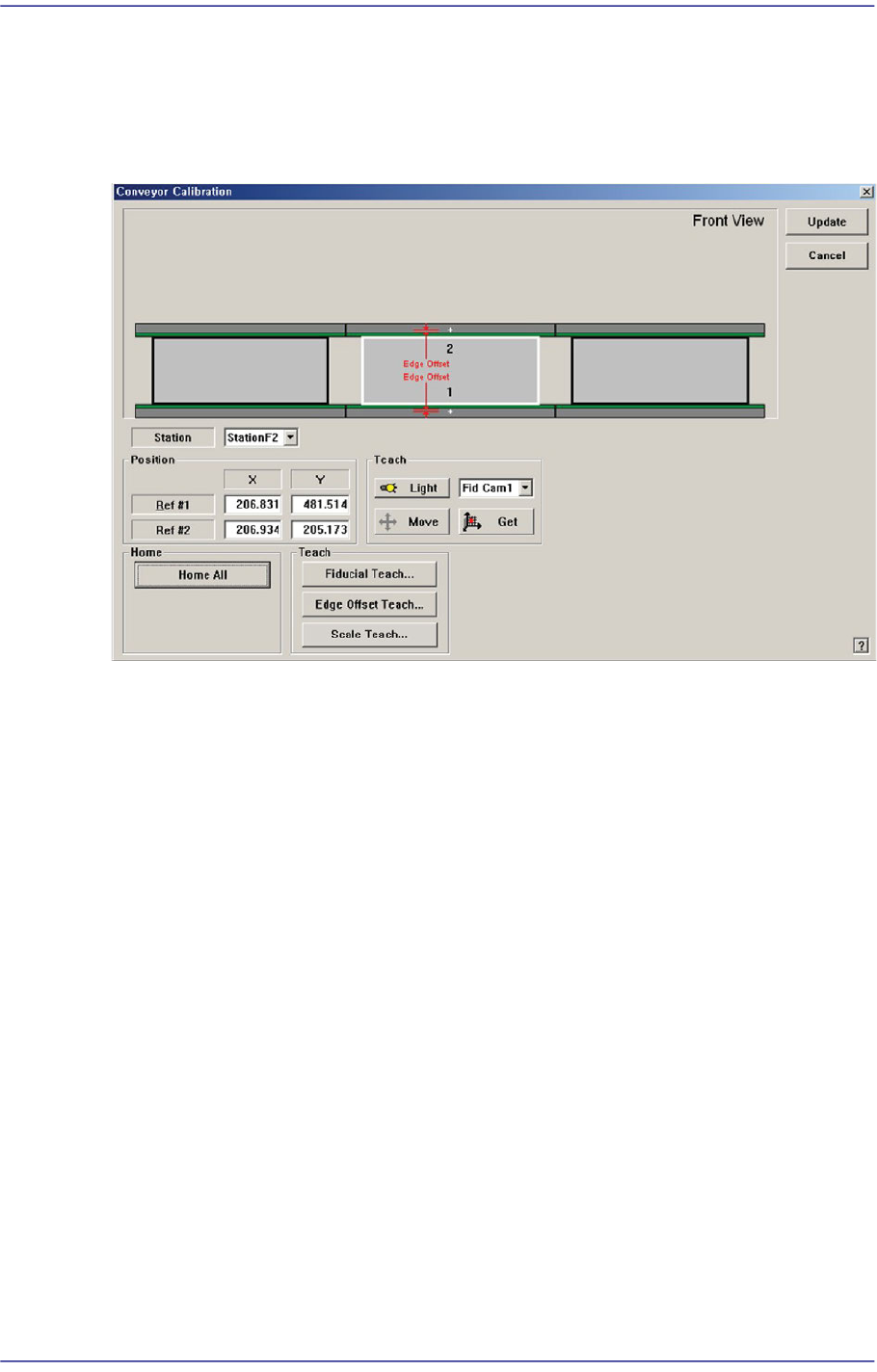
Figure14.9 "Conveyor Calibration" dialog box
<Station> combo box
Select the Station.
<Position> group
Input the position of the fiducial mark of the selected station. First click the <Home
All> button to enable this edit box and find the home position for all axes related to the
conveyor.
Ref #1: the first fiducial mark of the selected station
Ref #2: the second fiducial mark of the selected station
<Home> group
<Home All> button: Finds the homes of all axes.
<Teach> group
<Move> button
Moves the fiducial camera of the corresponding gantry to the position of the
fiducial mark selected from the Grid group.
<Get> button
Applys the coordinate value of the current position as the selected fiducial mark
position.
<Fiducial Teach…> button
14-33
Machine Calibration
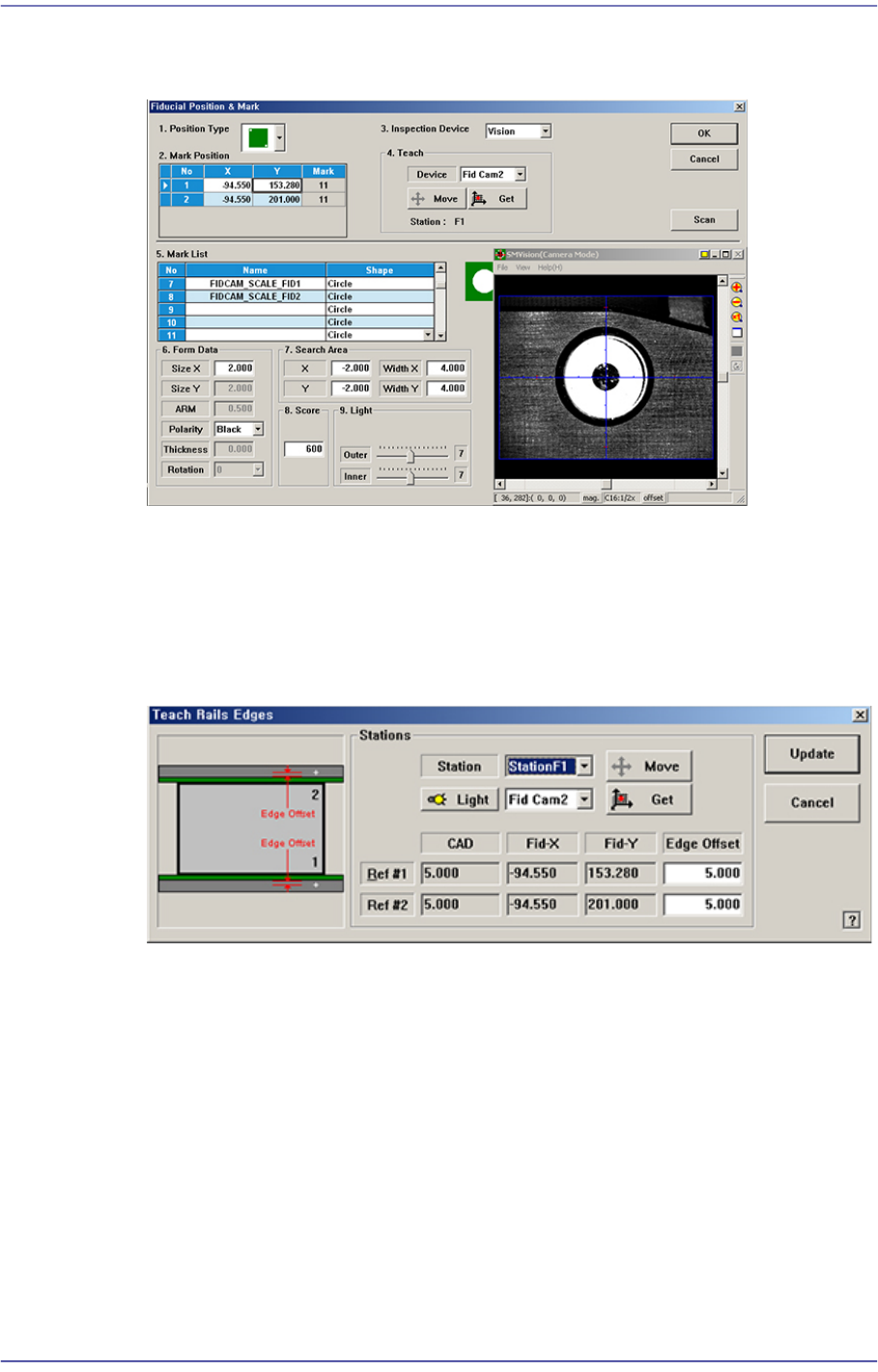
Teaches the fiducial marks of the selected Station. Please refer to“6.3 Fiducial Mark
Setup”for more information.
<Edge Offset Teach…> button
Used to measure the offset between the fiducial mark and edge accurately. First click
the <Home All> button to measure the edge offset and check the fiducial mark
position.
Figure14.10 “Teach Rails Edges” dialog box
<Edge Offset> edit box
Means the distance from the center of the fiducial mark to the edge of the rail.
Teaching must be performed after selecting this point using a mouse.
<Move> button
The <Move Cam> button can be clicked after first selecting a station and next
selecting the <Edge Offset> edit box. Then the downward camera (Fiducial
Camera) is moved to the center of the selected fiducial mark of the selected
station.
<Get> button
Apply the coordinate value of the current position as the selected fiducial mark
position.