Hanwha SM481 PLUS Series Administrator’s Guide Eng.pdf.pdf - 第527页
19-1 PM Manager Chapter19. PM Manager The PM Manager is a management menu that is used f or the maintenance of the machine in the MMI (Man-Machine Int erface), an application program for machine ope ration. The items to …
19-1
PM Manager
Chapter19. PM Manager
The PM Manager is a management menu that is used for the maintenance of the machine
in the MMI (Man-Machine Interface), an application program for machine operation. The
items to be inspected as well as check periods can be checked through the PM Manager,
and the machine can be managed more efficiently through the schedule check function.
Memo When the PM Manager generates a warning message for an item
which needs maintenance, perform maintenance of the corresponding
item referring to the maintenance manual.
19.1. Execution of PM Manager
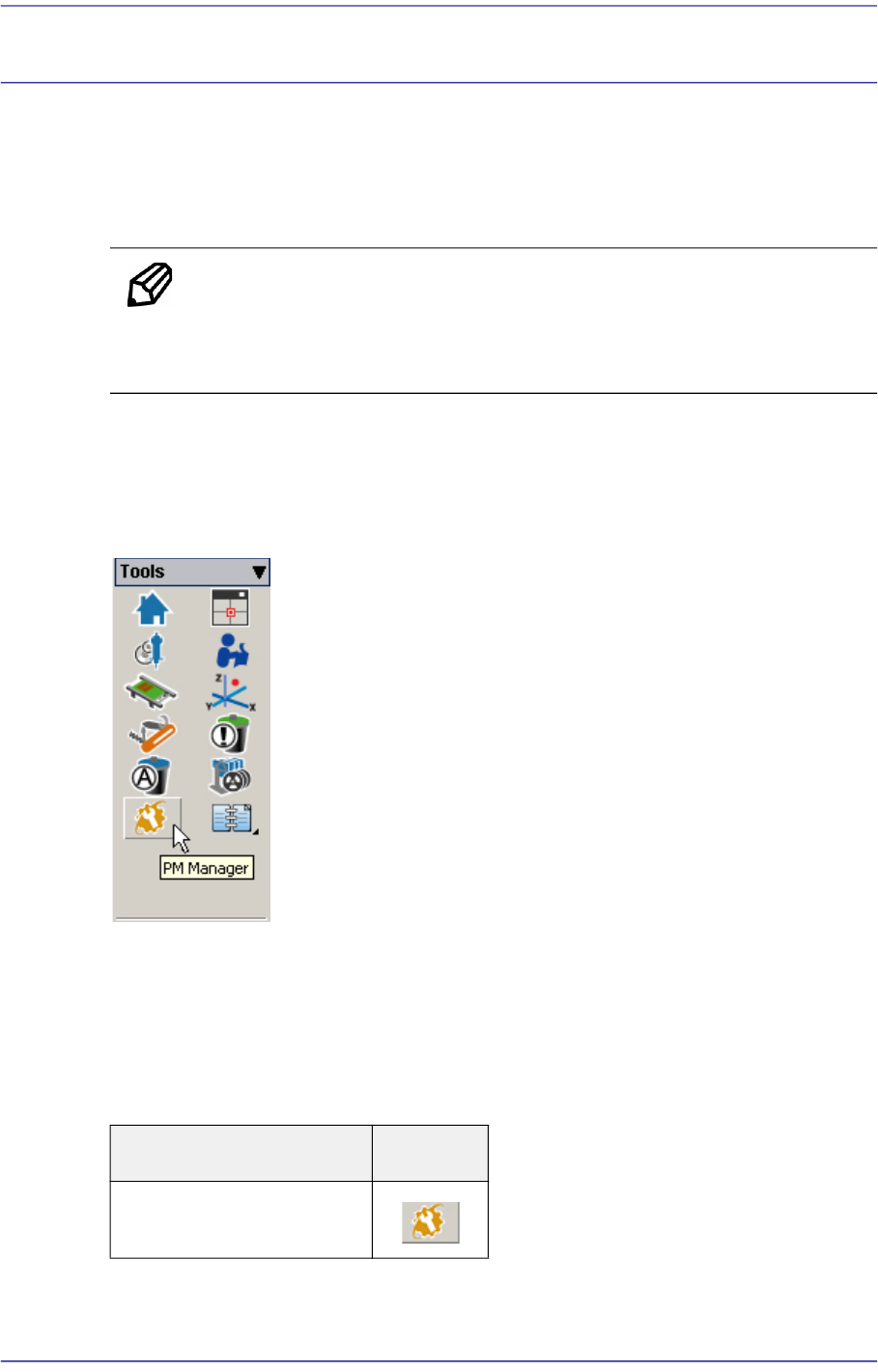
The method to execute the PM Manager in the MMI is as follows:
Figure19.1 Execution of PM Manger for SM Series Machines
19.2. PM Manager Status
The current status of the PM Manager can be checked by the colors of its execution
buttons. The status of each button by color is as follows:
Table19.1Status of PM Manager
Status of PM Manager Icon
When the PM Manager is
not executed
19-2
Fast Flexible Placer SM481(L) PLUS Administrator’s Guide
19.3. Screen Configuration
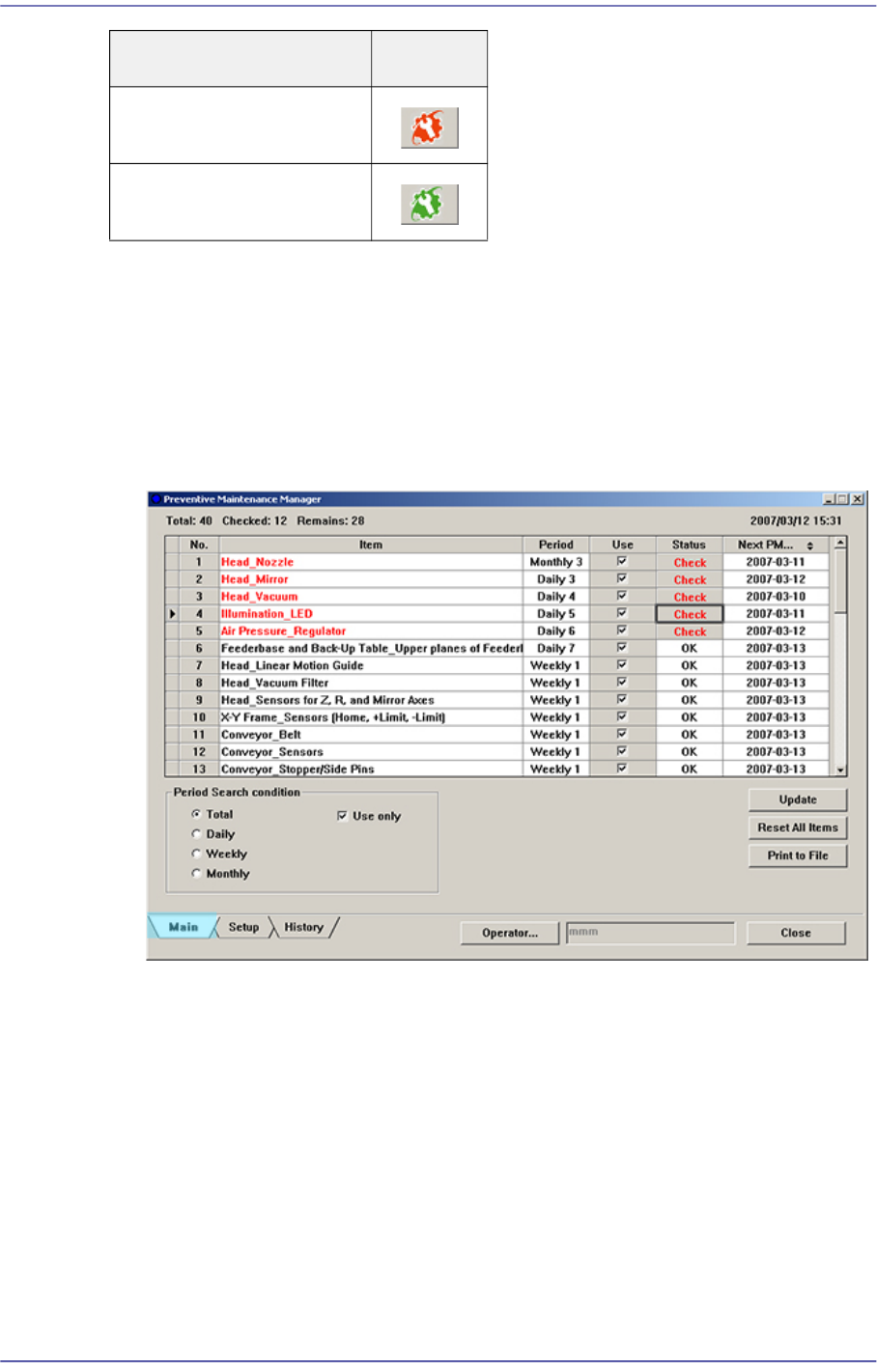
The PM Manager consists of Main Screen, Setup Screen and History Screen. Once the PM
Manager is executed initially, the Main Screen appears by default.
Main Screen
Figure19.2 Main Screen of PM Manager
Setup Screen
When there is an item to
be checked
When there is no item to
be checked
Status of PM Manager Icon