Hanwha SM481 PLUS Series Administrator’s Guide Eng.pdf.pdf - 第232页
7-74 Fast Flexible Placer SM481(L) PLUS Administ r ator’s Guide When moving the head spind l e up after part pickup, sel ects the driving speed of the Z-axis motor . If the speed is inappropriate d epending on the parts,…
7-73
Part Registration
3- Middle: Middle speed
4- Slow: Slow speed.
5- Slowest: Slowest speed
<XY> Selection button
Selects the driving speed of the motors of the XY axes. If the speed is
inappropriate depending on parts, actual part placement may not be performed
normally.
<R (Head)> Selection button
Selects the speed of the R-axis motor driving the rotary head barrel. If the speed is
inappropriate depending on parts, the picked part may be slipped so that the angle
of the part may be distorted or it may drop off.
<T (Head Block)> Selection button
Selects the speed of the T-axis motor driving the head spindle. If the speed is
inappropriate depending on parts, the picked part may be slipped so that the angle
of the part may be distorted or it may drop off.
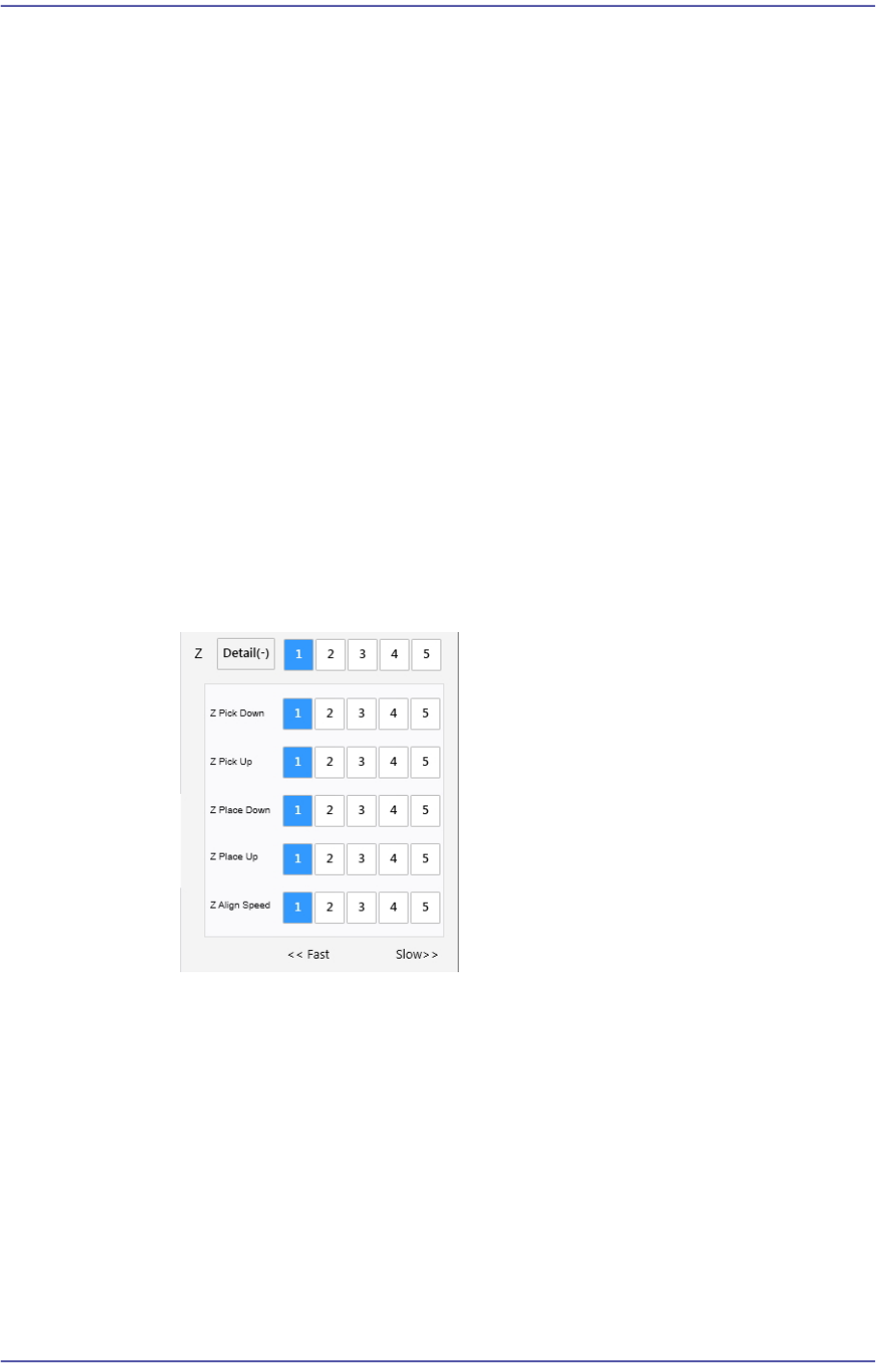
<Z> Option Box
Selects the driving speed of the Z-axis driving motor.
<Detail> button
Selecting this button will enable the following option boxes:
<Z Pick Down> Selection button
When moving down the head spindle for part pickup, selects the driving
speed of the Z-axis motor.
If the speed is inappropriate depending on parts, a part may jump, causing
a pickup error.
The 'Soft Touch' function may be used together if necessary. For this
function, refer to the description of the <Placement> tab.
<Z Pick Up> Selection button

7-74
Fast Flexible Placer SM481(L) PLUS Administrator’s Guide
When moving the head spindle up after part pickup, selects the driving
speed of the Z-axis motor.
If the speed is inappropriate depending on the parts, the picked part may
drop from the nozzle, causing a pickup error.
The 'Soft Touch' function may be used together if necessary. For this
function, refer to the description of the <Placement> tab.
<Z Place Down> Selection button
When moving down the head spindle for part placement, selects the
driving speed of the Z-axis motor.
If the speed is inappropriate depending on the parts, it will cause a crack in
the part or affect the part, causing a problem.
The 'Soft Touch' function may be used together if necessary. For this
function, refer to the description of the <Placement> tab.
<Z Place Up> Selection button
When moving up the head spindle after part placement, selects the driving
speed of the Z-axis motor.
If the speed is inappropriate depending on the parts, it may have an
undesirable effect on placement accuracy.
The 'Soft Touch' function may be used together if necessary. For this
function, refer to the description of the <Placement> tab.
<Z Align Speed>
Sets the speed at which the head spindle moves up/ down for the fix
camera to recognize a part.
Setting the placement speed (up/down) to slow considering placement
accuracy will require more time to move to the Z-axis recognition height.
In order to overcome this problem, the function to designate the speed of
the above two movements is added.
In the case of micro parts to which a pickup error according to the speed at
which the Z-axis moves down, perform a part recognition test changing
the speed and register the Z-axis speed when part recognition is
successfully performed.
<Tray Pallet Speed> group
<Pallet In /Out Speed> option box
Corresponds to the case that the tray feeder is selected in the <Feeder>
selection control. Select the pallet movement speed of the tray feeder when
supplying parts. The types of pitches that can be selected are as follows: (1:
Fastest, 5: Slowest)
<Pallet Up /Down Speed> option box
7-75
Part Registration
Corresponds to the case that the tray feeder is selected in the <Feeder>
selection control. Sets the up/down movement of the pallet of a tray feeder
when supplying parts. The types of pitches that can be selected are as follows:
(1: Fastest, 5: Slowest)
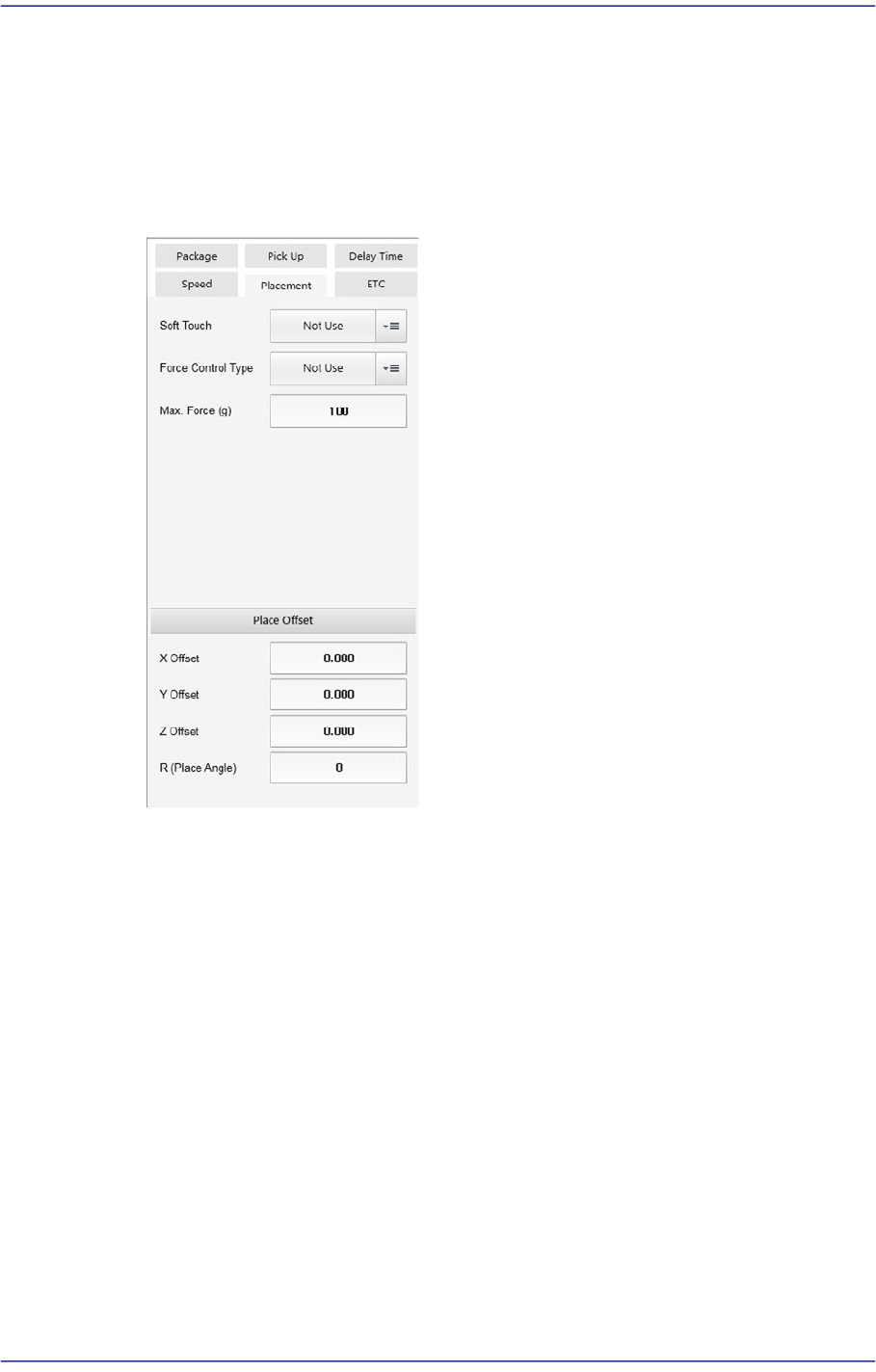
<Placement> tab
Sets the parameters related to part placement.
<Soft Touch> combo box
This can be applied for the part pickup and placement. It allows the speed of the Z
axis to become 4 (slow) at 2mm height from the PCB upper surface when the head
moves down regardless of the speed set in the <Speed> group.
That is, the speed is controlled in 2 steps for the Z axis. For example, if cracks
occur frequently in the part. The overall speed of the Z axis may be reduced.
However, in this case, overall efficiency decreases.
At this time, the work can be done efficiently using this function.