Hanwha SM481 PLUS Series Administrator’s Guide Eng.pdf.pdf - 第184页
7-26 Fast Flexible Placer SM481(L) PLUS Administ r ator’s Guide <Wi dt h> edit box Input the width of an object to suit the image o f an actual part. If the selected object is round, input the diameter . <He…
7-25
Part Registration
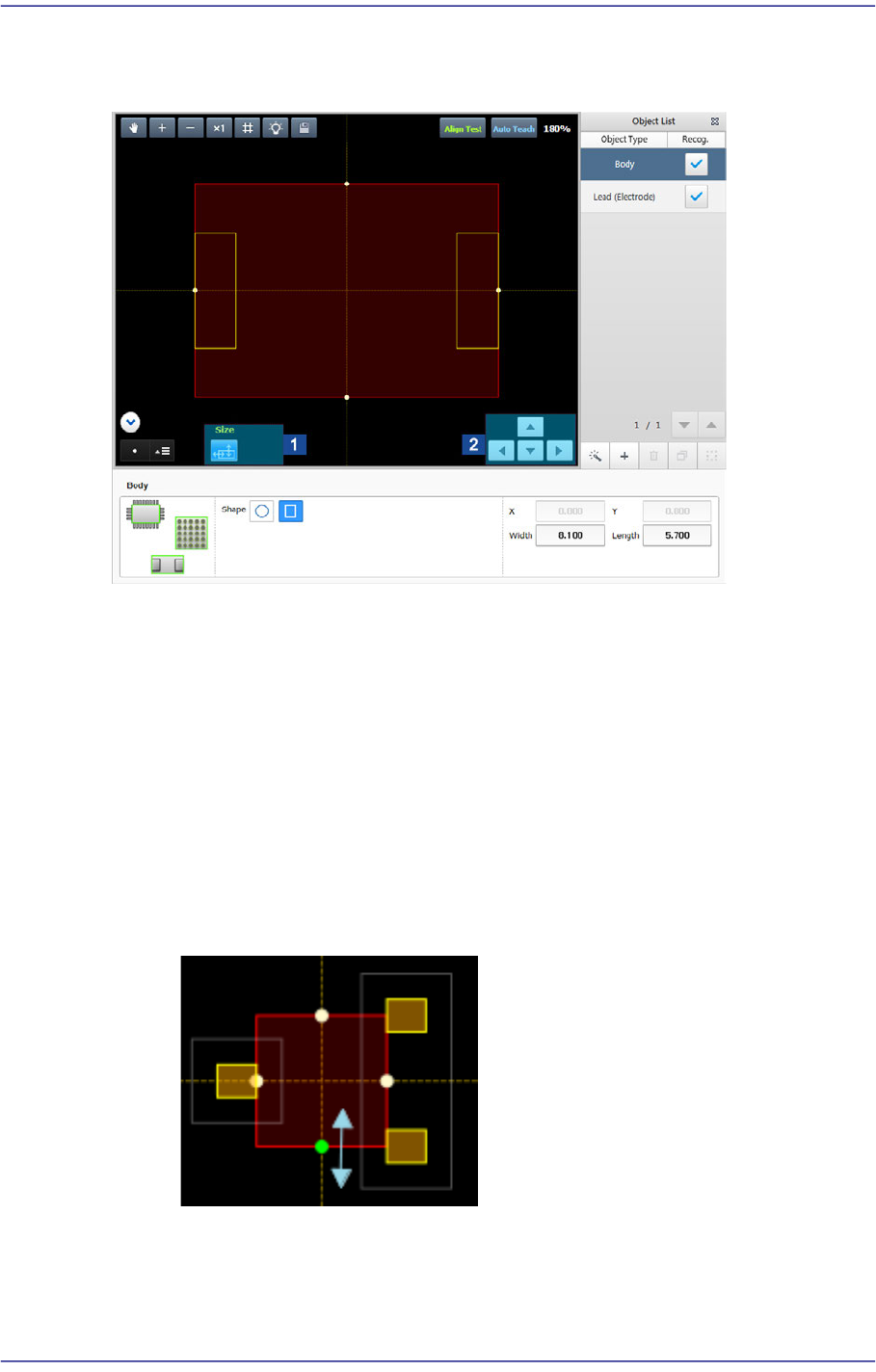
7.2.2.4. EDIT SHAPE
Creates or edits a shape object to have the vision system recognize the part.
1: Object Editing Icon Button
2: Adjust Object Size Button
<Object List> group
Displays the list of registered shape objects. The vision system can recognize a part
using the shape object registered here.
Body
As a shape object defining the body of a part, it can be edited but cannot be
deleted. A circle or rectangle can be selected.
It is possible to select an Body object as shown in the following figure and adjust
the width and height of an object while selecting a round dot using the mouse.
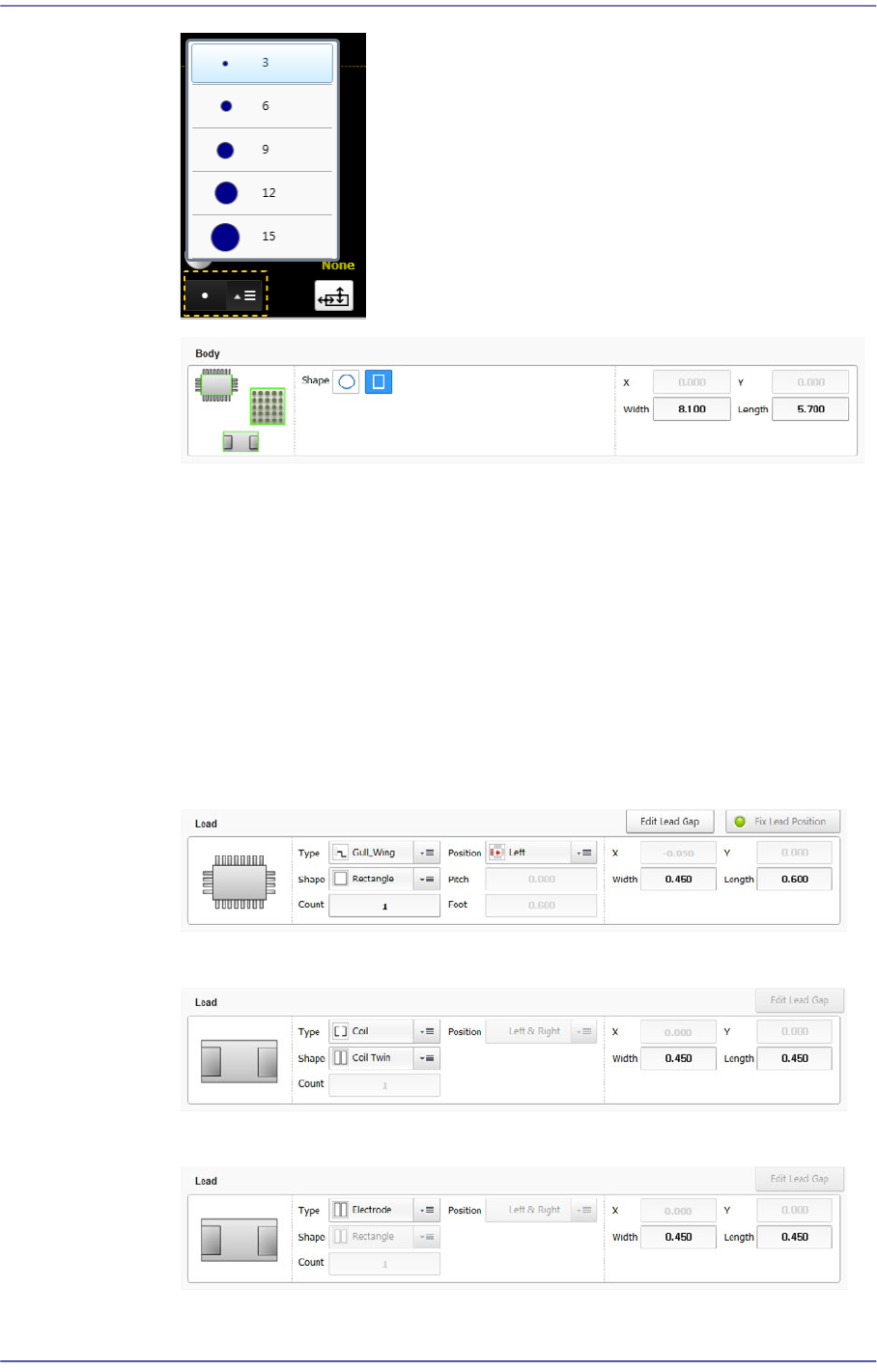
In order to adjust the size of the round dot so that it can be easily selected on the
machine's panel, adjust the size using the combo box at the bottom left of the
vision window.
7-26
Fast Flexible Placer SM481(L) PLUS Administrator’s Guide
<Width> edit box
Input the width of an object to suit the image of an actual part. If the selected
object is round, input the diameter.
<Height> edit box
Input the height of an object to suit the image of an actual part. Only when the
selected object is rectangular is this enabled.
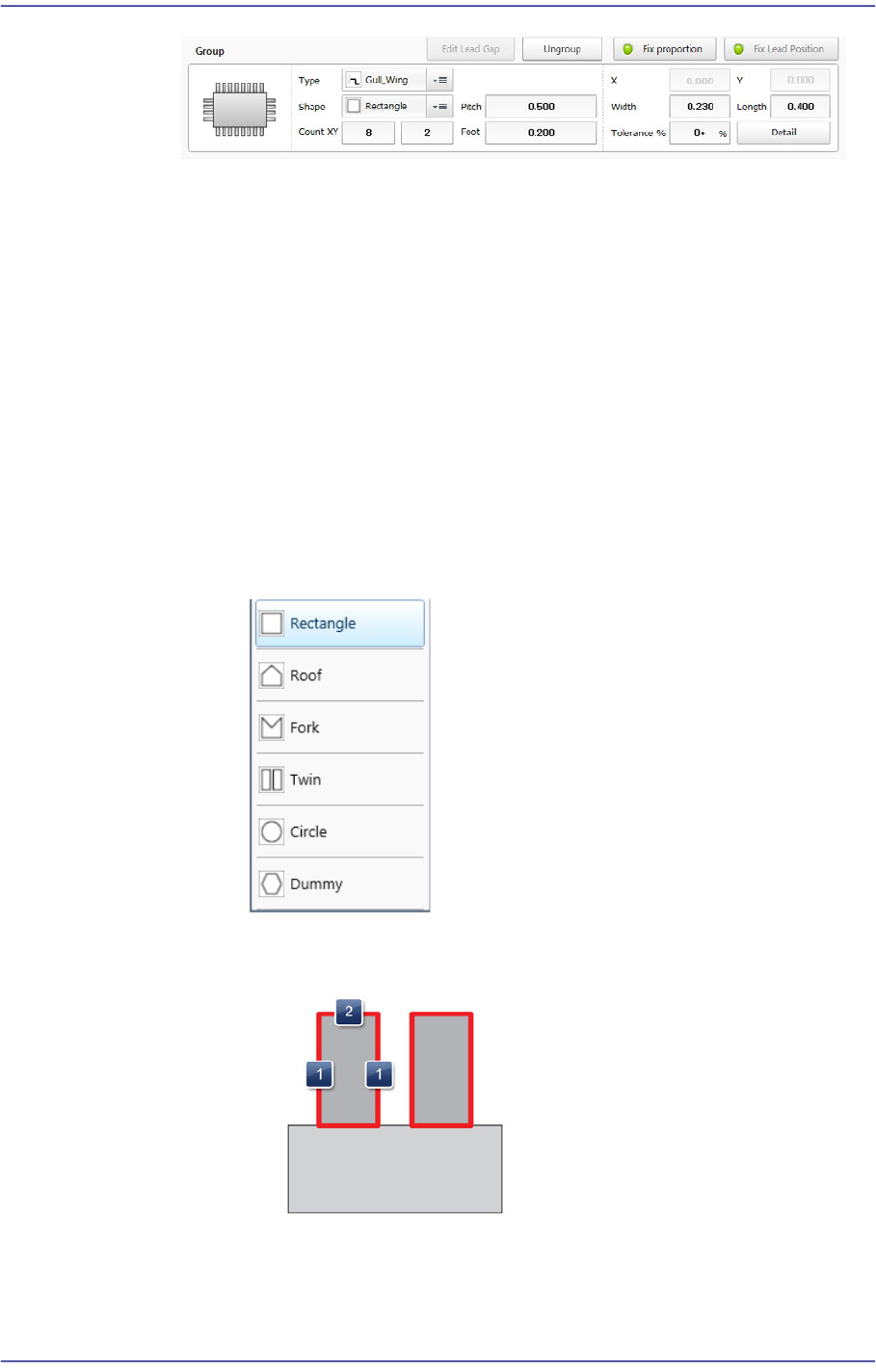
Lead/ Lead Group
Edits a lead shape to a defined object or deletes it.
The following shows the Gull Wing, J Lead and Land types of leads.
The following shows the coil type of lead.
The following shows the electrode type of lead.
The following shows that the object type is the lead group.
7-27
Part Registration
<Type> combo box
Selects the type of the lead to be recognized.
Gull Wing: Bent outward, such as SOP and QFP.
J Lead: Bent inward, such as SOJ and PLCC.
LAND: Exists inside the body, such as QFN.
Coil: Applies a coil algorithm, such as Chip-Rect (Coil).
Electrode: Recognizes a pad, such as a rectangular chip part.
<Shape> combo box
Selects the lead shape.
When the lead is of Gull Wing, J Lead and Land types.
Select the shape most similar to the lead shape.
Shape definition - Lead (Rectangle)
1: Lead width change (Pitch not to be changed)
2: Lead Length change (Pitch not to be changed)