Hanwha SM481 PLUS Series Administrator’s Guide Eng.pdf.pdf - 第90页
4-8 Fast Flexible Placer SM481(L) PLUS Administ r ator’s Guide 4.3. ANC Setting The ANC menu p erforms functions related to ANC setting including the arrangement of nozzles on the ANC (Auto Nozzle Changer), nozzle pickup…
4-7
Tools Shortcut Menu
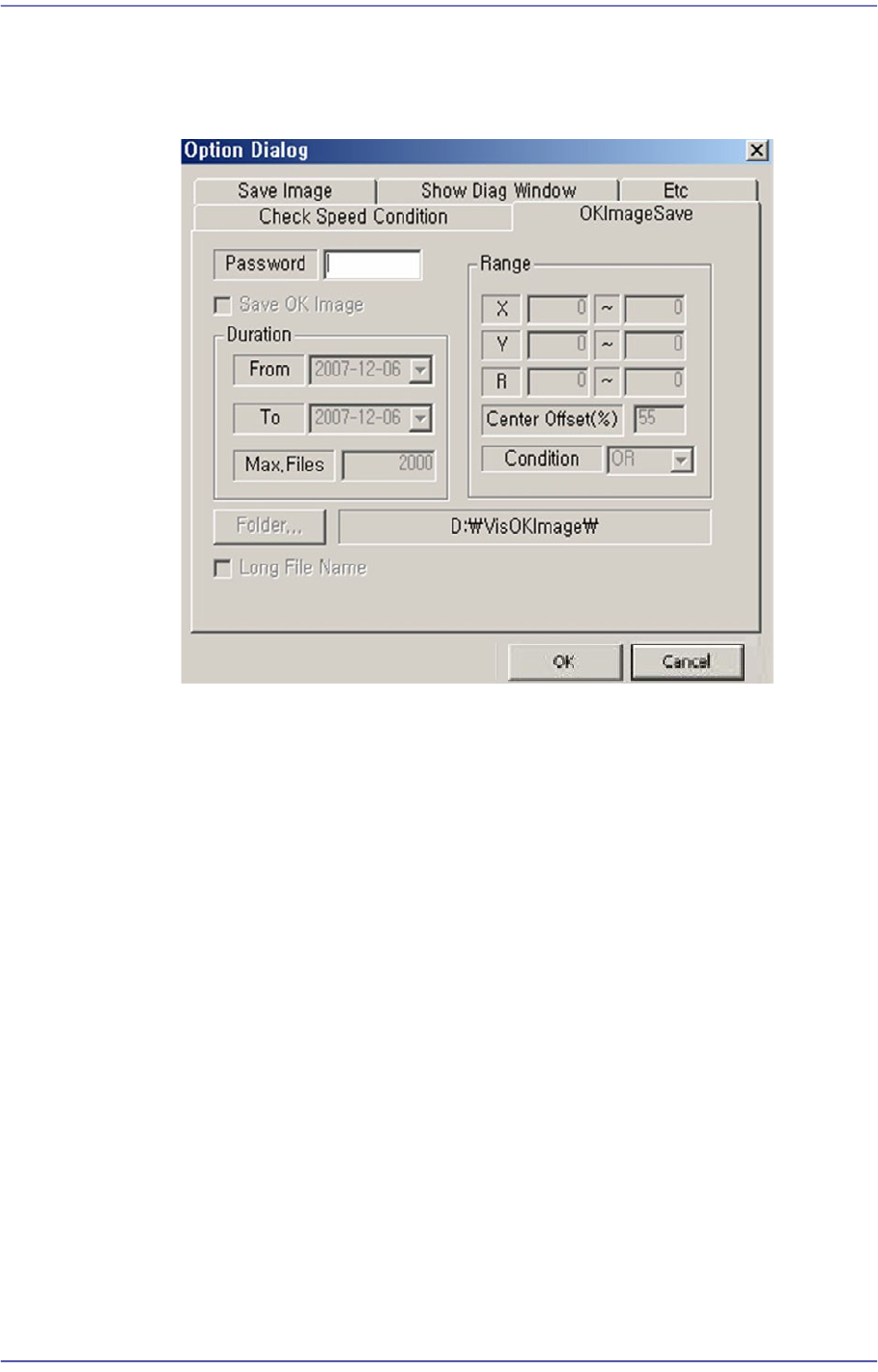
<OKImageSave> Tab Dialog
Refers to the function that can save the errors in a certain range and over a certain
period. The maximum available number is 5000.
Zoom Toolbar…
Hides or display the zoom tool bar.
4.2.1.5. Display Window
Display the real image of the camera, grabbed image, bitmap image, etc.
4.2.1.6. State Bar
Outputs the zooming ratio of the screen.
4-8
Fast Flexible Placer SM481(L) PLUS Administrator’s Guide
4.3. ANC Setting
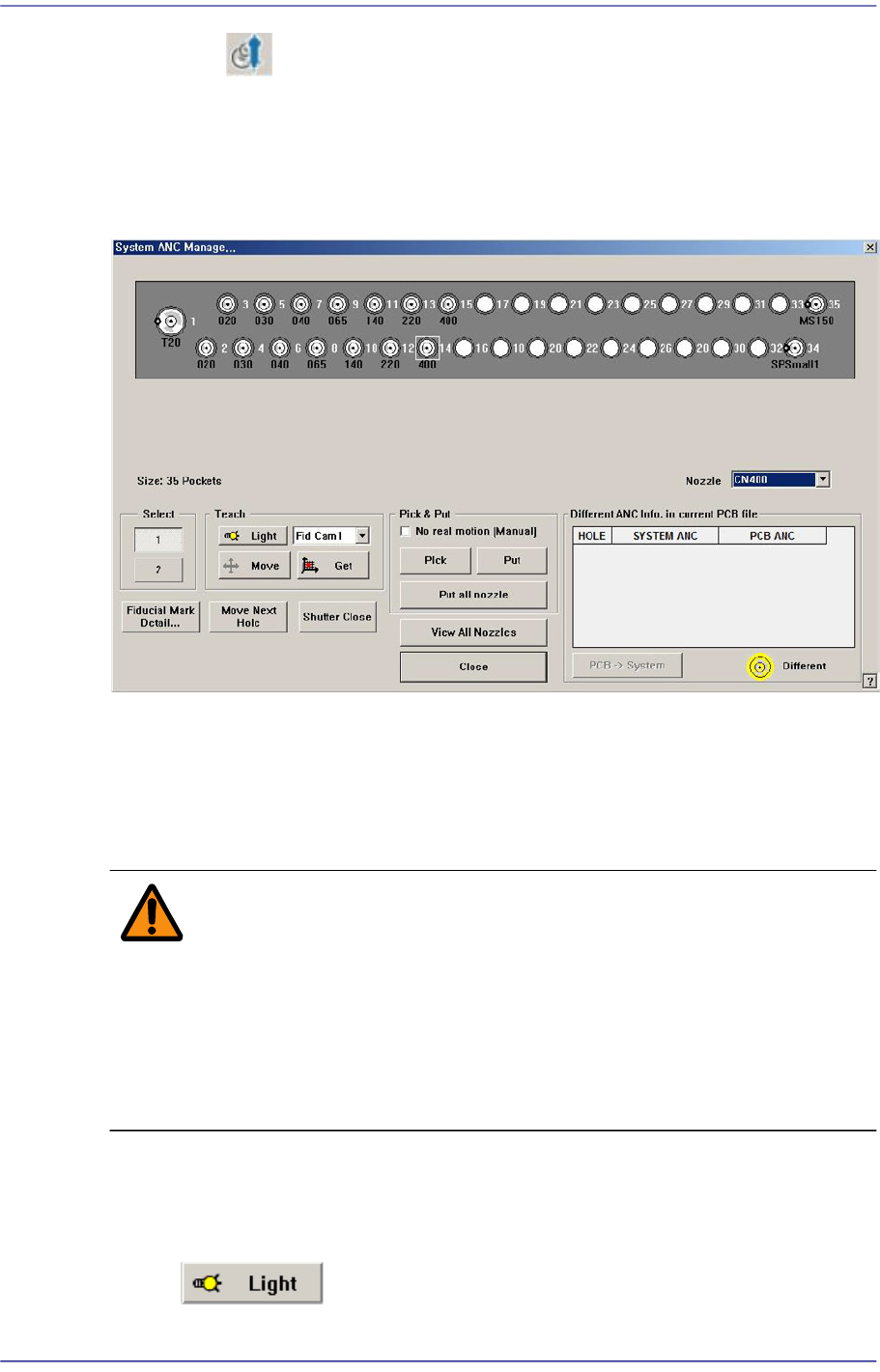
The ANC menu performs functions related to ANC setting including the arrangement of
nozzles on the ANC (Auto Nozzle Changer), nozzle pickups, and attachment. When this
menu is selected, the following dialog box is displayed.
Figure4.3 “ANC Setting…” dialog box
<Nozzle> combo box
Selects the nozzle to be arranged for the selected hole.
<Select> option Button
Select the ANC number to set.
Warning When the nozzle is needed to arrange manually, Open the
ANC shutter using <Shutter Open/Close> button and after
pushing the <EMG> switch in the front operation panel or in
the rear operation panel, arrange the nozzle manually. And
release the <EMG> switch and push the <Reset> switch. If
this procedure is not followed, personal injury could occur.
Be sure to follow this procedure.
<Teach> group
Used for moving the selected object to the assigned position of coordinates by rotating
XY axis driving motor, or for obtaining the present coordinates of the fiducial camera.
Button
4-9
Tools Shortcut Menu
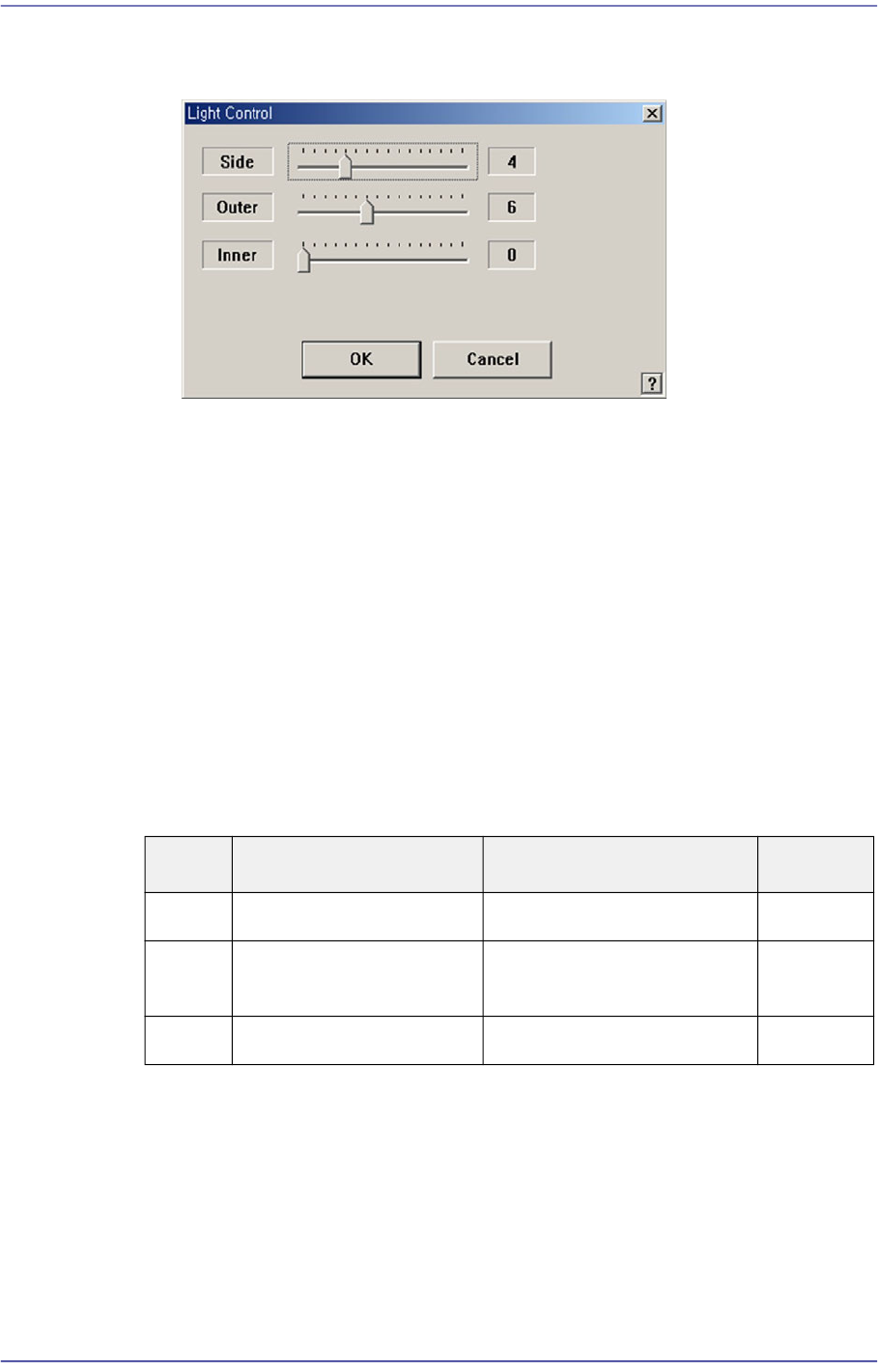
Setup illumination of fiducial camera to be used for teaching. When this Button is
clicked on, the following dialog box is displayed.
<Side> slide bar
Set a value for the side light. (0 –15)
<Outer> slide bar
Set a value for the outer light. (0 - 15)
<Inner> slide bar
Set a value for the outer light. (0 - 15)
<OK> button
Saves the set light value and closes the dialog box.
<Cancel> button
Closes the dialog box without saving the set light value.
Table4.1 Use of the Fix Camera Lighting
Combo Box
Used for selecting the object to move to the designated coordinates by rotating the
XY axis driving motor or to select the object for which the present coordinates is
searching. Selectable objects are as follows;
Fid Cam2: Select the fiducial camera on the front gantry.
Head 1 ~ Head 10: Select #1 ~ #10 heads.
<Move> button
Light Use Applicable Part Remarks
Side Lights the edge of a part Chip, QFP, BGA, SOP etc
Outer Lights round edge of a
part or part surface
Chip, QFP, BGA, SOP etc
Inner Lights a part surface Chip, QFP, BGA, SOP etc