Hanwha SM481 PLUS Series Administrator’s Guide Eng.pdf.pdf - 第41页
Preface xxvii Screen display The main screen of MMI of this equipment is shown be l ow . 1: A main menu tool-bar is s hown. 2: The PCB file name being worked on is indicated. 3: A sub menu tool-bar is shown. 4: A File …
Fast Flexible Placer SM481(L) PLUS Administrator’s Guide
xxvi
Mouse manipulation
The following terms are related to manipulating the mouse.
Click or select
Press once the corresponding item with the left Button of the mouse by moving the
pointer of the mouse.
Double click
Press twice in rapid succession the corresponding item with the left Button of the
mouse by moving the pointer of the mouse.
Preface
xxvii
Screen display
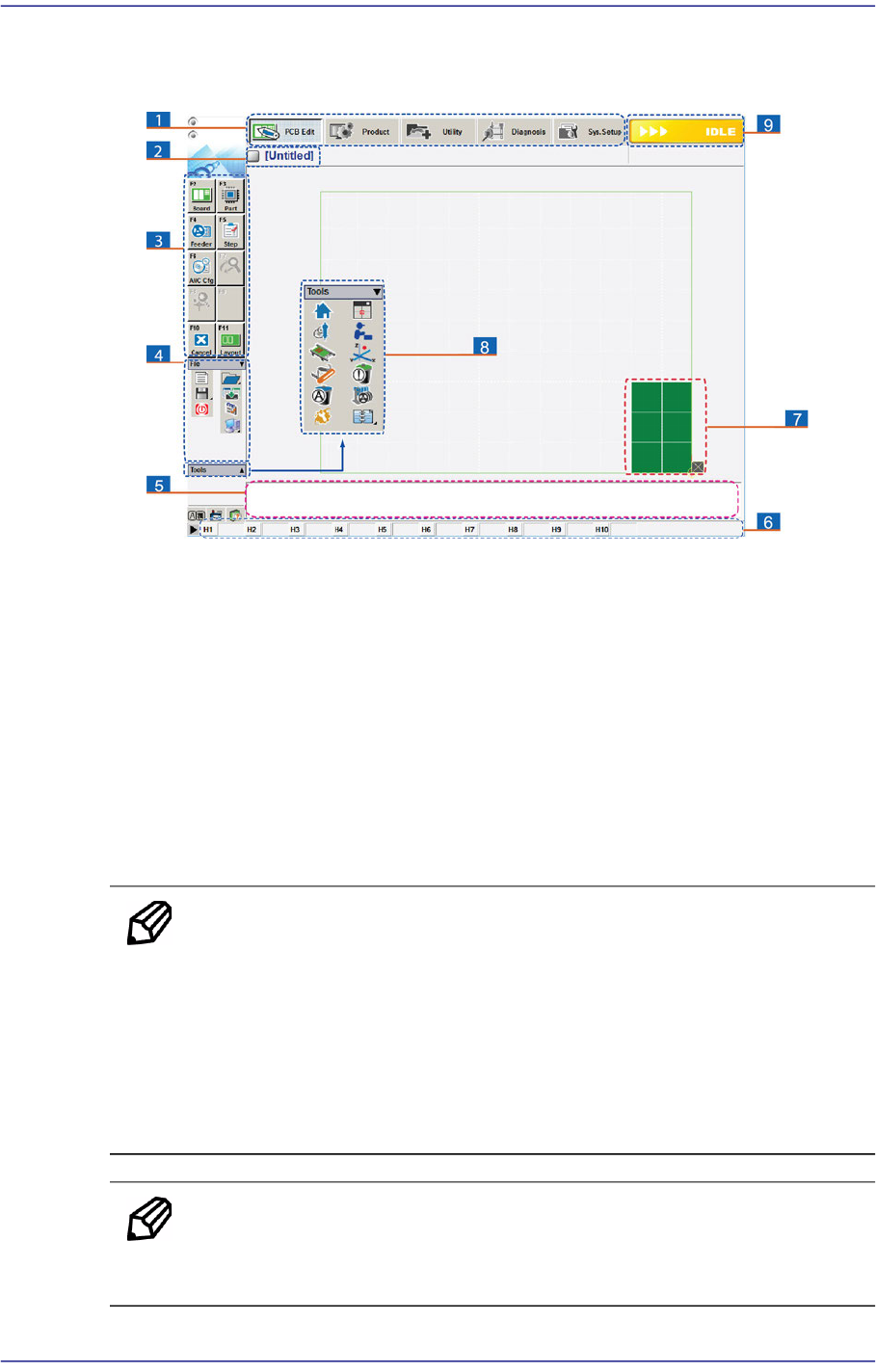
The main screen of MMI of this equipment is shown below.
1: A main menu tool-bar is shown.
2: The PCB file name being worked on is indicated.
3: A sub menu tool-bar is shown.
4: A File menu tool-bar is shown. (New, Open, Save, Merge, Error Message, Window Tool).
5: Events occurring during the operation are displayed.
6: The name of the nozzle, which is inserted in the nozzle-holder of the corresponding head, is
displayed.
7: The shape of the part to be placed is indicated.
8: A Short Cut Bar is displayed. (Home, SM Vision, ANC, Operation Mode, Conveyor, Position Manual
Tool, Dump Information, PM Manager, Telemetry)
9: A help message applicable to the present state as well as the state of the machine (IDLE, RUN,
FREEZE, ADJUST, WAIT, PAUSE, EMER, MPU-STOP) is indicated.
Memo Pictures showing a dialog box or message box of MMI are
inserted to produce this manual. Therefore, the screens shown in
the manual and various settings, values and contents included
within may vary depending on the equipment installed or the
operational environment.
The MMI screens shown in the manual are inserted for more
detailed reference and explanation. They are produced by
enlarging or reducing the contents appearing on the main screen
of MMI.
Memo For a more detailed explanation about the terms used in this manual,
please refer to the 'Guide for SMT's Basic Terms (PDF)' in the web
manual provided by us.
Fast Flexible Placer SM481(L) PLUS Administrator’s Guide
xxviii
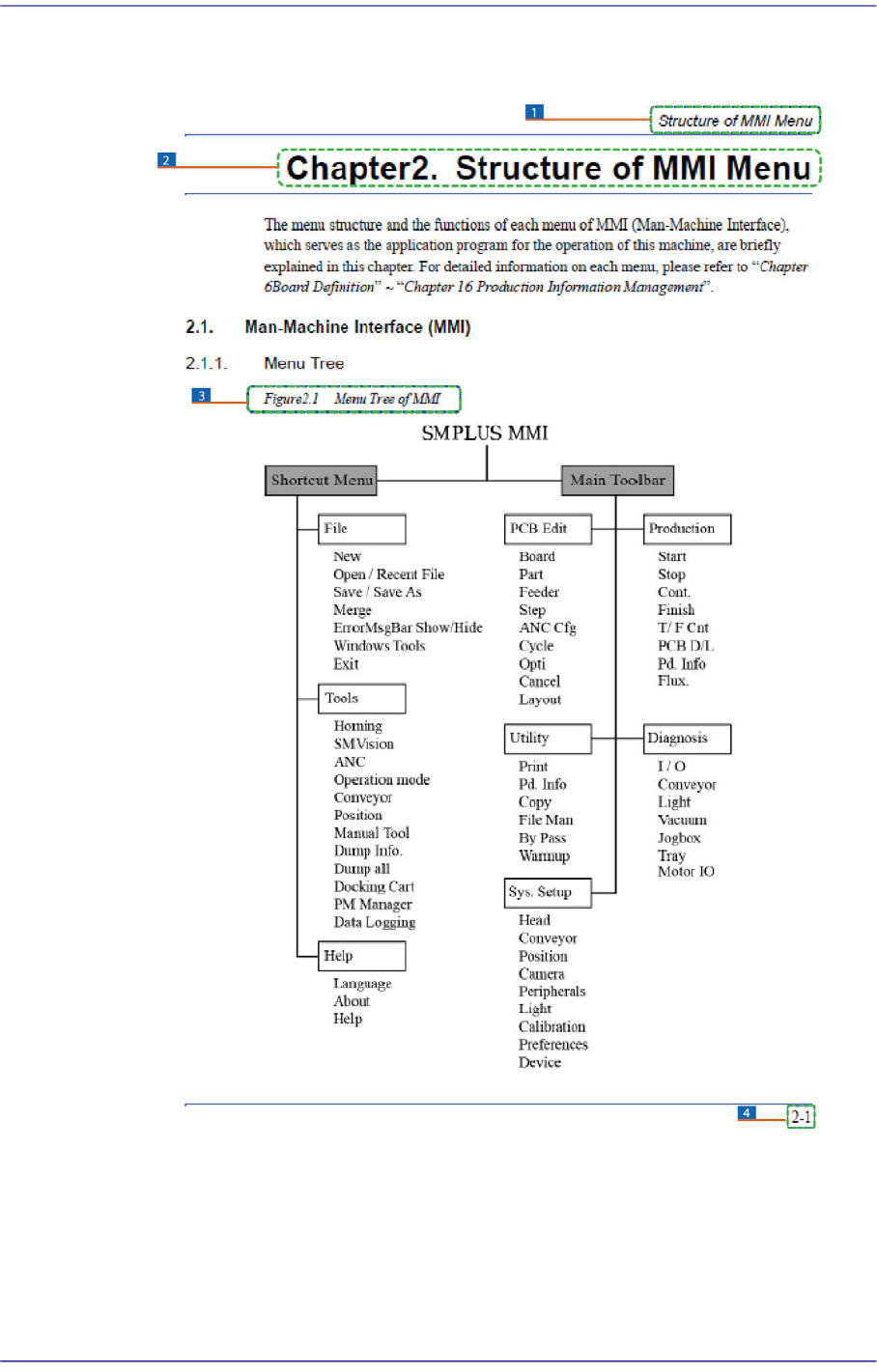
Page Layout
1: Chapter Title / Manual Name
2: Chapter Title
3: Figure (Chapter number)-(Serial number) (Title of the figure)
Indicates that this is the first figure of Chapter 4 and that the title of the figure is ‘Operation Panel’.
4: Chapter number – page (Indicates the first page of Chapter 1)