Hanwha SM481 PLUS Series Administrator’s Guide Eng.pdf.pdf - 第459页
15-23 System Setup <Cancel> button Ignores the set data and closes the dialog box.
15-22
Fast Flexible Placer SM481(L) PLUS Administrator’s Guide
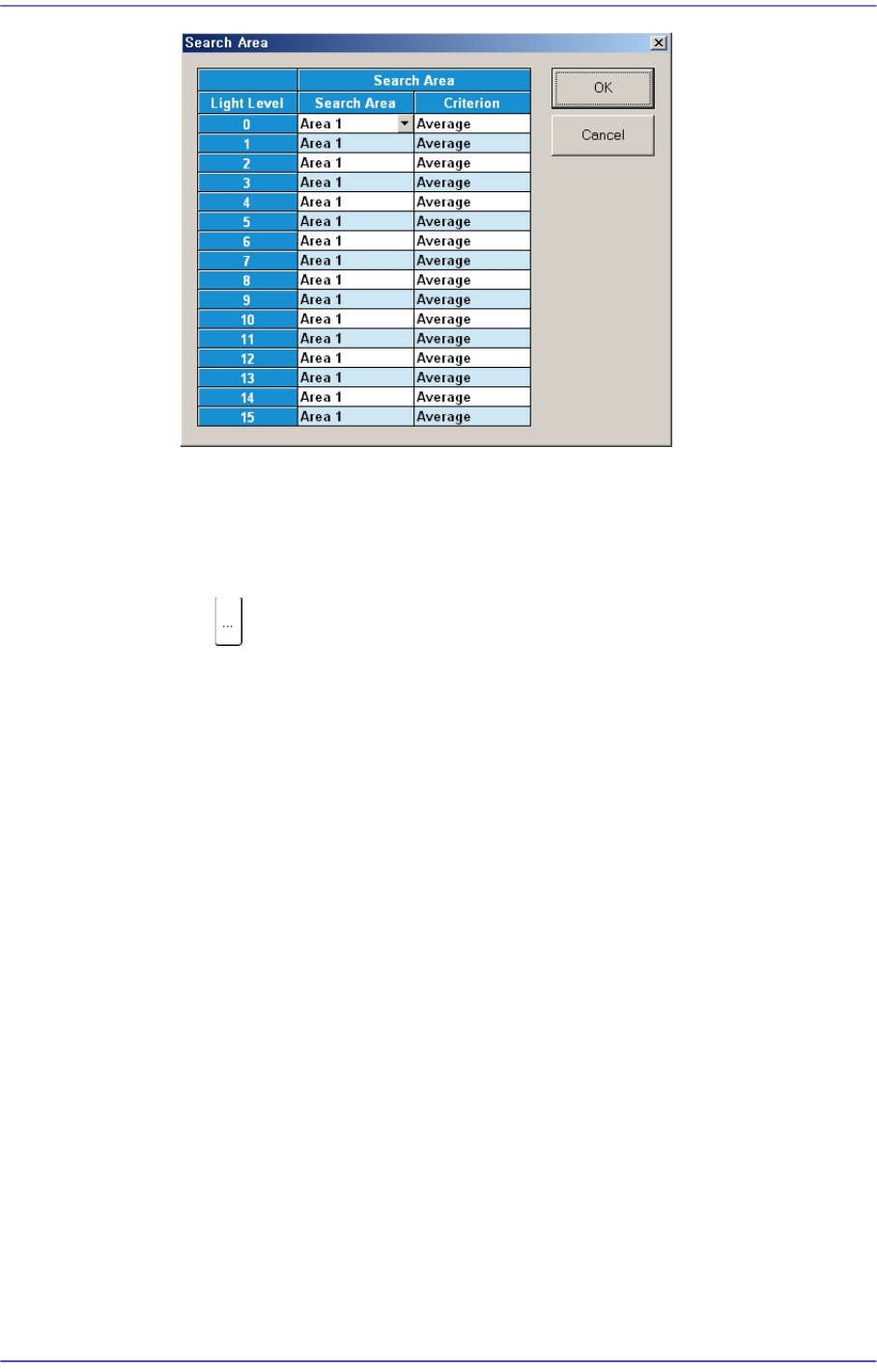
Click on the button corresponding to the illumination for mapping, set the test area
(Area 1 ~ 4) to 16 illumination levels for each lighting, and setup the average
illumination level for each pixel of the test area to the maximum value.
<<<Mapping>>> group
button
Select the Map File to be used for mapping. Since the file name is set
automatically, do not change it.
<Start> button
Start the Mapping.
<Test> button
Perform test for the mapping result. The light level that does not satisfy the
reference value is searched automatically and it is displayed in the result file.
Perform mapping with the <Refine Mapping Result> check box being selected.
State display
Displays current progressing state.
Camera (Number of camera for which test or maping is completed) /(Total number
of selected camera)
(I: Inner Level, O: Outer Level, S: Side Level, B: Back Level)
<Close> button
Closes the dialog box.
<Update> button
Transmits the set data to the equipment and closes the dialog box.

15-23
System Setup
<Cancel> button
Ignores the set data and closes the dialog box.
15-24
Fast Flexible Placer SM481(L) PLUS Administrator’s Guide
15.5. Pref. [F10]
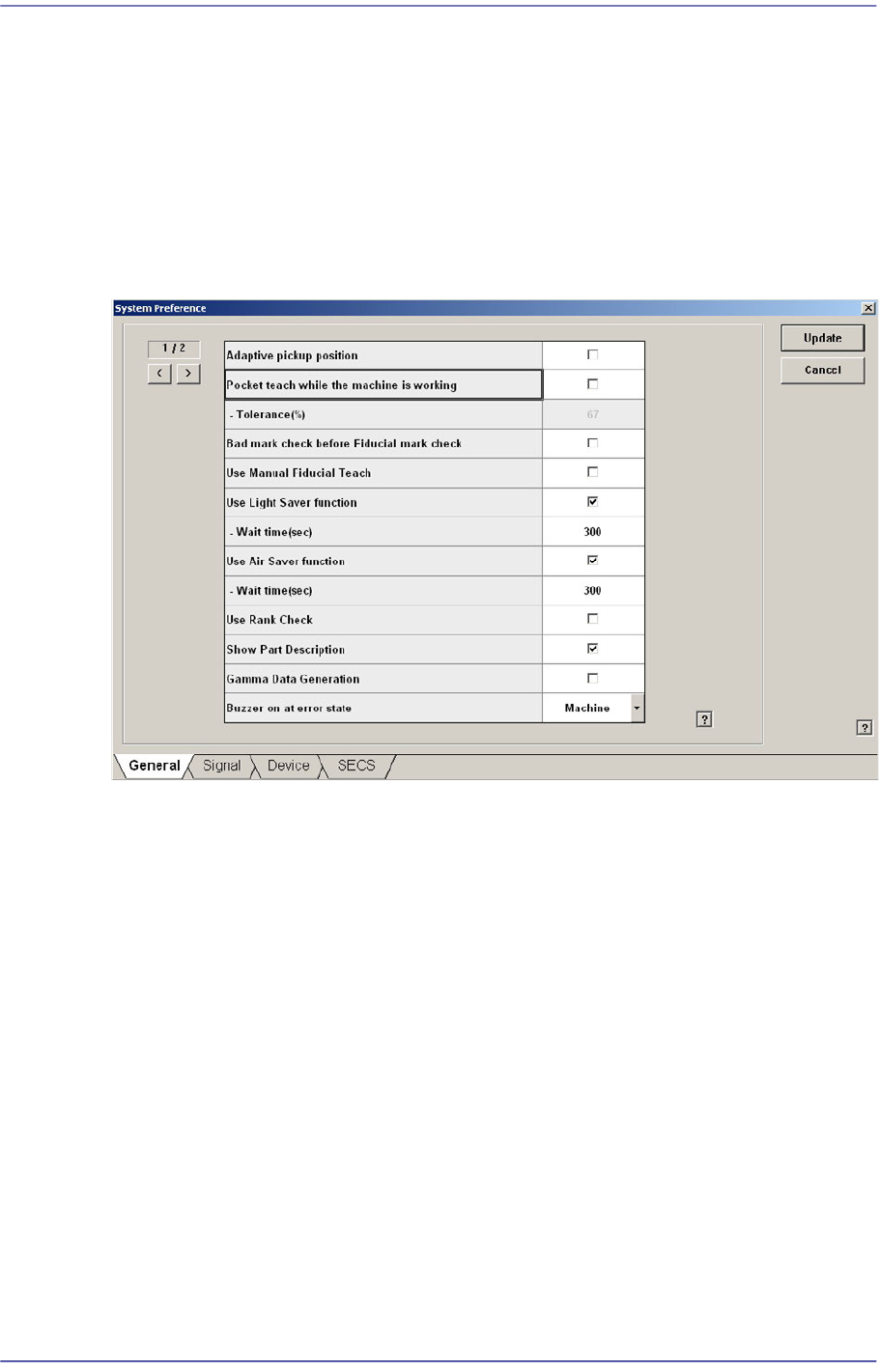
Sets various options needed for equipment operation. When this button is clicked on, the
following dialog box is displayed.
15.5.1. <General> tab dialog
Sets general items related to the equipment operation.
Figure15.16 “General” tab dialog
<Adaptive pickup position> check box
If this check box is selected, when the equipment stops due to pickup error, the
coordinate calibrated to the pickup point of the corresponding feeder is reflected when
restarting the work.
The offset between the center of the part recognized through the vision system and the
center of the head that performed pickup is reflected automatically.
If this check box is selected, the edit box of the selected items is enabled right below it.
This edit box is used to adjust the tolerance when performing synchronized pickup.
At this time, the tolerance for the synchronized pickup is as follows:
Tolerance for synchronized pickup =Sync Pickup Tol +[Sync Pickup Tol X (a /100 )]
Sync Pickup Tolerance is that of the common data for the corresponding part.
'a' is the value entered into the edit box.