DL6系列直驱伺服驱动器用户手册(SL6 01 20260519 1.3)-2026.05.22.pdf - 第396页
DL6 系列伺服驱动 器用户手册 11 通讯案例 385 3 、 添加主站设备 右 击 Untitled , 点 击 Add Device 添 加 设 备 , 在 “ Add De vice ” 对 话 框 中 选 择 “ PLCs--SoftMotio n PLCs--Xinje –Cortex-Linu x-SM-CNC ”,最后点击 Add Device 添加 PLC 。 添加 PLC 完成 后, 在界面右侧就 会出现设 备管理器…
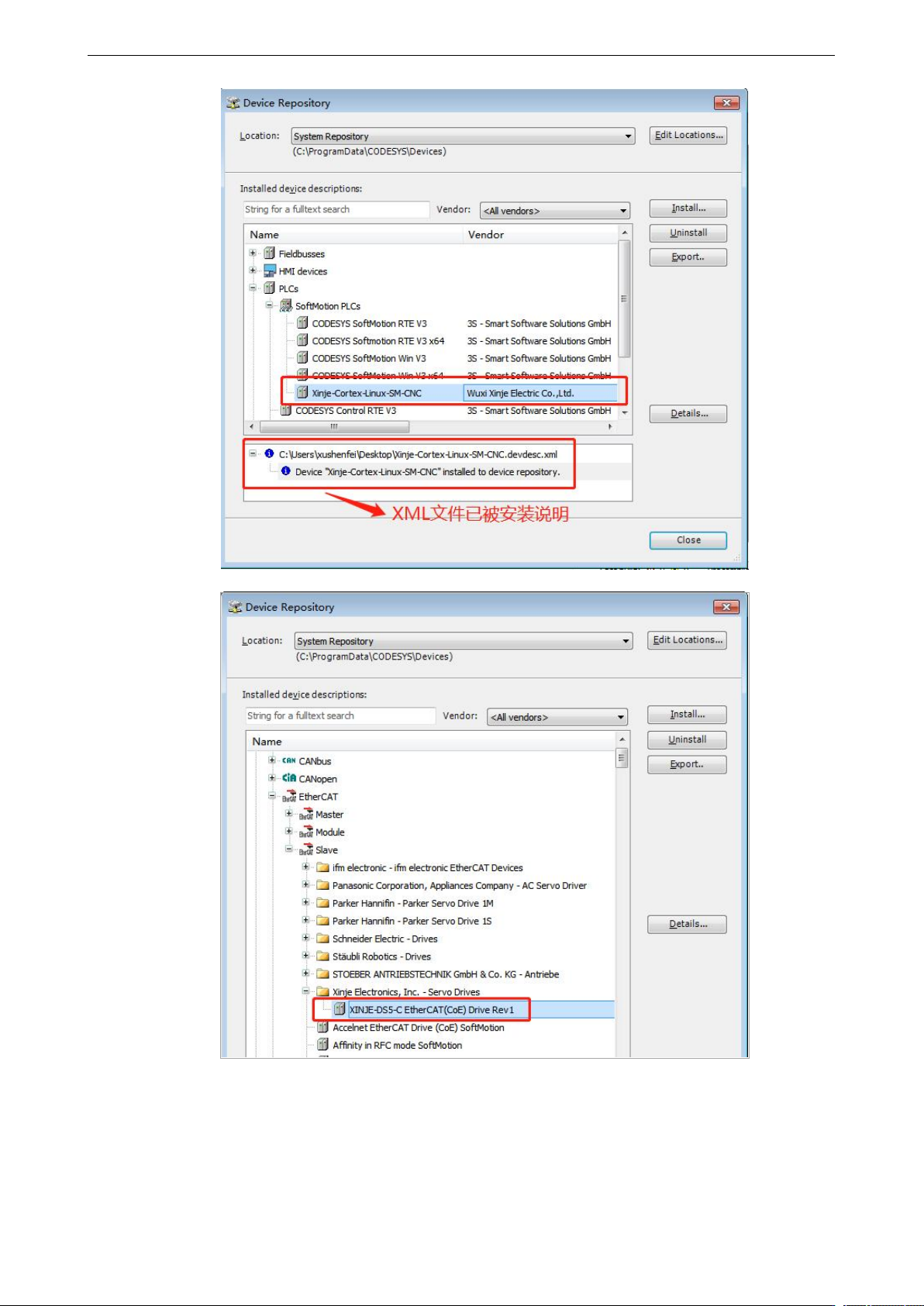
DL6 系列伺服驱动器用户手册 11 通讯案例
384
DL6 系列伺服驱动器用户手册 11 通讯案例
385
3
、
添加主站设备
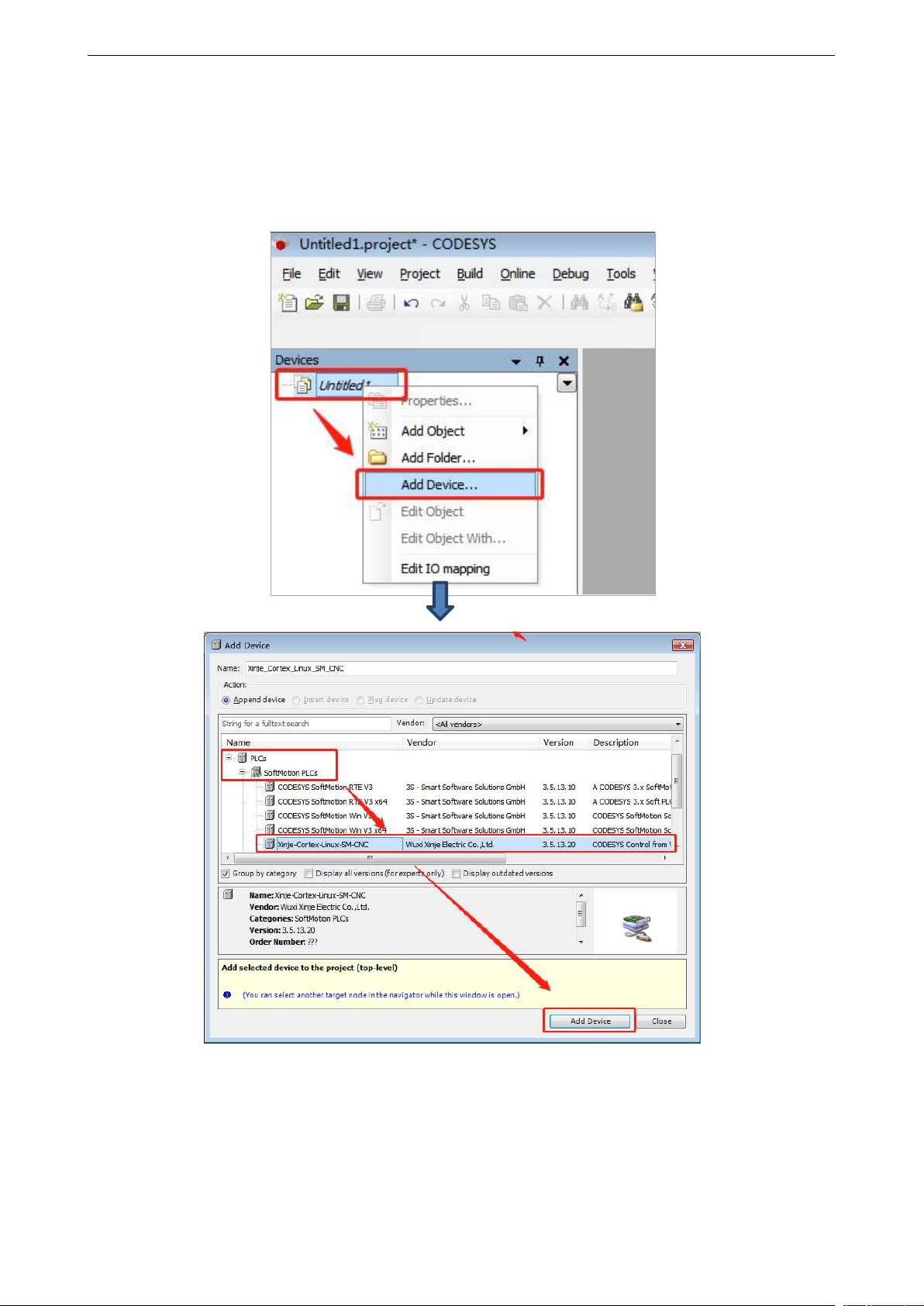
右击 Untitled,点击 Add Device 添加设备,在“Add Device”对话框中选择“PLCs--SoftMotion
PLCs--Xinje–Cortex-Linux-SM-CNC”,最后点击 Add Device 添加 PLC。
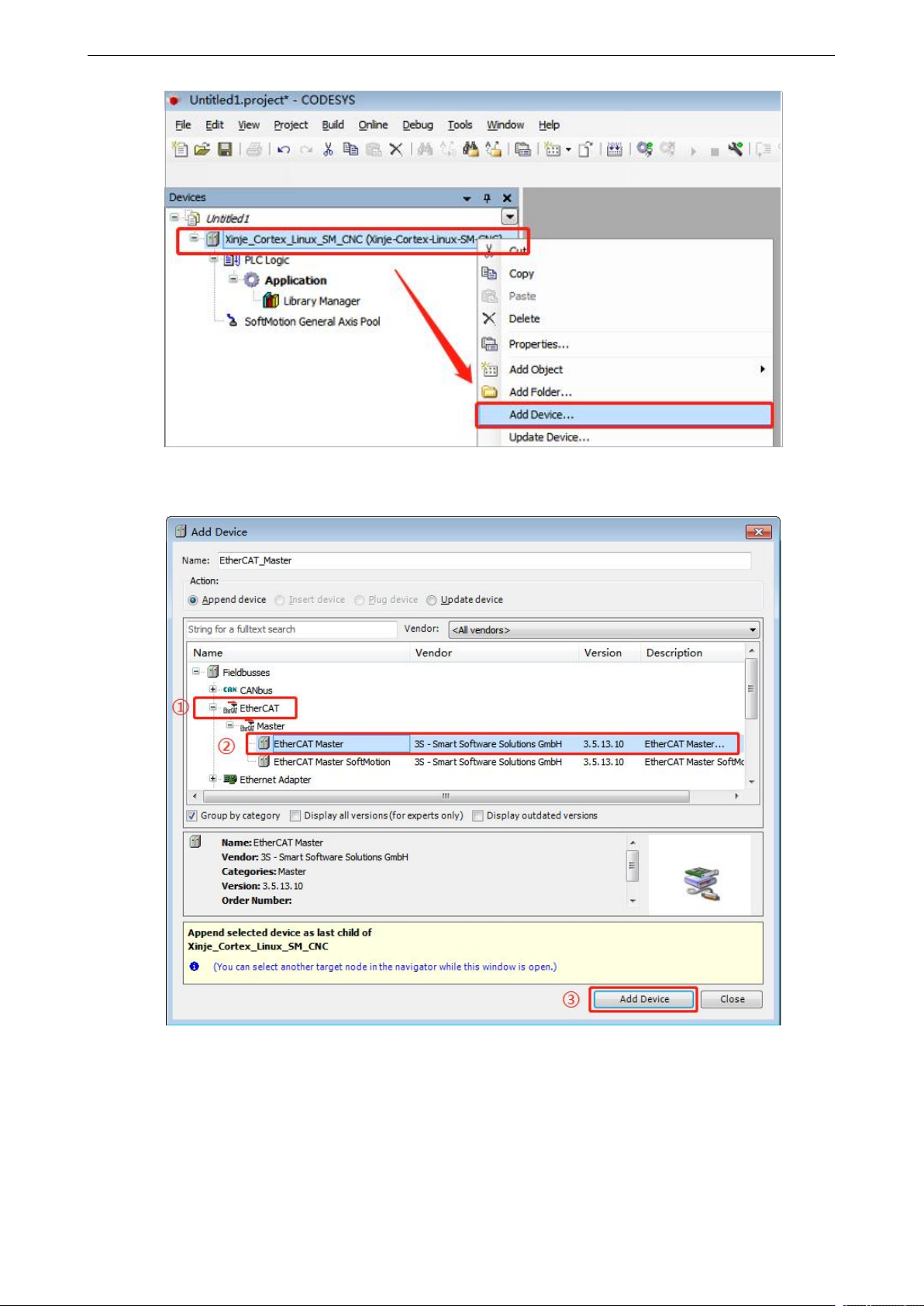
添加 PLC 完成后,在界面右侧就会出现设备管理器,选中 Xinje –Cortex-Linux-SM-CNC 右击,点
击 Add Device 添加设备。
DL6 系列伺服驱动器用户手册 11 通讯案例
386
在“Add Device”对话框中选择“EtherCAT—Master—EtherCAT Master”,最后点击 Add Device
添加。