IPC-TM-650 EN 2022 试验方法.pdf - 第44页
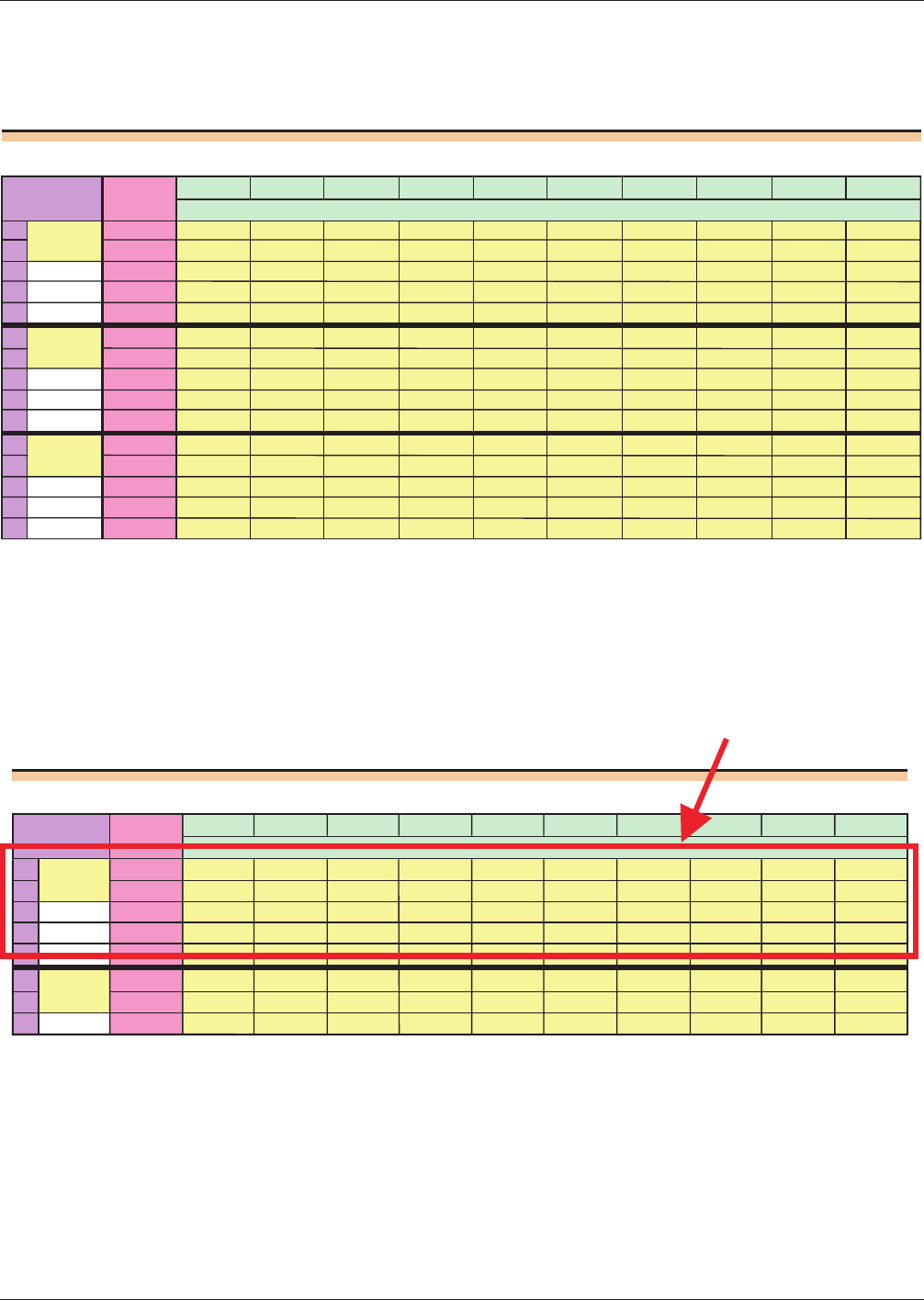
Data Entry Section Below is a view of the data entry panel from the spreadsheet. In this case there are three testers, making two readings on each of the dif ferent parts. This panel can be somewhat confusing at first, so…
Using
the Spreadsheet
Header
Section
Begin
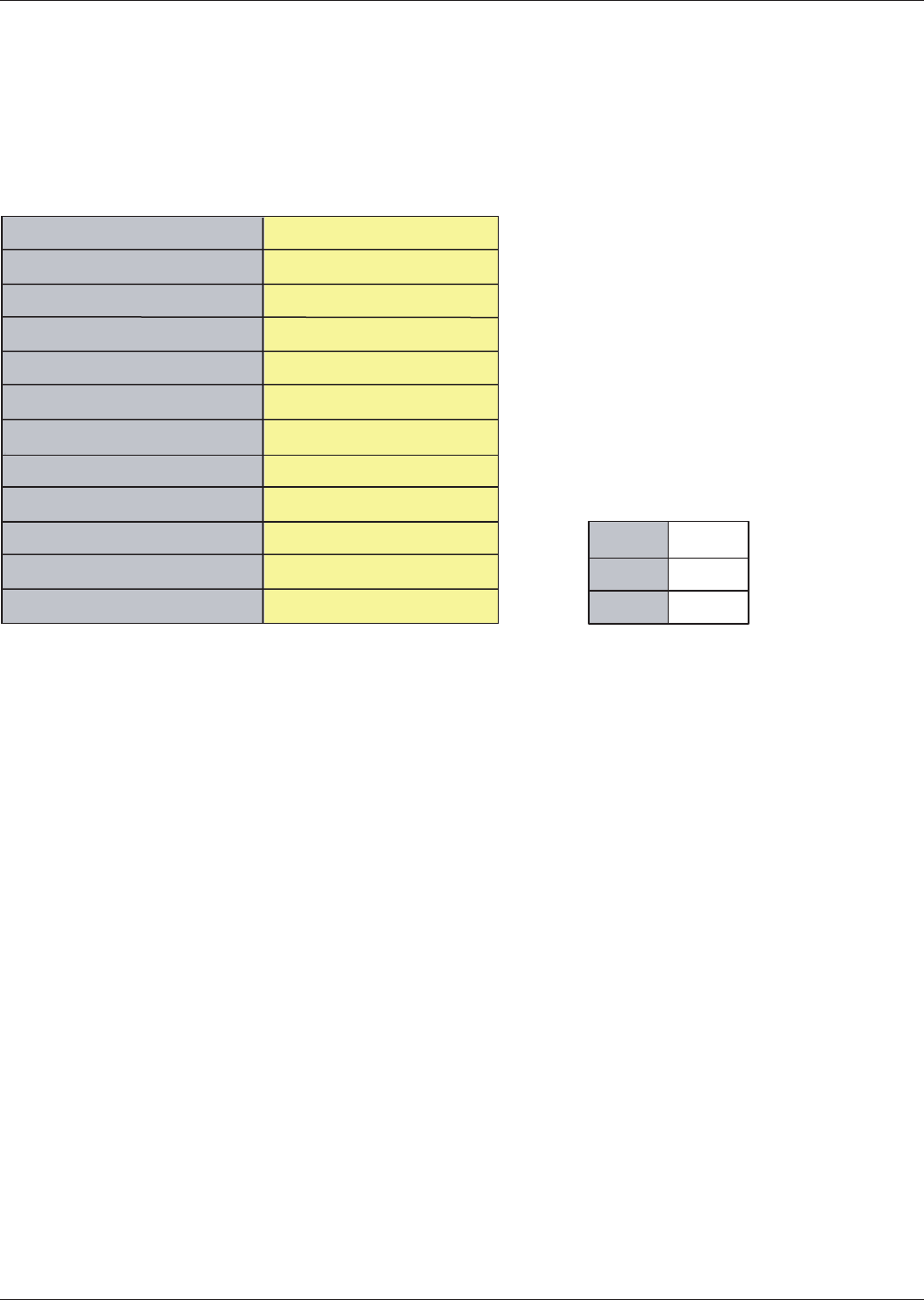
by completing the yellow area in the header. Fill in as completely as possible to prevent confusion later. The header
section is shown below.
The spreadsheet calculates the appropriate value of the K-factors, and displays them to the right of the section with the
header information. Here, the example involves measuring the thickness of gaskets. They chose to have two testers measure
the thickness of four samples once a day for four days.
The MSA data can be entered in the next section. Again fill in the yellow areas. Be sure and check that the data was recorded
correctly and verify it is transcribed into the spreadsheet accurately. The analysis will be of little worth if there are typos.
Measurement Precision Study: Information Sheet
Version 1.0, April 2002
Enter data into yellow areas.
K
2
2.7
K
3
1.62
K
1
4.57
10
2
Gasket Thickness
1
3
mm
0.6
Test Method
Parameter Measured
Company
Name of Study Organizer
Upper Specification Limit, USL
Number of Test Conditions, m
Number of Samples, n
Number of Repeat Readings, k
Study Completion Date
Instrument
Measurement Units
Lower Specification Limit, LSL
January
2003 Users Guide
3
电子技术应用 www.ChinaAET.com
Data
Entry Section
Below
is a view of the data entry panel from the spreadsheet. In this case there are three testers, making two readings on
each of the different parts.
This panel can be somewhat confusing at first, so a review of how the sections are organized will be helpful.
The data for each tester is entered in horizontal sections.
Measurement Precision Study: Data Entry Sheet
Sample
Sample Sample
Sample Sample Sample Sample Sample Sample Sample
1
2
3
45678910
1 1 0.62 0.99 0.82 0.85 0.59 1.02 0.97 0.85 1 0.61
2 0.66 1 0.81 0.89 0.48 1.03 0.97 0.82 1 0.7
3
4
5
2 1 0.53 1.05 0.8 0.83 0.39 1.04 0.97 0.73 0.98 0.54
2 0.53 0.93 0.77 0.76 0.4 1.08 0.91 0.7 0.95 0.6
3
4
5
3
1 0.51 1.05 0.8
0.79 0.45 1.01 0.96 0.8 1.04 0.84
2 0.55 1.02 0.77 0.81 0.49 1.05 0.96 0.81 1.05 0.81
3
4
5
Reading
Condition
Station 3
Station 1
Station 2
Measurement Precision Study: Data Entry Sheet
Sample
Sample Sample Sample Sample Sample Sample Sample Sample Sample
12345678910
1 1 0.62 0.99 0.82 0.85 0.59 1.02 0.97 0.85 1 0.61
2 0.66 1 0.81 0.89 0.48 1.03 0.97 0.82 1 0.7
3
4
5
2
1 0.53 1.05 0.8 0.83 0.39 1.04 0.97 0.73 0.98 0.54
2 0.53 0.93 0.77 0.76 0.4 1.08 0.91 0.7 0.95 0.6
3
Condition
Station 1
Station 2
Reading
Data for one
test condition
Users
Guide January 2003
4
电子技术应用 www.ChinaAET.com
W
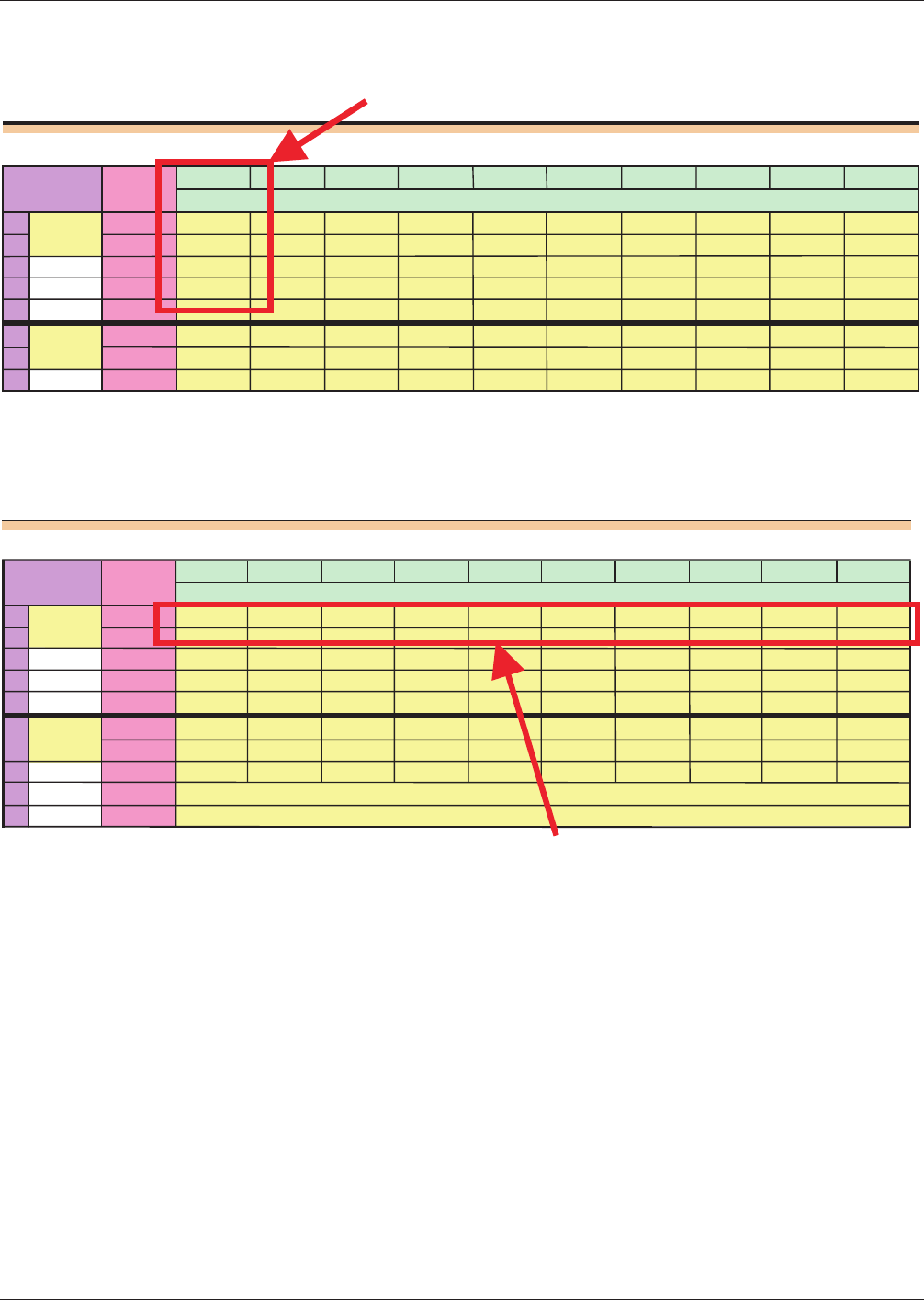
ithin the section for a given test condition, the repeated readings for each part are entered in columns, as shown below.
Therefore each row within the test condition area represents one complete set of readings for one test round for that tester.
Measurement Precision Study: Data Entry Sheet
Sample
Sample
Sample
Sample
Sample
Sample
Sample
Sample
Sample
Sample
12
3
4
5
6
78
9
10
1 1 0.62 0.99 0.82 0.85
0.59 1.02 0.97 0.85 1
0.61
2 0.66 1 0.81 0.89
0.48 1.03 0.97 0.82
1 0.7
3
4
5
2
1 0.53 1.05 0.8 0.83 0.39 1.04 0.97 0.73
0.98 0.54
2 0.53 0.93 0.77 0.76 0.4 1.08 0.91 0.7
0.95
0.6
3
Condition
Station 1
Station 2
Reading
Data for on
test sample
Measurement Precision Study: Data Entry Sheet
Sample
Sample
Sample
Sample
Sample
Sample
Sample
Sample Sample Sample
1234
5
6
78
9
10
1 1 0.62 0.99 0.82 0.85 0.59 1.02 0.97 0.85 1 0.61
2 0.66 1 0.81
0.89
0.48
1.03
0.97 0.82 1
0.7
3
4
5
2 1 0.53 1.05 0.8 0.83
0.39
1.04 0.97 0.73 0.98 0.54
2
0.53 0.93 0.77 0.76 0.4
1.08
0.91 0.7 0.95 0.6
3
4
5
Condition
Station 1
Station 2
Reading
First round of measurements on
all samples for one test condition
January
2003 Users Guide
5
电子技术应用 www.ChinaAET.com