Operating Instructions_VF335_en.pdf - 第114页
5|Commissioning 5.6.3 Automatic switch-off in case of power failure (with UPS) If the machine is equipped with an uninterruptible power supply (UPS option), the following steps are taken in sequence during a power fail…

5|Commissioning
I ON
0 OFF
The main switch must remain in the ON position!
Ersa GmbH Operating Instructions_VF335_en|Rev. 14|30/11/2017 113/695
5|Commissioning
5.6.3 Automatic switch-off in case of power failure (with UPS)
If the machine is equipped with an uninterruptible power supply (UPS option), the
following steps are taken in sequence during a power failure:
5.6.3.1 If no board is present inside the machine
– As soon as the mains voltage fails, a message of the UPS, which does not need
to be acknowledged, is displayed.
– The control software is shut down.
– The PC is shut down.
5.6.3.2 If some boards are still inside the machine
– As soon as the mains voltage fails, a message of the UPS, which does not need
to be acknowledged, is displayed.
– The control software is shut down.
– The PC is shut down.
– The board must be removed from the machine manually.
WARNING
Severe or fatal injury from hot machine!
ü The whole machine is hot during operation!
a) Service on a hot machine may only be carried out by specially trained personnel,
qualified for this type of work!
b) For safety's sake, let the machine cool down to a safe temperature.
5.6.3.3 Automatic switch-on when power is restored (with UPS)
If the machine is equipped with an uninterruptible power supply (UPS option), the
following steps are taken in sequence after the voltage supply has returned:
– The operating system of the PC is started.
– The control software is started.
– The PLC is started.
This process may take up to five minutes.
NOTE
Charge the battery
If the error message [battery empty] is displayed after turning on the machine, the
battery of the undervoltage supply unit must be charged for approx. three hours.
a) Leave the machine in this state.
b) Proceed to commissioning only after this process.
The machine is now in the [Voltage supply OK] operating mode, see status bar or
flow chart in chapter Machine operating modes [
}94].
Ersa GmbH Operating Instructions_VF335_en|Rev. 14|30/11/2017 114/695
5|Commissioning
NOTE
In case of power failure
After power failure, all applicable modules must be referenced again!
5.6.4 Manual shutdown for a longer period of time
Should the machine be taken out of service for an extended period of time, per-
form the following steps:
ü The machine must be stopped via the start dialog of the control software.
a) Is there still any board inside the machine? Let it be processed and wait until
there are no more boards inside the machine.
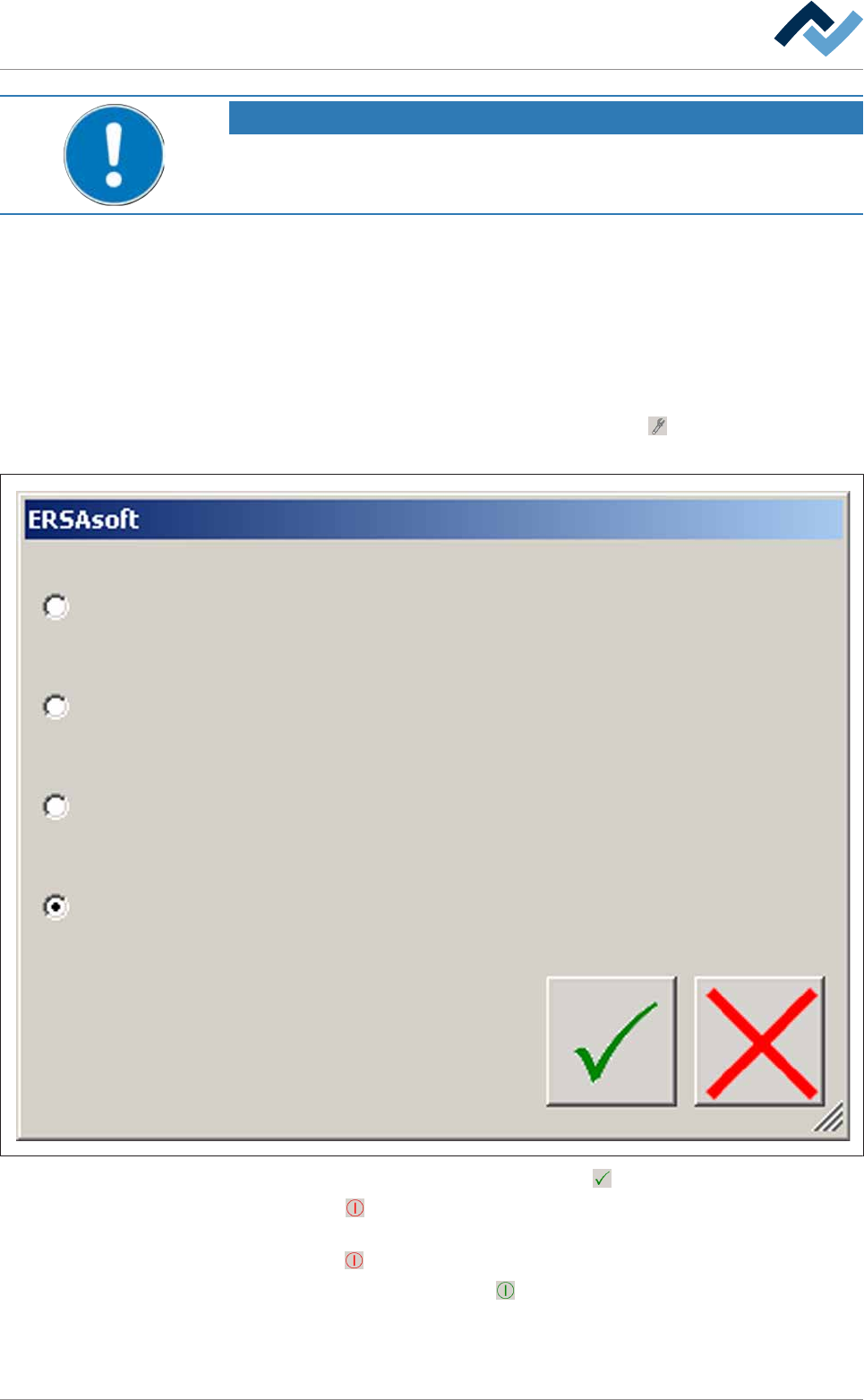
b) On the top toolbar of the start dialog, click on the
button. The following dia-
log box is displayed:
Select soldering program
Finish job before maintenance mode
Stop current job and empty the machine
Stop current job
c) Select [Stop current job] and then click on .
ð The
(red) button appears in the top toolbar of the start dialog. The ma-
chine is in the [Maintenance mode] operating mode.
d) Click on
(red) in the top toolbar of the start dialog.
ð The button changes into
(green). The machine is in the [Movement off]
operating mode. Some modules continue to run in accordance with their
switch-off delay.
Ersa GmbH Operating Instructions_VF335_en|Rev. 14|30/11/2017 115/695