Operating Instructions_VF335_en.pdf - 第97页
5|Commissioning 5.3.3 Set the language ü How to set the language: a) Click on the button in the top toolbar of the start dialog. ð The [General settings] dialog opens. b) Select the desired language in the [General set…
5|Commissioning
5.3 First commissioning
When all the work described in chapter Transport, installation, storage, disposal
[}59] has been properly done, commissioning can be carried out. Perform the fol-
lowing activities and/or checks in sequence:
5.3.1 Connecting the machine
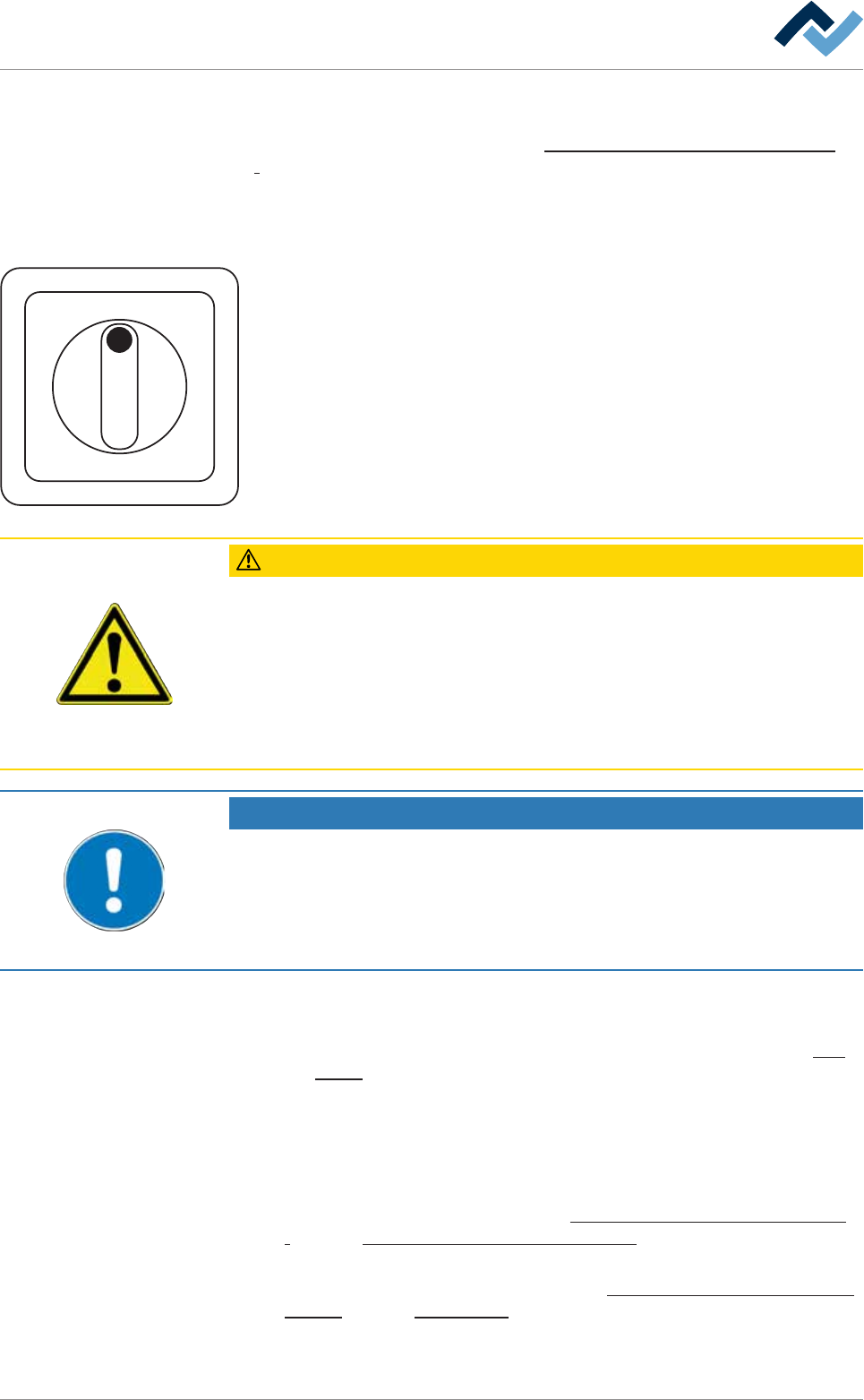
I ON
0 OFF
a) Remove the lock from the main switch. Turn the main switch to the ON posi-
tion.
b) Switching on the undervoltage supply (UVS, optional)
c) Switch on the PC.
ð The following operations are now running automatically:
a) The PC operating system is started.
b) The machine software is started.
c) Die PLC is started.
ð This process can take up to five minutes.
CAUTION
Risk of property damages!
ü If the machine has been switched off via the main switch, do not restart it imme-
diately.
a) Wait at least for three minutes!
b) Only when this time has elapsed is it possible to restart the machine!
ð Failure to observe this requirement may lead to damages to the electronic equip-
ment of the machine, to the PC and to the UPS!
NOTE
Charge the battery
If the error message [battery empty] is displayed after turning on the machine, the
battery of the undervoltage supply unit must be charged for approx. three hours.
a) Leave the machine in this state.
b) Proceed to commissioning only after this process.
ü If the blue RESET key is present on the terminal:
a) Press the blue RESET key.
ð The machine is now in[Power off] operating mode; see status bar or flow
chart [}94].
ð The process has now been completed.
5.3.2 Adjust pneumatic and nitrogen pressure
a) Adjust the correct pressure of the nitrogen supply on the maintenance unit.
With regard to this, also read Chapters Connection to an inert gas supply unit
[}86] and Protective gas technology (nitrogen) [}26].
b) Adjust the correct pressure of the compressed air supply on the maintenance
unit. With regard to this, also read Chapters Connection to the compressed air
supply [}85] and Pneumatics [}26].
Ersa GmbH Operating Instructions_VF335_en|Rev. 14|30/11/2017 96/695
5|Commissioning
5.3.3 Set the language
ü How to set the language:
a) Click on the
button in the top toolbar of the start dialog.
ð The [General settings] dialog opens.
b) Select the desired language in the [General settings] dialog under [Language].
c) Click on the
button to apply the settings.
d) Click on the
button to close the dialog.
ð The process has now been completed.
5.3.4 Logging in a user
If a password is required after starting the machine software, a user has already
been created and provided with administrator rights.
a) Log in a user with the necessary rights
b) With respect to this, please read chapter [User administration] in the func-
tional description.
5.3.5 Checking the EMERGENCY STOP function
Activation of the EMERGENCY STOP pushbutton stops dangerous movements im-
mediately. The EMERGENCY STOP function is available at any time and in all opera-
tion modes.
DANGER
Dangerous electrical voltage!
Serious injury or death from electric shock!
ü The emergency STOP pushbutton does not disconnect the machine power supply!
Individual parts of the system are energized even if the emergency stop pushbut-
ton has been activated!
a) Do not use the emergency STOP pushbutton to disconnect the machine from
voltage!
b) Always switch the machine off using the main switch.
Checking the function
ü Checking the EMERGENCY STOP function
a) Set the machine to the [Maintenance mode] operating mode.
b) Activating an EMERGENCY STOP pushbutton.
c) Opening the edit dialogue [Messages]:
ð the [Emergency stop] message must be displayed.
ð The red light of the signal lamp must flash.
ð If the EMERGENCY STOP button has been pressed, dangerous machine
movements are no longer possible. The machine must then be in the
[Voltage supply OK] operating mode.
d) Release the EMERGENCY STOP pushbutton again.
ð If the blue RESET button is available on the terminal:
e) press the blue RESET button.
f) Acknowledge the machine software message.
Ersa GmbH Operating Instructions_VF335_en|Rev. 14|30/11/2017 97/695

5|Commissioning
g) Repeat the procedure for all available EMERGENCY STOP buttons.
ð The process has now been completed.
When EMERGENCY STOP is triggered due to a malfunction,
ü reset the EMERGENCY STOP:
a) eliminate the malfunction.
b) Close all doors, hoods and covers of the machine.
c) Opening the edit dialogue [Messages]:
d) release the EMERGENCY STOP pushbutton again.
ð If the blue RESET button is available on the terminal:
e) press the blue RESET button.
ð The process has now been completed.
5.3.6 Setting time and date
ü To set the PC time to the local time.
a) Click on the
button in the top toolbar of the start dialog.
ð The [Weekly timer] dialog opens.
b) In the [Weekly timer] dialog, click on
.
ð The system time of the PC is transferred to the PLC, and the correct time is
set automatically.
c) Follow the instructions on the screen.
d) Enter the desired switching times in the weekly timer and activate it.
e) With respect to this, please read chapter [Weekly timer].
Ersa GmbH Operating Instructions_VF335_en|Rev. 14|30/11/2017 98/695