Operating Instructions_VF335_en.pdf - 第179页
6|Function description ð When the soldering program is started, the module is pre-heated to this tem- perature. The [Standby temperature] is kept at this value in the [Automatic mode] operating mode. This ensures that …
6|Function description
user:
ersa
Soldering program editor General additional data
Program informations
Program name
Version:
Last modification by:
Infotext:
Conveyor
Conveyor width adjustment
Graphical data
Process time
Time until preheat repet.
General additional data
Number of preheat repet.
Table of power value
IR element graduation
Empty module always
Heating
Standby temperatureset value
Time
60
30
0
30
30
60
0
80
Maintenance mode
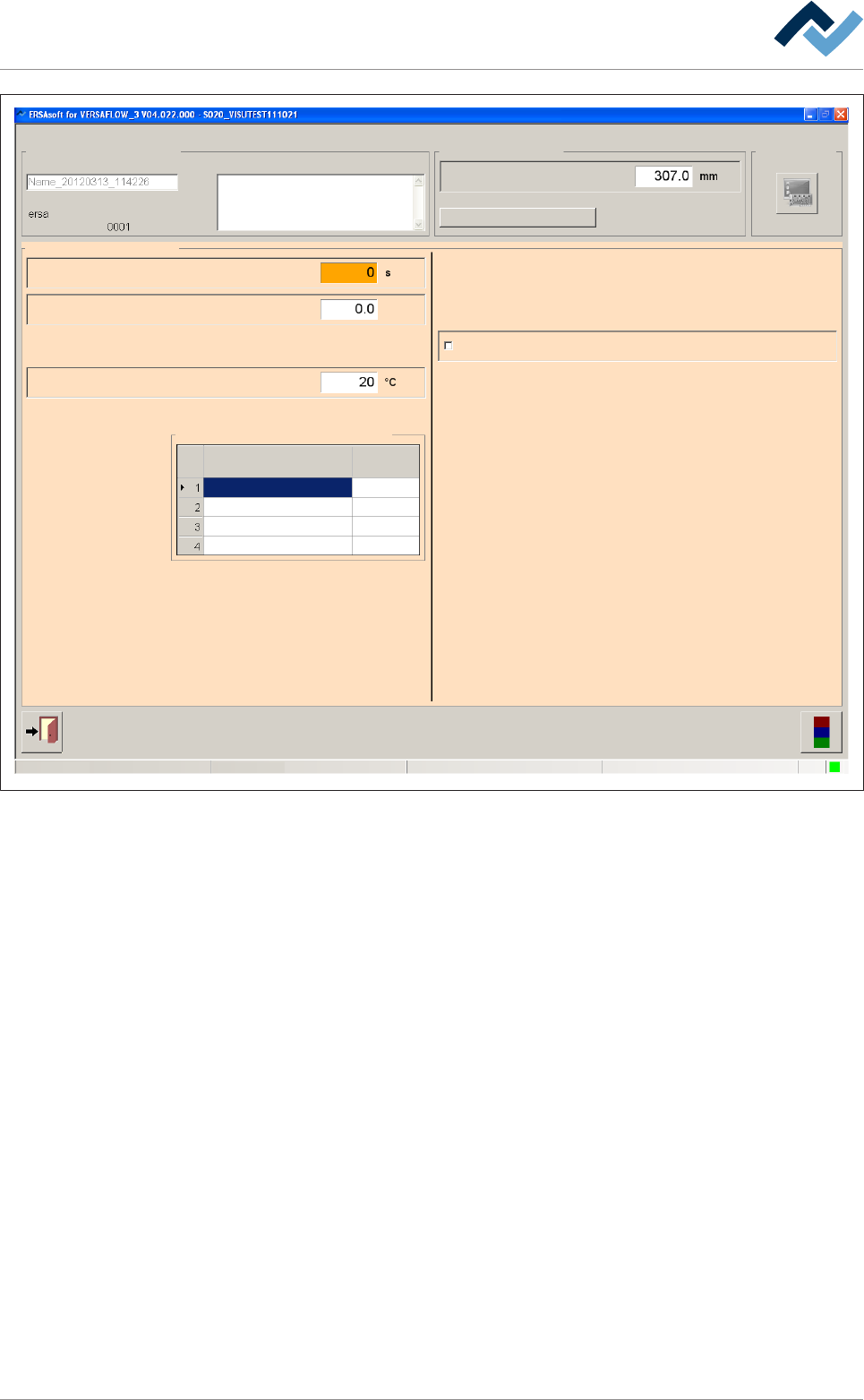
Fig.38: The [General additional data] dialog
Entering the waiting time between two heating cycles
ü [Time until preheat repet.], if the next module is not yet ready:
a) Click on the [Time until preheat repet.] input field and enter a time in [s].
ð The board is preheated. If the next module is not yet ready, the waiting time
expires. After this time, the heating cycle is repeated if a value greater than 0
has been entered in the [Number of preheat repet.] input field.
Entering the Number of preheat repet.
ü [Number of preheat repet.], if the next module is not yet ready:
a) Enter the [Number of preheat repet.] input field and the number of the pre-
heating repetitions.
ð If the next module is not yet ready, the preheating cycle is repeated according
to your entry. If subsequently the next module is still unavailable, a message is
displayed. If you have entered the value [0], the preheating cycle is not re-
peated.
Entering the Standby temperature
ü To enter the [Standby temperature] in [°C]:
a) Enter a value in [°C] in the input field.
Ersa GmbH Operating Instructions_VF335_en|Rev. 14|30/11/2017 178/695
6|Function description
ð When the soldering program is started, the module is pre-heated to this tem-
perature. The [Standby temperature] is kept at this value in the [Automatic
mode] operating mode. This ensures that the same initial conditions always
prevail in the module.
First always empty the next module
ü The PCBs shall only be fed into the next module if this module is empty:
a) Activate the [Empty module always] checkbox.
ð The PCBs will only be fed into the module it the next module is empty. This
way, the PCBs are prevented, for example, from remaining too long in the
module due to a jam. However, this function can extend the cycle times.
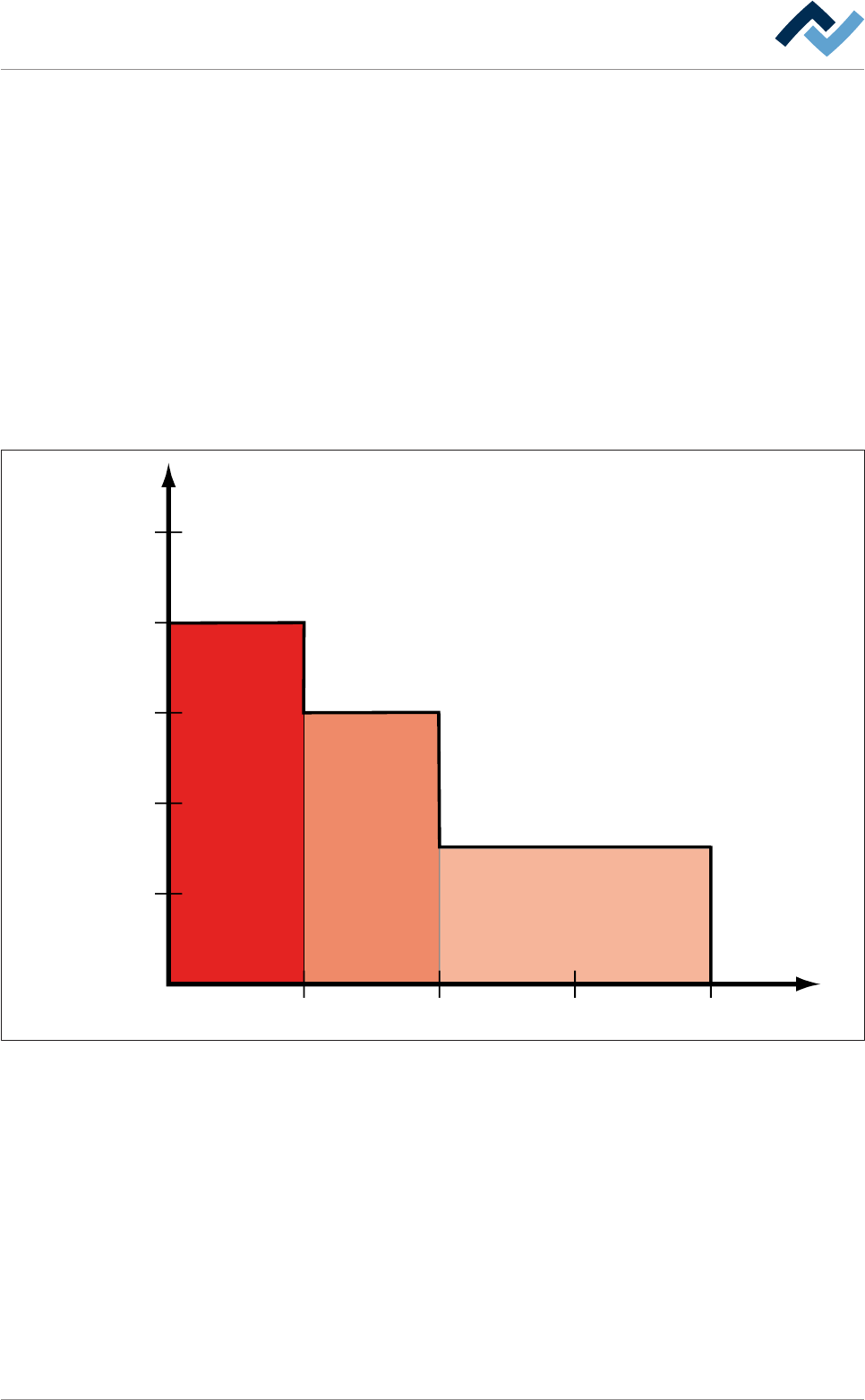
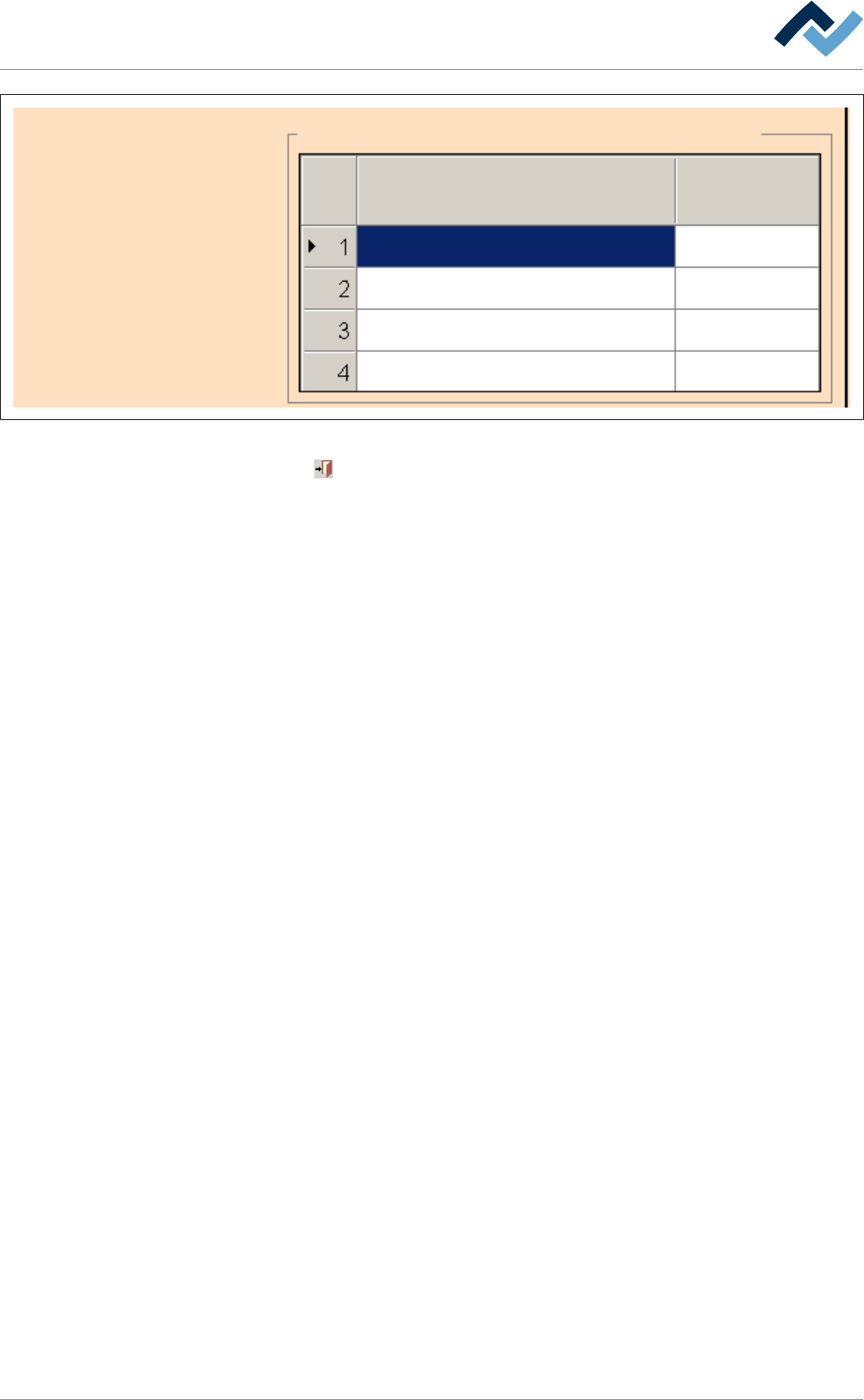
In the [Table of power value] frame, you can set a power value/time profile for the
heater. For each active segment of the preheater, you can enter a power value as a
[%] and a time in [s]:
20
30 60 90
40
60
80
100
#1 #2 #3
Power value (%)
120 Time (s)
Compare the values shown here with the table in the [Table of power value] frame:
Ersa GmbH Operating Instructions_VF335_en|Rev. 14|30/11/2017 179/695
6|Function description
Table of power value
IR element graduation
Heating
Time
60
30
0
30
30
60
0
80
Fig.39: Power value table
Click on
to close the dialog.
Ersa GmbH Operating Instructions_VF335_en|Rev. 14|30/11/2017 180/695