Operating Instructions_VF335_en.pdf - 第186页
6|Function description 6.9.12 Working with data sets The [Set data] dialog contains all the necessary data for the manufacturing process. Creating data sets in the [Set data] dialog ü To create data sets: a) Open the […

6|Function description
6.9.11 Working with deflection measurement
If your machine is equipped with deflection measurement, you can use this func-
tion to automatically compensate for the printed circuit board deflection. A sensor
reads the height [Z] in two pcb points. The controller uses said readings to calculate
the deflection and correct distances accordingly.
ü To set reference positions:
a) Enter a Reference position [X] and [Y] each time. The pcb should not deflect in
this position, and no component should be positioned on the lower side of the
pcb. This position should preferably be on the pcb edge.
b) Enter a Measuring position [X] and [Y] each time. In this position the pcb
should be deflecting at the most, no component should be positioned on the
lower side of the pcb.
c) Enable the [Use] checkbox.
ð Only the controller takes into account the pcb deflection. Before the actual sol-
dering process, the sensor compares the [Reference position] with the [Meas-
uring position] and determines the deflection. In this ways the machine cycle
time can be extended.
Click on
to close the dialog.
Ersa GmbH Operating Instructions_VF335_en|Rev. 14|30/11/2017 185/695
6|Function description
6.9.12 Working with data sets
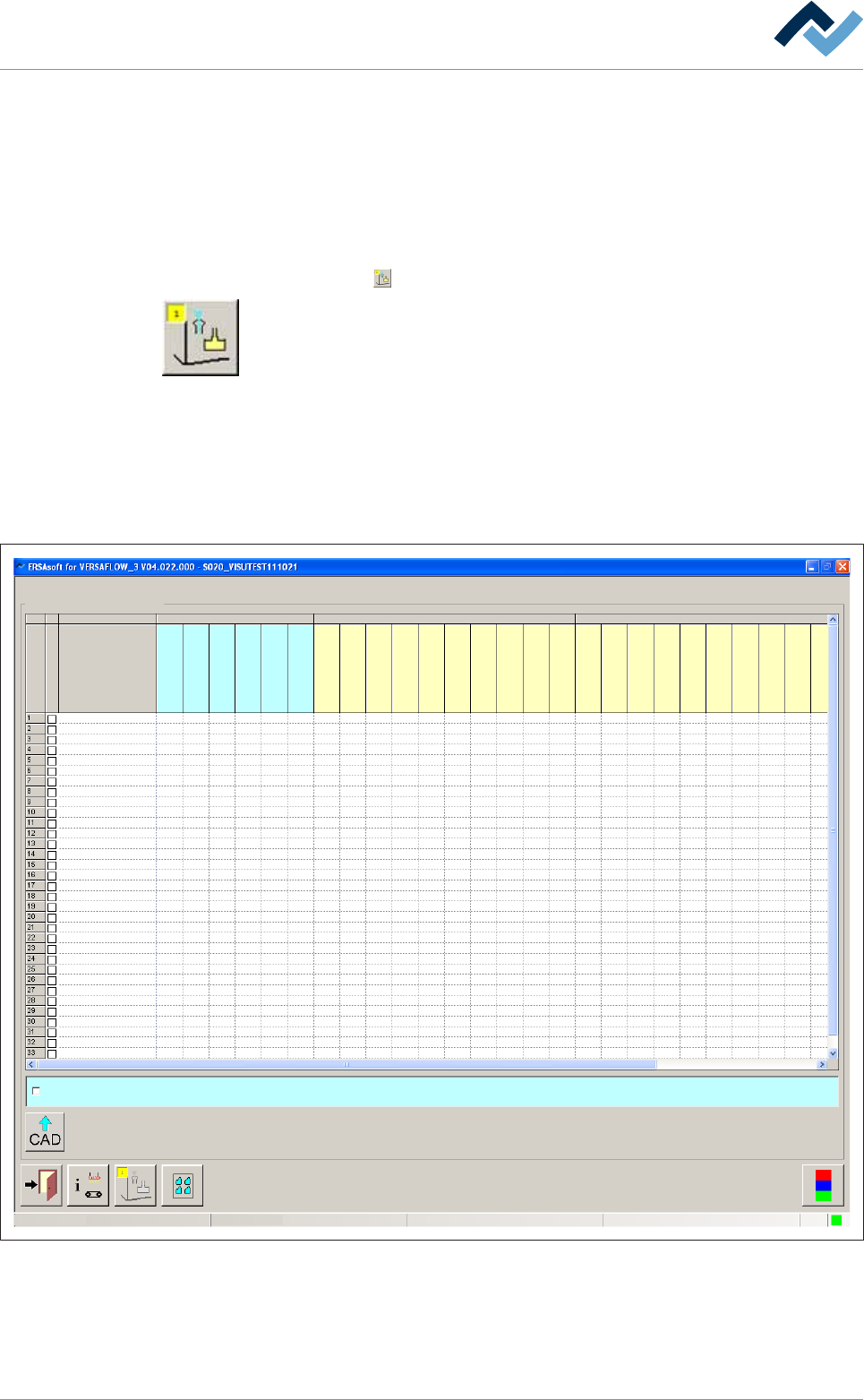
The [Set data] dialog contains all the necessary data for the manufacturing process.
Creating data sets in the [Set data] dialog
ü To create data sets:
a) Open the [General soldering program data] dialog.
b) Click on the
button in the corresponding module below level 6.
Open the [Set data] dialog. In this dialog, you can create your soldering program. It
contains target coordinates for fluxer and soldering modules, travel speeds and in-
formation regarding the solder wave height. The yellow square provides informa-
tion about how often the dialog has already been opened.
Data sets
A soldering program can contain an unlimited number of data sets. If the number
of data sets exceeds 15, a new data set is created automatically at the bottom end
of the table. Use the scroll bar at the right edge of the window to scroll through the
window and view all data sets.
Soldering program editor
user:
ersa
Maintenance mode
Set data
Set data
Set
Hide
Description
Endposition X [mm]
Endposition Y [mm]
Speed X/Y [mm/s]
mode
Spray amount [%]
Spray time [s]
Flux unit Soldering unit 1
Z while moving [mm]
Endposition X [mm]
Endposition Y [mm]
Speed X/Y [mm/s]
Endposition Z [mm]
Speed Z [mm/s]
Wave height [%]
Soldering time [s]
Lower value [%]
Lowering time [s]
Soldering unit 2
Z while moving [mm]
Endposition X [mm]
Endposition Y [mm]
Speed X/Y [mm/s]
Endposition Z [mm]
Speed Z [mm/s]
Wave height [%]
Soldering time [s]
Lower value [%]
Lowering time [s]
Fluxer coordinates relate to nozzle 1
Fig.41: Data sets with individual registers
Ersa GmbH Operating Instructions_VF335_en|Rev. 14|30/11/2017 186/695
6|Function description
Dialog registers
All data is listed in table form, wherein each module is divided into several re-
gisters. The [Set] register contains the ascending numbering of the data sets.
Hiding a data set
ü To hide a data set so that it is not processed:
a) Activate the [Hide] checkbox.
ð If the checkbox is enabled, a checkmark appears. A data set marked in this way
is not processed.
Add a comment to a data set
ü To add a comment:
a) Enter an explanatory text into the [Description] edit field, for example [spray
path] or [solder point].
ð The comment has been added and is stored together with the soldering pro-
gram.
NOTE
When the
button is displayed in red
The button will turn red if necessary information is missing in the data sets. The relev-
ant cell is then highlighted.
NOTE
When a soldering program is incomplete
When a soldering program contains incomplete or useless entries, they are detected
by the control software. If the soldering program is saved, you receive an error mes-
sage. You can however save the soldering program; the incomplete soldering program
is then marked in the library with the
symbol. You cannot start an incomplete sol-
dering program. The incomplete soldering programs are not displayed in the [Program
selection] dialog.
Ersa GmbH Operating Instructions_VF335_en|Rev. 14|30/11/2017 187/695