Operating Instructions_VF335_en.pdf - 第35页
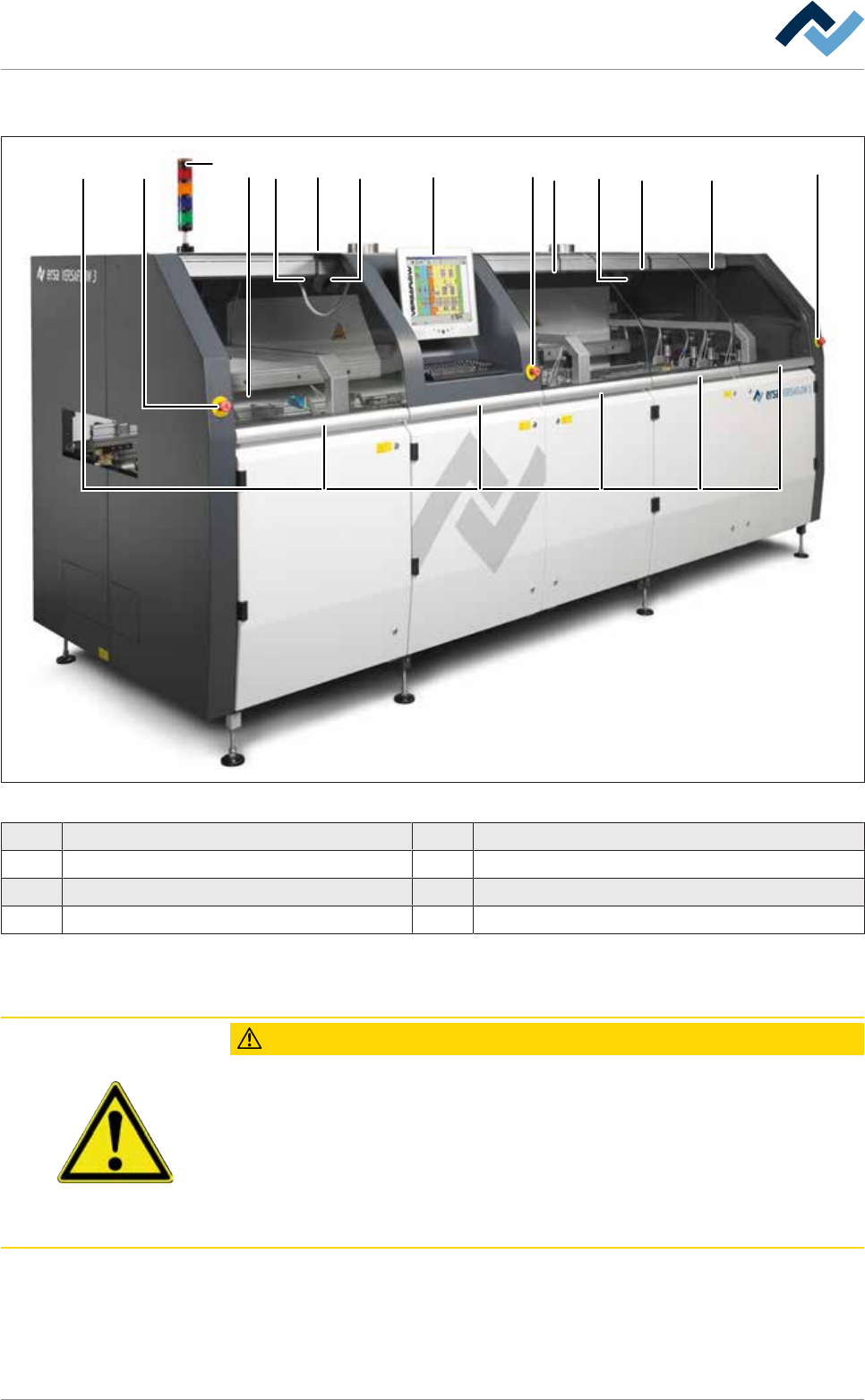
3|For your safety 3.2.2 Safety devices 2 8 7 6 1 5 4 2 6 5 6 6 2 3 Fig.1: Versaflow safety and protection devices. The main switch (1) is located on the rear of the machine 1 Main switch 5 Exhaust air monitoring 2 Eme…
3|For your safety
3.1 General safety instructions
3.1.1 Nationally valid safety and accident prevention regulations
For any work performed on the machine itself or on its electric or pneumatic equip-
ment, locally applicable accident prevention, safety and environmental protection
regulations are to be observed.
3.1.2 Safe system operation
For your own safety, please observe the following notices
– Check the system at least once per shift for apparent damage, defects and
changes!
– In case of visible damage or defects, or if the system operating performance
has changed, turn off the machine, secure the system and notify the respons-
ible person!
– Tools or other objects which are not required for operating the system may
only be stored inside the machine if it has a special device for storing tools!
– Covers and box parts must not be used as storage area!
– Cleaning agents (e.g. liquids, pastes, gases or cloths) must not be stored inside
the machine.
3.1.3 Fire protection
NOTE
Observe the rules! Risk of fire!
a) Have the fire protection system assessed at the installation site!
b) Take the necessary measures provided for by the applicable laws and regulations!
3.2 Safety and protective devices of the machine
3.2.1 Safety and protective devices
The following image shows the machine safety and protective devices:
DANGER
Possible serious injury or death!
a) Never disable safety devices!
Ersa GmbH Operating Instructions_VF335_en|Rev. 14|30/11/2017 34/695
3|For your safety
3.2.2 Safety devices
28 7 6 1 5 4 2 6 5 6 6 23
Fig.1: Versaflow safety and protection devices. The main switch (1) is located on the rear of the machine
1 Main switch 5 Exhaust air monitoring
2 Emergency STOP pushbutton 6 Safety switch
3 Indicator lamp 7 Fluxer module safety switch
4 Operating terminal 8 Door- and window interlocking system (optional)
3.2.3 Main switch
CAUTION
Risk of property damages!
ü If the machine has been switched off via the main switch, do not restart it imme-
diately.
a) Wait at least for three minutes!
b) Only when this time has elapsed is it possible to restart the machine!
ð Failure to observe this requirement may lead to damages to the electronic equip-
ment of the machine, to the PC and to the UPS!
Ersa GmbH Operating Instructions_VF335_en|Rev. 14|30/11/2017 35/695
3|For your safety
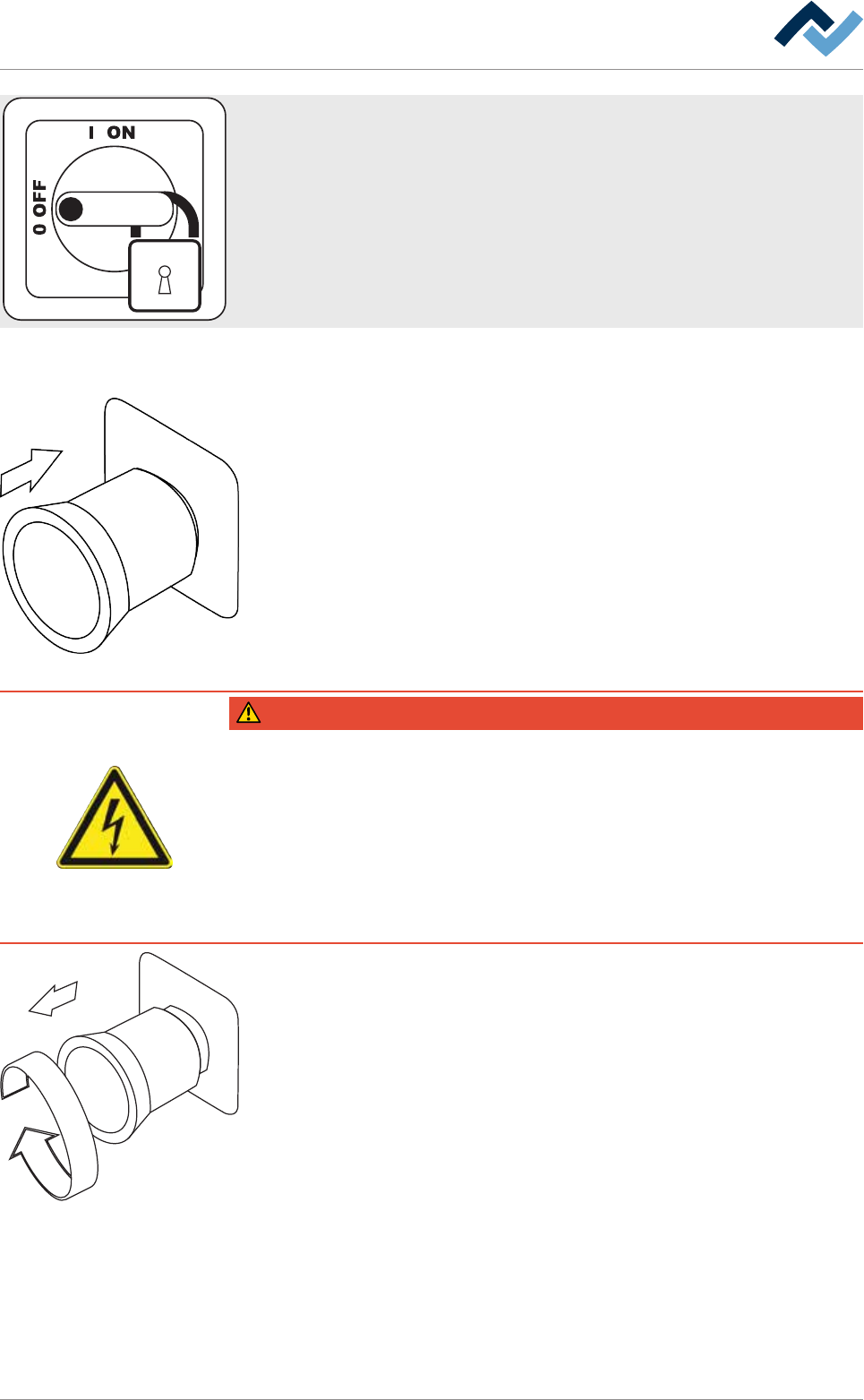
The main switch (1) disconnects all electric loads behind the main switch from the
power supply.
a) For maintenance work on the electrical machine components and for work in
the process area, the main switch must be locked with a safety lock in its OFF
position!
3.2.4 Emergency STOP pushbutton
When the emergency STOP pushbutton (2) is enabled, hazardous movements are
immediately stopped. The emergency stop function is available at any time and in
all operating modes.
DANGER
Dangerous electrical voltage!
Serious injury or death from electric shock!
ü The emergency STOP pushbutton does not disconnect the machine power supply!
Individual parts of the system are energized even if the emergency stop pushbut-
ton has been activated!
a) Do not use the emergency STOP pushbutton to disconnect the machine from
voltage!
b) Always switch the machine off using the main switch.
a) First, eliminate the danger or remove the error!
b) Pull out the pushbutton again after troubleshooting. Then acknowledge mes-
sages on the machine operating terminal!
Ersa GmbH Operating Instructions_VF335_en|Rev. 14|30/11/2017 36/695